Rust Chams Cheat Specter

Working
Specter Specter
Last update 22.06.2026 This date shows when the software was last updated. An old date doesn't mean the software stopped working! Most likely the developer just had nothing new to add. If you have any doubts, you can always check the current status with our support team.
Add another cheat from this game too — to compare them.
Specter Chams
Steam
Windows support: 10: 2004, 21h1, 22h2, 23h2, 24h4; 11: 21h2, 22h2, 23h2, 24h2, 25h2, 26h2
Menu language: English, Russian
Spoofer:No
USB drive:No
BIOS:No

User information

It runs on Windows 10 and 11, handling every current build with no fuss — no USB stick and no BIOS edits, the launcher installs like any normal app. The menu switches between Russian and English right in the cheat.

The key and loader hit your email the moment you pay; there's no account to set up on the site. If something won't come up, support is around to get you into the game.

SCREENSHOTS
Description

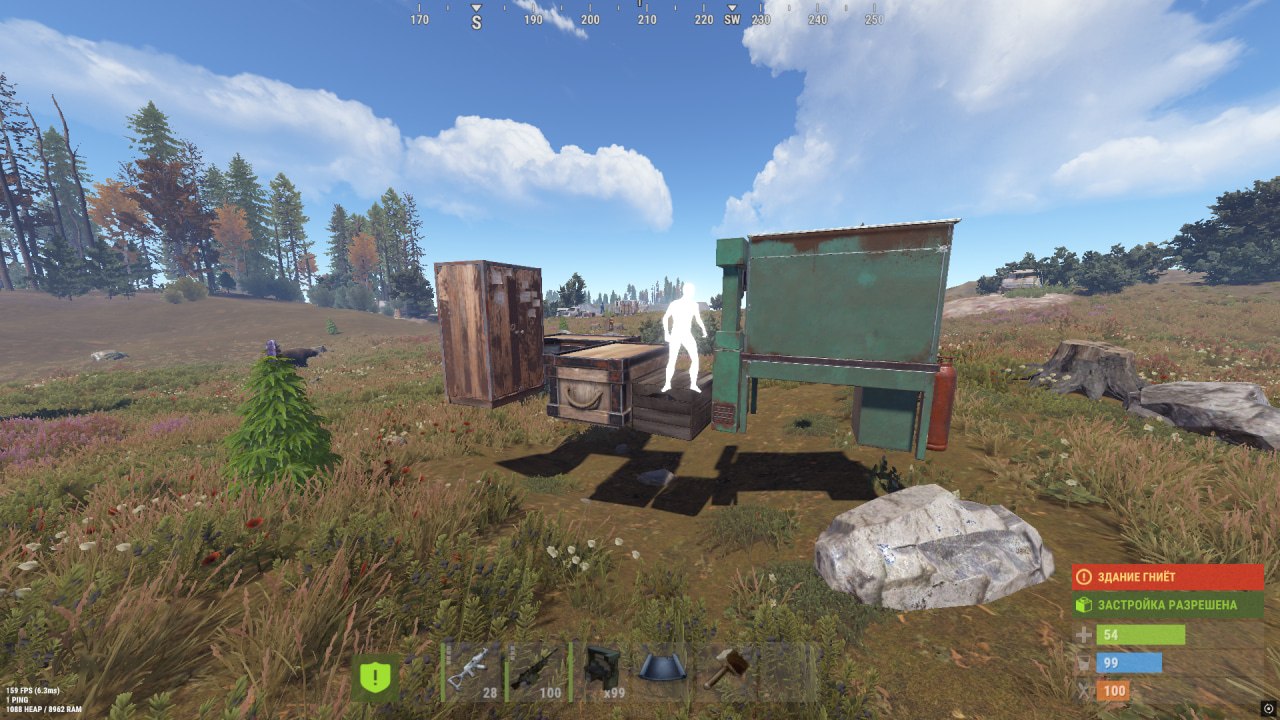
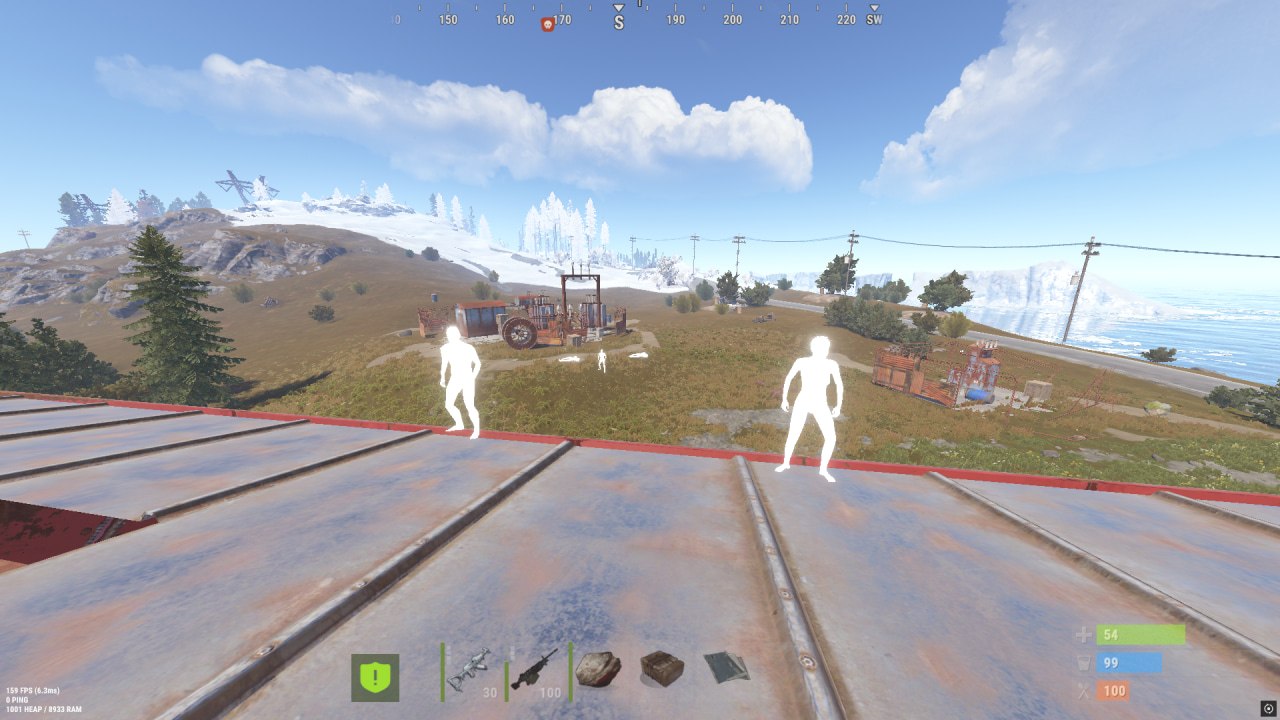
Specter Chams paints player models in a solid material and pulls them through any wall — a naked on spawn, a metal-geared raider or a sniper on a tower all show as a colored silhouette through rock and builds. It's external software: the highlight renders separately from the game and nothing hooks into the process.

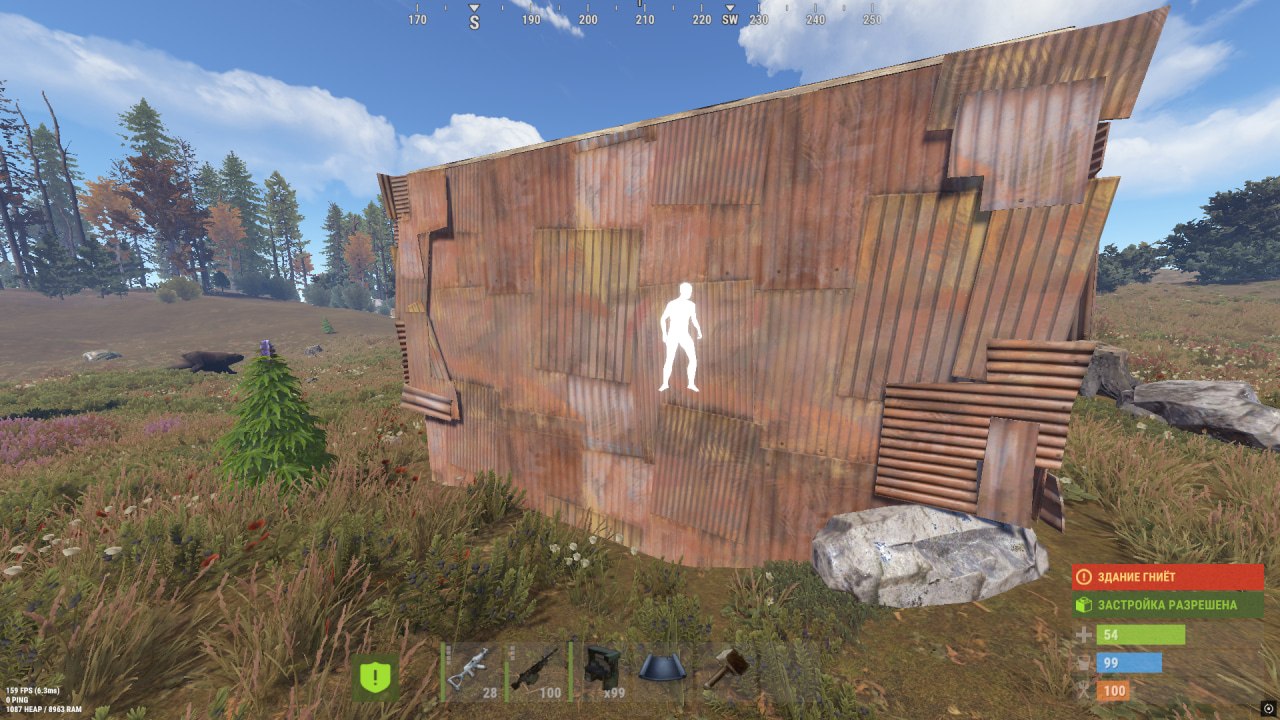
On top sits Remove Layers on F5: one key strips the geometry layers in the way, and the view opens up where a base wall usually blocks it. No aim and no radar, just clean visuals to keep enemies in sight and avoid a round from around the corner. Fixes land right after EAC patches.

Product features

Chams & vision

Chams material through walls

Enemy and teammate models fill with a solid material and show through walls, rocks and builds. The colored silhouette reads on any background — by the water at night or on snow at noon.

Remove Layers (F5)

Press F5 to strip the geometry layers in the way: whatever blocked the view stops blocking it, and a target behind a base wall shows early. Toggle it on and off on the fly with one key.

Known issues & fixes

Real questions from our support, with the fixes that worked. Based on user requests for this product.

The product loads in the launcher but no features or menu appear in the game — what to do?

If the product loads in the launcher but the features do not appear in-game, the usual cause is missing system libraries. Reinstall them.

1. Visual C++ (all versions at once):

2. DirectX:

After clicking Launch an Error window with a Fix button appeared — is something broken?

No, this is not a bug. A window titled Error with a Fix button at the bottom means the launcher detected incompatible system components — this is intended by the developer for automatic setup.

Click Fix: the launcher will disable the incompatible components and reboot your PC. After the reboot the product should start without errors.

BACKEND_TIMED_OUT / BACKEND_INTERNAL_ERROR / BACKEND_UNEXCEPTED_ERROR error in the launcher

These are backend communication errors — there may be a problem on the server side or no connection to the product server.

Fix: connect through a VPN and launch again.

FAILED_TO_LOAD_CHEAT error — how to fix it?

The program cannot be loaded.

Fix: check your antivirus and make sure the DirectX and Visual C++ libraries are installed (reinstall them if needed).

ERROR_OPENED_ANTICHEAT error — why it happens and how to fix it?

An anti-cheat was already running when the product first started.

Fix: close all games that use an anti-cheat. The product must be started before the game.

FAILED_TO_PARSE_SYMBOLS error — how to fix it?

Symbol parsing error.

Fix: restart the launcher. If it persists, check your antivirus and Windows Defender and add the product to the exclusions.

FAILED_TO_LOAD_VULN_DRIVER error — what to do?

The vulnerable driver cannot be loaded.

Fix: check your antivirus and make sure FACEIT anti-cheat is not running.

FAILED_TO_MAP_HYPERVISOR error — how to resolve it?

Not enough RAM to load the hypervisor.

Fix: reboot your PC or close unused applications, then try again.

INVALID_HWID error — what to do?

Invalid hardware ID (HWID).

Fix: reset the HWID yourself in the control panel, or request a reset from the developer.

FAILED_TO_FIND_SYMSRV_OR_DBGHELP error — how to fix it?

The required components could not be found.

Fix: check your internet connection and antivirus, and make sure FACEIT anti-cheat is not running.

FAILED_TO_INIT_SYSCALLS error — what to do?

System call initialization error.

Fix: check your antivirus and make sure the Visual C++ libraries are installed.

"CPU unsupported critical extensions" error — how to remove it?

Hyper-V / WSL / VBS / HVCI components are enabled.

Fix: the launcher should disable them automatically (the window with the Fix button). If it does not, contact the developer to add automatic disabling to the launcher.

"Virtualization disabled or unsupported" error — what to do?

Virtualization is disabled in the BIOS.

Fix: enable virtualization (Intel VT-x / AMD-V) in the BIOS settings for the product to work correctly.

"Not enough memory" error — how to fix it?

Not enough RAM to load the product.

Fix: close unused programs or reboot your PC.

"Offsets initialization failed" error — what does it mean?

Unsupported Windows version.

Fix: contact the developer and provide your full Windows version. As of writing, versions up to 26H2 are supported.

TRIAL_ALREADY_USED error — why does it appear?

You have already used another trial key — this error only occurs with Trial keys.

Fix: contact the developer.

KEY_BANNED error — the key is blocked, what to do?

The key has been banned.

Fix: contact the developer to clarify the reason for the block.

All issues & general troubleshooting
TARIFFS
150
BUY What happens after payment?
Got a question? Ask before you pay

We'll help you choose and sort out any launch issue. Ask us anything before buying, we're always on your side.

Support 10:00–22:00, sometimes we reply at night too
Ask a question

Available tariffs

1 day
150
START PURCHASE
7 days
700
START PURCHASE
30 days
1500
START PURCHASE
Reviews about Specter Chams

No reviews yet. Be the first to leave one.

Your review

Reviews are published after moderation.

Join our gaming community chat

Discuss current cheats from developers and how to use them effectively in popular online games. Share tactics, exchange useful info and find like-minded players in our community.

1 900+Members
24/7Online
Join our gaming community chat

Technical support

Run into a technical issue? Our team of experts will help. We handle all requests in a live queue, so please be understanding if it sometimes takes a little wait. We guarantee that no request goes unanswered.

Availabilityfrom 10:00 to 23:00
Fast responseIn queue order
Get help
Technical support
PROCHEAT

PROCHEAT news channel

Follow product status changes, update history and important announcements.

Subscribe

What Specter Chams does on Rust

The build is wrapped around one idea — see people before they see you. Chams fills the models with a material, F5 clears the geometry in the way, and all of it sits on external software with no hook into the game.

Capability What it gives you in a fight
Chams through walls player models fill with material and show through any barrier
Remove Layers (F5) one key clears the layers blocking your view
External, no aim visuals only, nothing injects into the game — clean on tape

EAC and keeping your account

Rust runs EAC, and the build survives on quick updates: after a Facepunch patch the dev ships a fix and puts a freeze on the downtime so accounts don't burn. The cheat itself is external — it doesn't inject into the game. Your part is to not overdo it: don't post clips with obvious chams to public and don't inflate your stats to absurd numbers, and the account lasts longer.

Payment and launch

Grab the plan that fits — a day for one session, a week for a wipe or a month for the season — pay, and the key with the launcher land in your inbox. The rest is simple: run the loader, paste the key, join a server. Trip on the start and support will tell you what to fix.

FAQ

What's in it besides chams?

Remove Layers on F5 and nothing else: no aim, radar or loot ESP in this build. It's a narrow visual cheat for positional control.

Does the chams show on recordings?

The software is external and the highlight renders separately from the game. Don't flash the chams openly on stream and there won't be questions.

Do I need a spoofer or a driver?

No. The cheat works with no driver and no built-in spoofer; you keep the account clean yourself.

Will it run on a weak PC?

Yes, it's a light overlay on top of the game, the load is minimal and it barely touches your FPS.

Does it work on Windows 11?

Yes, all current Windows 11 and 10 builds are supported.

What happens after a Rust patch?

The product goes on freeze, your subscription time is frozen, and the post-fix unfreeze returns the spent days.

Ask a question


