CHAMS - Player Highlighting
Chams Mode (Flat / Glow / Wireframe)
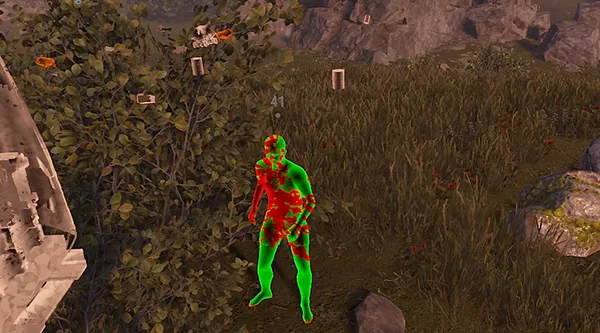
Three render modes for enemy models. Flat is a solid fill, clean silhouettes with no extra effects. Glow puts a halo around the model, stands out sharply against any background. Wireframe draws a skeleton mesh so you can read pose and movement direction. Switch between them on F9 mid-fight.Visibility Check (red / green)
Color-coded visibility indicator. Red means the enemy is behind a wall or in cover, green means direct line of fire. No more guessing whether you can hit right now - the chams color updates in real time as the player steps out from a corner.WORLD - Environment Control
Wall Hack (F5)
Makes walls and structures transparent with one button. Inside an enemy base you can see the layout: where the TC is, where the loot rooms are, which corridors lead where. Saves explosives on raids - no breaking extra walls blindly. F5 toggles instantly.Full Bright / Bright Night (F6)
Full lighting in dark areas. Night, underground tunnels, dark rooms inside bases - everything is visible as if it were day. F6 flips on the fly: turn it on to clear a cave, turn it off on the surface so the picture doesn't look unnatural on stream.LOOT & RESOURCES - Items and Resources
Show Ore (Capslock+1 / Num1)
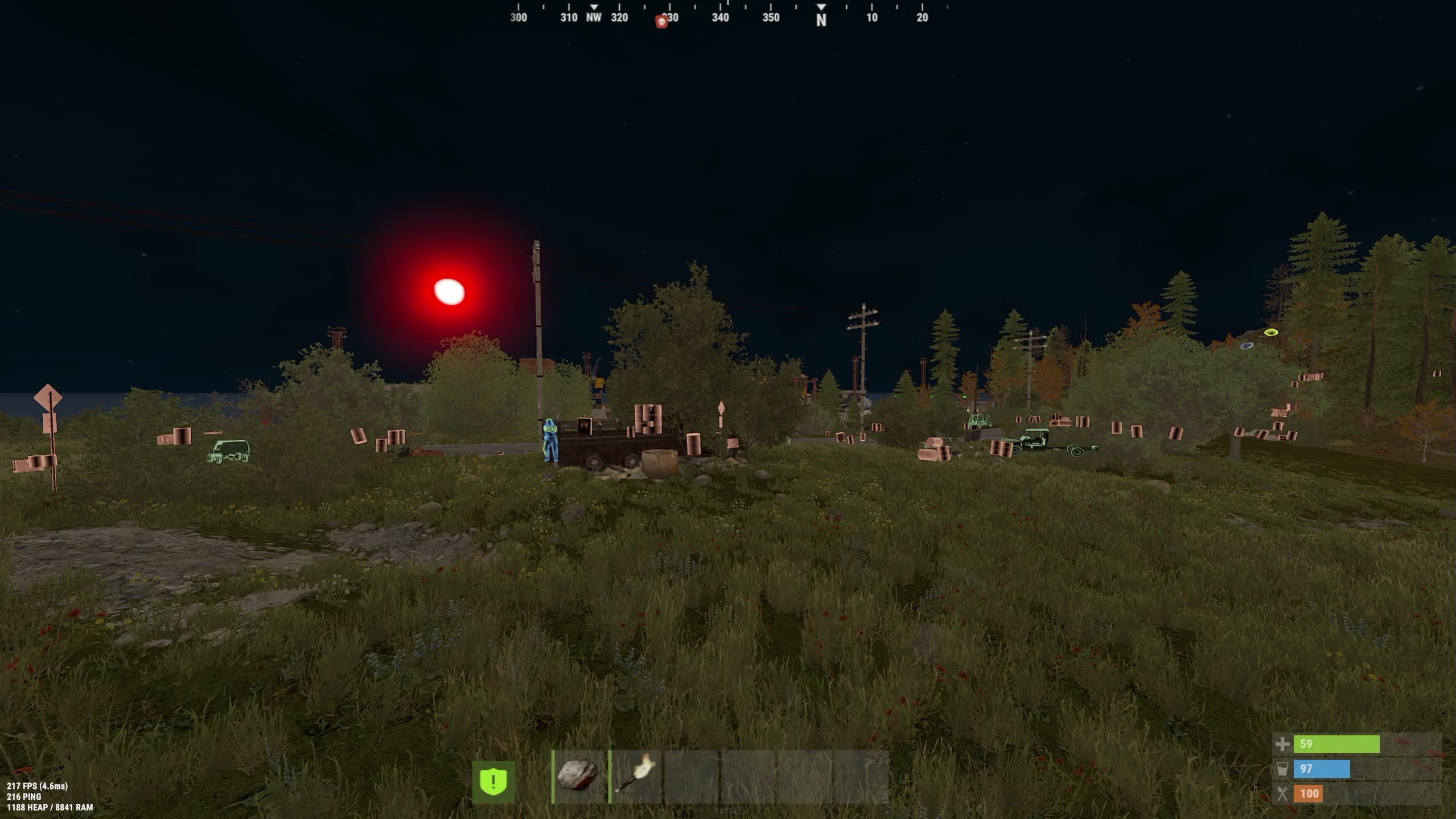
Highlights ore nodes: stone, metal, sulfur. Nodes are visible through terrain at range - in the first hours of wipe that's double farm speed. Sulfur nodes are highlighted separately, so you walk a straight line from one to the next instead of wandering.Show Ore + Cloth (Capslock+2 / Num2)
Ore plus ground-level collectibles: hemp and stones. Cloth from hemp is critical from the first minute - sleeping bags, clothes, medkits. In green biomes hemp disappears in tall grass; the highlight fixes that.Show Crates (Capslock+6 / Num6)
Highlights crates, barrels, and road signs. Barrels along roads are the main component source early on. Monument crates are visible in advance so you can plan your run route through Oxum's or Gas Station before entering the zone.TRAPS & SAFETY - Threat Detection
Show Traps (Capslock+3 / Num3)
Highlights traps and turrets: auto turrets, shotgun traps, flame turrets, SAMs, landmines, and bear traps. You see the turret behind the wall before it opens fire. Mines in the grass at a base entrance are invisible to the naked eye even in daylight.Show Sleeping Bags (Capslock+4 / Num4)
Highlights sleeping bags and beds. The number of bags around a base tells you how many players are in the clan and where their respawn points are. During a raid you know exactly where the defenders will spawn from after you kill them.ENTITIES - Animals and Vehicles
Show Animals (Capslock+5 / Num5)
Highlights all animals: wolves, bears, boars, deer, chickens. Early on a bear means death and losing all your farm. See it through the trees ahead of time and go around - or go straight for it to farm meat and leather from safe wildlife.Show Vehicles (Capslock+7 / Num7)
Highlights ground vehicles on the map. Modular cars, boats, minecarts - spot free transport without spending ages driving along roads and coastlines.Show Helicopters (Capslock+8 / Num8)
Highlights minicopters and Scrap Heli as a separate category. The minicopter is the most valuable transport in Rust and finding a free one is often harder than farming the fuel for it. The highlight shows every copter within render range, including ones sitting on enemy rooftops.KEYBINDS - Function Control
Hotkeys (F5 / F6 / F9 / Capslock+1-8 / Num1-8)
Every function has its own key. F5 is wall hack, F6 is night lighting, F9 switches chams mode. Capslock+number toggles ESP categories: ore, cloth, traps, sleeping bags, animals, crates, vehicles, helicopters. Numpad mirrors all binds, Num1 through Num8. Everything switches without a menu, on the fly.
 SMG
SMG




 Join all games chat





