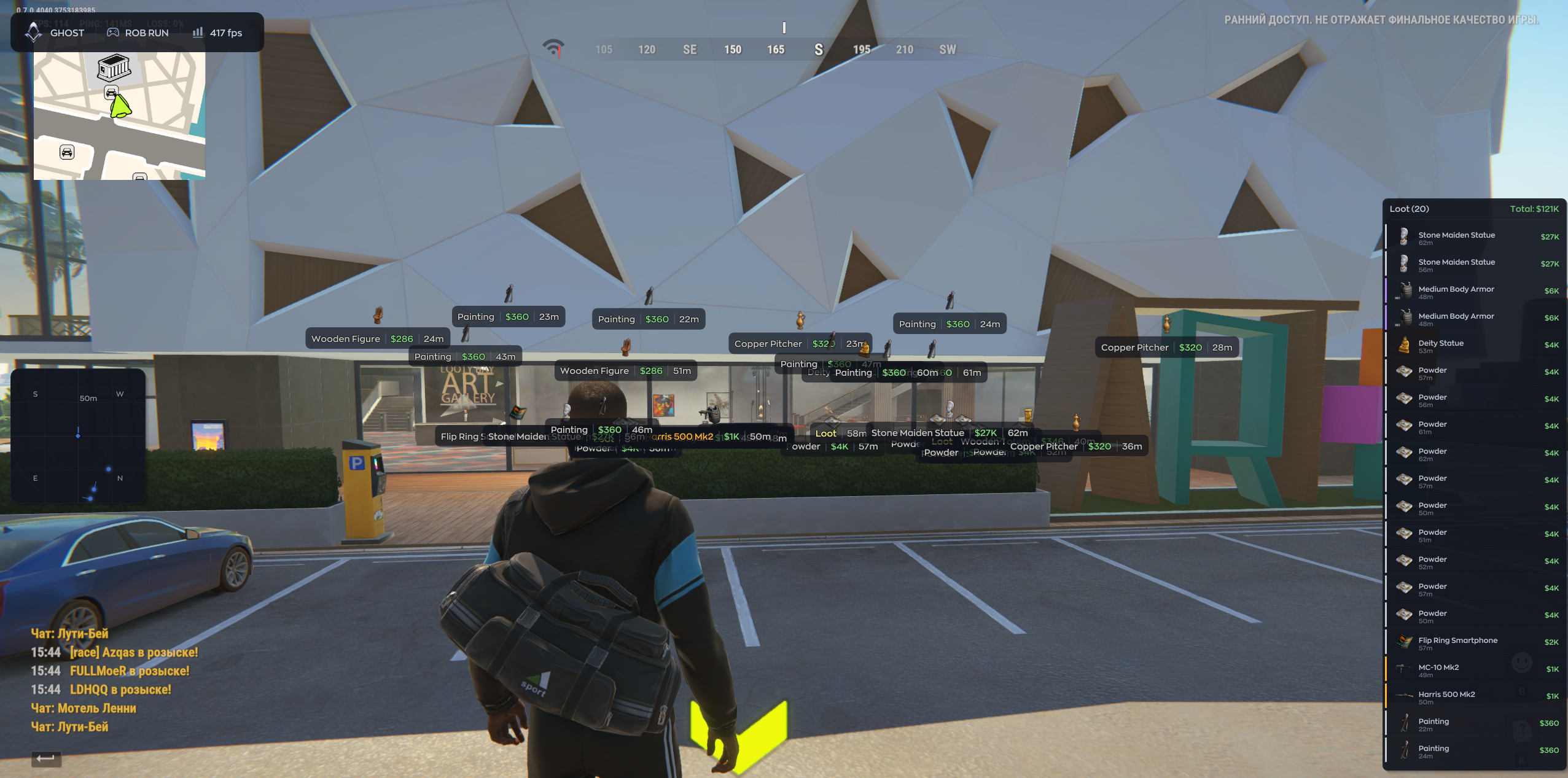
Ghost ROB RUN ESP with player labels and loot search

Working
Ghost Ghost
Last update 17.11.2026 This date shows when the software was last updated. An old date doesn't mean the software stopped working! Most likely the developer just had nothing new to add. If you have any doubts, you can always check the current status with our support team.
Add another cheat from this game too — to compare them.
Ghost ROB RUN ESP
Steam
Windows support: 10: all builds; 11: all builds
Menu language: English
Spoofer:No
USB drive:No
BIOS:No

User information

Windows 10/11 (all builds). Use the Steam version of ROB RUN, an Intel or AMD CPU and an NVIDIA or AMD GPU. Run the game in windowed or borderless mode. A USB drive is not required. There is no built-in spoofer.

SCREENSHOTS
Description

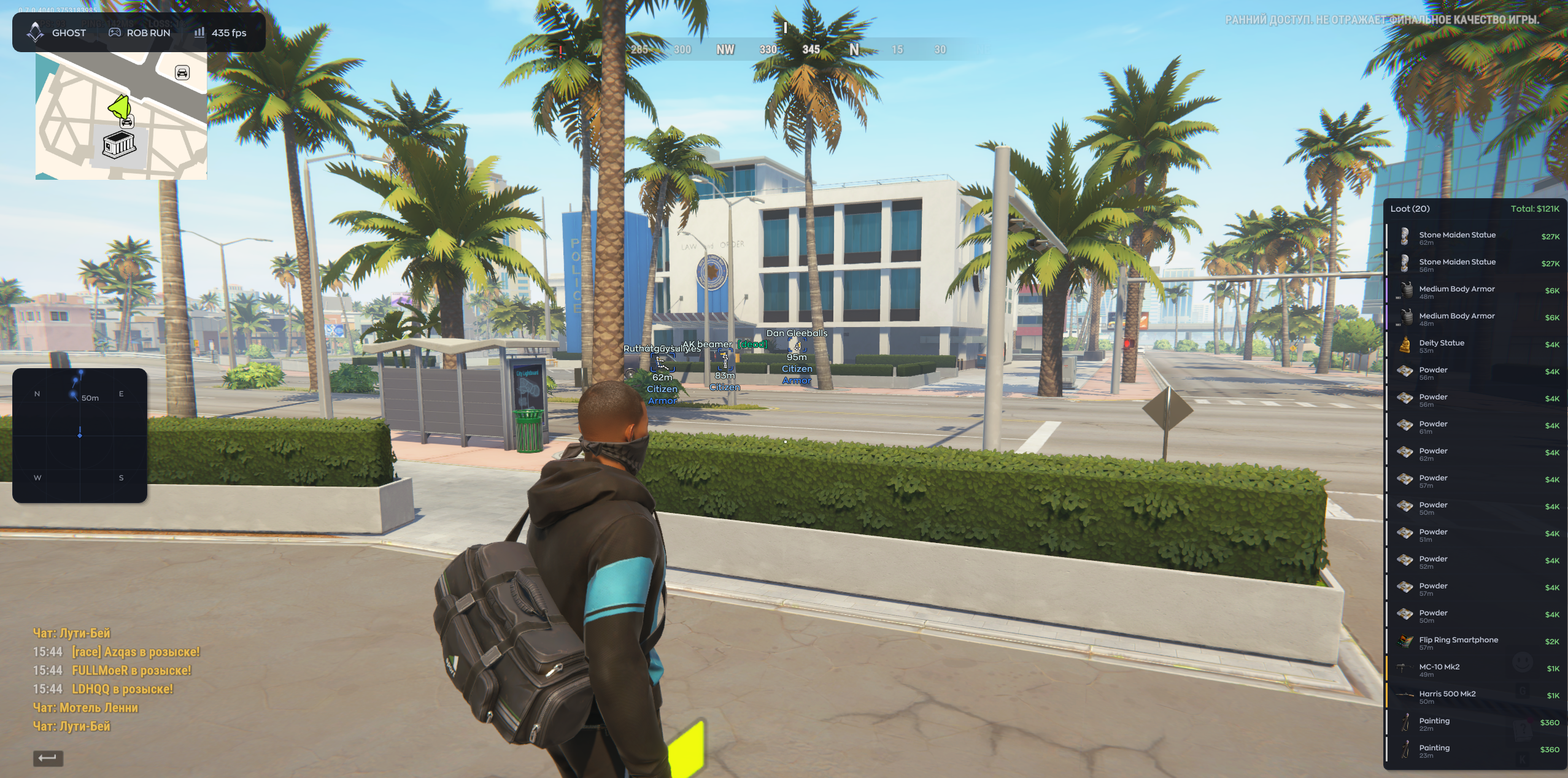
With Ghost ESP, you can keep the labels you need for a run and hide the rest. Leave player roles in the main view, for example, and put facing direction on the radar. For a specific item, type its name and check Summary. You still aim yourself.

Product features

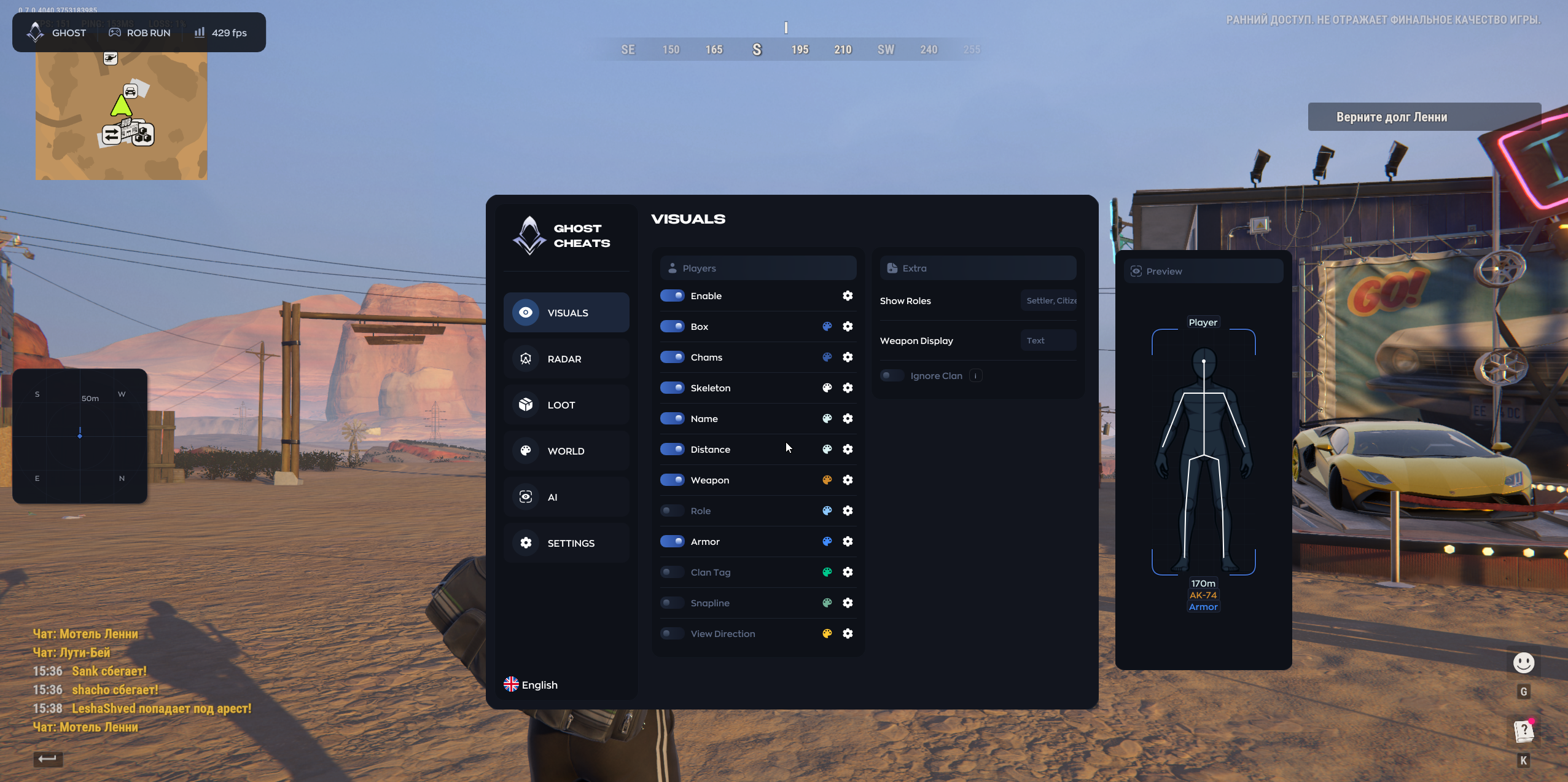
Player overlays

Box

Outline a player with a box.

Chams

Color the player model.

Skeleton

Draw the player's pose as a skeleton.

Name

Display the player name.

Distance

Show the distance to the player.

Weapon

Label the player's weapon.

Role

Display the player's role.

Armor

Show armor presence and level.

Clan Tag

Show the clan tag.

Line

Draw a line from the screen edge to the player.

View Direction

Indicate the player's facing direction.

Show Factions

Filter the factions shown.

Weapon Selection

Switch between a weapon icon and text.

Ignore Clan

Exclude selected clan tags from the overlay.

Preview

Preview the player labels.

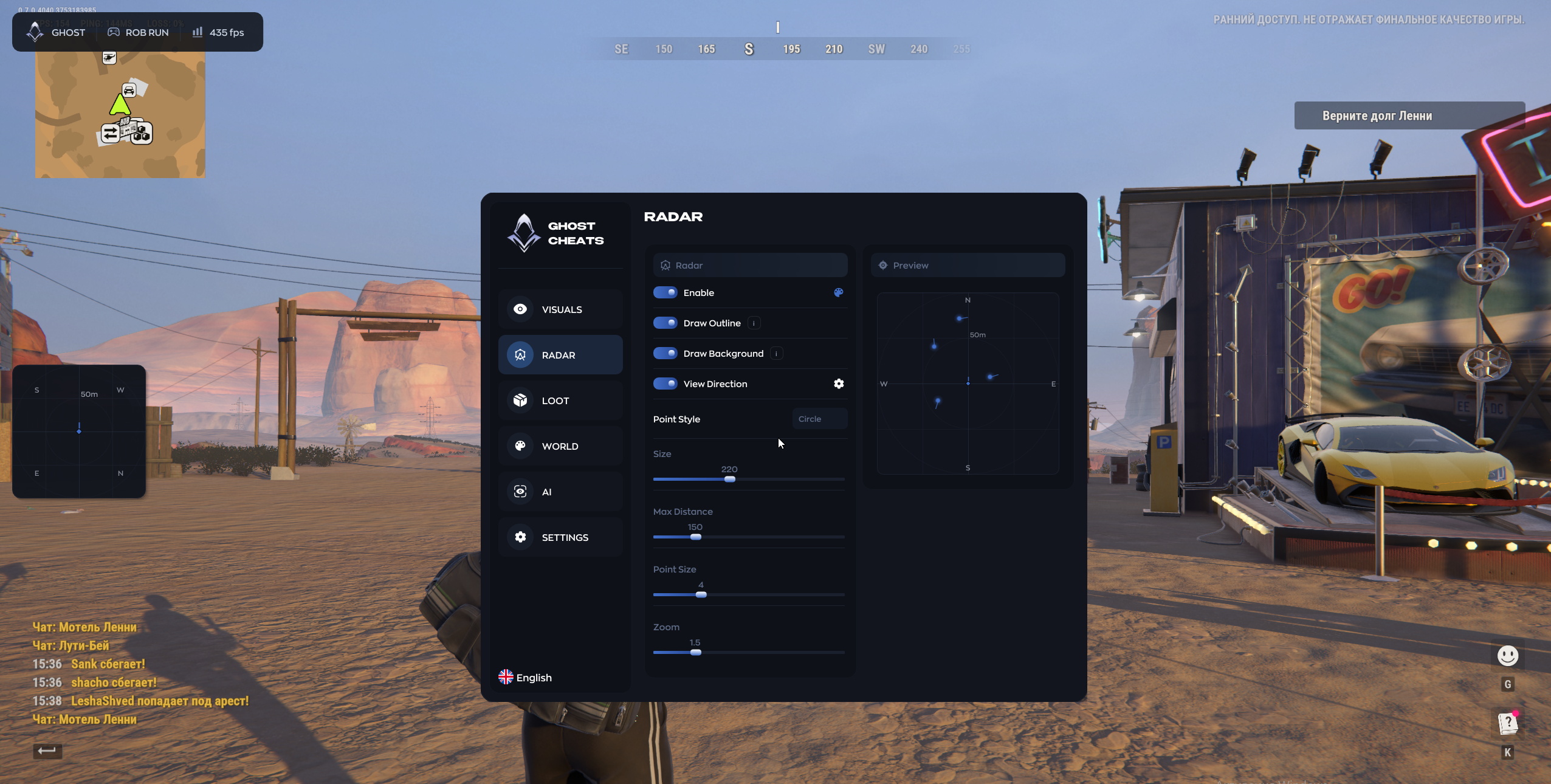
Radar

Outline

Draw a border around the widget.

Background

Toggle the radar background.

View Direction

Show facing direction on the radar.

Dot Style

Change the shape of the markers.

Size

Resize the radar widget.

Max Distance

Set the maximum display range.

Dot Size

Adjust marker size.

Zoom

Adjust the zoom inside the widget.

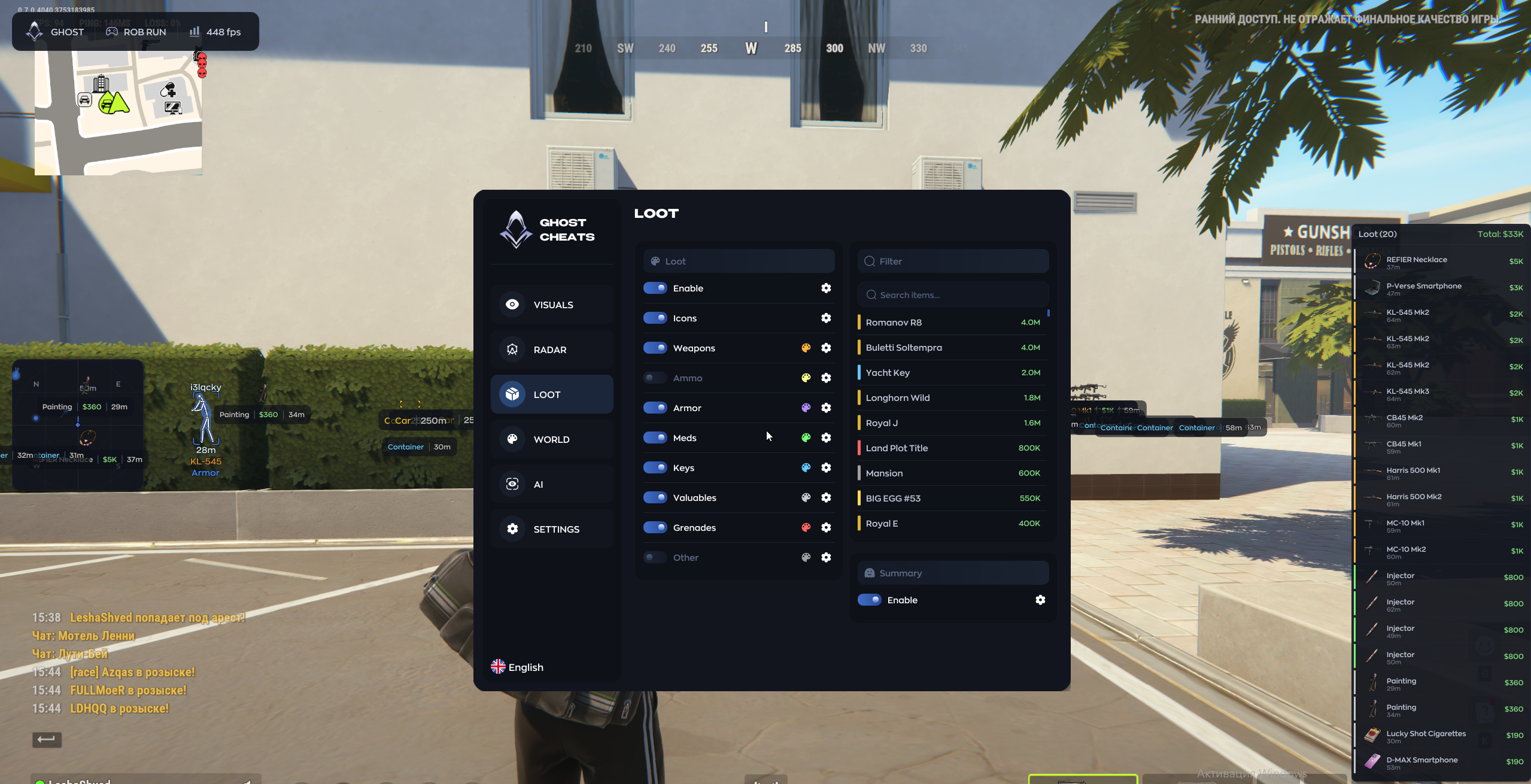
Loot

Icons

Use icons in place of item labels.

Weapon

Show weapons.

Ammo

Show ammunition.

Armor

Show armor items.

Medications

Show medicine.

Keys

Show keys.

Valuables

Show valuables.

Grenades

Show grenades.

Other

Show other loot.

Search Items

Filter items by name.

Loot Summary

Open a separate list of matching items.

Vehicles and world

Vehicle Box

Draw boxes around vehicles.

Vehicle Text

Show vehicle names and distance.

Friends

Show distance to friends.

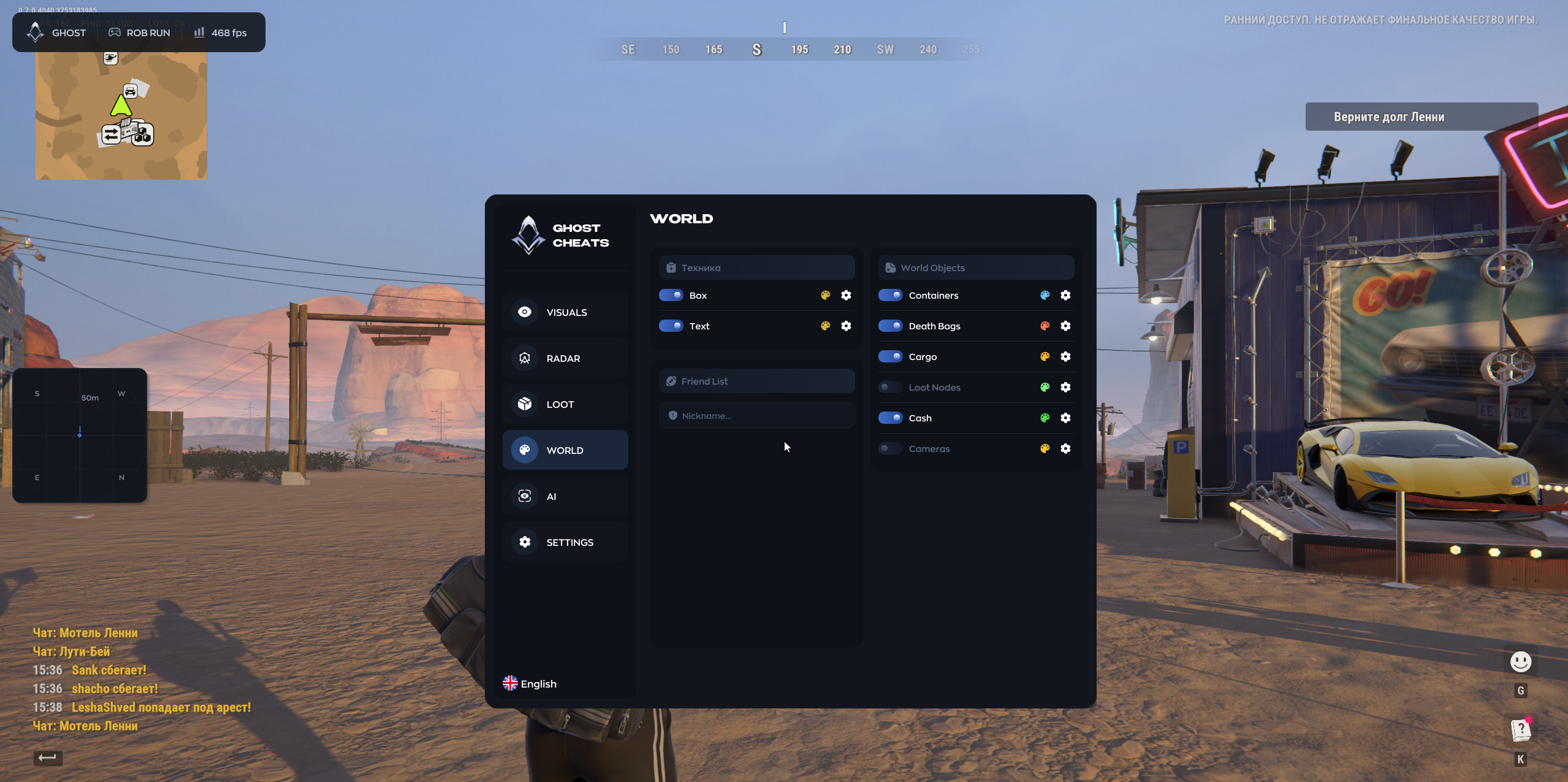
Containers

Mark containers.

Bags

Mark bags.

Cargo

Mark cargo.

Loot Spots

Mark loot spawn points.

Cash

Highlight cash.

Cameras

Mark surveillance cameras.

Profiles and interface

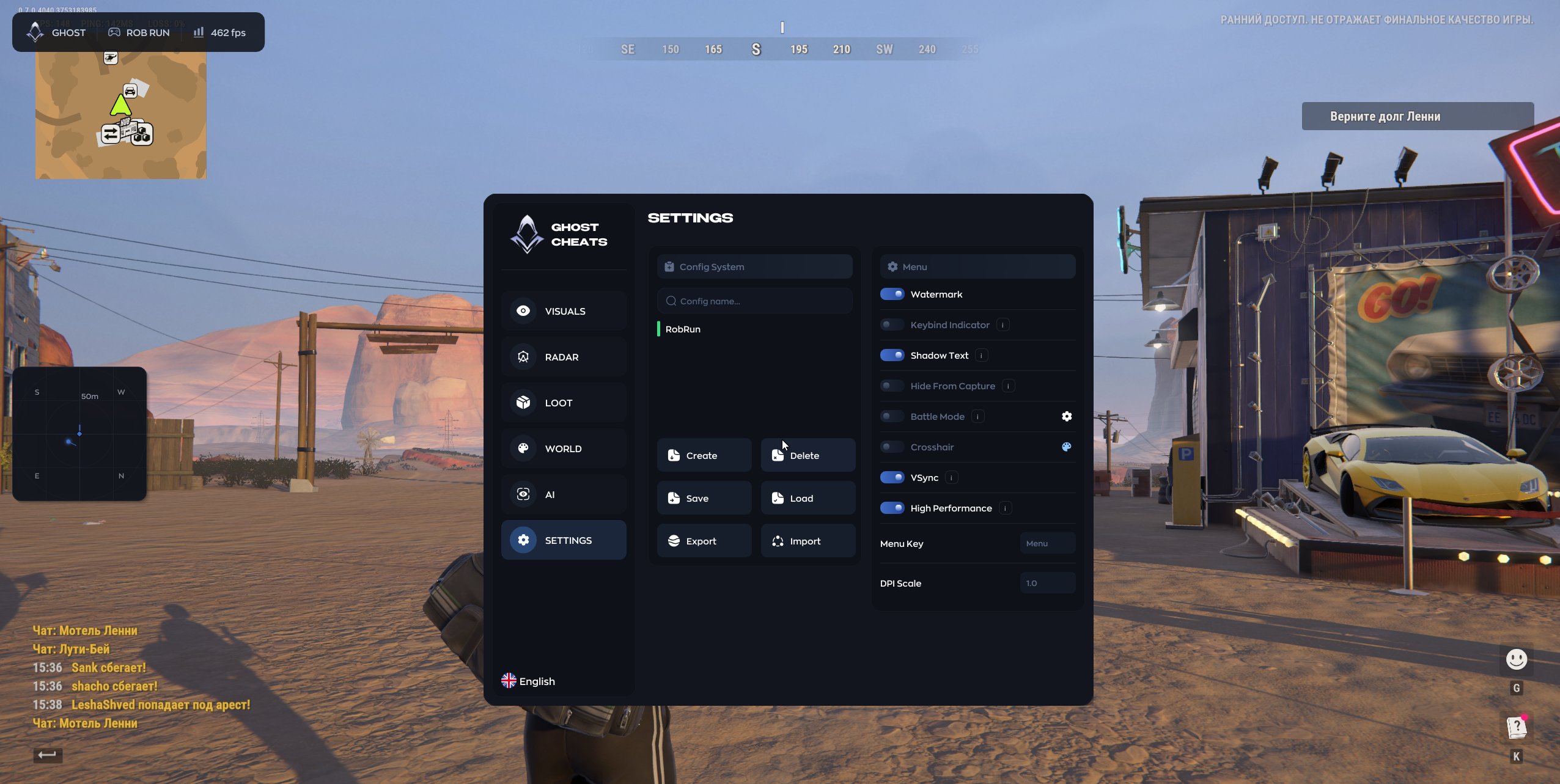
Create / Delete

Create or remove a profile.

Save / Load

Save or load a profile.

Export / Import

Export or import settings as a file.

Watermark

Display the Ghost watermark.

Binds Indicator

Display pressed binds.

Text Shadow

Add shadows to interface text.

Hide from Capture

Set whether the menu is hidden from capture.

Combat Mode

Hide the menu on the assigned key.

Crosshair

Show a custom crosshair.

V-Sync

Toggle vertical sync.

High Performance

Switch the menu to performance mode.

Menu Key

Bind the menu key.

DPI Scale

Adjust interface scale.

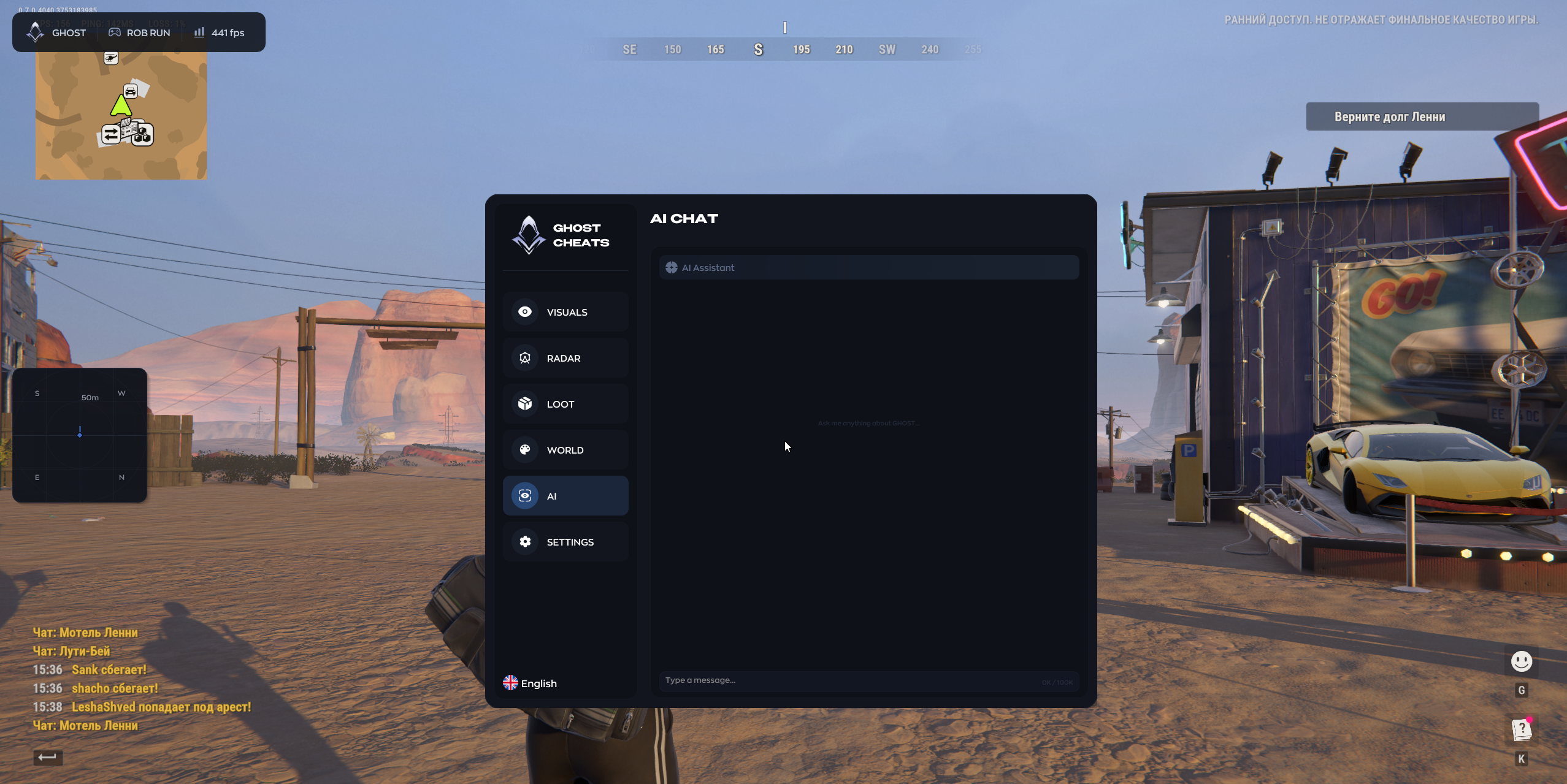
AI Assistant

Open the assistant for menu questions.
TARIFFS
200₽
BUY What happens after payment?
Got a question? Ask before you pay

We'll help you choose and sort out any launch issue. Ask us anything before buying, we're always on your side.

Support 10:00–22:00, sometimes we reply at night too
Ask a question
Update history
  • 17.11.2026 Working

Available tariffs

1 day
200 ₽
200 ₽ / day
START PURCHASE
7 days
1000 ₽
143 ₽ / day
START PURCHASE
lowest per day
30 days
1500 ₽
50 ₽ / day
START PURCHASE
Reviews about Ghost ROB RUN ESP

No reviews yet. Be the first to leave one.

Your review

Reviews are published after moderation.

Join our gaming community chat

Discuss current cheats from developers and how to use them effectively in popular online games. Share tactics, exchange useful info and find like-minded players in our community.

1 900+Members
24/7Online
Join our gaming community chat

Technical support

Run into a technical issue? Our team of experts will help. We handle all requests in a live queue, so please be understanding if it sometimes takes a little wait. We guarantee that no request goes unanswered.

Availabilityfrom 10:00 to 23:00
Fast responseIn queue order
Get help
Technical support
PROCHEAT

PROCHEAT news channel

Follow product status changes, update history and important announcements.

Subscribe

Ghost ROB RUN ESP access plans

Ghost ESP comes in three subscription lengths. Item search and radar work the same on each plan, so pick the number of days you expect to play.

DurationPrice
1 day200 RUB
7 days1000 RUB
30 days1500 RUB

What the overlay shows on a player

Start with a box or Chams if you need to spot a model quickly. Add the skeleton when the outline alone makes a pose hard to read. Each label has its own switch. You can keep name, role and distance beside the model and hide gear details.

Open Preview before saving a profile. If the clan tag overlaps the name, keep whichever label makes the player easier to identify.

Factions, clans and facing direction

Show Factions filters players by faction, while Ignore Clan can remove selected clan tags from the overlay. Weapon Selection switches between a compact icon and a text label. View Direction indicates where the model is facing. The line to the player serves a different purpose: it helps you locate the player in the scene.

Reading the radar widget

Adjust the widget size, point shape, point size and background separately. Zoom controls the presentation inside the radar, while range determines how far away players can be displayed. For a close view, try a shorter range and larger markers. If you widen the range, check that the dots stay readable at the selected zoom. Facing direction can be used on the radar separately from the main overlay.

Item lookup and loot summary

Each loot category can be selected separately: keys, medicine, ammunition, weapons, armor, grenades and valuables. Switch to icons if labels take up too much space. Use the search field for an exact item when a broad category shows too many entries. Summary puts the results into a separate list. You can narrow the item filters and still keep cameras or containers visible through the world menu.

For a run focused on keys, start with only keys enabled in Loot. If you want one particular item, type its name and open Summary. A list is easier to scan when several icons overlap in the main view. Load your regular profile again after the search to restore the categories you usually use.

Vehicles and points of interest

Vehicles can have a box and a label with the name and distance. The friends list displays distance to individual group members. World objects include bags, containers, cargo, cash and cameras. Loot spawn points have a separate switch. Start with a few object types at a time so you can identify the source of each marker and save a dedicated exploration profile.

You can save a separate layout for trips by vehicle. Keep the vehicle name and distance, and add cameras or containers if they matter on your route. If the labels overlap other markers, try keeping the text and turning off the vehicle box.

Menu controls and saved layouts

Save the overlay once you have a readable layout. Profiles can be reloaded or moved using export and import. Interface scale and text shadows help with labels that are hard to read at your resolution. The English menu has a configurable Menu Key, and Combat Mode hides the menu itself. Use the instructions for your order to check Windows compatibility and the launch steps. If a profile fails to load, verify which one is selected and keep the exact error for support.

Common questions

Does ESP include automatic aim?

This edition provides visual tools. Mouse, Silent and Memory aim are available in Ghost FULL.

How can I make the gear labels shorter?

Choose the weapon icon in Weapon Selection and keep armor as a separate marker.

How do I hide a specific clan?

Add its tag to Ignore Clan. Show Factions is a separate faction filter.

Can I search for an item by name?

Yes. Use the item search field and open Summary to review the results as a list.

Can I see which way a player is looking?

View Direction is available in both the player overlay and radar.

What information is visible for vehicles?

The box marks the vehicle. Its name and distance can be shown as a separate text label.

Can I show only cameras and containers?

Cameras, containers, cash, bags and cargo have separate controls. Save your selection in a profile.

Can I export a profile?

Yes. Export saves it to a file, and Import loads it back into the menu.

How do I check my Windows version?

Press Win + R and run winver. Compare the build number with the current Ghost ESP instructions or ask support.

Do the plans have different functions?

The plan determines the access duration. Check that ESP is the selected edition before ordering.

Latest updates

17.11.2026 12:25
Working
Open full history
from 200 ₽ Choose a plan
Ask a question