Bleak External Cheat for WARDOGS

Working
Bleak Bleak
Add another cheat from this game too — to compare them.
Bleak WARDOGS
Steam
Don't risk your main — grab a spare account JWT →
Windows support: 10: 2004, 21h1, 22h2, 23h2, 24h4, all builds; 11: 21h2, 22h2, 23h2, 24h2, 25h2
Menu language: Russian, English
Spoofer:No
USB drive:No
BIOS:No

User information

Bleak draws everything through the Discord overlay, so Discord has to be installed, and you will run it as administrator. The game must be the Steam version. Windows 10 works from build 2004 onward, Windows 11 up to 26H1; the winver command shows which build you have.

You can leave Secure Boot and TPM alone, there is nothing to change in the BIOS, and no USB stick is needed. What you do switch off is Windows Defender, VBS and Core Isolation with its Memory integrity setting. The vendor also asks you to remove third-party antivirus software such as 360 and Avast, and anti-cheats such as FaceIT and Vanguard. No spoofer is included.

Payment goes through Digiseller, and prices are in dollars. The key lands in your inbox right after payment, and the same email carries the instructions with the loader link. If WARDOGS ships a patch and the build goes in for an update, the product status changes and your subscription clock stops until the update is done.

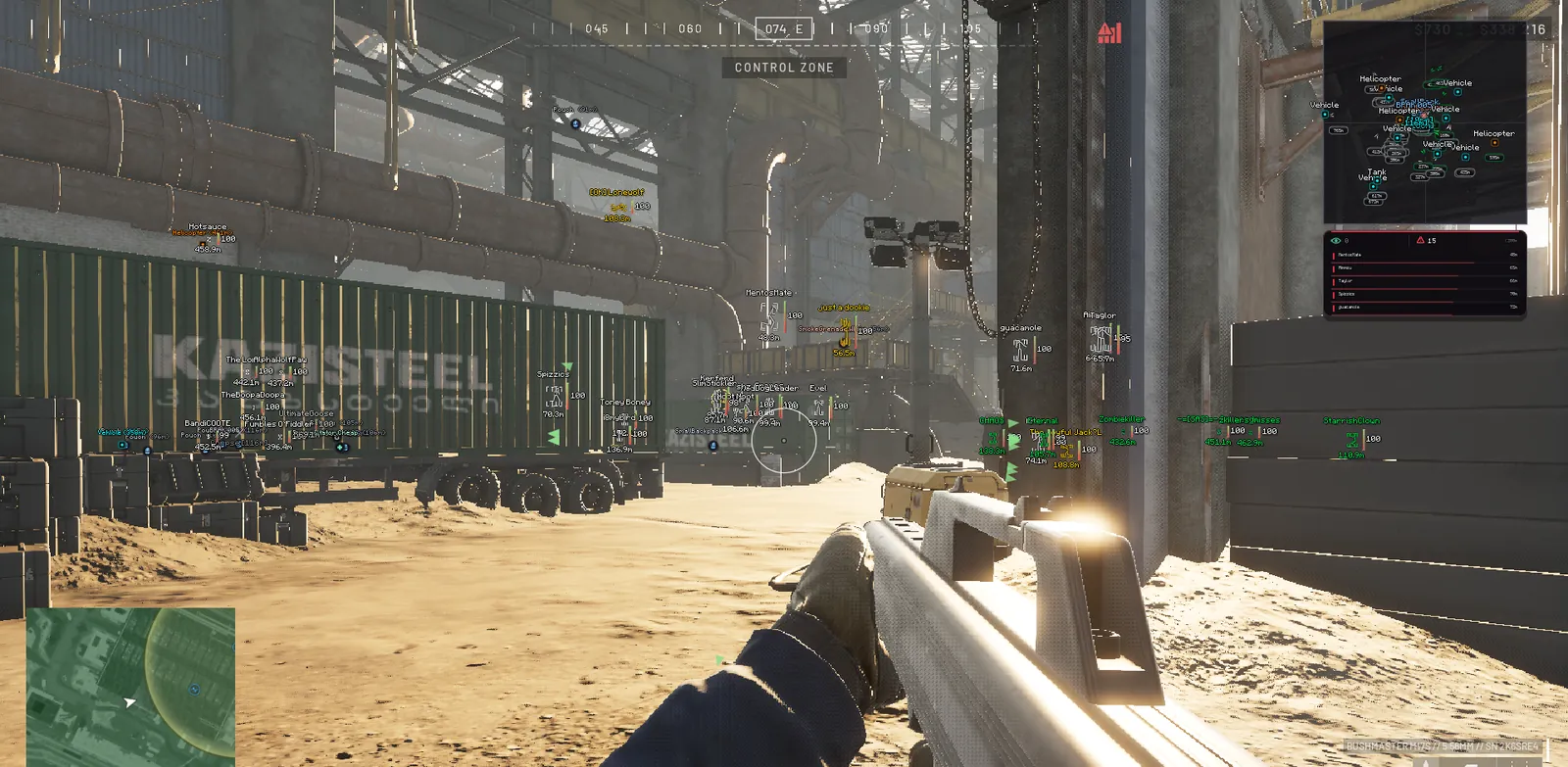
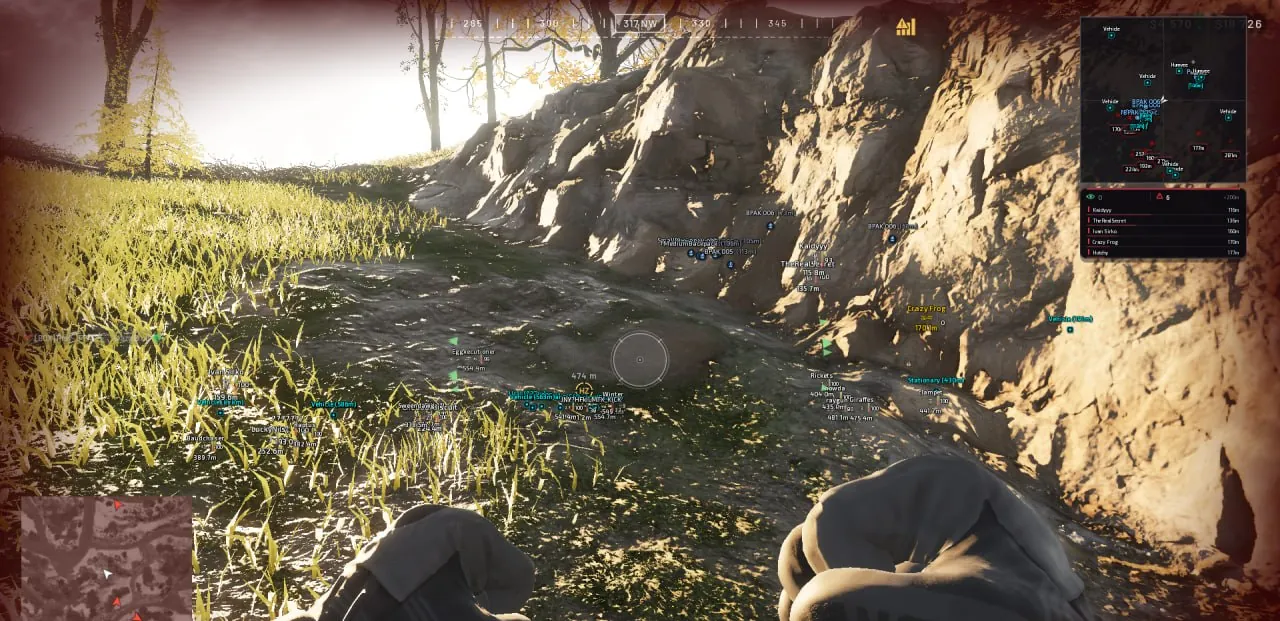
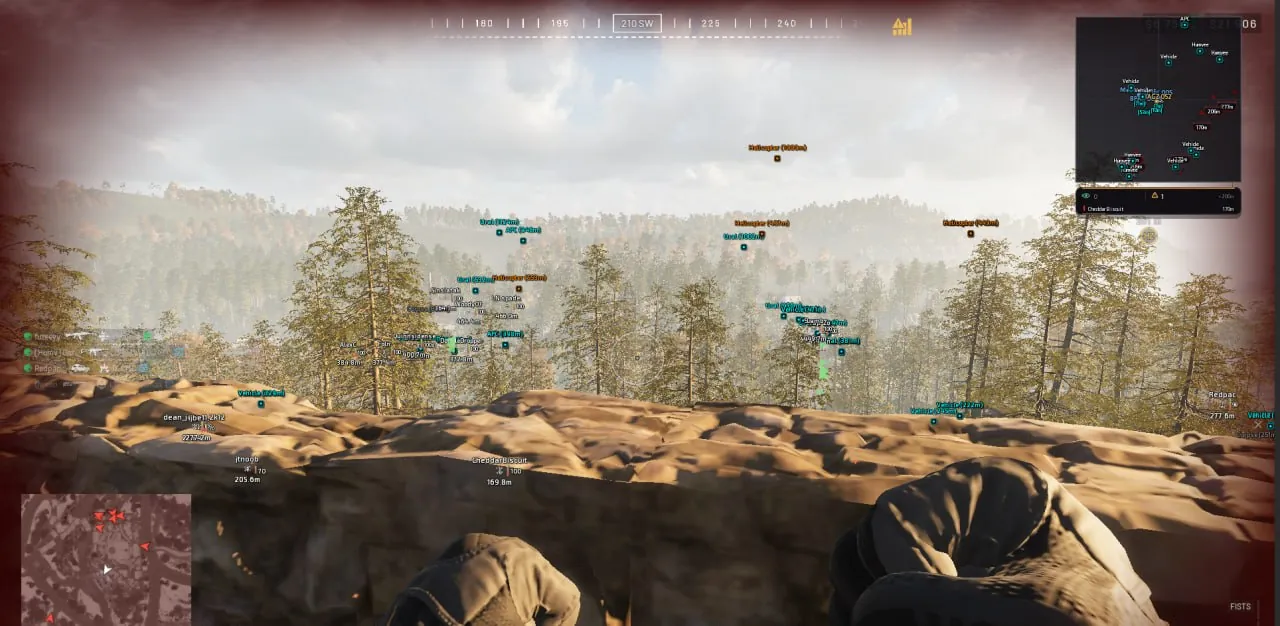
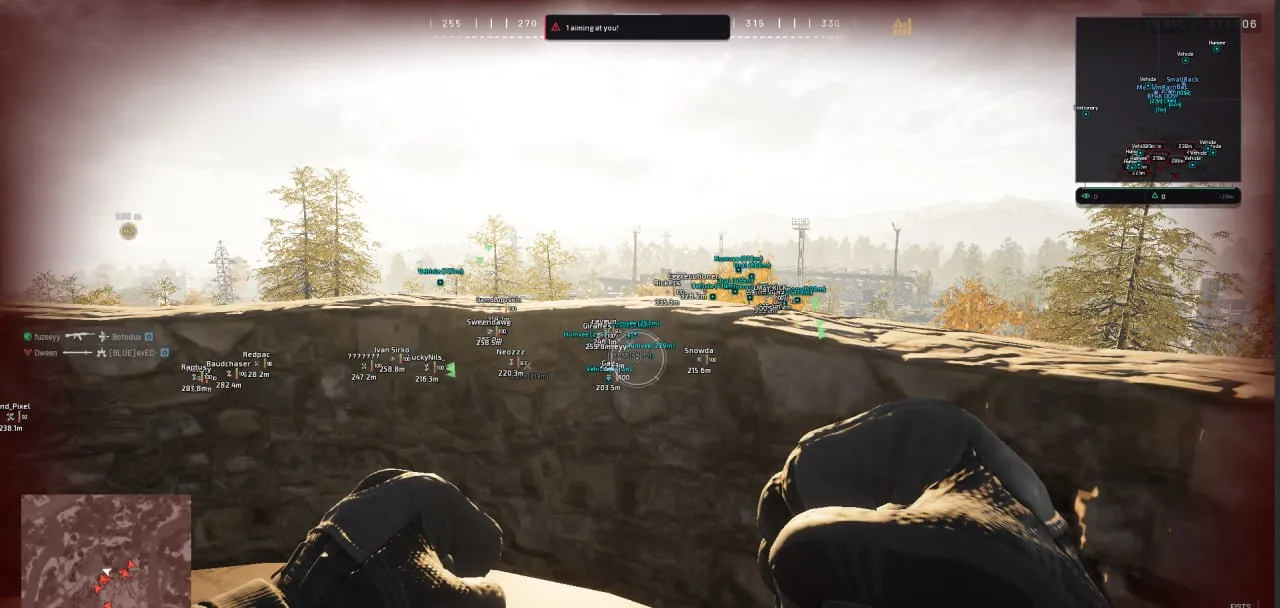
SCREENSHOTS
Description

Bleak is an external WARDOGS cheat: it runs as a separate process, never injects into the game, and draws its menu and ESP through the Discord in-game overlay. Secure Boot and TPM can stay on, and you need neither a USB stick nor any BIOS changes. What sets it apart from the other WARDOGS builds in the catalog is Admin in lobby warn. Every two seconds the software checks the lobby and shows a red warning if an admin or game developer has joined. That gives you time to switch off the aimbot and finish the match clean.

WARDOGS puts up to a hundred players into three factions: Valkyra, Lonestar and Manticore. Without a filter, ESP in a match like that turns into a mess of boxes, so Bleak can hide faction allies or paint them in their own color, in the ESP and on the radar alike. The dead are drawn as gray markers, vehicles show up to 3000 m away and loot up to 1000 m. The aimbot's prediction takes lead and bullet drop from the ballistics of the gun in your hands, and recoil is zeroed straight in memory.

Product features

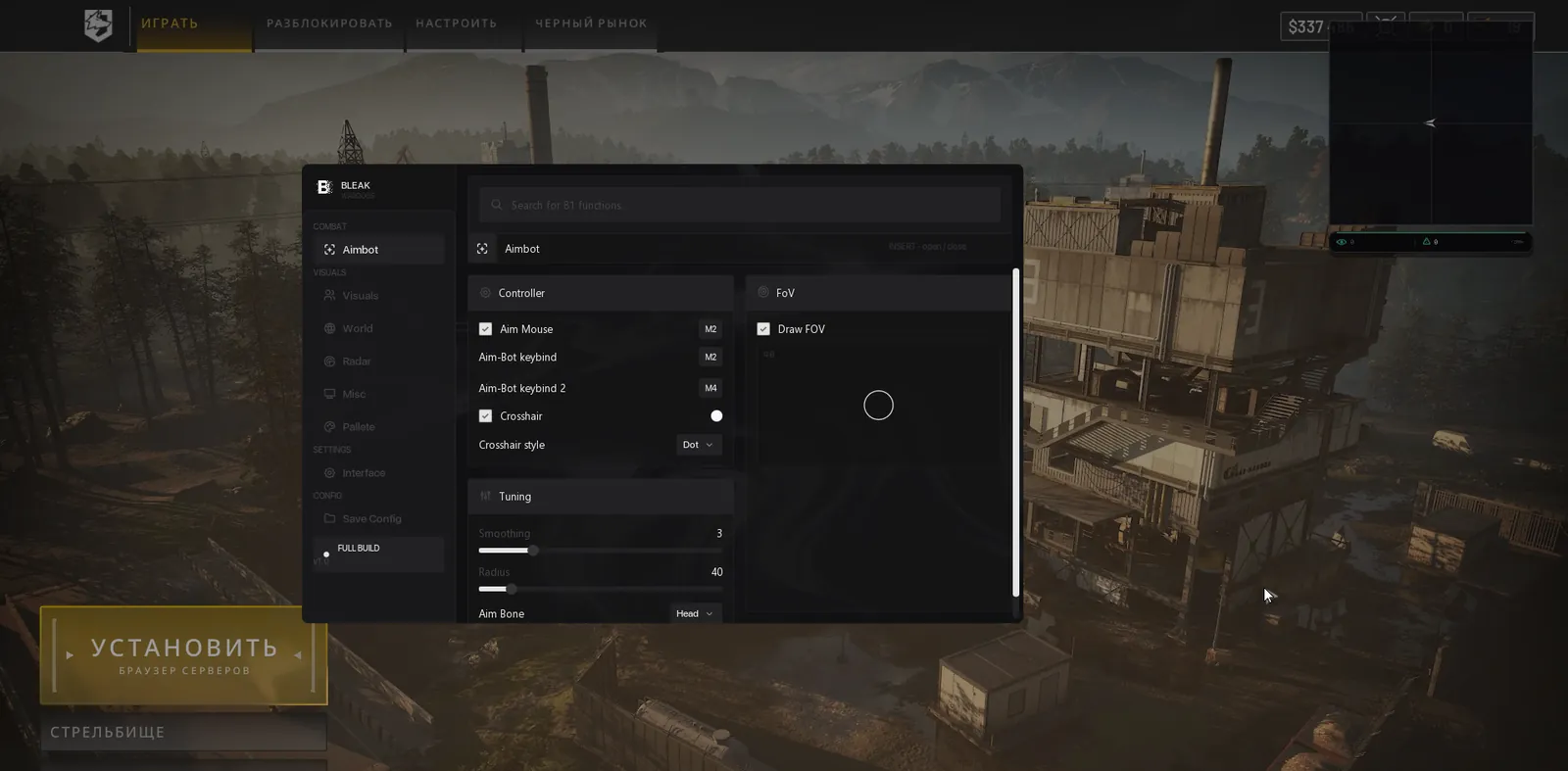
Aimbot

Two keys

The aimbot kicks in only while the key is held. Keep the main one under your finger and put the second on a mouse side button.

Smoothing

From 1 to 10. High values bring the crosshair onto the target gently, like a real hand; low values snap it there.

Capture zone

Radius from 0 to 300 pixels. Circle, triangle or diamond, filled or outline only, in any color. A mini preview shows the current size.

Bone

Head, neck or chest. The head gives the most damage and the most risk; the chest does less damage but offers a bigger area and the steadiest lock.

Static crosshair

A fixed mark in the middle of the screen: dot, cross, T, ring or chevron. Handy for hip fire.

Players

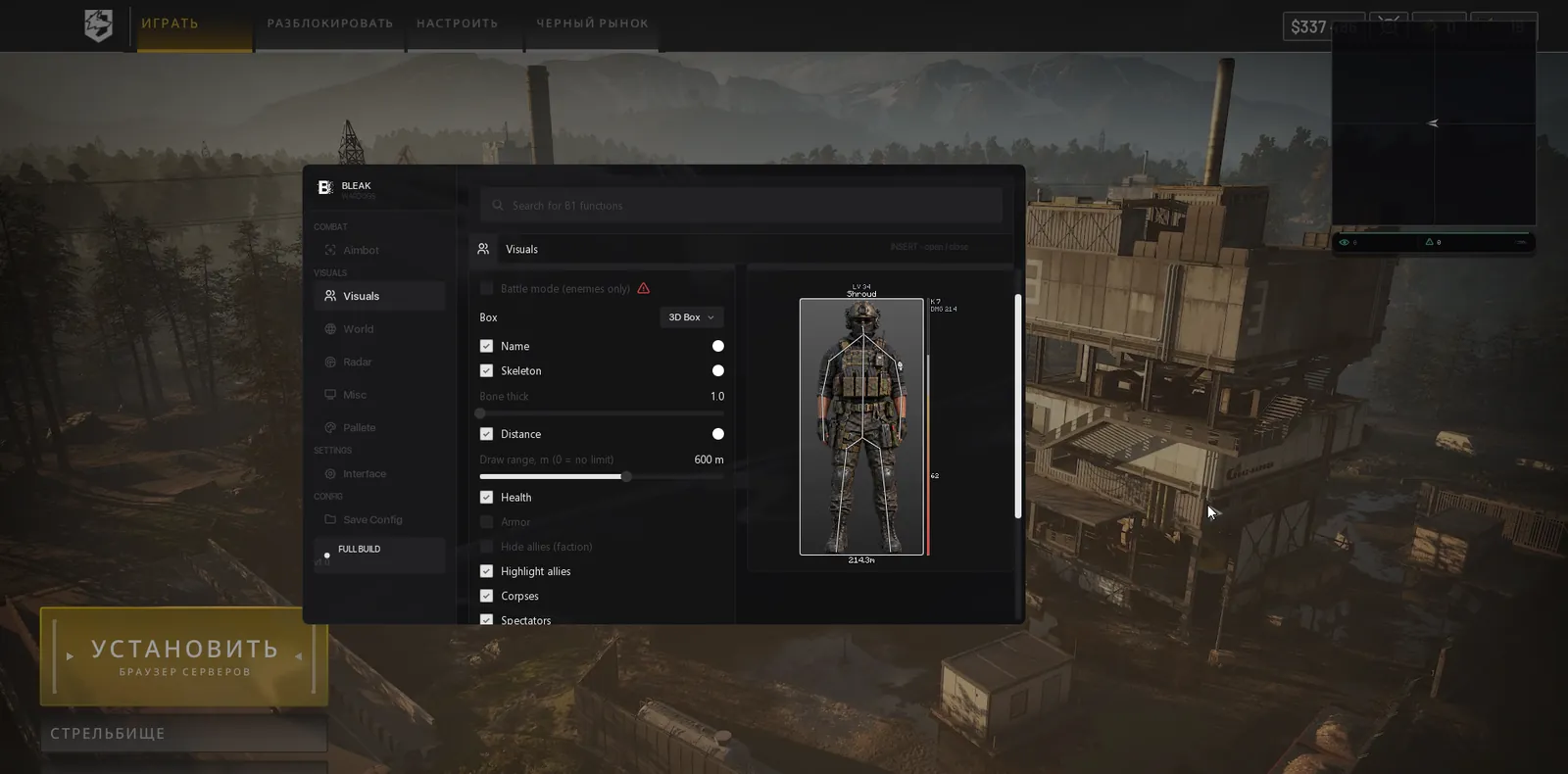
Box and skeleton

Full, corner, 3D or no box at all. Skeleton line thickness from 1 to 5, a nickname above the head and range to the target.

Health and armor

Two separate bars. You can see an enemy at full HP whose vest is already broken.

Draw range

A limit in metres, or zero for none. The farthest targets are drawn in a simple mode, a box without a skeleton.

Factions

Faction allies can be hidden or highlighted in their own color in the ESP and on the radar. In the lobby and at the starting base everyone counts as one faction, so turn hiding off there.

Corpses

Gray markers where players died, so a dead body does not throw you off while clearing a building.

Admin in lobby

A red warning when an admin or developer appears in the lobby. Checked every 2 seconds.

Threat alerts

Aiming at me warn fires when someone aims at you, and Danger warning keeps a counter and a list of the closest enemies on screen.

Off-screen arrows

Point toward enemies outside your view, with the arrow circle radius from 100 to 600.

Spectators

A list of the players watching your game after they died.

ESP preview

A live model in the menu: box, skeleton, name, distance and bars change as you move the sliders.

World and loot

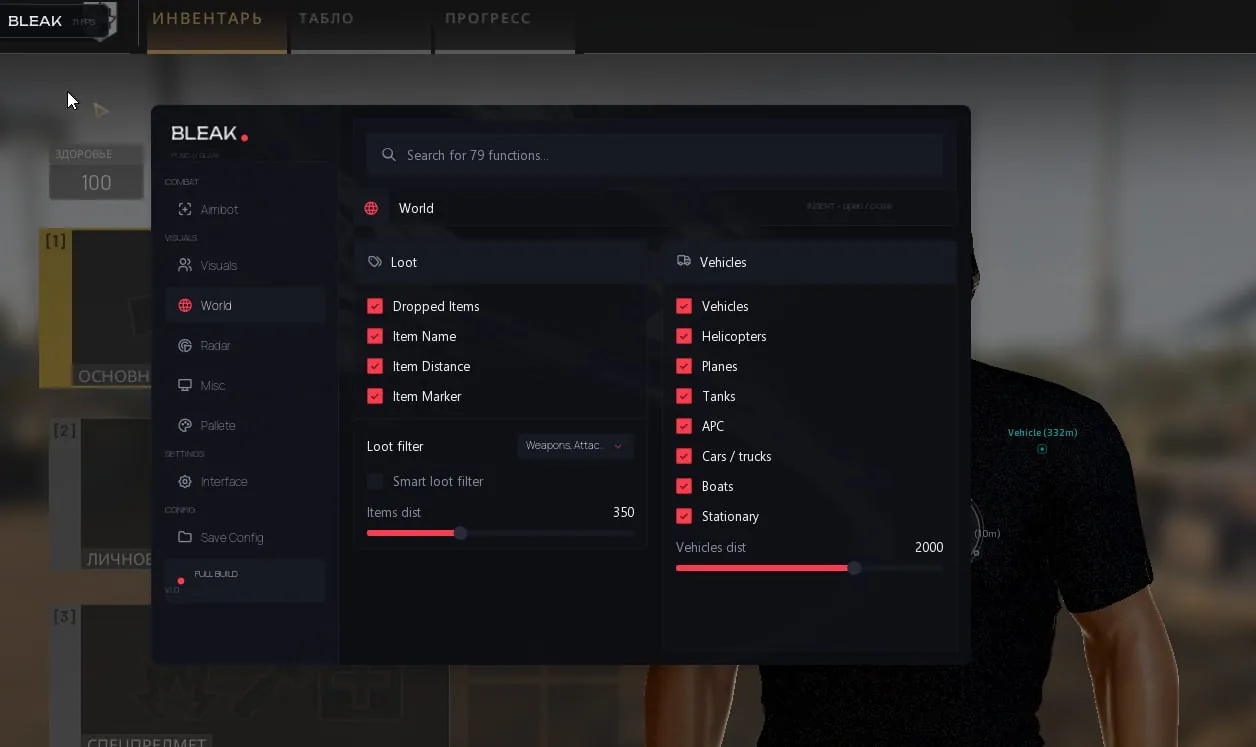
Items on the ground

Name, distance and marker, visible up to 1000 m. Categories toggle separately: weapons, attachments, ammo, meds and boosts, armor, helmets, backpacks, grenades, other.

Smart filter

Looks into your backpack and hides the surplus: once you have enough meds and grenades, they disappear from the screen.

Vehicles

Name and distance up to 3000 m. Filters by type: helicopters, planes, tanks, APCs, cars and trucks, boats, stationary guns.

Radar

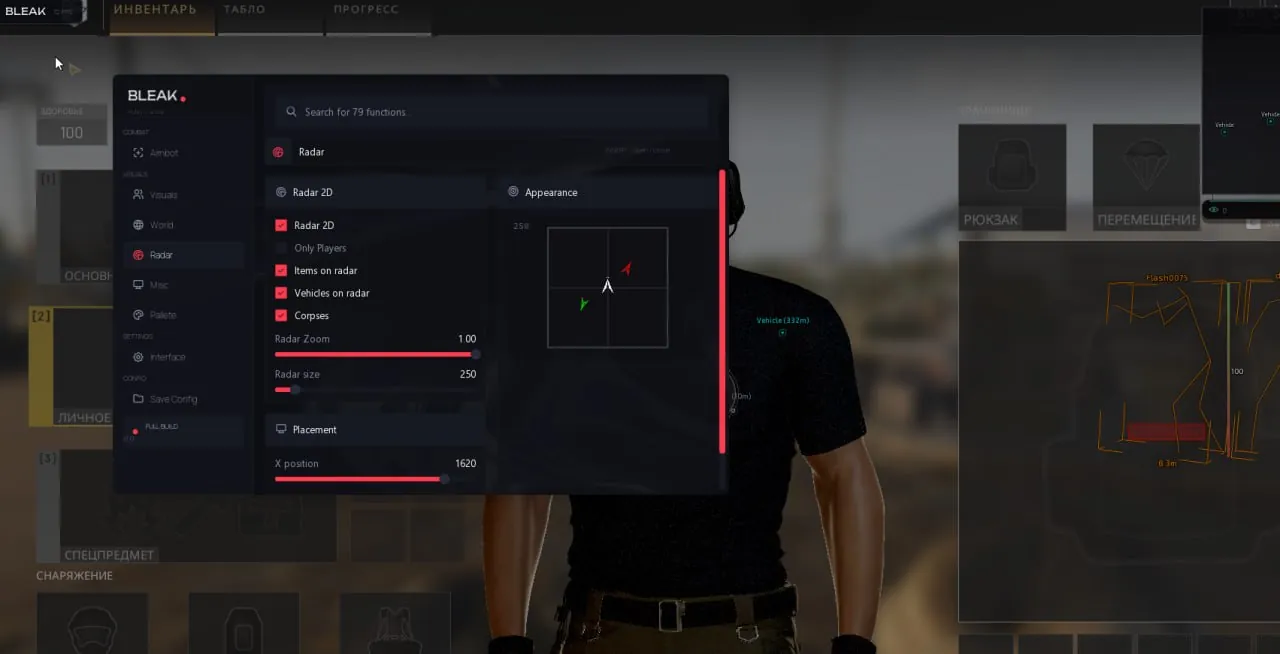
2D radar

A dark card with chevron contacts and a white camera arrow in the middle. Show players only, or add loot, vehicles and corpses, each on its own toggle.

Size and position

Zoom, window size from 200 to 700 and exact placement on the X and Y axes. The radar preview sits right in the menu.

Shooting

No recoil

Memory-based: while it is on, the recoil (ViewKick) of the gun in your hands is zero. Turn it off and the original value comes back by itself.

Bullet prediction

The aimbot leads a running target and accounts for bullet drop over distance. Ballistics are read from the weapon you are holding.

Colors

Visible and hidden

Box, skeleton and name take one color when the enemy is in sight and another when they are behind cover.

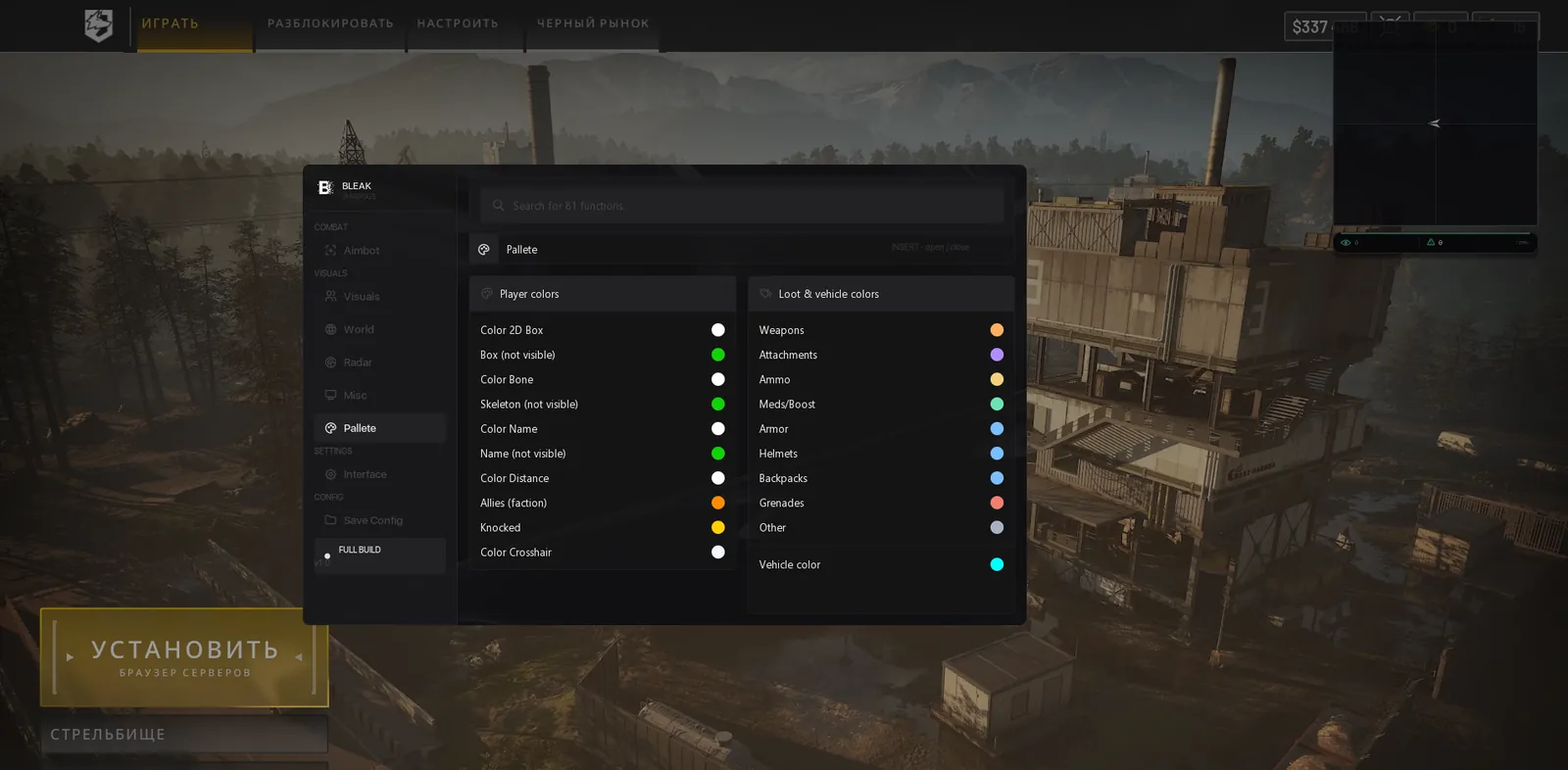
Separate colors

Faction allies, knocked players, every loot category, vehicles and the static crosshair each get their own.

Interface and configs

Language and search

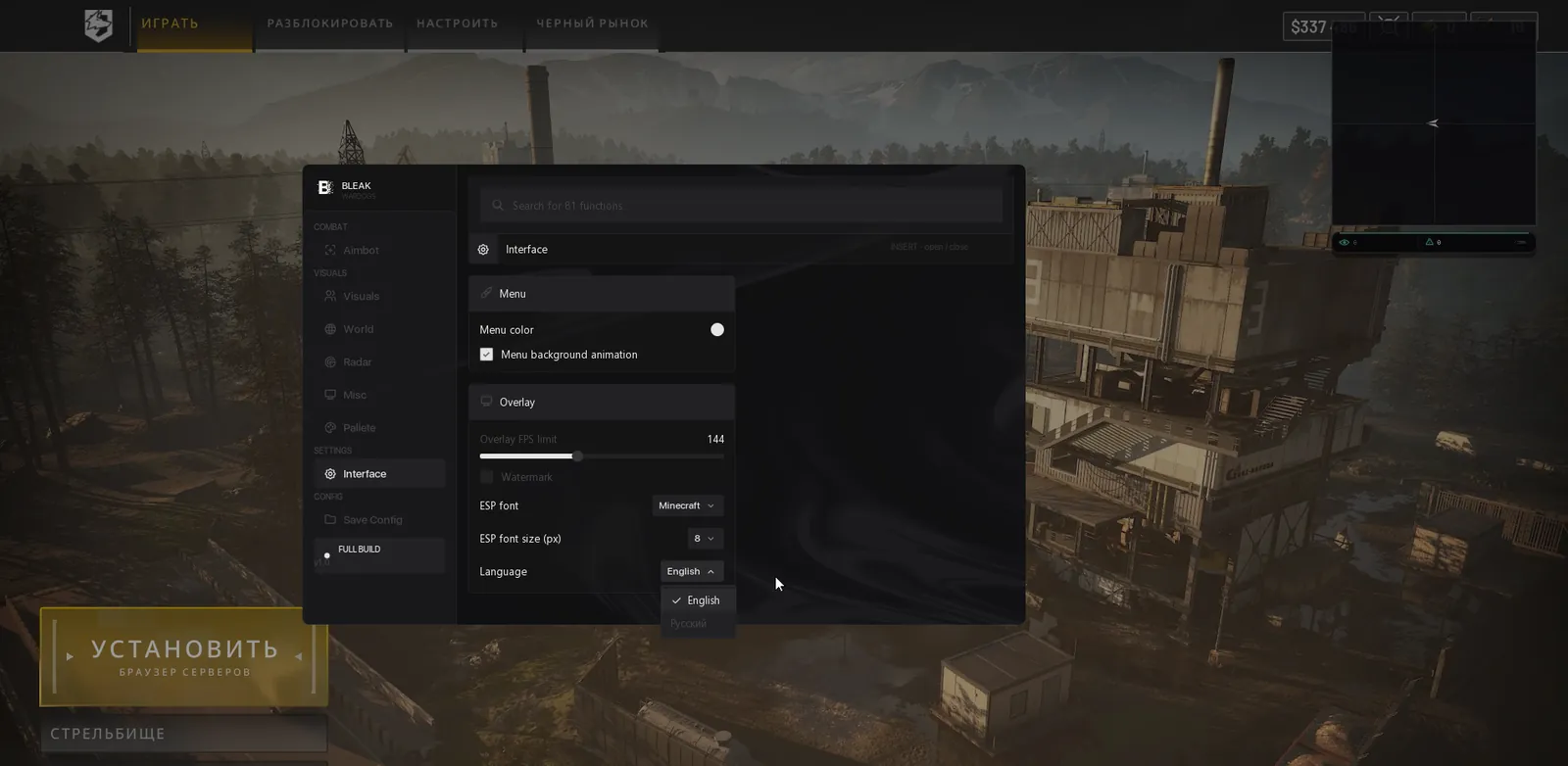
Menu in Russian or English, with both the menu items and the item names translated. A search bar in the header finds any function.

Overlay

FPS cap from 0 to 360: raise it if the ESP stutters on a high refresh rate monitor. Menu accent color and the watermark live here too.

Configs

Create, save, load, rename, delete, refresh the list. The active one carries an ACTIVE badge, a double click loads a config, and the last one used is picked up on the next launch.

Menu key

Insert or Home.

Known issues & fixes

Real questions from our support, with the fixes that worked. Based on user requests for this product.

The loader freezes or keeps asking me to restart my computer and never actually starts

This is usually caused by a conflict with third-party antivirus or security software on your computer. Disable or temporarily remove other antivirus programs and overlays, and add the program's folder to your antivirus exceptions.

  • Contact support — they can give you a utility to check what exactly is blocking the launch.
  • Check whether virtualization is enabled in your BIOS settings and try turning it on.
  • If that doesn't help, try connecting through a VPN.
The Bleak menu does not appear after F4. What should I check?

This build draws its menu and ESP through the Discord overlay, so the cause is almost always there. Check in this order:

  • Discord is running as administrator and you are logged in. The loader is also started as administrator.
  • In Discord settings, Game Overlay: Enable Overlay is on, Enable Legacy Overlay and Compatibility Mode are off.
  • The game runs in borderless window mode, which the new Discord overlay needs.
  • In the game main menu you can see the overlay frame in the top left corner. Until it shows up, pressing F4 is too early.

After F4 the menu appears in 5-10 seconds, and from then on Insert or Home opens and closes it. If the frame is still missing after these steps, send a screenshot of your overlay settings to support.

I can't download the loader — the page keeps loading forever or gives a 502 error

This is usually caused by the browser. Try opening the download page in a different browser — for example, if you're using Edge, switch to Chrome or Firefox.

If the issue persists, try connecting through a VPN.

All issues & general troubleshooting
TARIFFS
$3.00
BUY What happens after payment?
Got a question? Ask before you pay

We'll help you choose and sort out any launch issue. Ask us anything before buying, we're always on your side.

Support 10:00–22:00, sometimes we reply at night too
Ask a question

Available tariffs

1 day
$3.00
START PURCHASE
7 days
$15.00
START PURCHASE
30 days
$30.00
START PURCHASE
Reviews about Bleak WARDOGS

No reviews yet. Be the first to leave one.

Your review

Reviews are published after moderation.

Join our gaming community chat

Discuss current cheats from developers and how to use them effectively in popular online games. Share tactics, exchange useful info and find like-minded players in our community.

1 900+Members
24/7Online
Join our gaming community chat

Technical support

Run into a technical issue? Our team of experts will help. We handle all requests in a live queue, so please be understanding if it sometimes takes a little wait. We guarantee that no request goes unanswered.

Availabilityfrom 10:00 to 23:00
Fast responseIn queue order
Get help
Technical support
PROCHEAT

PROCHEAT news channel

Follow product status changes, update history and important announcements.

Subscribe

The Bleak WARDOGS menu: eight tabs

The menu has eight tabs, and a search bar in the header finds any function as soon as you type its name.

TabWhat is insideWhen it helps
Aimbottwo keys, Smoothing 1 to 10, radius 0 to 300 px, head, neck or chest, FOV shape and fill, static crosshairinfantry fights and hip fire
Visualsbox, skeleton, name, HP and armor, factions, corpses, admin in lobby, spectators, arrows and warningsthe whole match, especially on the way into the Hot Zone
Worldloot in nine categories up to 1000 m, smart filter, seven vehicle types up to 3000 mrestocking gear and hunting tanks and helicopters
Radar2D card with players, loot, vehicles and corpses, zoom, size, positionseeing what happens at your back while you look ahead
Miscmemory-based no recoil, bullet predictionlong bursts and shots at hundreds of metres
Palettecolors for enemies in sight and behind cover, allies, knocked players, loot and vehiclestelling friends, foes and the wounded apart at a glance
InterfaceRussian or English, search, overlay FPS up to 360, menu color, watermarkfirst setup and high refresh rate monitors
Configcreate, save, load, ACTIVE badge, last config loaded on startseparate presets for infantry and for vehicles

A day costs $3, a week $15 and a month $30. The month works out to $1 a day, a third of the daily key, and the week comes to about $2.14 a day. The day pass makes a good trial: one evening shows whether Bleak gets along with your Discord and your system, and then you can take the month.

Admin in the lobby: a red warning

Game developers and admins sometimes join matches themselves to watch a suspicious player live. For a cheater, that is the worst kind of spectator. Admin in lobby warn checks the lobby every two seconds, and as soon as an admin or developer account shows up, it puts a red banner on your screen. Among the builds listed under WARDOGS cheats, only Bleak has this so far.

What you do next is up to you. Usually it is enough to switch off the aimbot, tone down the ESP and play out the match like anyone else. If the round has only just started, you can leave and look for another lobby. The game's Easy Anti-Cheat sits in the system kernel, and no cheat can promise you it will never catch you. The banner covers a different risk: a live person watching your game. It also buys you a few seconds you would not have had otherwise.

Three factions: friends kept apart from foes

Hide allies (faction) clears everyone on your faction off the screen, whether that is Lonestar, Valkyra or Manticore. In a fight this declutters the picture: only enemies remain, and boxes stop piling on top of each other at the capture point. There is a caveat from the vendor. In the lobby and at the starting base the game counts everyone as one faction, so there the filter hides everybody. Keep it off while you are at the base.

If you want to see your own side, turn on Highlight allies. Allies get their own color, the same in the ESP and on the radar, so one look at a marker tells you who it is. Knocked players have a color of their own too, so nobody mistakes them for allies. The dead are drawn as gray markers, and after a firefight you do not waste time or ammo on someone who will not get up again.

Player ESP: box, skeleton, health and armor

The box can be full, corner or 3D, and you can turn it off entirely for a clean screen. The skeleton line thickness goes from 1 to 5: a thin one stays out of your aim, a thick one reads better far away.

Health and armor get two separate bars. That helps more than you would think: you see an enemy at full HP whose vest is already broken, and the next burst goes straight into the body. Box, skeleton and name colors come in two sets, one for an enemy in sight and one for an enemy behind cover.

Draw range limits how far players are drawn, and zero removes the cap. A 256 square kilometre map can hold a lot of targets, so Bleak shows the farthest ones in a simple mode, a box without a skeleton, to avoid overloading the data it reads from the game.

Threat warnings

Aiming at me warn goes off when someone's muzzle points straight at you. In WARDOGS people shoot from hundreds of metres, a sniper on a ridge is often invisible, and the warning gives you a chance to drop into cover before the shot.

Danger warning is a separate panel with a counter and a list of the closest enemies. It helps you decide whether to push into a building now or wait: a four on the counter before a breach says more than any box. Off-screen arrows sit at the edges of the screen and point toward enemies you cannot currently see, and you can size the arrow circle to keep them clear of your crosshair.

Spectators lists the players watching you after they died. If that list keeps growing while you play aggressively, it is a reason to ease off: one of them may well be recording a clip for a report.

Aimbot: keys, smoothing and the capture zone

Aim Mouse is the master switch, and aiming kicks in only while the key is held down. You get two keys: keep the main one under your finger and bind the second to a mouse side button. Smoothing from 1 to 10 decides how the crosshair reaches the target. High values give a smooth, hand-like motion, low values give a sharp snap that stands out on any recording.

The capture zone is set by a radius from 0 to 300 pixels, and the mini preview next to the settings lets you size it without joining a match. There are three bones. The head gives the most damage and the most risk, the neck sits in the middle, and the chest does less damage but gives a bigger hit area and the steadiest lock. For hip fire, the tab also has a static crosshair in the middle of the screen.

Bullet prediction: lead and drop

Bullet prediction teaches the aimbot to lead its shots. It accounts for how fast the target is moving and how much the bullet drops over distance. Ballistics come from the weapon in your hands, so switching from an M4 to an AK-74 needs no recalculation on your side. In WARDOGS this matters more than in shooters with small maps: a soldier running across a field 300 m away is hard to hit without a correction, even with a good aimbot.

Memory-based no recoil

Bleak removes recoil by writing to memory. While the feature is on, the ViewKick value of the gun in your hands is zero, and the camera does not jump on each shot even in a long burst. Turn it off and the original value comes back by itself, with no game restart. That is handy when you want to compare a gun with its stock recoil, or play straighter for a while because someone is sitting in your Spectators list.

Vehicles out to 3000 metres

Vehicle ESP labels each vehicle with its name and distance and reaches out to 3000 m. That is enough to cover the whole 2 by 2 km control zone, even corner to corner. Vehicle color is set separately in the palette, so a tank on screen never looks like a soldier.

Filters are split by type: helicopters, planes, tanks, APCs, cars and trucks, boats, stationary guns. Turn on only what your role needs. A Little Bird pilot cares about stationary guns and enemy helicopters, a launcher gunner about tanks and APCs, and a logistics player driving a supply truck about anything that could cut him off on the road.

Loot and the backpack-aware filter

Loot ESP shows items on the ground with a name, distance and marker, out to 1000 m. The nine categories toggle separately and each can have its own color, so ammo and meds look different before you even read the label.

The most useful part is Smart loot filter. It checks what is already in your backpack and takes the surplus off the screen. Once you carry enough meds and grenades, their highlight goes away, and what stays on screen is what you actually lack. In WARDOGS your loadout is bought before each life, and from the ground you only top up what ran out, so the filter saves time between fights.

Radar: a dark card with chevrons

Radar 2D puts a dark card on your screen. Contacts are drawn as chevrons, and a white arrow in the middle shows where the camera faces. Only Players keeps nothing but players on the radar, and you can bring loot, vehicles and corpses back one by one, each with its own toggle. Zoom and window size are set with sliders, and the X and Y axes let you tuck the radar away where it does not cover the game's own interface.

Launching through the Discord overlay

Bleak does not open a window of its own over the game: the menu and ESP are shown through the Discord in-game overlay. So setup starts in Discord and only then gets to the loader.

  1. Install Discord, close it and start it again as administrator. You will do this before every session.
  2. In Discord settings, open Game Overlay. Turn Enable Overlay on, and turn Enable Legacy Overlay and Use Compatibility Mode off.
  3. Set WARDOGS to borderless windowed mode: the new Discord overlay needs exactly that.
  4. Run the Bleak loader as administrator, enter your key and press Inject. Discord has to be open at that moment, and the game starts on its own.
  5. In the WARDOGS main menu, an overlay frame appears in the top left corner. Press F4 and wait 5 to 10 seconds, and the menu opens by itself.

From then on, Insert or Home hides and shows the menu. The loader link and these same instructions arrive in the email with your key.

What to switch off in Windows

Leave Secure Boot alone: Bleak works with it on, TPM stays as it is, and the drive type and BIOS do not matter. You will have to switch off three things inside Windows itself. Defender deletes or blocks the loader, so it goes off along with real-time protection. The vendor also requires VBS, short for virtualization-based security, and Core Isolation with its Memory integrity setting to be off, followed by a reboot.

Third-party antivirus software such as 360 or Avast and other anti-cheats such as FaceIT and Vanguard should be removed following the vendor's instructions: they sit deep in the system and get in the way of the launch. If you get stuck on any step, write to support chat and they will walk you through it.

Bleak WARDOGS: common questions

The admin warning popped up. What now?

Turn off the aimbot, tone down the ESP and play it straight from there, with no shots through walls. If the match has only just started, it is simpler to leave and find another lobby.

Why does the ESP not show everyone in the lobby?

Most likely Hide allies (faction) is on. In the lobby and at the starting base the game puts everyone in one faction, so the filter hides every player. Turn it off while you are at the base, or keep Highlight allies on so allies show in their own color.

Can I close Discord after launching?

No. The menu and ESP are drawn through the Discord overlay, and without it you see nothing. Start Discord as administrator every time and keep it open until you finish playing.

I pressed Inject and no menu showed up. What should I check?

Wait for the game's main menu and the overlay frame in the top left corner, then press F4 and give it 5 to 10 seconds. If there is no frame, check that Discord runs as administrator, the legacy overlay and compatibility mode are off, and the game is in borderless windowed mode.

Do I have to turn off Secure Boot?

No, Bleak works with Secure Boot on, and you can leave TPM alone as well. What you do turn off is Windows Defender, VBS and Memory integrity under Core Isolation.

Is the menu available in Russian?

Yes, and in English. The language switch is on the Interface tab, and it translates every menu item along with item names in the loot ESP.

WARDOGS got patched and Bleak went in for an update. Do I lose my time?

No. WARDOGS is still in early access and patches land often. While the build is being updated, the product status on this page changes and your paid time is put on hold. If in doubt, ask in chat.

from $3.00 Choose a plan
Ask a question


