Browser Radar for PUBG (Arcane)

Working
Top seller
Arcane Arcane
Last update 10.06.2026 This date shows when the software was last updated. An old date doesn't mean the software stopped working! Most likely the developer just had nothing new to add. If you have any doubts, you can always check the current status with our support team.
Add another cheat from this game too — to compare them.
Browser Radar
Steam
Kakao
Windows support: 10: all builds; 11: all builds
Spoofer:No
USB drive:No
BIOS:No

User information

Your PC needs at least 12 GB of RAM
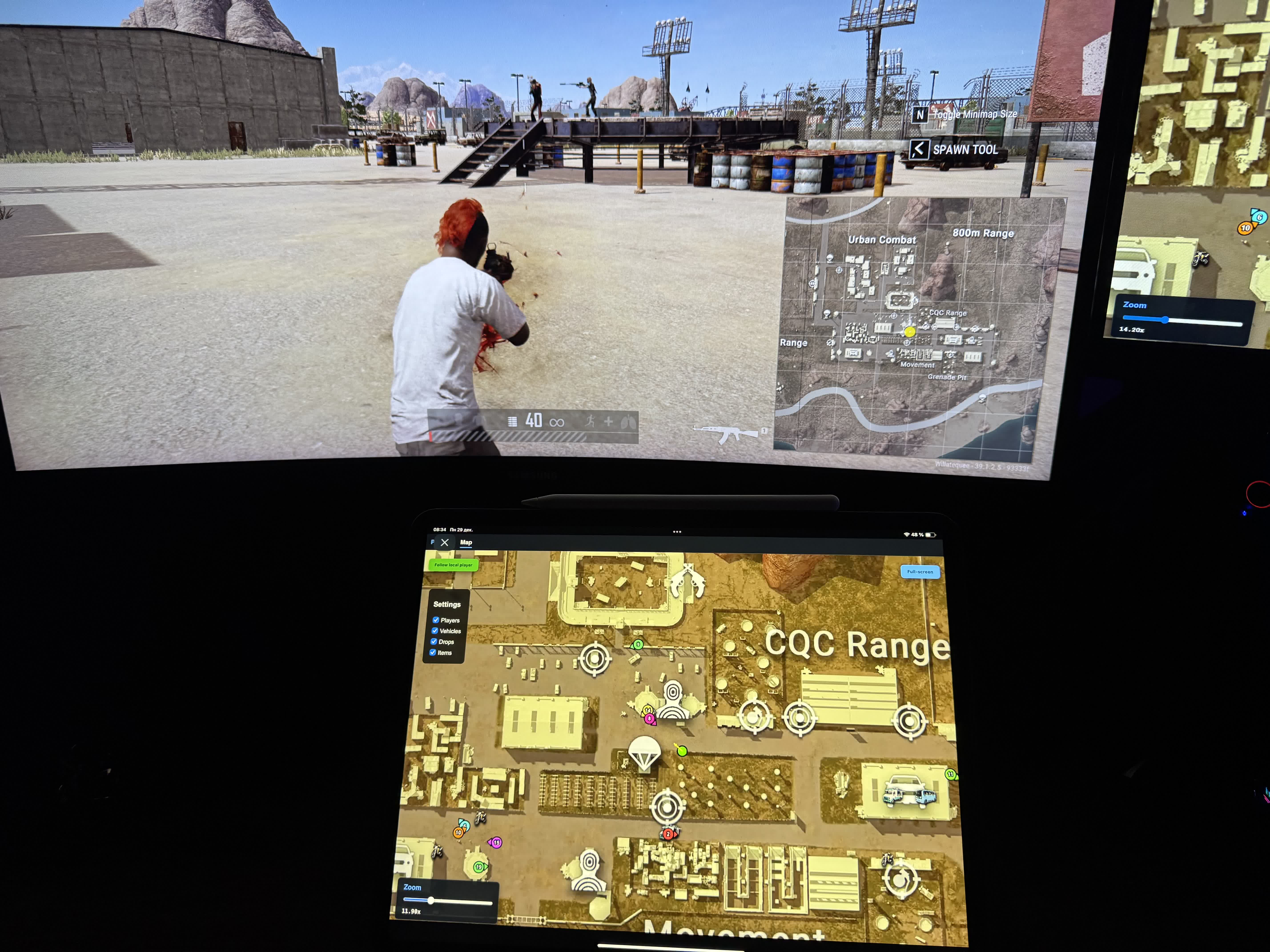
After launch you can open the radar link on any device that has a browser

SCREENSHOTS
Description

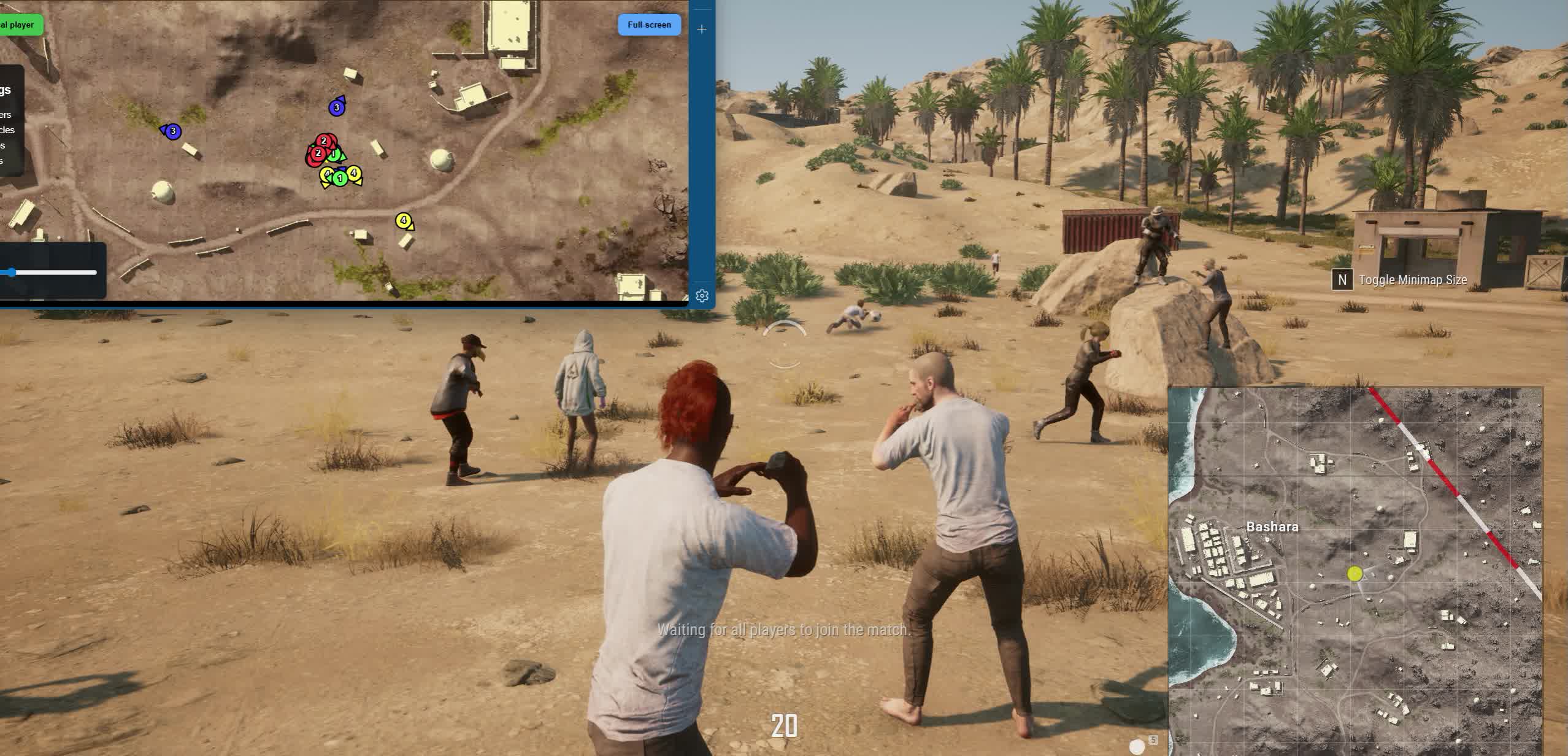
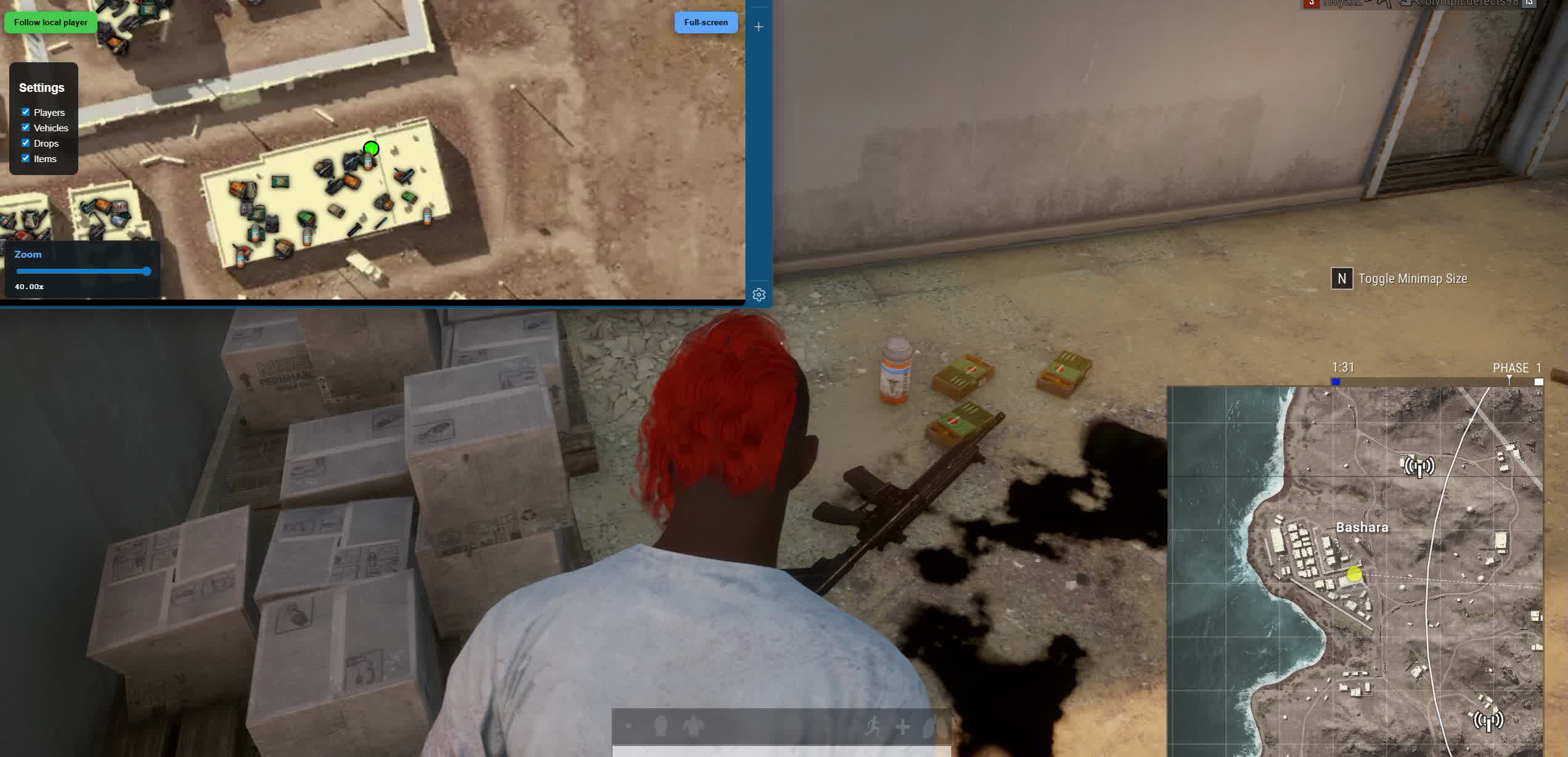
Arcane is a browser radar for PUBG that puts tactical info onto an interactive map and a player list. Running it through the browser is handy because the data shows up in a separate window: you can open it on a second monitor or keep it over the game. That helps you decide faster when to push, when to rotate, where it's safer to loot, and which direction an enemy might come from.

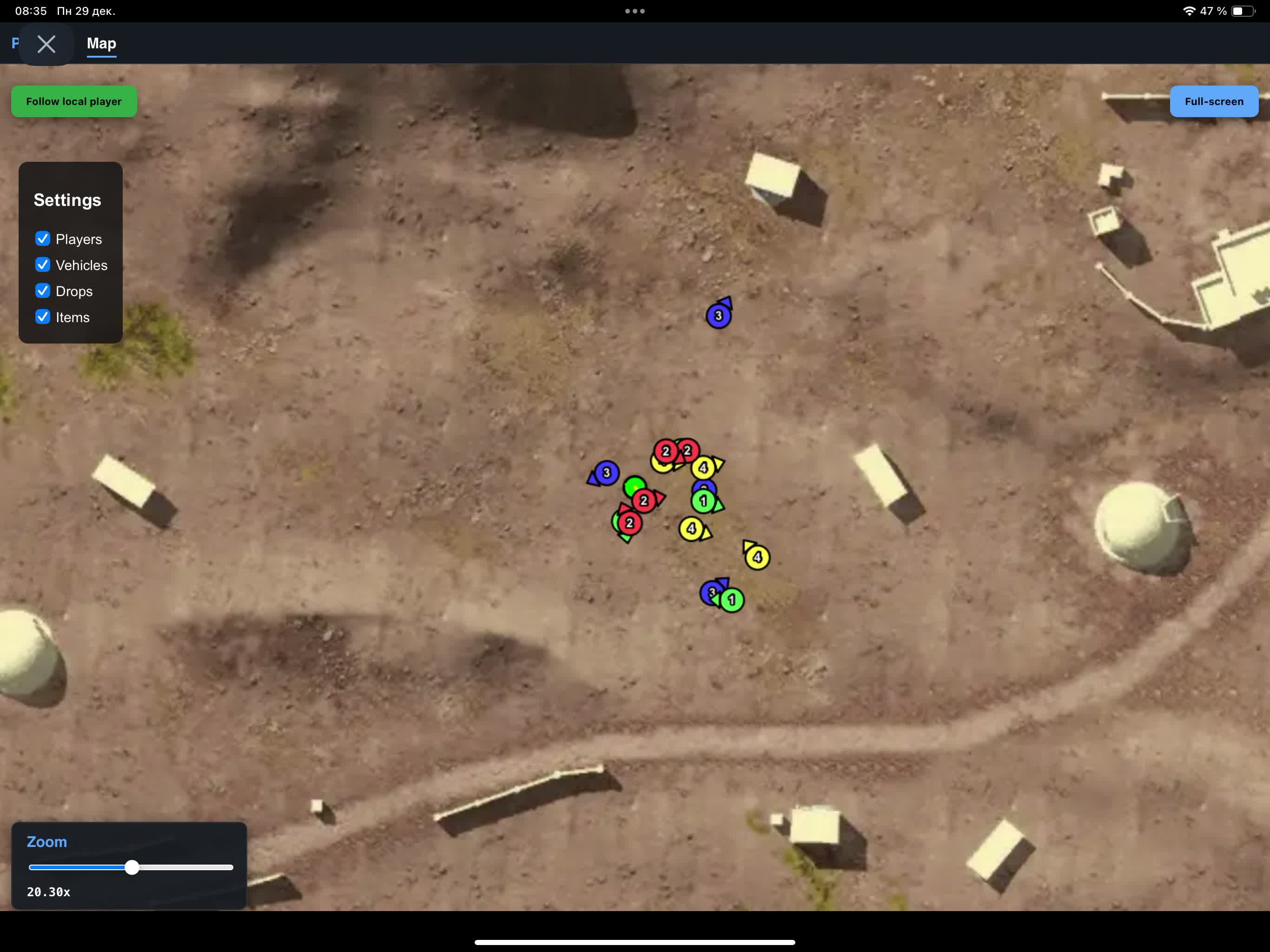
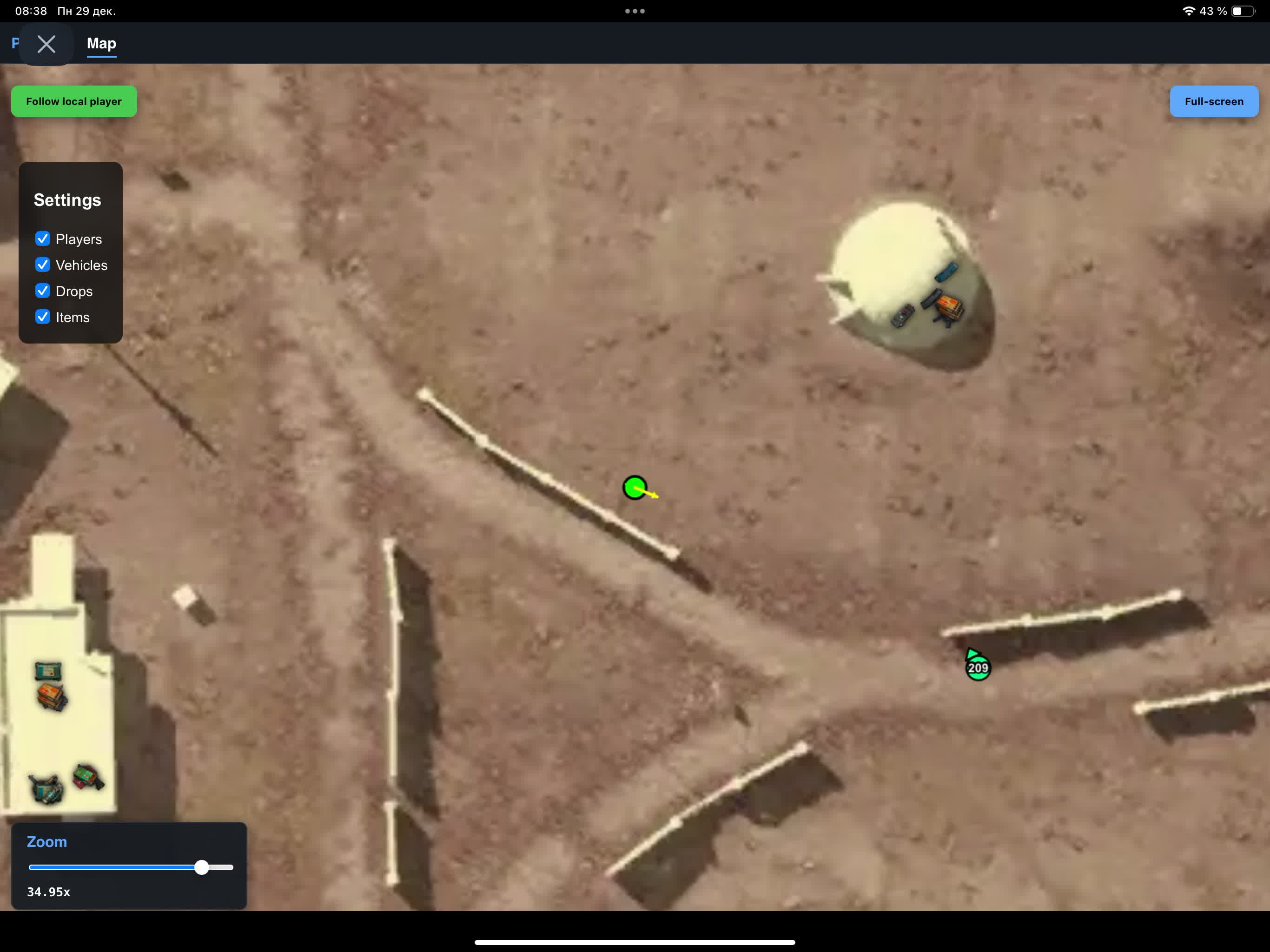
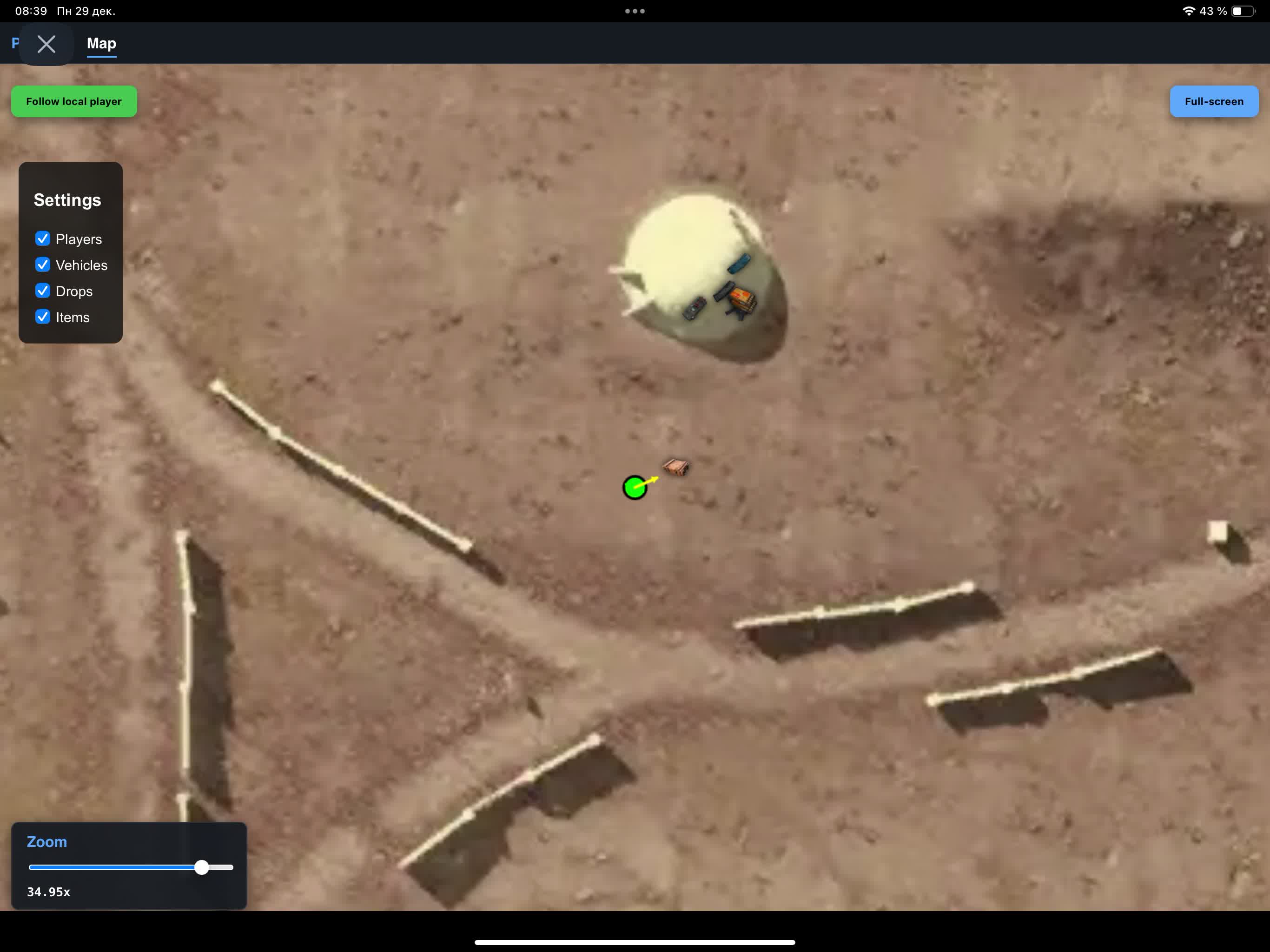
The tool fits players who want a clean, information-first style without extra visual clutter. You get control over the zone, rotations, and timings without loading down your main screen with extra elements. The player list shows nicknames, the weapon in hand, ammo count, and the distance to each target. On the map you can turn on players, vehicles, drops, and items, and all of it tunes to what you need.

People value the browser format for being universal: the interface opens like a web page and keeps working reliably after game updates. It's a practical pick for anyone who plays off position and information rather than aggressive settings.

Product features

Players List

Team ID

Team number

Nickname

Nicknames

Weapon

Weapon in hand

Ammo count

Ammo count

Distance

Distance

Map

Show Players

Show players

Show Vehicles

Show vehicles

Show Drops

Show drops

Show Items

Show items

Known issues & fixes

Real questions from our support, with the fixes that worked. Based on user requests for this product.

Inject stuck at 0%, radar won't inject

This usually means the radar servers are temporarily down. Wait 1,2 minutes and refresh the radar page in your browser (F5). If the site shows a 502 error, just wait for the servers to recover.

You can also try connecting via a VPN , this sometimes helps establish the session faster.

Launch error: Please make sure PIN is not set and disable Hyper-V

This error means Hyper-V is active on your PC. Open PowerShell as Administrator and run the following commands one by one:

  • takeown /F "C:\Windows\System32\hvix64.exe"
  • icacls "C:\Windows\System32\hvix64.exe" /grant *$(([System.Security.Principal.WindowsIdentity]::GetCurrent()).User.Value):F
  • takeown /F "C:\Windows\System32\hvax64.exe"
  • icacls "C:\Windows\System32\hvax64.exe" /grant *$(([System.Security.Principal.WindowsIdentity]::GetCurrent()).User.Value):F
  • del "C:\Windows\System32\hvix64.exe"
  • del "C:\Windows\System32\hvax64.exe"

Then reboot your PC and launch the loader again. This is a one-time procedure.

PC reboots automatically after launching the loader

The cause is Kaspersky antivirus conflicting with the loader, even after a manual uninstall. Remove Kaspersky completely using the official removal tool (Kavremover) rather than the standard "Programs and Features" uninstall.

After fully removing the antivirus, reboot your PC and try launching the loader again.

Incompatible HWID error when launching on another device

One key is bound to one PC. It is not possible to use the browser radar on multiple devices with the same key, either simultaneously or alternately.

All issues & general troubleshooting
TARIFFS
3$
BUY What happens after payment?
Got a question? Ask before you pay

We'll help you choose and sort out any launch issue. Ask us anything before buying, we're always on your side.

Support 10:00–22:00, sometimes we reply at night too
Ask a question

Available tariffs

1 day
3 $
START PURCHASE
7 days
15 $
START PURCHASE
30 days
30 $
START PURCHASE
Reviews about Browser Radar

This product has 1 review across 191 sales, only about 0.52%. Most satisfied buyers never write a review, the ones who do are usually those who ran into a question. So do not judge the product by the number or the tone of reviews alone, weigh them against how many people actually bought it.

4.9 / 5
1 review · 191 sales on Digiseller
How the rating is calculated

Most satisfied buyers never leave a review — people write mainly when something went wrong, so text reviews skew negative. The score is smoothed over every sale, not just the written reviews.

rating = (G + S + 10·0.9) / (N + S + 10) × 5

  • G — sum of review positivity (5★ = 1, 1★ = 0)
  • N — number of text reviews = 1
  • S = (sales − N) × 0.15 — silent satisfied buyers

1 reviews against 191 sales — only 0.52% of buyers wrote anything.

Customer Recommends
Verified purchase · Digiseller 07.02.2026

Отличный продукт

Your review

Reviews are published after moderation.

Join our gaming community chat

Discuss current cheats from developers and how to use them effectively in popular online games. Share tactics, exchange useful info and find like-minded players in our community.

1 900+Members
24/7Online
Join our gaming community chat

Technical support

Run into a technical issue? Our team of experts will help. We handle all requests in a live queue, so please be understanding if it sometimes takes a little wait. We guarantee that no request goes unanswered.

Availabilityfrom 10:00 to 23:00
Fast responseIn queue order
Get help
Technical support
PROCHEAT

PROCHEAT news channel

Follow product status changes, update history and important announcements.

Subscribe

What a radar gives you in the battle royale

A lot of players pick a PUBG radar as the most straightforward tool for keeping the map under control. Instead of guessing you get a clear picture of what's happening: where the enemies are, which directions are dangerous, and where the vehicles and drops sit. That's especially useful mid-game, when you need to rotate smart and not walk into random pinches.

Searches like radar pubg and pubg radar usually mean the same thing: the player wants a stable tactical helper that speeds up decisions. If you play off position and information, a tool like this can give you an edge even without hard features, just from reading the situation and moving correctly. There's extra value in seeing the weapons and ammo on enemies, which lets you judge how dangerous each contact really is.

What makes the browser format different

Players value the browser format for convenience: the interface opens like a normal web page and can be moved onto a second monitor. So the radar for PUBG works like a separate tactical panel where you control the map and player list alongside the game. That cuts down on screen clutter and helps you keep your focus on shooting.

When people write radar pubg or pubg radar, they often mean exactly this kind of solution, as clean as possible in the interface and practical in the heat of a fight. Paired with team play it has a strong effect: you read distances faster, understand threats, and pick safe routes. One more plus of a browser solution is less load on your system and easier updates after patches.

Why players choose a radar for playing on PC

A radar for PUBG on PC is usually what regular players look for when they want a stable tool built around the standard Windows plus second monitor setup. On a computer it's easier to organize your workspace: the game on the main screen, the map and target list right next to it. As a result you get distracted by guesswork less and play off control more.

Another reason it's popular is that tracking details is easier on PC: movement directions, vehicles, points of interest, and loot. If you need a PUBG radar as a way to raise your survivability and your number of confident fights, a convenient interface often matters more than aggressive settings. On top of that, a computer makes it easier to switch between windows and read the player list quickly while you move.

How to use the radar as effectively as possible

Before you buy, check what data the target list shows and how convenient the map is. If you need a radar cheat for PUBG, focus on practical things: showing players, vehicles, drops, and items, plus how readable it is in a fight. A good radar is the one that helps you think faster, not the one that overloads you with extra elements.

Searches like pubg radar and radar for pubg all share one idea: getting an edge through information. The best approach is to use the radar like a command post: plan rotations, watch your flanks, take position early, and don't let yourself get pinned. That's how you push your win rate up without constant risk and without chaotic decisions. On top of that, keep an eye on enemy weapons in the list, since it helps you tell whether a fight is worth taking at mid range or whether it's better to move.

Latest updates

10.06.2026 06:47
Working
Received an update
10.06.2026 06:46
Frozen
Sent for update, time frozen
27.05.2026 09:06
Working
Received an update
27.05.2026 03:12
Frozen
Sent for update, time frozen
20.05.2026 06:03
Working
Received an update
Open full history
Ask a question