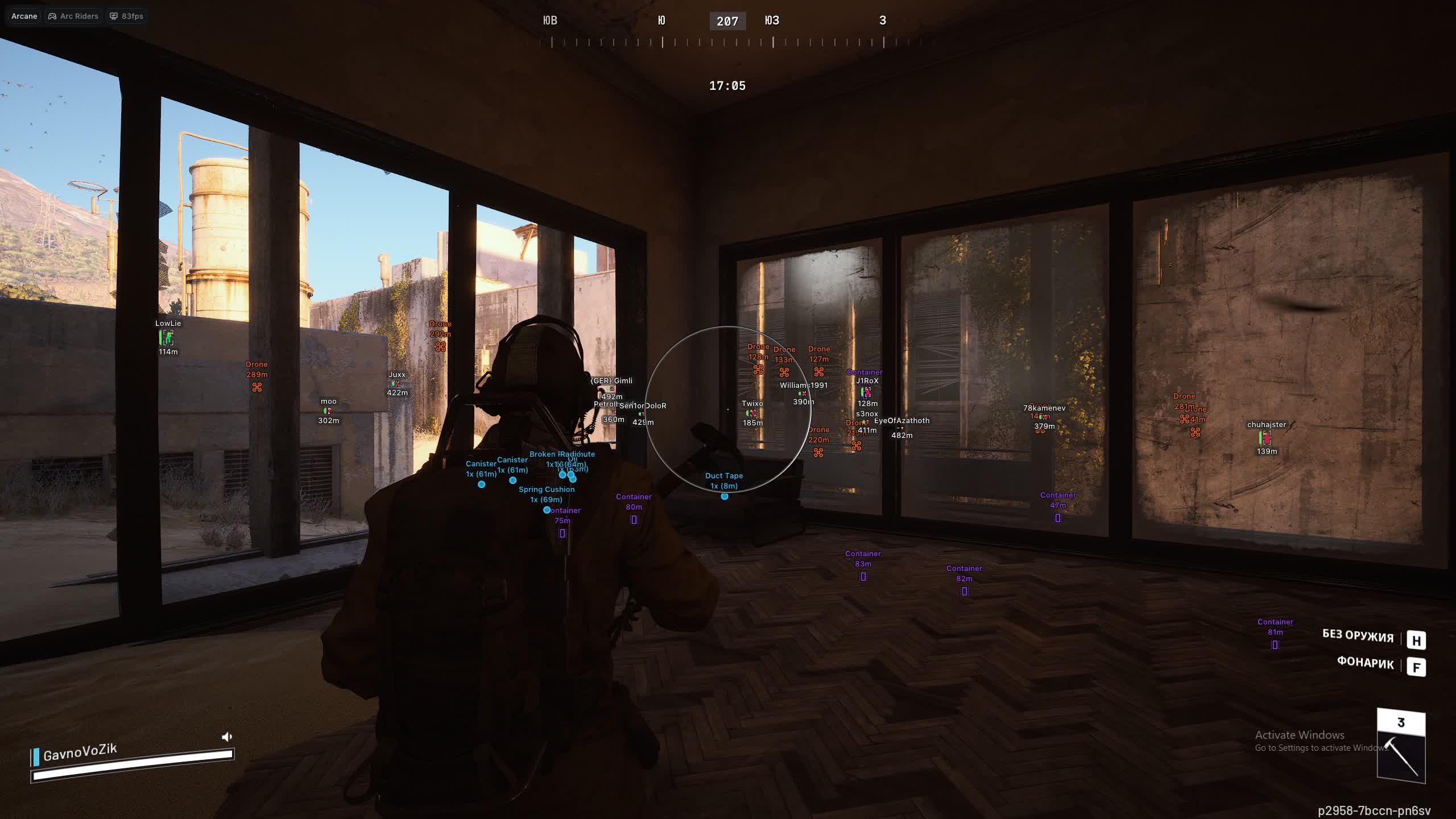
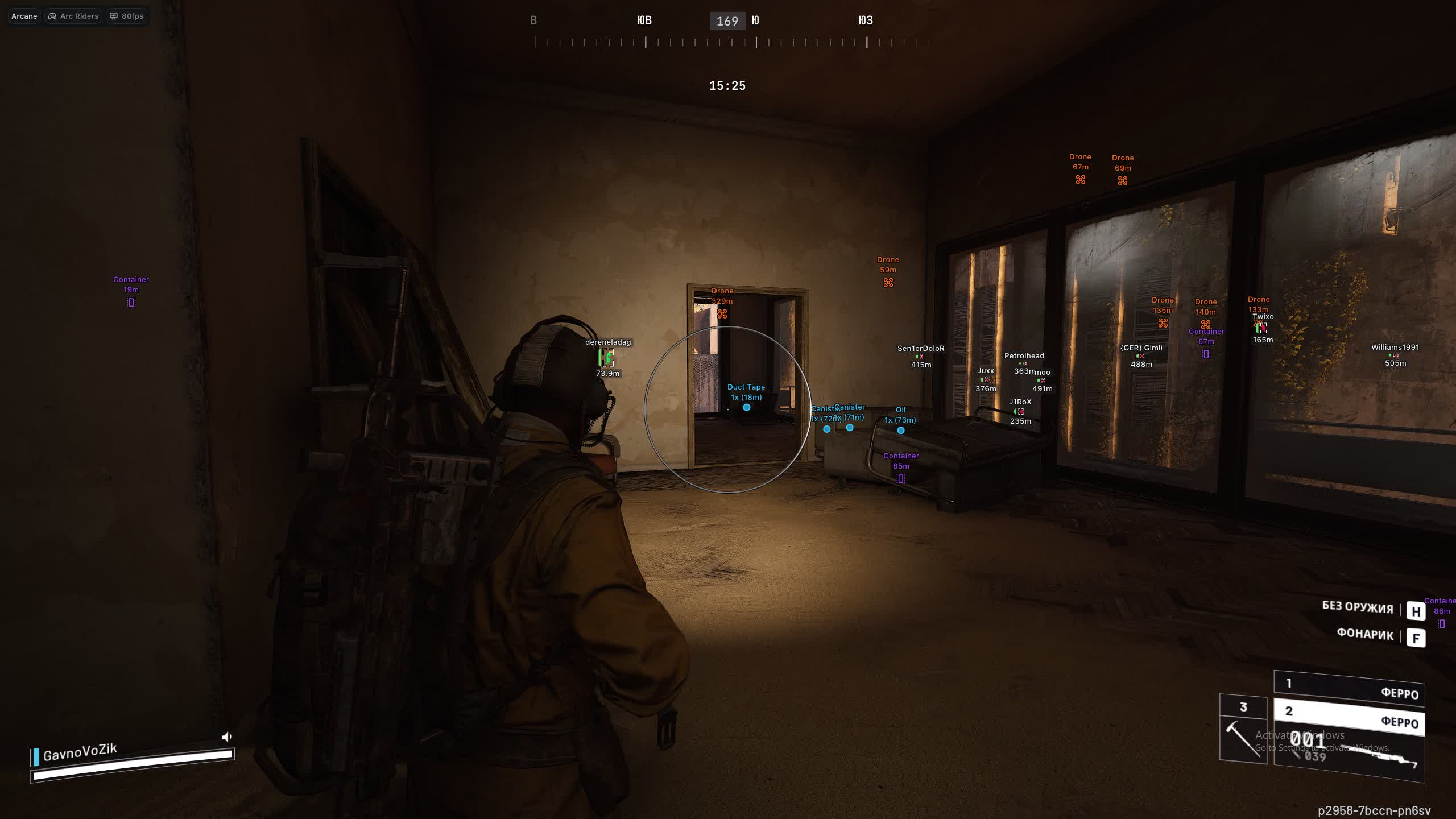
Полёт нормальный, всё работает, нареканий нет. Интерфейс приятный, мягкий, но к аиму после другого софта надо привыкнуть
User information
You need a minimum of 12 GB of RAM on your computer, otherwise it won't run
Arcane for Arc Raiders is a modern, feature-rich cheat built for players who want full control over information and flexible settings. The product from Arcane gives you a powerful Aimbot with two activation keys and smart target selection logic, along with one of the most detailed ESPs on the market. Visualize everything that matters: from enemy skeletons and view lines to every container and dropped item. The handy 2D radar and deep interface customization, including themes and languages, make Arcane a solid pick for comfortable, dominant play.
Product features
AIMBOT (aim assist)
Enable & Mode
Turn on aim with a single key. Pick the mode that fits the moment: constant lock for an aggressive push, or hold-to-aim for clean, precise taps.Visibility Check & FOV
A smart visibility check keeps your aim from snapping to enemies behind walls. The FOV circle shows the zone where you are deadly.Dual Binds
Two binds, two tactics. Set one key for soft aim on long-range fights, and a second for a hard lock in close-quarters scraps.Target Filter & Knocked
Set your priorities: focus only live players, ignore bots, or finish knocked enemies so they can't get back up.Bone Selection Logic
Flexible aim logic: pick a specific point (head/chest), or let the cheat target the bone closest to your crosshair for maximum subtlety.Smooth & Distance
Tune the smoothing so your aim looks like a skilled hand, not a robot. Cap the distance so you don't out yourself sniping across half the map.ESP PLAYERS (visuals on players)
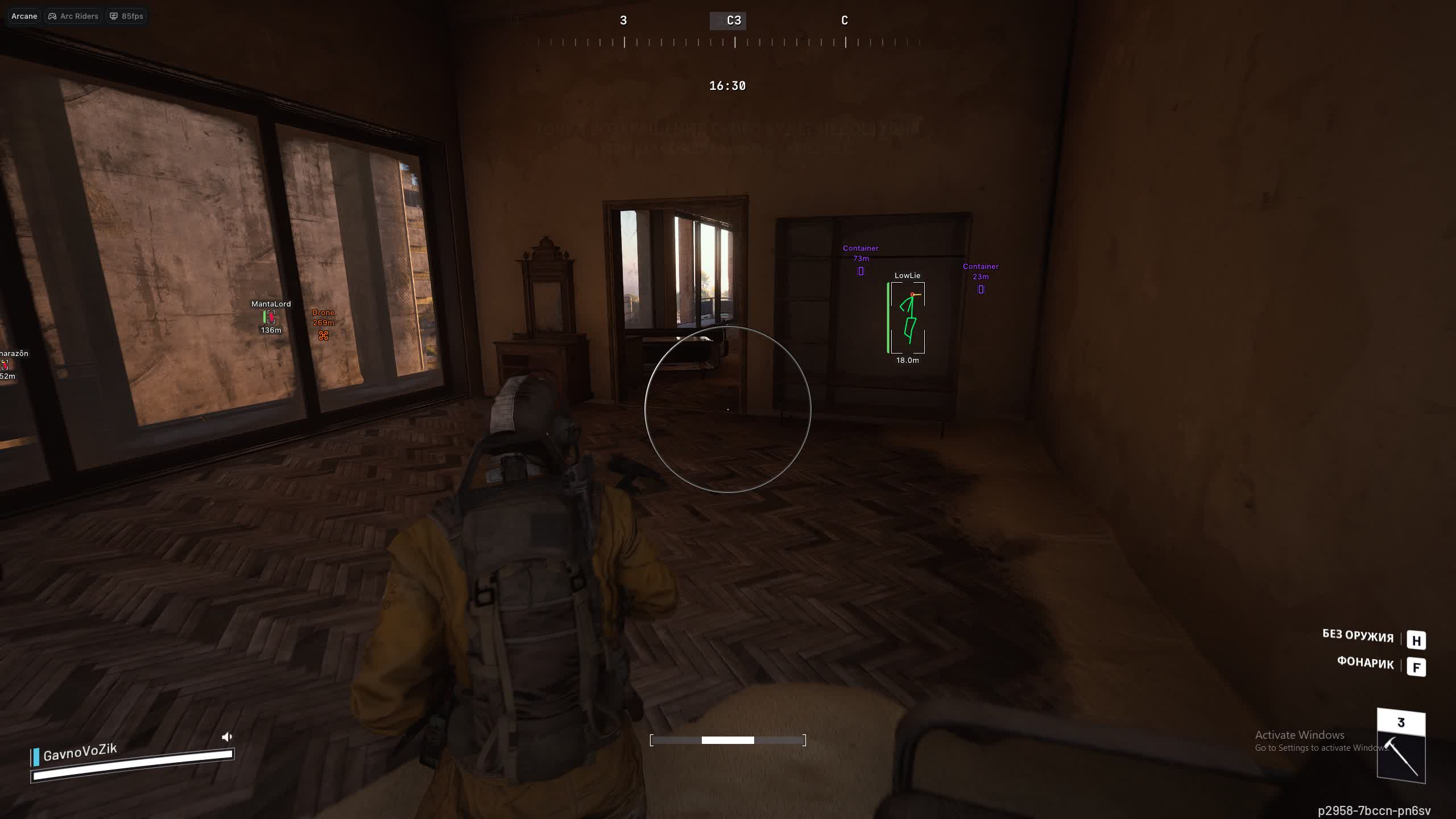
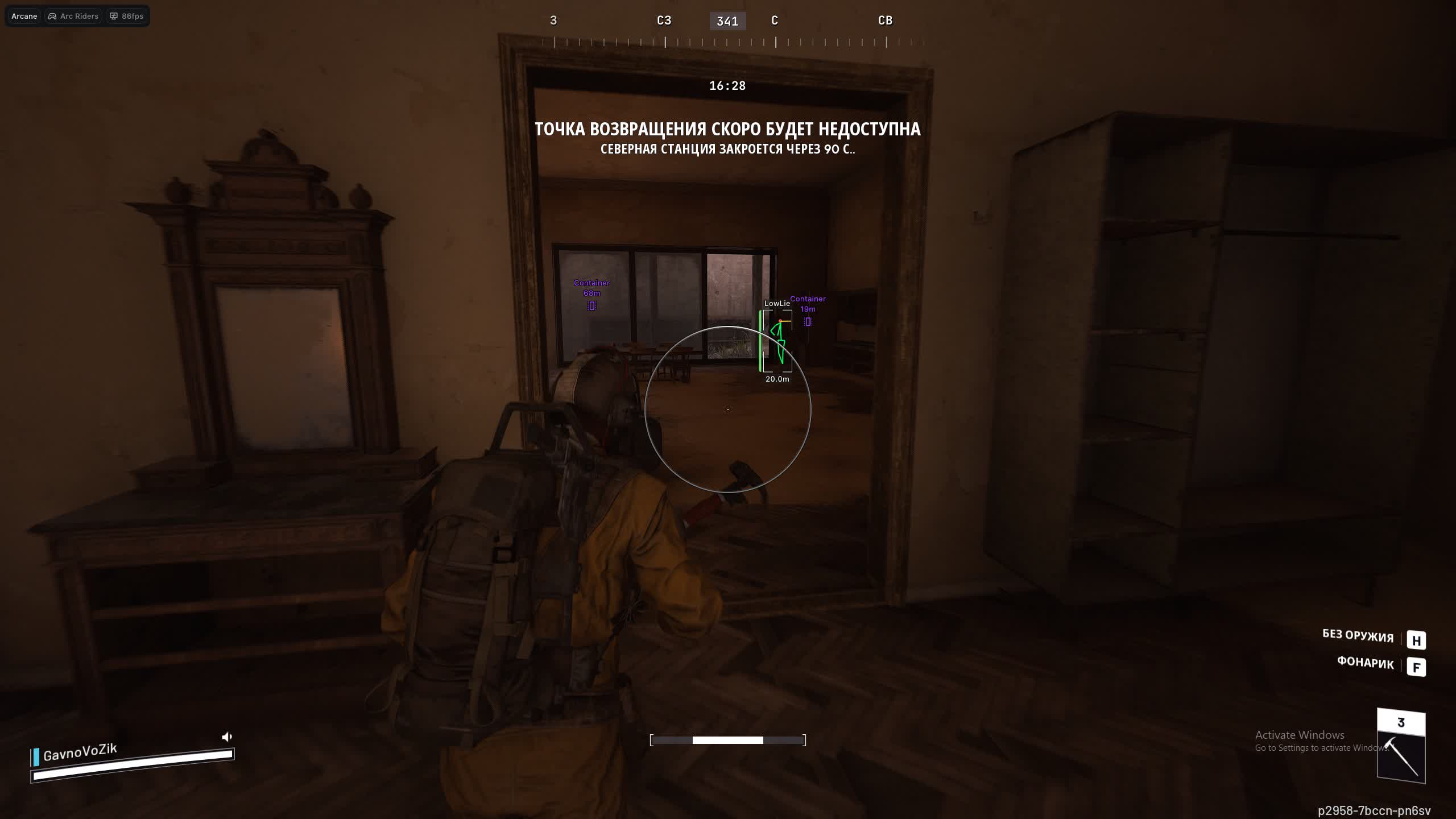
2D Boxes & Fill
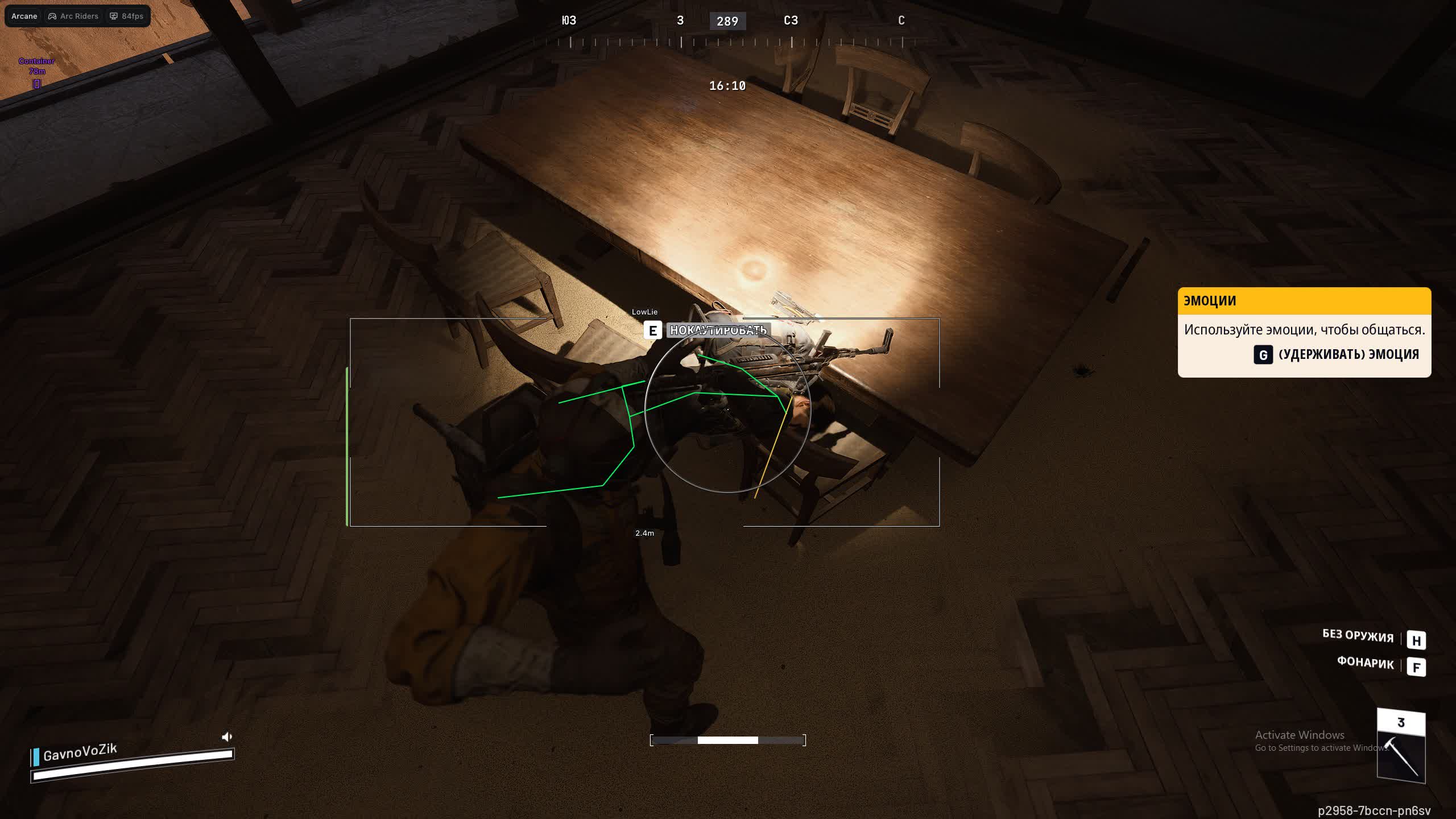
Customize the boxes: full frames or just corners. Add fill or a gradient so enemies stand out against the grey ruins.Skeleton & Head Circle
X-ray in action: the skeleton shows the enemy's pose (crouched/prone), and a head circle helps you pre-aim for the headshot.Health Bar & View Line
The HP bar (gradient or solid) shows how much damage is left to deal. The view line warns you when an enemy is looking right at you.Visible Check Colors
Color-coded danger. The ESP changes color when an enemy steps into your direct line of fire. Instant reaction, no second-guessing.Filters (Bots/Team)
Don't clutter the screen. Set transparency for bots or hide teammates entirely so you only see real threats.ITEMS ESP (loot search)
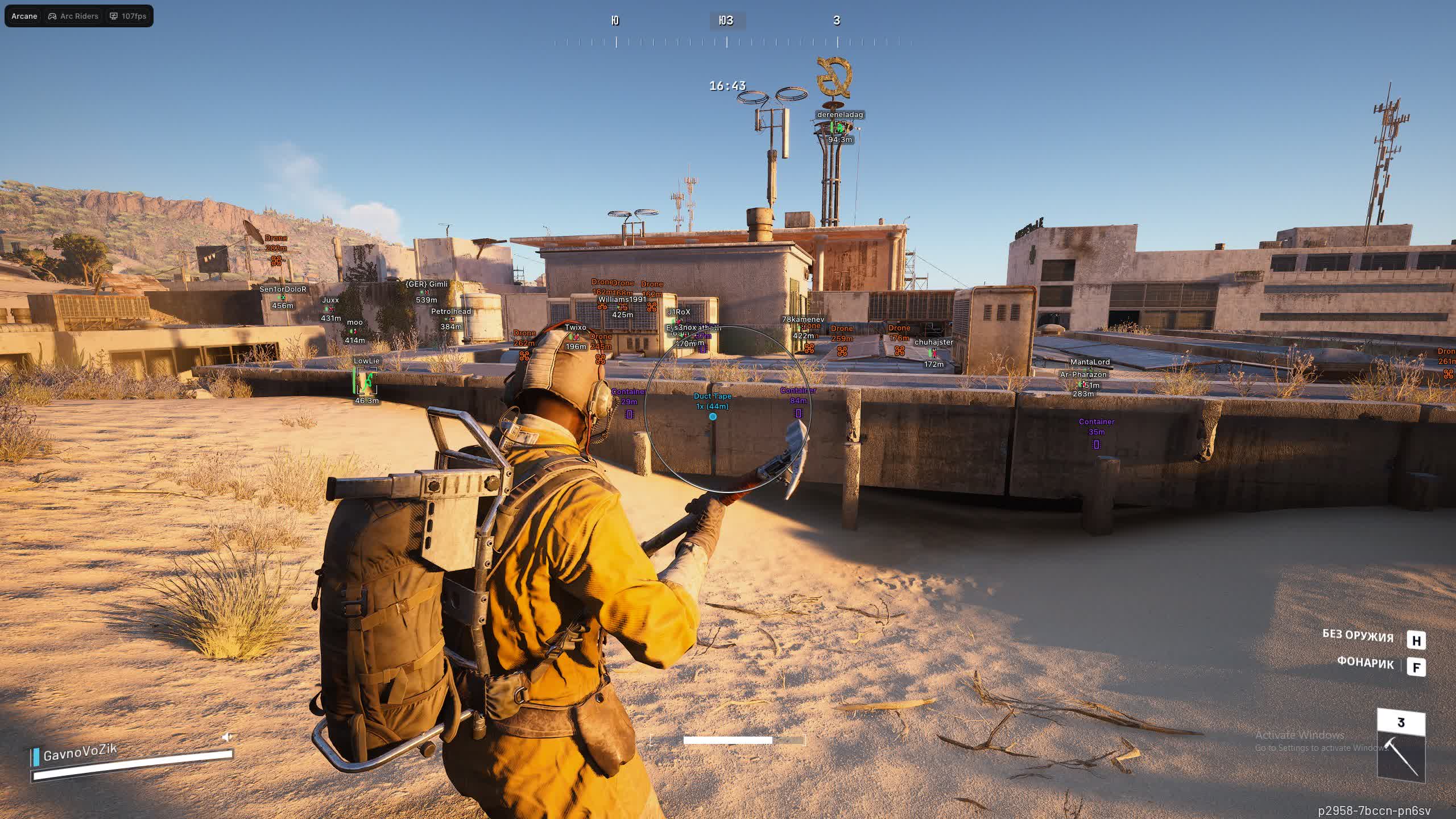
Drones & Containers
See every loot drone and hidden container. Don't miss a single valuable resource, even one tucked away in thick grass.Stack & Distance
Info on item stack count and distance. Don't run for nothing toward an empty pickup, judge the value from afar.RADAR (tactical scanner)
Zoom & Transparency
Your personal recon drone. Adjust the radar zoom and marker transparency so you can read enemy positioning without taking your eyes off the crosshair.Target Filters
Choose who shows up on the radar: only PMC players, annoying bots, or everything at once. Full control over the battlefield.SETTINGS (comfort and safety)
Panic Key & Menu
Set a panic key for an emergency unload of the cheat to stay fully safe. The menu opens and closes in a single tap.UI Scale & Themes
Tailor the interface to yourself: scale (DPI) for 4K monitors and a theme choice (dark/light) to keep your eyes comfortable.Multi-Language
Interface in your native language. Russian, English, and Chinese are supported, so everything is clear without a translator.Known issues & fixes
Real questions from our support, with the fixes that worked. Based on user requests for this product.
After disabling Secure Boot or Intel RST in BIOS Windows blocks account and resets PIN , what to do?
This happens because Windows protects the account when BIOS changes are detected. The fix is to reinstall Windows and skip creating a password and Microsoft account during setup: when prompted to sign in or create an account, click Skip.
After reinstalling without a linked account, BIOS changes will no longer trigger a lockout. If BitLocker asks for a recovery key, enter it , but on the next Windows install, skip account creation.
Blue screen (BSOD) or cheat not injecting into Arc Raiders when launching Arcane
- Make sure Virtualization and Hyper-V are enabled in BIOS.
- Download the Sordum utility, run it, click Search, and send a screenshot of the results to support , this helps identify conflicting software or services.
- Record a full launch video and upload it to YouTube so the developer can diagnose the issue.
Arcane Arc Raiders loader freezes, slider does not move, cheat does not start
Try connecting via VPN , the issue may be caused by activation server restrictions in your region. If VPN does not help, run the Sordum utility (archive password: sordum), click Search, and send the screenshot to support. The developer will use this information to assist you.
Aimbot in Arcane Arc Raiders does not work, cheat turns off by itself after a while
The aimbot and auto-shutdown issue is being investigated by the developer. To help speed up the fix, record a video using NVIDIA Overlay (or any screen recorder if the overlay is unavailable) and upload it to YouTube. The video should show the cheat settings and the moment the aim fails near an enemy.
Send the video link to support , the operator will forward it to the developer for analysis.
Arcane Arc Raiders cheat is frozen during update , when will it be back and will the downtime be compensated?
During an update the cheat is temporarily unavailable. The exact release timeline depends on the developer , support posts updates as soon as information is available.
Subscription downtime compensation is handled on a case-by-case basis through the developer , contact support directly to request it.
Arcane




