
 Covcheg




 Join all games chat






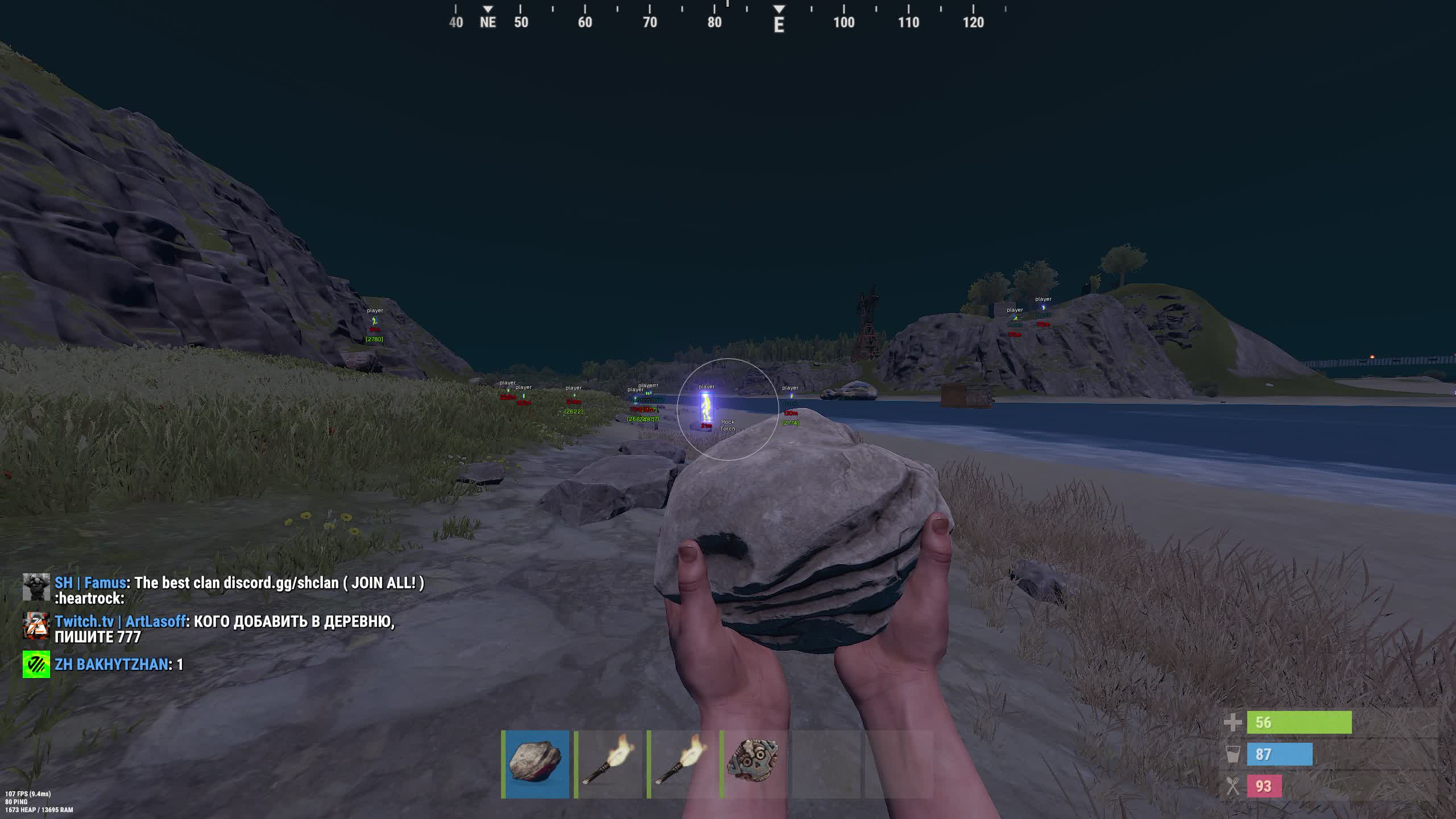
ESP in Covcheg - how to see sulfur, TC, bases, and sleepers in one interface
ESP in Covcheg breaks into three layers: players, loot, and structures. The player layer includes Skeleton with a wireframe through walls, BOX with a rectangle around the model, Names with nicknames, Distance with the meter count, Visible Check to separate who can see you from who can't, and Quick Slots showing the enemy's hotbar. On a large active server, Ignore Sleepers removes hundreds of offline players from the screen and leaves only live ones. Ignore Scientist does the same for NPCs at monuments.
The loot layer is its own category: Loot ESP. Ore node highlights are split by type: metal, sulfur, stone. For early-wipe building there's Wood - stumps and fallen trees. For raids and robbery there are Crates filtered by medical, food, tool, and elite. Stash highlights hidden enemy stashes in bushes. Backpack shows drop bags on the ground after fights. Minicopter marks every mini on the map, which is especially useful right after server restarts.
The structure layer is Remove Construction. It sees through player bases, showing the internal layout, TC position, crates, and sleepers. On a raid you know in advance which corner the Tool Cupboard is in and where the explosives actually need to go. Without Remove Construction a raid is a lottery - you burn through six gunpowder packs and blow into an empty room because the base owner knows how to build a confusing layout.