как скачать
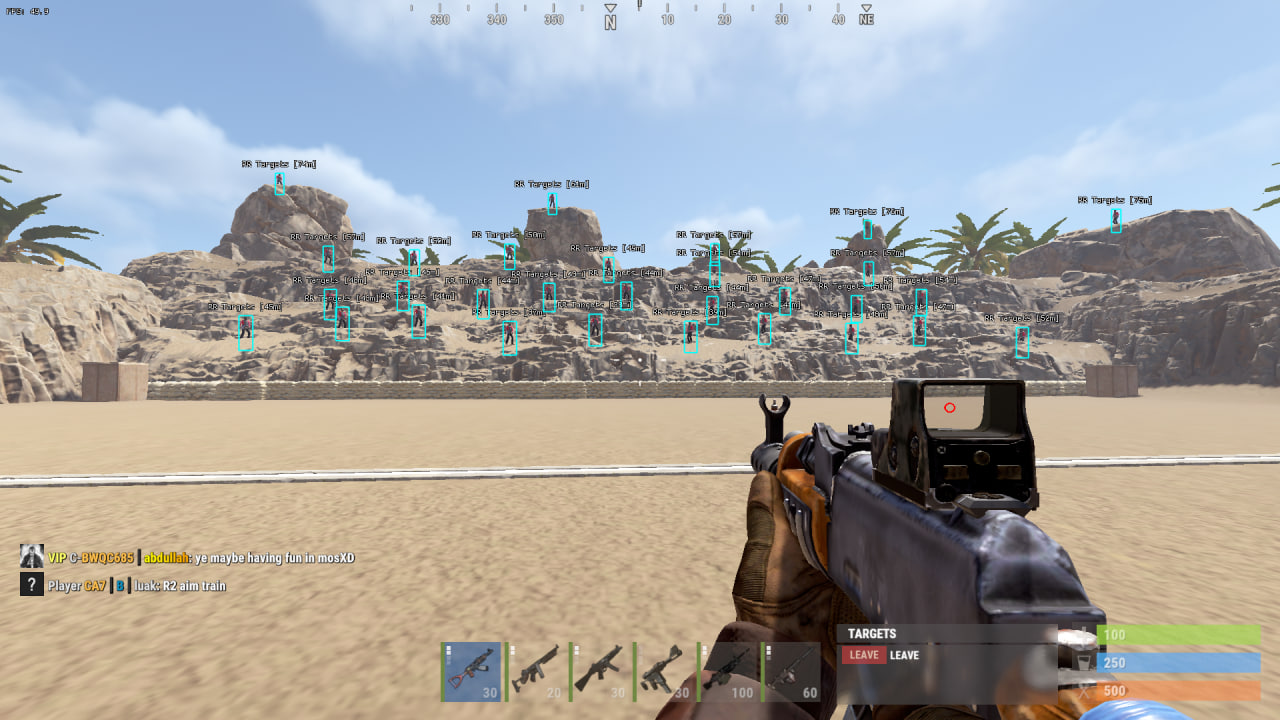
CourierScript RUST ESP is a minimalist solution for players who want just the basic visual control without paying extra for complex features like an aimbot or loot filters. The product is built with a focus on maximum performance and optimization.
The software gives you the most essential info about enemies: their location, names and distance. Limiting render distance to 300 meters lets you effectively control short and mid range, keeping the screen clear of clutter from far-off markers. A great pick for weak PCs or anyone looking for a "Legit" playstyle.
Product features
Player ESP
Show Names
Displays player nicknamesShow Distance
Distance to each enemyBox 3D / Full / Corner
Three box styles around enemiesMax Distance: 300m
Limits ESP render distanceBox (fill)
Highlights targets with a fillEnemy Line
Lines from you to playersRadar
Movable radar showing enemiesIndication Arrows
Arrow indicators for enemies off screenShow Corpse Label
Labels for corpsesShow Wounded Label
Labels for wounded playersPlayer Chams
White chams, players visible through any obstacleSleeping ESP
Show Names
Displays sleeping player nicknamesShow Distance
Distance to sleepersSleepers Max Distance
Limits sleeper render distanceMisc
FullBright
Full map lighting, night is no longer a problemSettings
Show FPS
Frames per second counterMenu Toggle Key
Assign the menu open keyUnload Key
Key to unload the cheat from the processVSync
Vertical syncAnti-Screenshot
Hides visuals when a screenshot is takenNotifications
Alerts for cheat eventsShow Visuals Status
Status indicator for visual featuresKnown issues & fixes
Real questions from our support, with the fixes that worked. Based on user requests for this product.
Antivirus blocking CourierScript from launching , how to fix?
Antivirus software (especially Kaspersky) blocks the loader even when disabled. You must completely uninstall the antivirus , turning it off is not enough.
After uninstalling, download the Antivirus Removal Tool (sordum): extract the archive with the password sordum, run it, click Search, and wait for it to finish , take a screenshot of the result. This removes leftover antivirus components that continue to block the cheat.
CourierScript menu does not open in-game , how to fix?
The menu opens with the DEL (Delete) key. The most common reason it does not appear is that the game is running in fullscreen mode. Switch Rust to Windowed mode.
Follow the correct launch order: start the loader first and wait for the cheat-ready confirmation, then open Rust. The menu will be available once you are in-game.
CourierScript loader says something is interfering , BIOS virtualization issue
If the loader displays a conflict error on startup, enter BIOS and disable virtualization (Virtualization Technology / VT-x / AMD-V). Then relaunch the loader.
Additionally, disable UAC (User Account Control) in Windows settings , this can also interfere with injection.
Bullets flying above the head , how to fix aim in CourierScript?
If bullets are hitting above the target, try rejoining the server , this often resolves the issue immediately. If it happens again, open the cheat menu and adjust the aimbot settings.
For support diagnosis, a short video clip (5,10 seconds) showing the issue is required.
Courierscript