Софт хороший, не вирус, не сказал что стоит 250 за день, но никогда не открывайте катушку при неломайке.
User information
Requires BIOS UEFI. If you're not sure which one you have, message support.
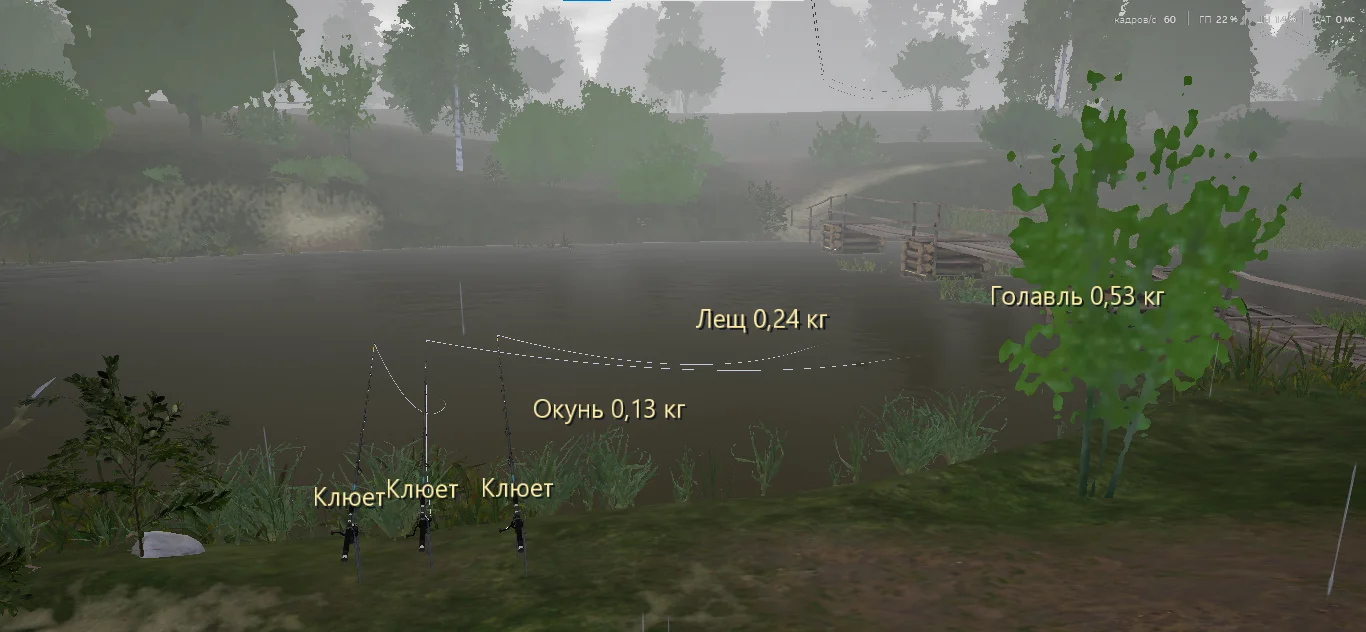
Cast to the same spot on Staroye Ostrozhye for fifteen minutes and pull out a 300g roach. With Lovec LITE the same session looks completely different: fish ESP highlights every fish in your cast radius with its exact weight and a trophy flag, so you can see where that big bream is sitting and recast precisely. The cheat runs as a separate external process, leaving Russian Fishing 4 files untouched.
Lovec LITE covers the core needs in RF4 from visual information to movement and tackle management. Speedhack pushes your character to five times normal speed, noclip lifts you above the water for scouting, and remote shops let you restock bait right from the far bank of the Akhtuba without running back to base. The interface switches between Russian and English.
Product features
Fish Display
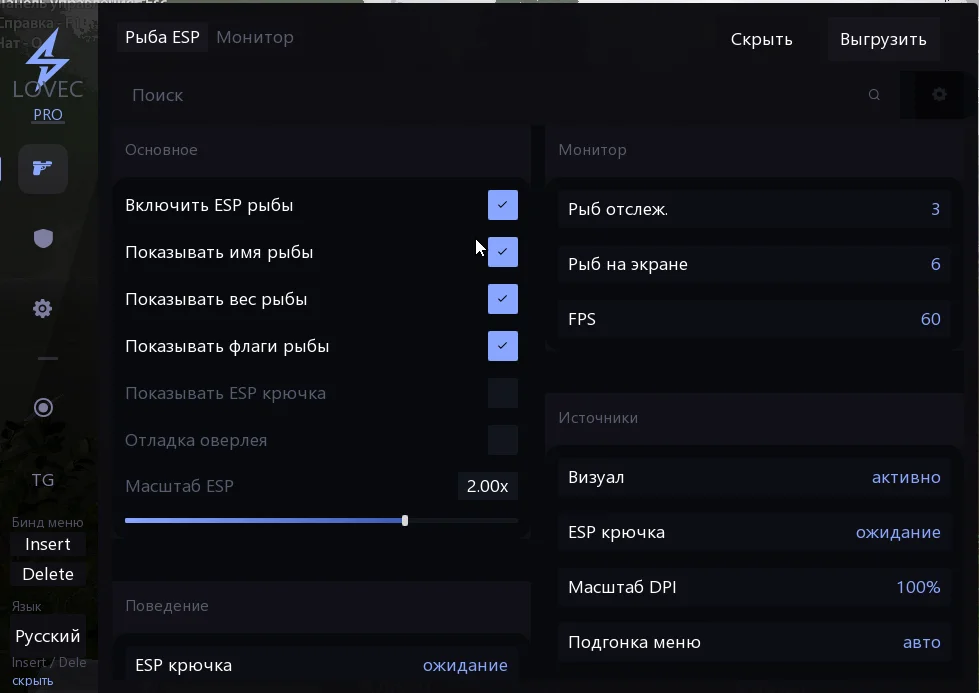
Fish ESP
The species name, exact weight, and distance appear above every fish. Trophy and notable specimens get separate markers, so you never have to guess whether it's worth pulling or recasting. Works through obstacles and bottom terrain.Fish Name
The species label shows directly above the fish in real time. On diverse waters like the Ladoga Archipelago this helps you pick out the target species from bycatch before the bite.Fish Weight
Exact weight in grams is visible before the fish bites. On tournament waters or when hunting a specific trophy you stop wasting time on small stuff and filter by weight visually.Fish Flags
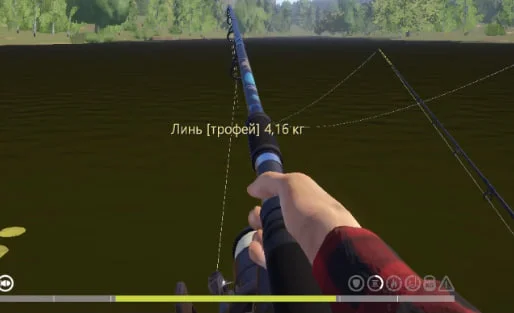
Color markers split fish into categories: common, notable, rare, and trophy. The color reads instantly at a glance, so you know right away if there's a worth-catching specimen nearby.Hook ESP
Hook position is shown in the water with depth and coordinate tracking. You can check your cast accuracy and see exactly how close your bait is to the target fish. Useful when fishing in current where the hook drifts.Movement
Speedhack
Moves your character at up to five times the normal speed. The walk from base to a distant spot on the Akhtuba takes seconds instead of minutes. The speed multiplier adjusts smoothly.Noclip
Flight mode that passes through walls and lifts you above the water. Use it to scout a body of water from above. Combined with Fish ESP it lets you find a trophy cluster and plan your cast point.Teleports
Save coordinates for baited spots and jump back instantly. You can set up a route of saved positions and switch between them in one click instead of walking the whole way.Noclip Speed
A separate speed slider for flight mode. Low values are good for inspecting a specific section of the bottom; max speed crosses the entire map in seconds.Mode Status
All active movement modes are shown on screen: speedhack, noclip, teleport. No need to remember what's on. The indicator shows the current state of each function.Tackle
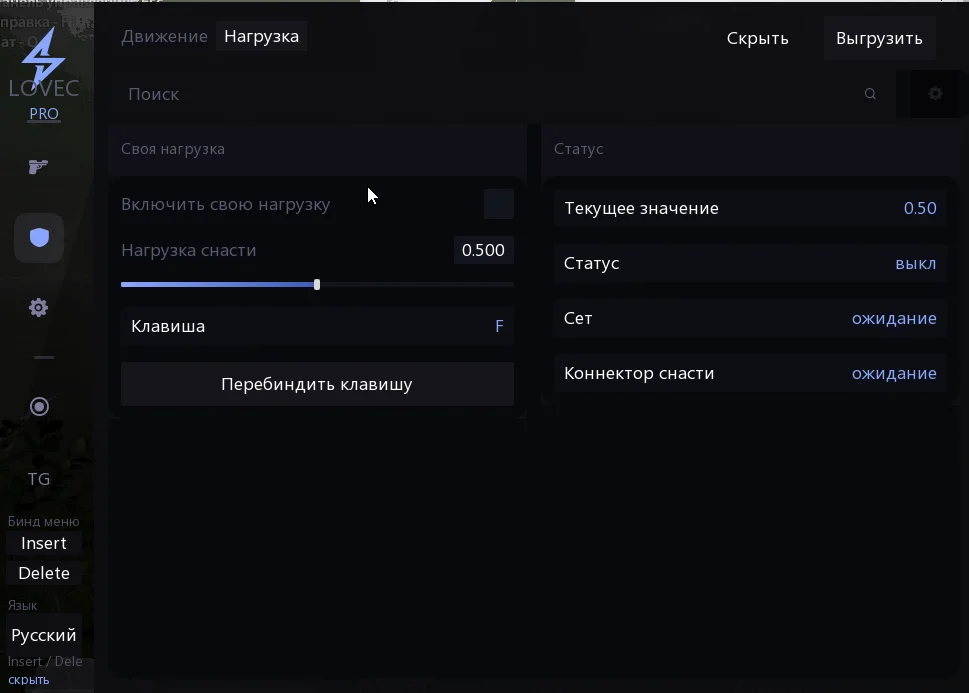
Unbreakable Tackle
Manual override for the breaking limit of your line and rod. You can land a trophy catfish on light gear without a snap. The cheat substitutes the maximum load value with whatever you set.Tackle Load
A field to enter the exact maximum load value in game units. Set it once and it applies to all active rods in the current session.Manual Mode Toggle
Switch between stock tackle parameters and custom ones. When you turn it off, the load reverts to in-game values. Handy for switching between regular fishing and trophy hunting.World
Remote Shops
Access the cafe, market, and tackle shop from anywhere on the map. Ran out of bait on the far bank of the Lower Tunguska? Buy on the spot without hiking back to base.Time of Day Lock
Set it to morning, day, evening, or night by choice. Some species bite better at specific times. Locking it means you hold that window as long as you need for your farming session.Free Camera
Detach the camera from your character and fly around the area. Unlike noclip, your player stays in place and only the viewpoint moves. Good for checking hard-to-reach spots.Player Freeze
Fully stops your character for free camera control. The character locks in position while the camera moves independently with the mouse. You can look around 360 degrees.Camera Control
Separate speed sliders for camera movement and rotation, plus a turbo mode. Saving the current camera angle lets you lock a good shot and come back to it later.Render Isolation
Hide HUD elements for a clean view. Useful when recording video or taking screenshots. Removes all interface elements from the screen and leaves only the world.Interface
Two Languages
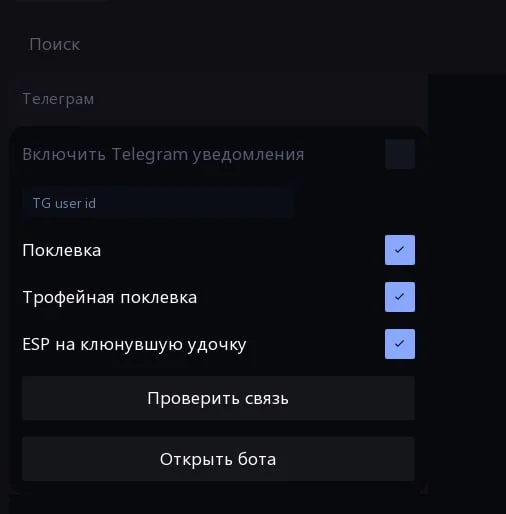
The cheat menu switches between Russian and English. All feature names, tooltips, and settings are available in both languages, good for Russian-speaking and English-speaking RF4 players.Telegram Notifications
The cheat sends messages to Telegram when there's a bite. Two modes: notifications for all bites, or trophy catches only. The message shows which rod got the bite, so you don't have to cycle through your gear blindly.Known issues & fixes
Real questions from our support, with the fixes that worked. Based on user requests for this product.
Antivirus or Windows blocks, deletes, or flags the loader as a virus — what should I do?
This is a false positive: antivirus software often flags the protection technologies used in programs like this as a threat.
- Add the loader's folder to your antivirus and Windows Defender exclusions, then download the file again.
- It's best to fully close third-party antivirus software (such as Kaspersky) while using the program, or remove it with its own uninstaller — muting notifications alone is often not enough.
- Run the loader as administrator and restart your computer after changing the settings.
- If the file is still blocked, contact support — they can point you to the current version and a system compatibility check utility.
The program hangs while connecting, gets stuck on a waiting status, or shows a network error — what should I do?
This is usually caused by an unstable or blocked connection on your side.
- Connect through a VPN and launch the program again; if the VPN makes it worse, turn it off and retry without it.
- Check your internet stability and switch networks if you can — if the connection keeps dropping, the program can't receive data.
- Make sure the program is added to your antivirus and firewall exclusions.
- Restart your computer; if that doesn't help, fully remove and re-download the loader.
- If the error keeps happening, contact support with a screenshot.
The key is tied to one computer — can I move it to another device?
On first activation the key is bound to the hardware of one specific computer and works on a single device only — the rule is one PC per key. So activate the key right away on the computer you plan to play on regularly.
Rebinding to another device is generally not done. If you had to change computers, contact support and describe the situation — in some cases the hardware lock can be reset manually, but don't count on repeated transfers.
After a game update the program stopped launching or says it's unavailable — what should I do?
After a major patch the developer usually pauses the program until a version for the current game update is released — this isn't a problem on your end.
- Wait for an update announcement: once the program is adapted, access is restored automatically, with nothing to redownload or reactivate.
- In the meantime you can try restarting your computer and launching the program through a VPN — sometimes this helps temporarily.
The program won't start or the PC blue-screens: Windows reports a blocked vulnerable driver or memory integrity issue — what should I do?
This error means built-in Windows protection features (Secure Boot, Core Isolation, vulnerable driver blocklist) are preventing the program's driver from loading, treating it as potentially unsafe.
Contact support — they'll tell you which protection features are conflicting with the program on your system and help check the compatibility of your hardware and Windows version.
Didn't receive activation key by email after purchasing Lovec Lite
The key is tied to your account rather than sent as a separate email. Log in to the site using your email address and retrieve the key from your account dashboard.
Payment went through and money was charged, but access wasn't activated — what should I do?
After payment, the payment system doesn't confirm the transaction instantly — usually you just need to wait a bit.
- Check the purchases section on the site and attach a screenshot of the payment to your support request.
- If confirmation takes too long, contact the support of the payment service you paid through — contact details are usually at the bottom of the payment page.
Can Lovec Lite show where fish are in the water before casting?
No, this feature is not available in Lovec Lite and was never advertised. The cheat only shows a fish indicator when it bites the hook , it cannot predict or display fish locations before casting.
How do I check my BIOS version on Windows?
Press Win + R, type msinfo32, and press Enter. In the System Information window, find the BIOS Version/Date line , it will show your full BIOS details.
How can I check how much time is left on my key?
The remaining time on your key is shown right in the loader window after you log in. Rely on that number rather than the purchase date — it reflects the exact time left.
Activation says the key is already activated even though I haven't used it — what should I do?
If the key was already bound earlier, you don't need to activate it again — try going straight to selecting the program and launching it without re-entering the key. If the error persists, contact support so they can check the key's status.
The program window pops up for a second after launch and then disappears — how do I fix it?
This usually happens due to a conflict with the game's fullscreen mode. Switch the game to windowed or borderless windowed mode and launch the program again — that resolves it in most cases.
The loader window opens only partially and can't be resized — what should I do?
This usually happens because of display scaling in Windows or a conflict with other protection software installed on the system (for example, an anti-cheat from a different game).
- Set Windows display scaling to 100%.
- Remove or temporarily disable unrelated protection or anti-cheat software.
Lovec




