Soft HUB Deadside Cheat: ESP, Loot Filter and More

Working
Top seller
SOFT HUB SOFT HUB
Last update 02.06.2026 This date shows when the software was last updated. An old date doesn't mean the software stopped working! Most likely the developer just had nothing new to add. If you have any doubts, you can always check the current status with our support team.
Deadside Soft HUB
Steam
Windows support: 10: all builds; 11: all builds
Menu language: Russian, English
Spoofer:No
USB drive:Yes
BIOS:No

User information

Keys: Menu - F5, world - F6, off - F7

Works on vanilla and modded servers, plus modded loot

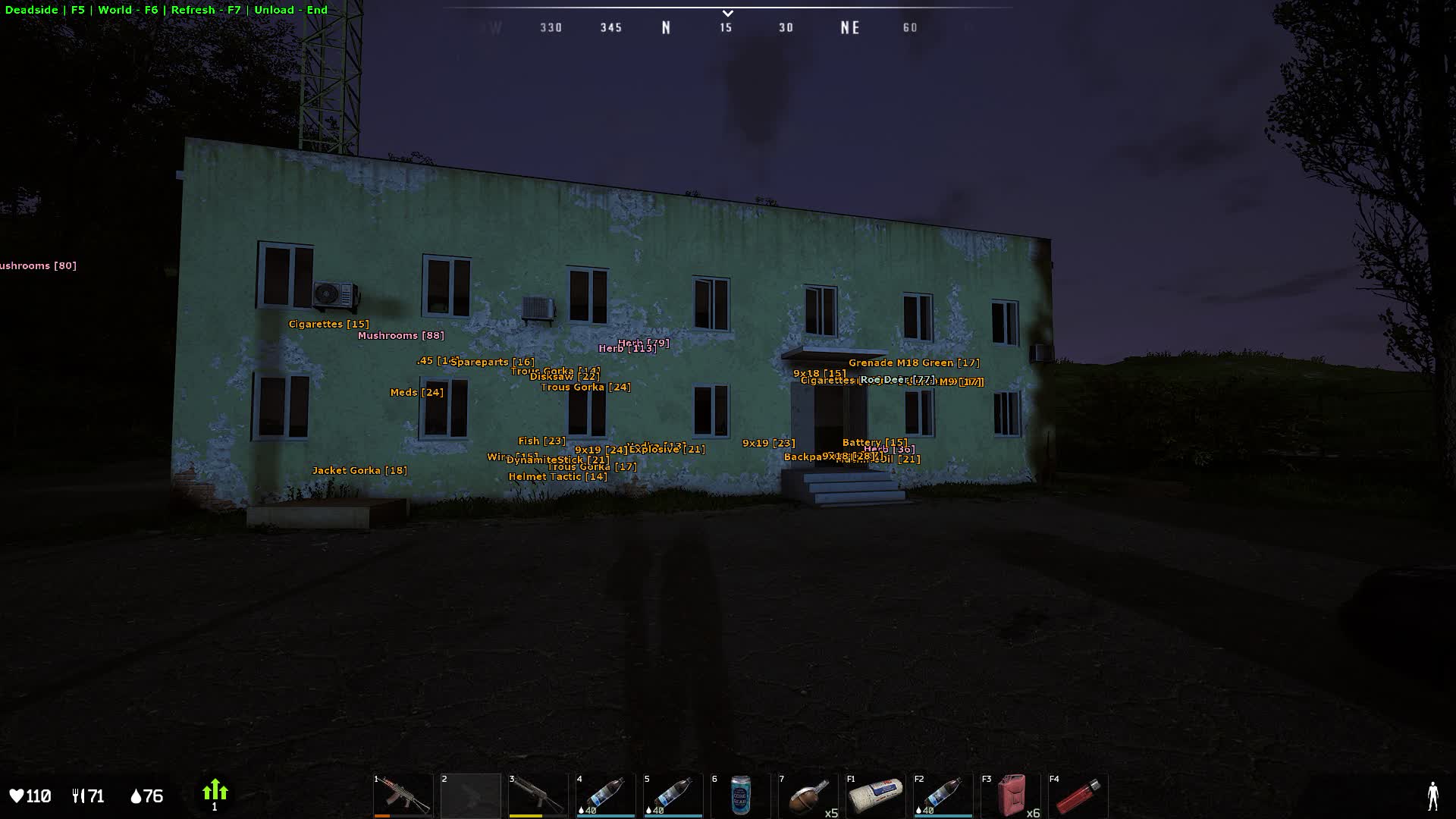
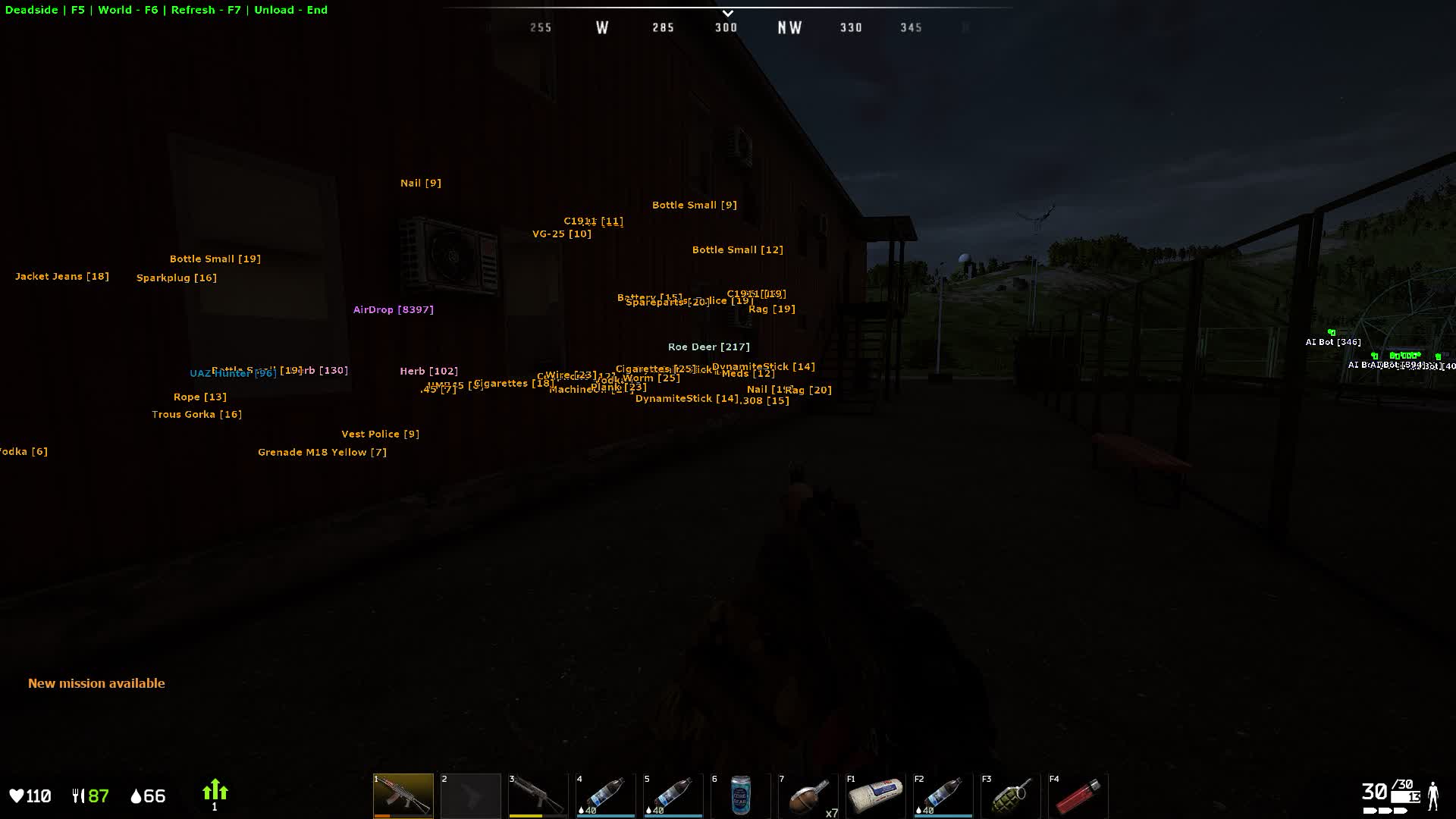
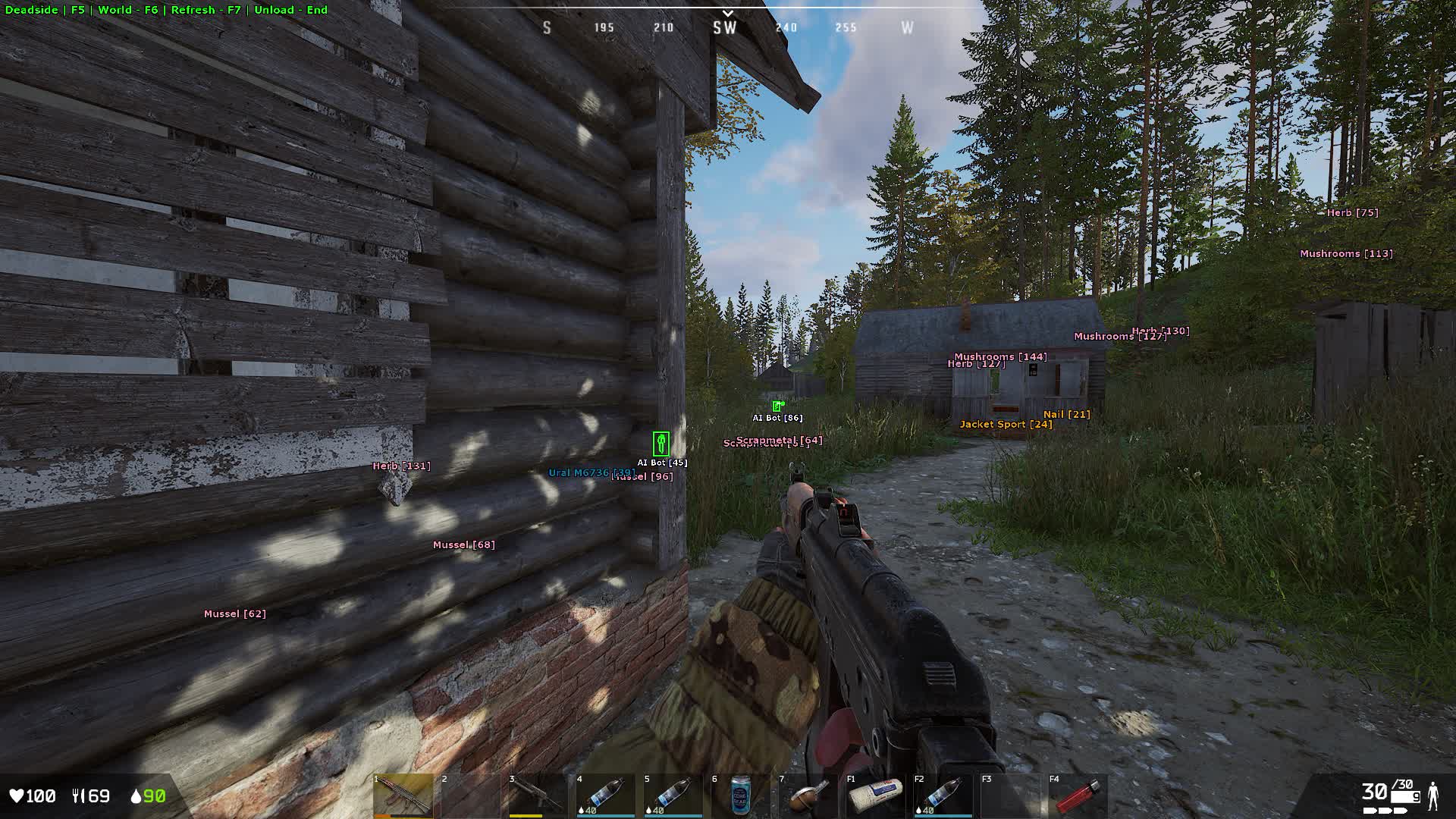
SCREENSHOTS
Description

Soft Hub is a software solution for players who care about maximum information without the extra clutter. The product is built around visual awareness of your surroundings (ESP) and easy resource gathering. It was developed around the specifics of the Deadside engine, so objects render correctly at any distance with no FPS drops.

The main strength of Soft Hub is how flexible the settings are. The menu lets you control loot filters in detail, hiding the junk you do not need and leaving only the valuable items on screen: weapons, modules, money or quest crates. The product runs stably on the current version of the game and gets regular updates from the developer, so it stays safe and comfortable to use.

Product features

Visual features (players and bots)

2D Box

Draws a 2D box around the character model for better visibility.

Skeleton

Shows the target's skeleton so you can read their pose (standing, sitting, prone).

Name

Displays the player name or bot type above the head.

Distance

Shows the exact distance to the target in meters.

View Direction

A line that shows which way the enemy is looking.

Snaplines

Lines from the center of the screen to targets so you can orient quickly.

World objects and environment

Corpses

Highlights player and bot corpses for quick looting.

Transport

Shows the location of boats and other vehicles.

Animals

Shows animals on the map.

Air Drop

Marks air drops (supply crates).

Loot filter: Gear

Clothing

Jackets, pants, masks, glasses, gloves.

Armor & Bags

Vests, helmets, backpacks of every tier.

Weapons

Firearms and melee weapons.

Modules

Scopes, suppressors and other weapon attachments.

Loot filter: Resources and Survival

Supplies

Food, water, alcohol.

Medical

Med kits, bandages, materials for crafting meds.

Ammo

Ammunition of every caliber and rocket rounds.

Valuables

Money, tokens, hunting trophies.

Loot filter: Crafting and Misc

Crafting

Materials, components, tools, repair kits.

Mission Items

Convoy crates, inventory devices, electronics.

Misc

Building materials, junk, collectible items.

Known issues & fixes

Real questions from our support, with the fixes that worked. Based on user requests for this product.

Cheat doesn't load after clicking Load button

To load the cheat you must disable Core Isolation (Memory Integrity) in Windows. Use the utility included in the archive , archive password: sordum. Run the utility, disable Core Isolation, then restart your PC.

If the utility does not work, disable Core Isolation manually in your BIOS , look for Core Isolation or Memory Integrity in the security section.

Is a USB flash drive required to run the Deadside cheat?

Yes, a USB flash drive is required for this product to work. Make sure it is connected before launching.

All issues & general troubleshooting
TARIFFS
200
BUY What happens after payment?
Got a question? Ask before you pay

We'll help you choose and sort out any launch issue. Ask us anything before buying, we're always on your side.

Support 10:00–22:00, sometimes we reply at night too
Ask a question

Available tariffs

1 day
200
START PURCHASE
7 days
1000
START PURCHASE
30 days
2000
START PURCHASE
Reviews about Deadside Soft HUB
38 sales on Digiseller No text reviews yet — be the first to leave one.

Your review

Reviews are published after moderation.

Join our gaming community chat

Discuss current cheats from developers and how to use them effectively in popular online games. Share tactics, exchange useful info and find like-minded players in our community.

1 900+Members
24/7Online
Join our gaming community chat

Technical support

Run into a technical issue? Our team of experts will help. We handle all requests in a live queue, so please be understanding if it sometimes takes a little wait. We guarantee that no request goes unanswered.

Availabilityfrom 10:00 to 23:00
Fast responseIn queue order
Get help
Technical support
PROCHEAT

PROCHEAT news channel

Follow product status changes, update history and important announcements.

Subscribe

Tracking players and tactics

Soft Hub gives you full information on enemy movement across the map. The skeleton feature shows the position of the enemy's body behind cover, so you know whether they are standing or lying in ambush. View direction lines warn you when an opponent is looking your way. Distance and nicknames help you identify targets and plan your attack or retreat.

Handling PvE threats

In Deadside, bots are a serious danger because of how accurate their fire is. The cheat splits its settings between real players and NPCs. Turning on ESP for bots lets you spot patrols and snipers on towers ahead of time. That makes clearing missions and military bases easier and rules out sudden run-ins with the AI.

Global loot filtering

The product comes with a detailed item filter split into dozens of categories. You can turn off junk and leave only what you need on screen: weapons, modules, ammo or meds. This kind of sorting clears up the interface and helps you gear up fast after respawn, without wasting time checking every corner.

Finding valuable resources and quest items

To help you earn in-game currency, there is highlighting for economy and rare objects. The software marks money, convoy crates, inventory devices and hunting trophies. You see where the valuable loot sits through walls and textures, which speeds up getting rich and finding components for building your base.

Navigation and transport

Extra visual options make survival in the open world easier. The transport display helps you find a vehicle fast. Corpse highlighting (both players and bots) solves the problem of finding loot in tall grass after a firefight. The air drop indicator lets you be first to reach a valuable crate.


Latest updates

02.06.2026 08:38
Working
Received an update
02.06.2026 07:30
Frozen
Sent for update, time frozen
13.05.2026 09:24
Working
Received an update
12.05.2026 17:39
Frozen
Sent for update, time frozen
08.05.2026 02:26
Working
Received an update
Open full history
Ask a question


