Все отлично!
Division 2 Soft HUB: Private Cheat for The Division 2 with Aimbot and ESP
User information
Tested extensively over a long period, nothing gets flagged
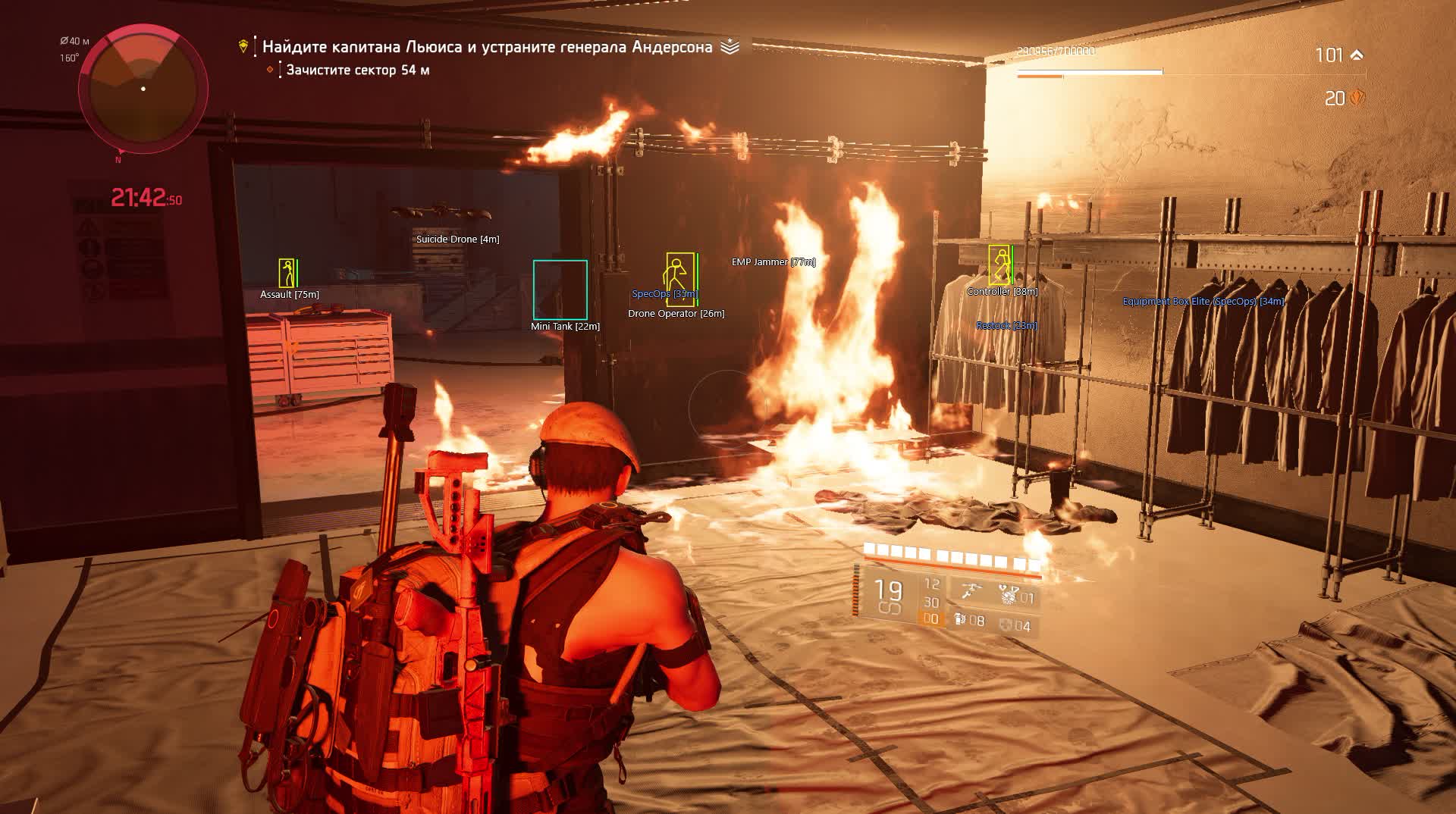
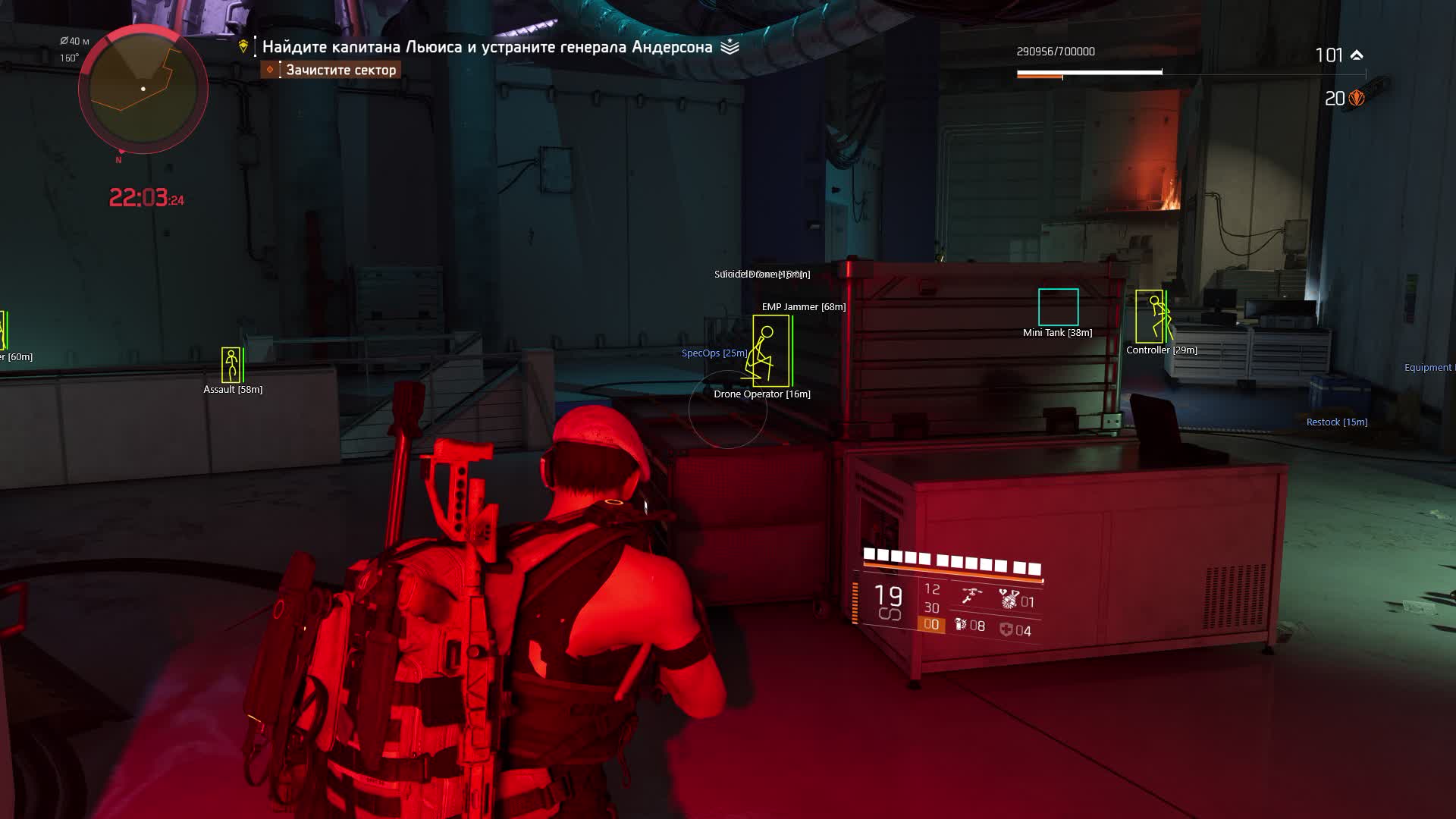
Division 2 on Heroic is elites with millions of HP who hide behind cover and flank in groups. You pop out for a second and an assault trooper has already circled around the side, the medic is healing the boss, and the grenadier has your position zeroed in. The Division 2 cheat from Soft HUB flips the situation: ESP shows every NPC and player through walls, Aimbot with Magic Bullet registers hits regardless of cover, and No Recoil with No Spread turns any weapon into a laser. In the Dark Zone the same setup works against live agents, you see rogues before they close to firing range.
Soft HUB is an External cheat that runs on top of the game process. That said, the feature set goes well beyond a standard overlay: Silent Aim hits the target without any visible crosshair movement, Magic Bullet registers shots through obstacles, and RCS compensates recoil during burst fire. Add fast reload and increased fire rate, and on elite NPCs with massive health pools that makes a real difference in time-to-kill.
Product features
Aimbot
Silent Aim
Hits the target without any visible crosshair movement - from the outside you appear to be shooting into a wall, but the hits register on the chosen target. In Division 2 this works on both NPCs and players in the Dark Zone.Magic Bullet
Registers hits regardless of obstacles between you and the target. The enemy ducked behind a concrete block - the bullets go through anyway. On Heroic missions it saves the minutes of waiting for an elite to peek out.Rotation Aim
Classic aim assist that visually rotates the crosshair toward the target. More noticeable than Silent Aim, but familiar for players who want to see where they're shooting.Smooth Value
Controls how smoothly the crosshair moves to the target. High value means slow, natural-looking tracking. Low value means an instant snap to the head.Target Bone: Head / Chest / Random
Sets the aim point. Head gives maximum crit damage. Chest is more consistent at range. Random alternates bones so the hit pattern looks natural.FOV and FOV Circle
Sets the aimbot's capture radius and shows it as a circle on screen. Narrow FOV means the aimbot only picks up the target closest to your crosshair. Wide FOV covers the whole screen.Sticky Aim
Locks onto the first acquired target and holds it until the target is dead. Useful when finishing off elite enemies with large health pools, stops the aim from jumping to a nearby NPC.Aim Key
Activates the aimbot only while a key is held. The mouse is free between fights, hold the button during a firefight and the aimbot kicks in.Highlight Aiming Target
Highlights whichever target the aimbot has locked. You can see exactly who is getting aimed at so you don't fire on the wrong target in a crowd of NPCs.Priority (distance / closest to crosshair)
Chooses the targeting criterion: nearest by range or nearest to the screen center. In PvE distance priority is more comfortable, in PvP crosshair priority works better.Aim at Rogue Only
Restricts the aimbot to rogues only - in the Dark Zone it ignores neutral agents and only targets players who have gone rogue.Aim at Gadgets
Targets enemy gadgets: turrets, drones, traps. Division 2 NPCs use gadgets heavily - this takes down a turret in a second instead of hunting for it by eye.RCS (Recoil Control System)
Compensates recoil with adjustable strength and activation speed. RCS Snap Value sets how much of the recoil is corrected, RCS Speed sets how fast the system responds to each shot.Visuals (ESP)
Player ESP
Shows all players with boxes, skeletons, health and armor. In the Dark Zone you see every agent - their HP, armor, and distance to you.Show Only Rogue
Filters ESP to rogues only. In a packed Dark Zone it cuts the visual noise from neutral agents and shows only actual threats.Skeleton ESP
Draws bone lines over enemy models so you can see their pose through walls: standing, crouching behind cover, running. In Division 2 with its cover system this is critical information.Show Health / Show Armor
Health and armor bars above every enemy. In Division 2 armor is a separate layer on top of health, and seeing both values at once matters for picking the right target first.Show Names / Distance
Player names and distance in meters. Lets you identify a specific rogue by name and know exactly how far away they are.2D Box
Bounding boxes around enemies - a basic visual marker for spotting targets quickly on screen.Enemy NPC ESP
Separate ESP for hostile bots, shows every NPC with distance. On Heroic missions where NPCs push from the flanks you see the flanking move before it happens.Gadgets ESP
Highlights enemy gadgets: turrets, drones, traps. You see where an NPC placed a turret before it starts shooting.Players Distance / NPC Distance
Separate draw distance limits for players and bots. Set NPCs to 100m for close-quarters fights, players to 300m for Dark Zone control.Loot ESP
Loot
Shows items on the map through walls and ceilings. In Division 2 with its random loot tables this cuts the time spent hunting the right drop.Dropped Loot
Items dropped by players or NPCs. In the Dark Zone after a firefight you can see what fell off a dead rogue without walking up to the body.Equipment
ESP for gear: weapons and armor pieces on the ground. You see what weapon or kneepads are in the next room before stepping inside.Supplies
Consumables - ammo and medkits. On long Heroic missions ammo runs out, and knowing where the nearest crate is saves you at the worst moment.Crafting
Crafting materials on the map. For players farming resources in the open world - no need to manually sweep every corner.Loot Distance
Limits the loot draw range. Set it to 50m and only see nearby items without cluttering the screen with icons from across the map.Additional Modifications
No Recoil
Completely removes weapon recoil. In Division 2 automatic weapons kick hard on long bursts - with No Recoil every bullet goes exactly where the crosshair points.No Spread
Removes bullet spread. Even with perfect aim bullets scatter in a cone without this - No Spread collapses that cone to zero.No Sway
Removes weapon sway when aiming down sights. Sniper rifles stop drifting - the crosshair sits dead on the spot.Fast Reload
Speeds up the reload animation. On LMGs with 100-round magazines the stock reload takes 3-4 seconds. Fast Reload cuts that to a minimum.Increase Fire Rate
Raises the base fire rate of any weapon. A semi-auto rifle fires like a full-auto, and an automatic dumps rounds twice as fast.Known issues & fixes
Real questions from our support, with the fixes that worked. Based on user requests for this product.
Cheat menu does not open in game when pressing F2
To diagnose the issue, use the system-check utility: download the archive (password sordum), run it, click «Search» and wait for the scan to finish.
- After that, toggle real-time protection in Windows Defender off and back on.
- If the menu still does not appear , update Windows to the latest version.
- If you have another USB drive available, try launching the cheat from it.
Overlay and boxes are offset, menu clicks are misaligned
This is caused by Windows display scaling. Open Settings → System → Display and set scale to 100%. Then restart the cheat.
Cheat stopped launching or menu disappeared after PC restart or server reset
If the menu does not appear after a PC reboot or game server reset:
- Run the diagnostic utility (archive password sordum) , download, launch, press Search, and send a screenshot of the result.
- Delete leftover cheat files and reinstall the latest version.
- Update Windows , outdated system components may block the cheat from starting.
Some functions like aim and no-recoil work intermittently
Intermittent behaviour of certain features (aim, no-recoil, fast reload) is a known technical limitation of the method this cheat uses , it is not a bug or misconfiguration, and there is no workaround.
If the game crashes during specific activities, disable cheat functions one by one to identify which one triggers the issue.
SOFT HUB