Byster Cheat for Albion Online: ESP, Auto-Defense and Bots

Working
Top seller
Byster Byster
Last update 12.08.2026 This date shows when the software was last updated. An old date doesn't mean the software stopped working! Most likely the developer just had nothing new to add. If you have any doubts, you can always check the current status with our support team.
Add another cheat from this game too — to compare them.
Albion Byster
Steam
Official
Windows support: 10: 21h1, 22h2, 23h2, 24h4; 11: 21h2, 22h2, 23h2, 24h2
Menu language: English, Russian, Chinese
Spoofer:No
USB drive:No
BIOS:No

User information

Window mode must be windowed. In fullscreen the overlay and the radar land in the wrong place. For Albion that is the usual requirement, but checking the game settings before the first launch is still worth it.

System: Windows 10 or 11, x64, with a stated build range from 21H2 to 24H2. To find your version: win + R winver . AMD or Intel CPU, AMD or NVIDIA GPU. Either client works, Steam or the game's own launcher. A spoofer is not included, and the flash drive and BIOS stay untouched.

Launching: open the Byster loader, press Download, then the game. Bots and auto-defense need tuning for your character build, so lay out the Q, W, E, chest and helmet keys in the menu first, otherwise the rotations will fire into nothing.

Bot routes are recorded by hand once: switch recording on, walk a gathering loop, save it under a name. After that the route gets reused and renamed. No ready-made routes ship with the build, and that is right — somebody else's loop on your server takes you where three other people already stand.

The key and the loader link arrive at the email you gave at checkout. There is no account area on the site, so type the address carefully.

SCREENSHOTS
Description

Albion cheats are usually radars: a map, some markers, and the rest by hand. The Byster build works differently. Scouting is only the first layer here, and above it sit auto-defense, rotations for specific weapons, and bots that walk the routes you recorded yourself, fish, and haul loot between cities.

Resources filter by tier from one to eight, with enchantment, charges and hiding of depleted nodes. Portals get their own map plus a catalogue of four hundred zones, each showing tier, chest count and whether resources are present. Auto-defense is tied not to an abstract idea of survival but to your actual items: Cleric Cowl, Guardian Helmet, Graveguard, Astral Q and W each get their own threshold and their own key.

The menu runs in Russian, English and Chinese and switches itself. There is no spoofer in the build. It runs on Windows 10 and 11 in windowed mode, and either the Steam client or the game's own launcher works.

Product features

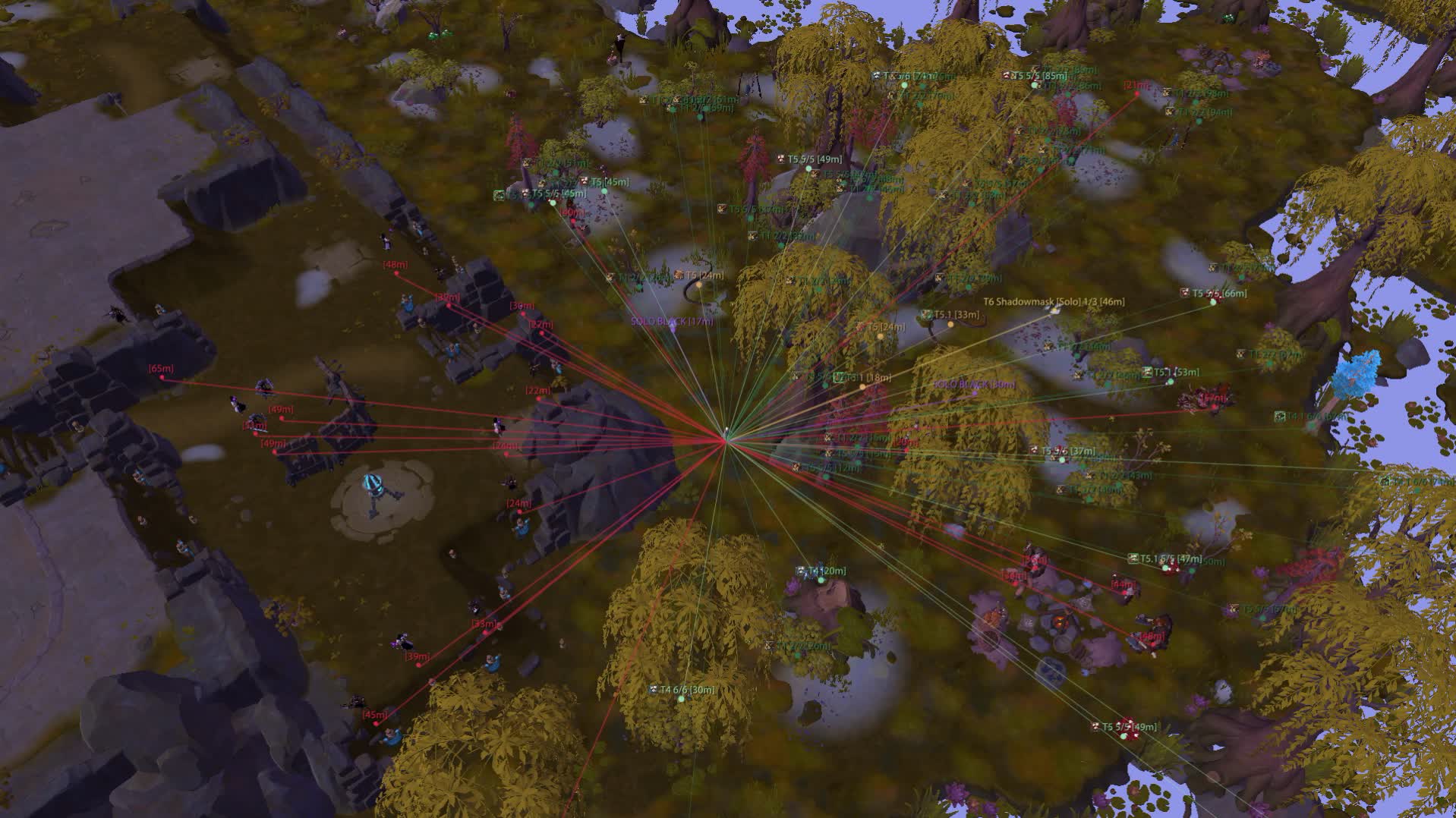
ESP: players, mobs, loot

Players

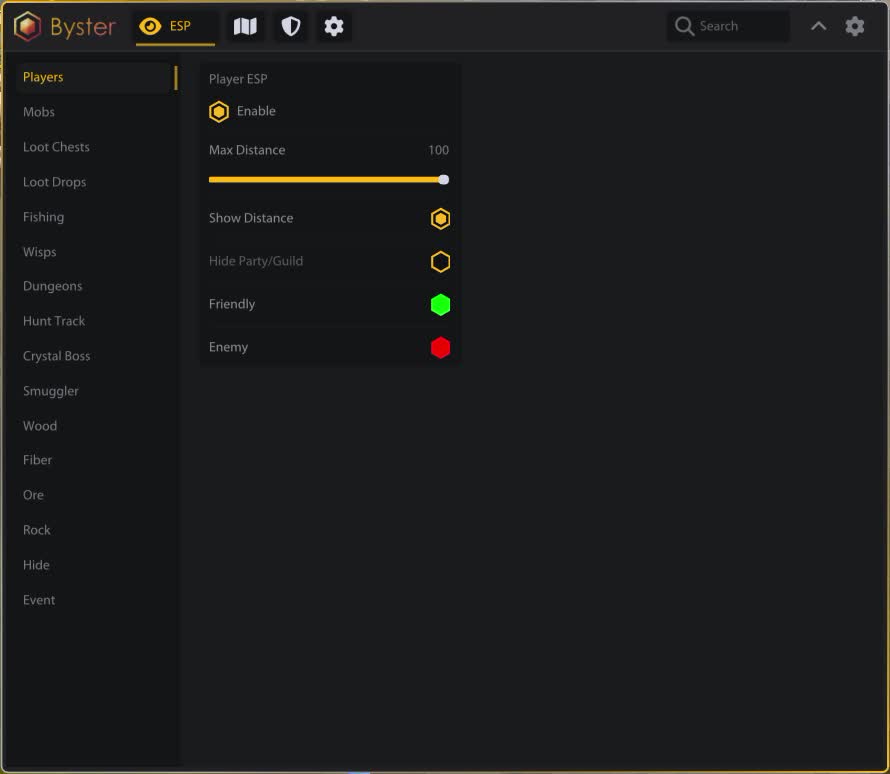
Distance, separate colours for allies and enemies, and independent hiding of your party and guild. Maximum range sits on a slider.

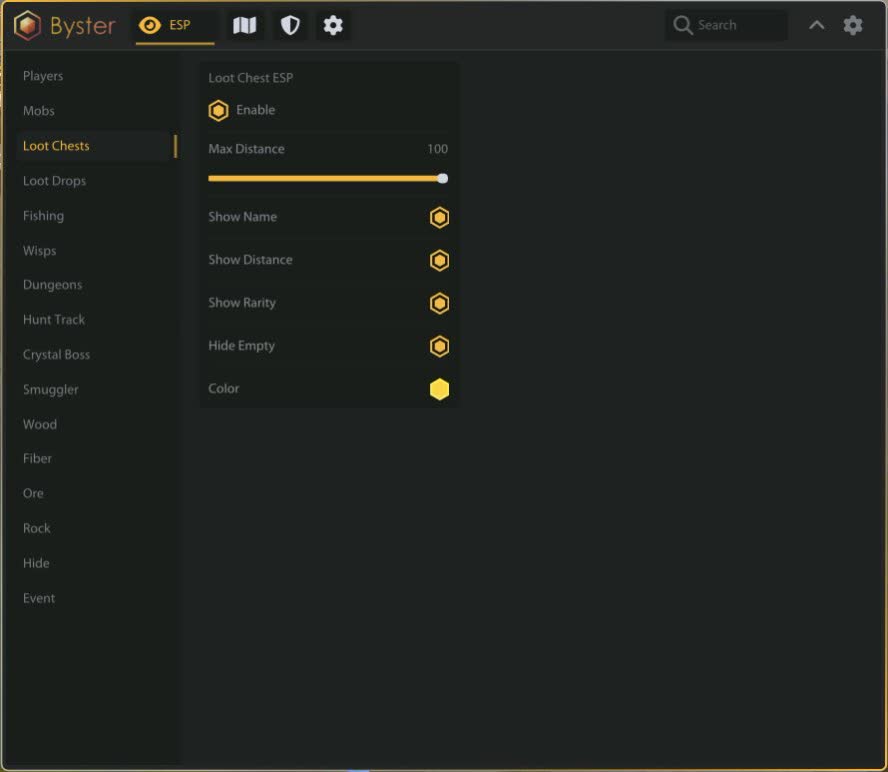
Loot chests

Name, distance, rarity from uncommon to legendary. Empty ones get hidden so you do not cross half a zone to something already opened.

Dropped loot

A separate layer for what lies on the ground after someone else's fight. Name and distance in their own colour.

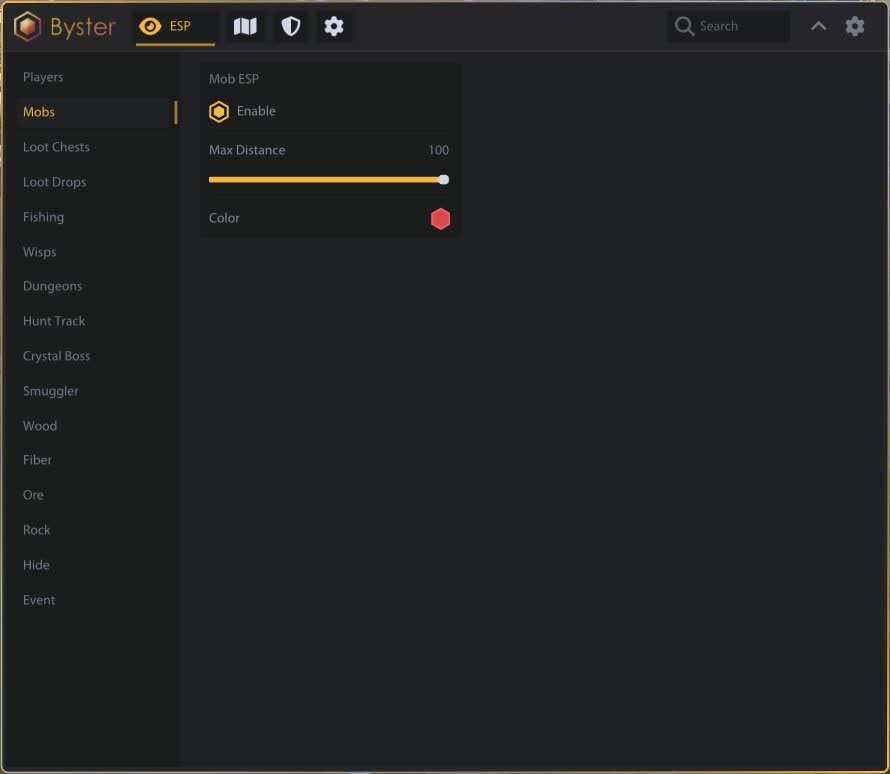
Mobs and chest guards

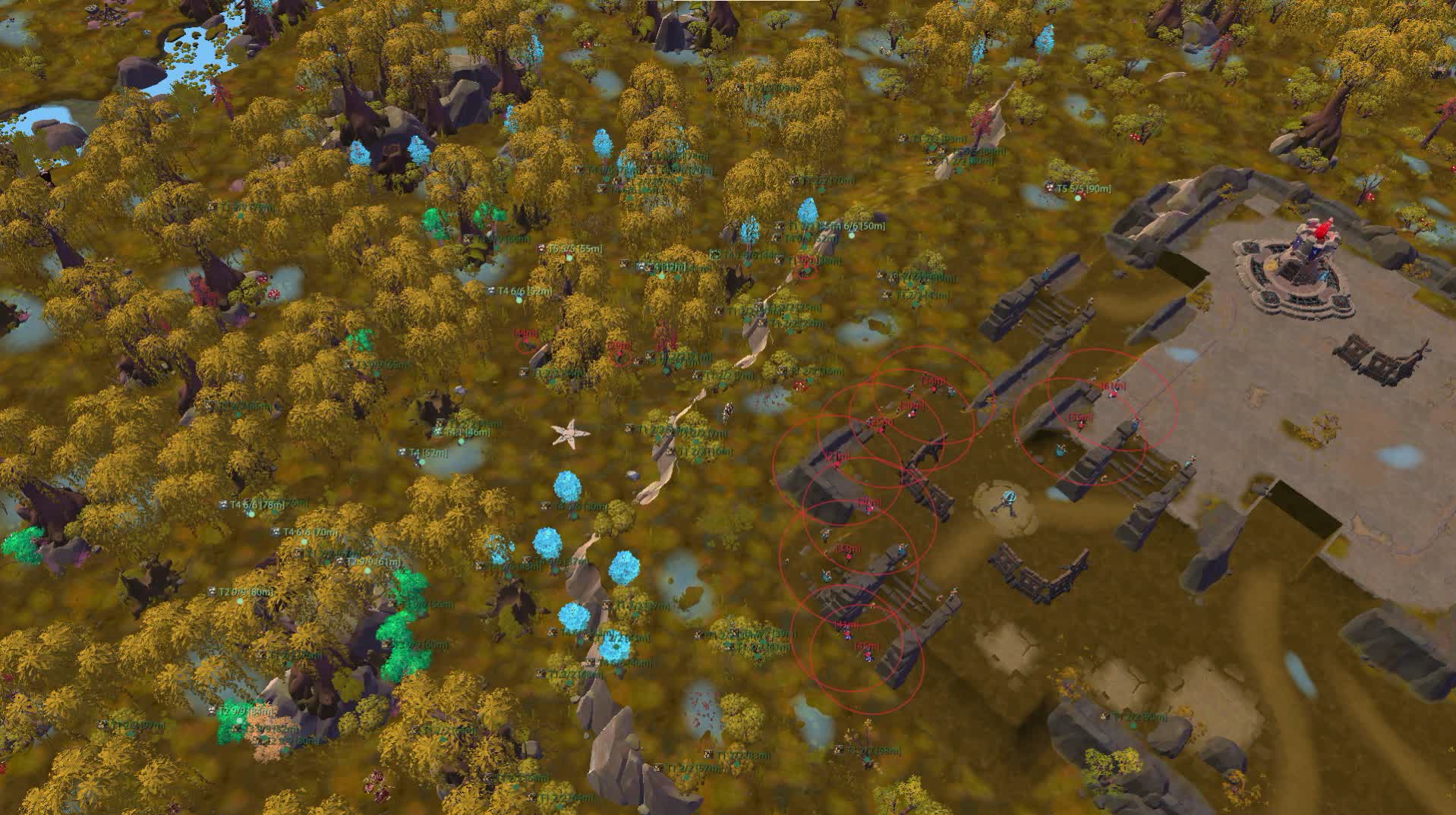
Mobs in general, and separately the ones standing by chests. Plus a ground circle showing aggro radius, so you can see the path that will not pull a pack.

Crystal bosses

Distance and tier, which tells you whether a given one is worth approaching at all.

Smugglers

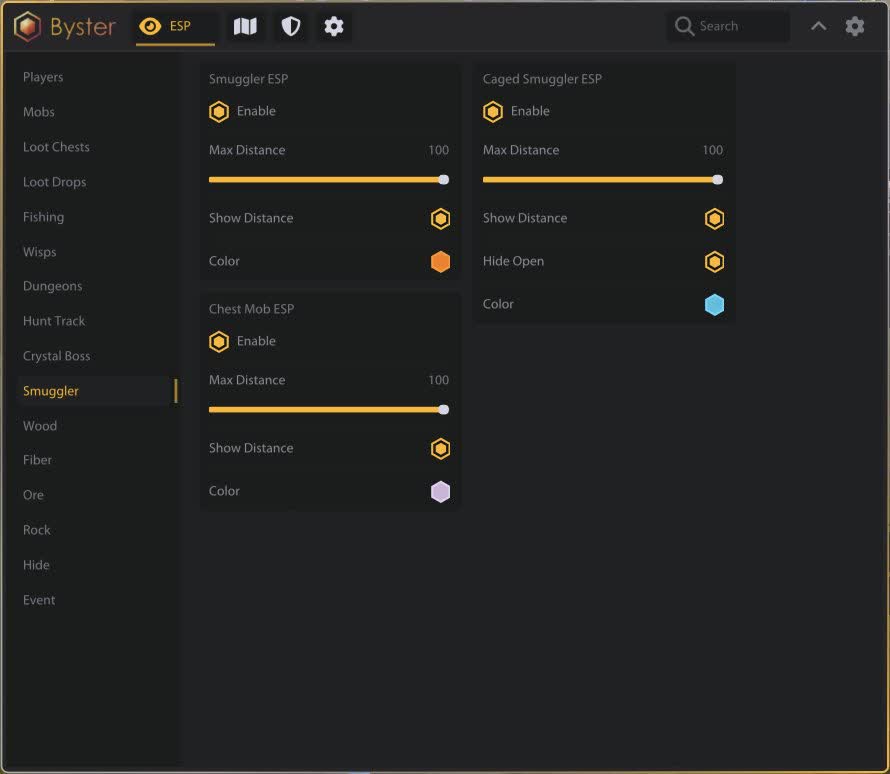
Smuggler crates and, separately, the caged ones, with a filter for those already opened.

Gear and spells

Shows what an enemy player is wearing and which spells they hold, with cooldowns. Icon size, position and offset are adjustable.

Dungeons, wisps, events

Dungeons

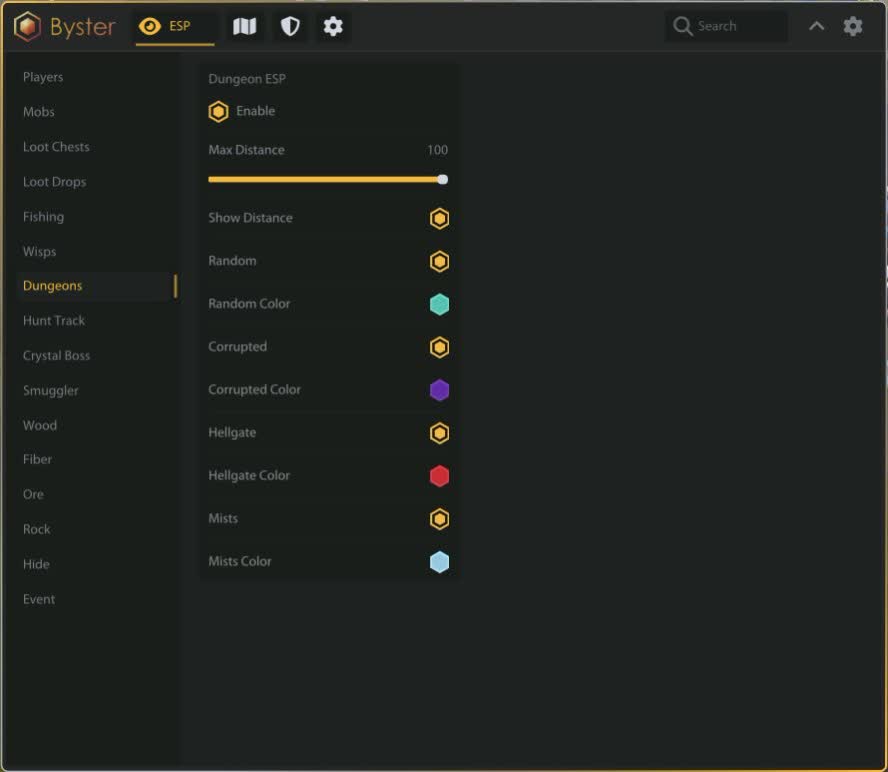
Random, corrupted, hellgates and mists each in their own colour. Distance and a per-type filter keep the extra off screen.

Wisps

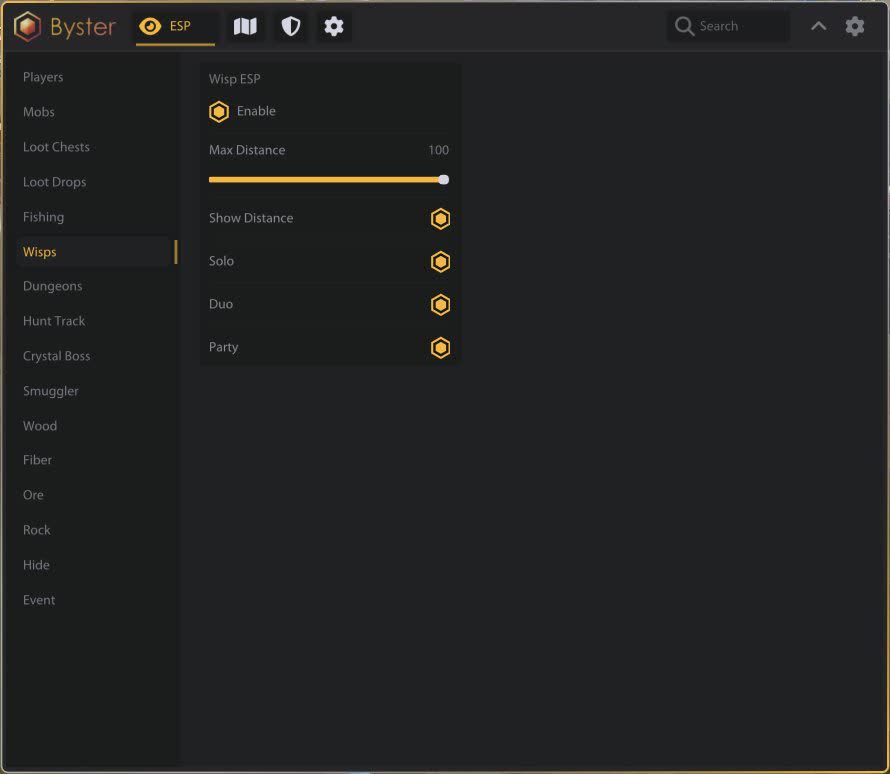
Filtered by format: solo, duo or group. Range and distance are configured separately.

Hunt tracks and events

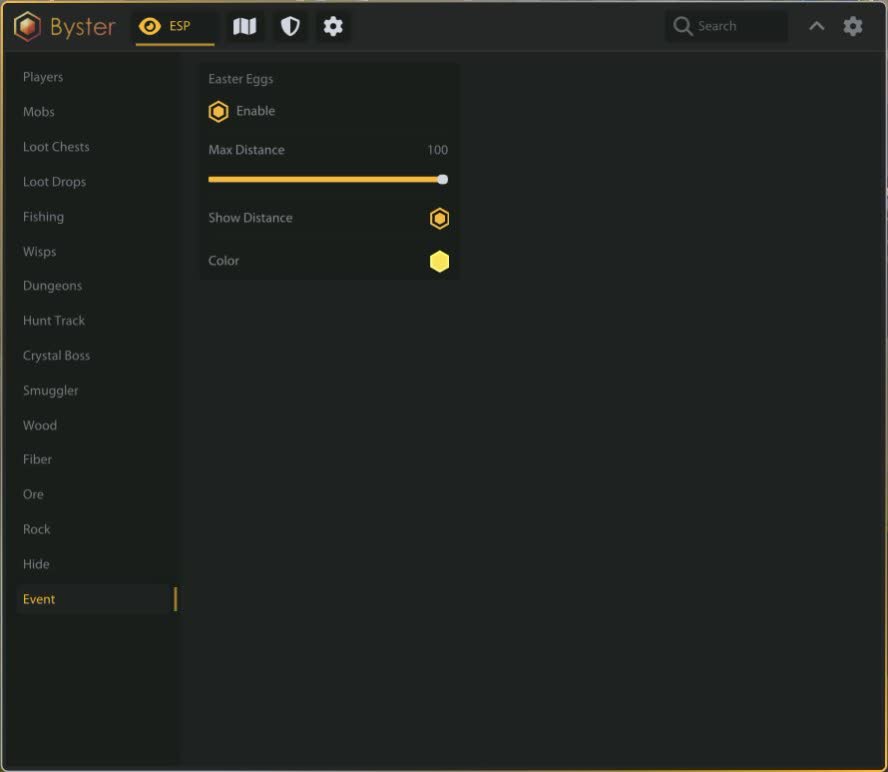
Hunting tracks and live events with distance and their own colour. Fishing spots get a layer of their own.

Resources by tier

Five node types

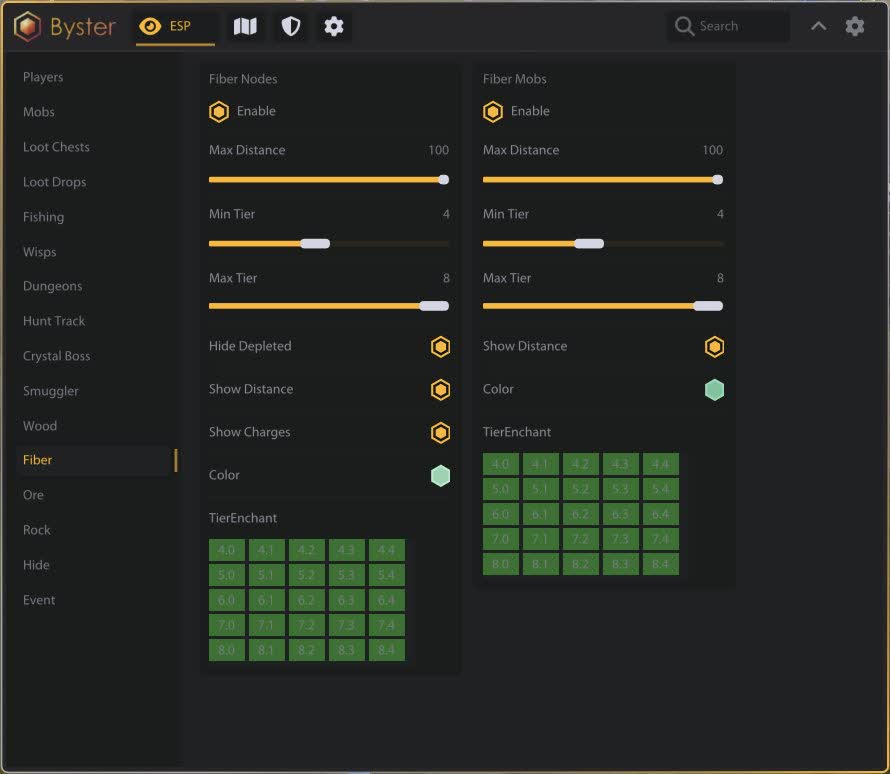
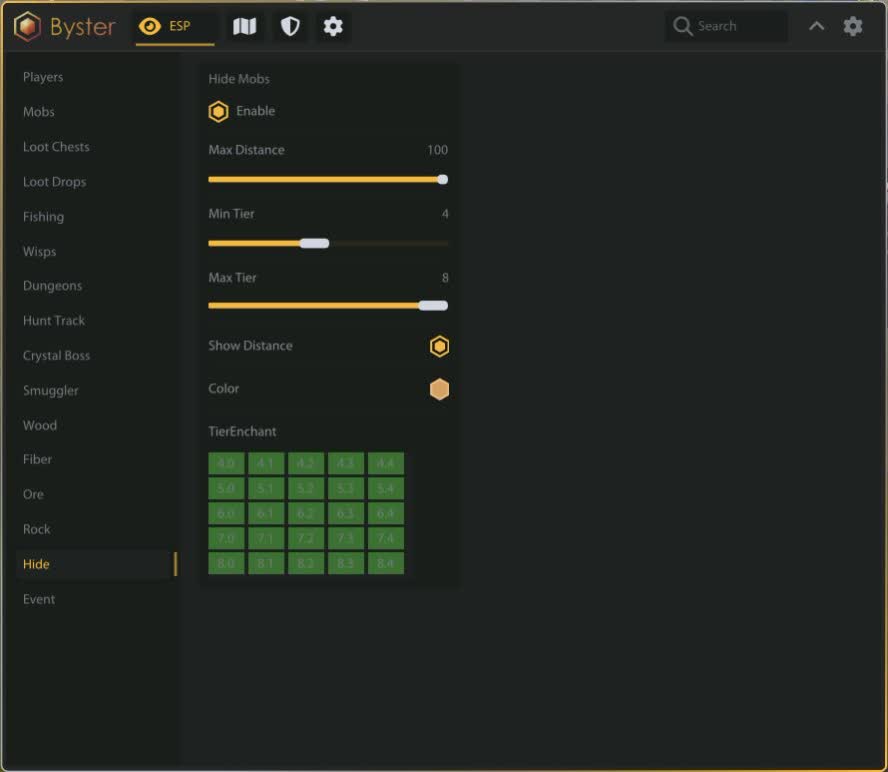
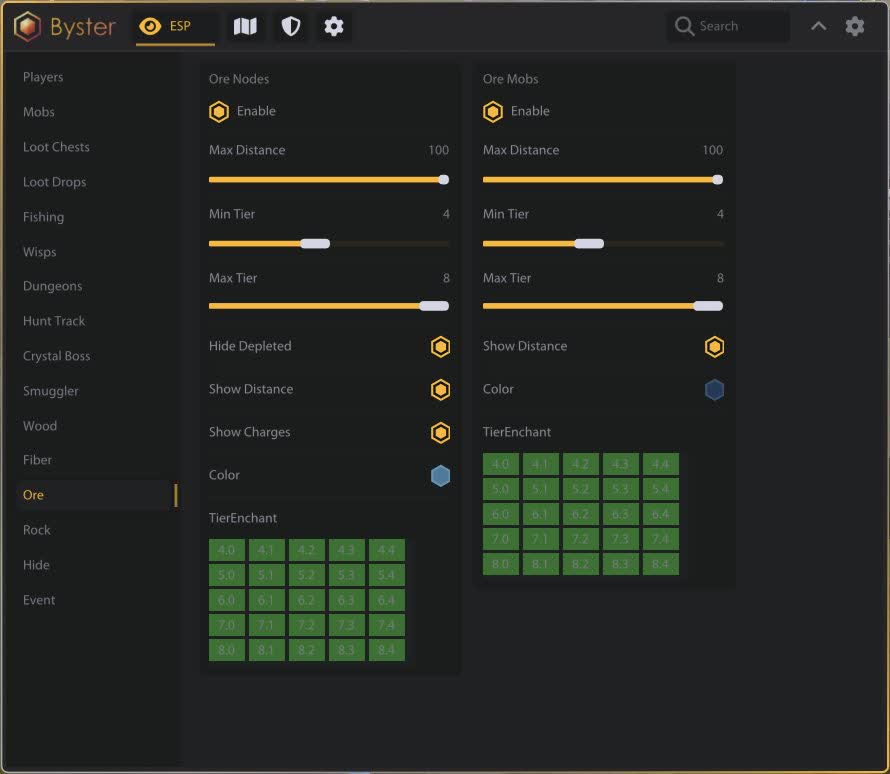
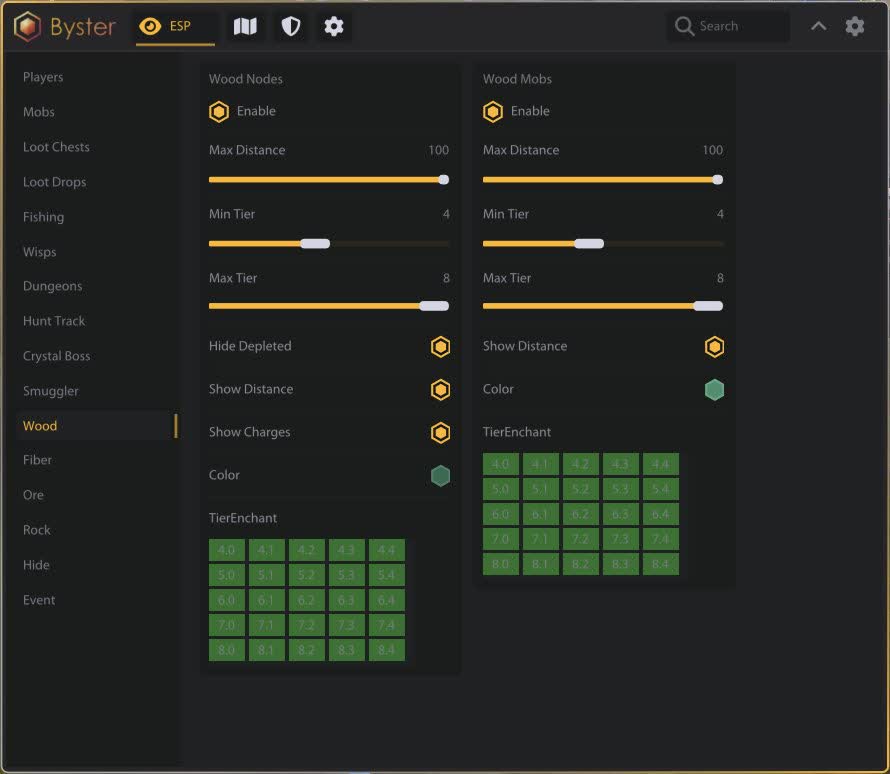
Fibre, ore, stone, hide and a shared layer of nodes with resource mobs. Each with its own colour and settings.

Tier and enchantment

Minimum and maximum tier from one to eight, with enchantment shown separately. No squinting at every bush looking for the grade you need.

Charges and depletion

Node charges are shown and depleted ones hidden. The gathering route follows what will actually give resources rather than the whole map.

Portals and zone map

Portals

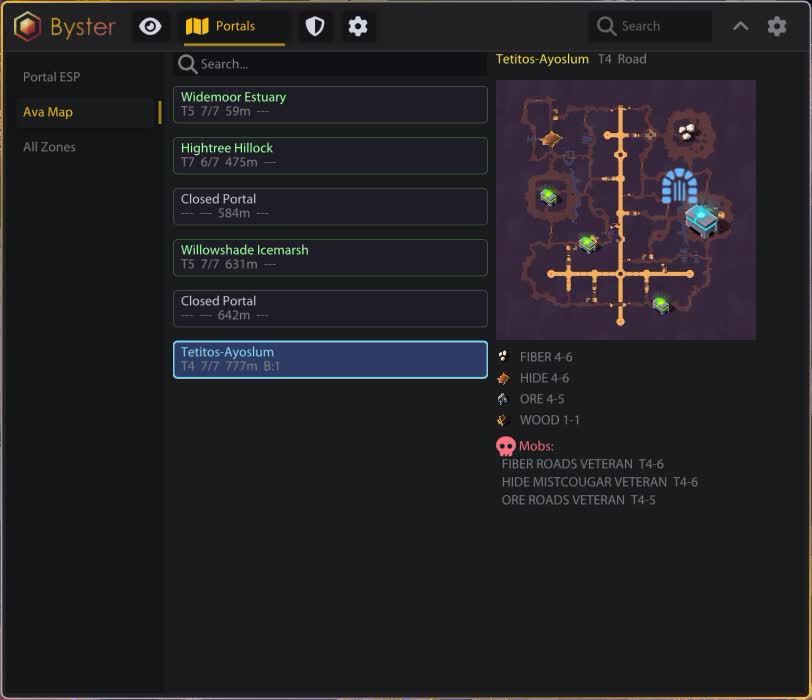
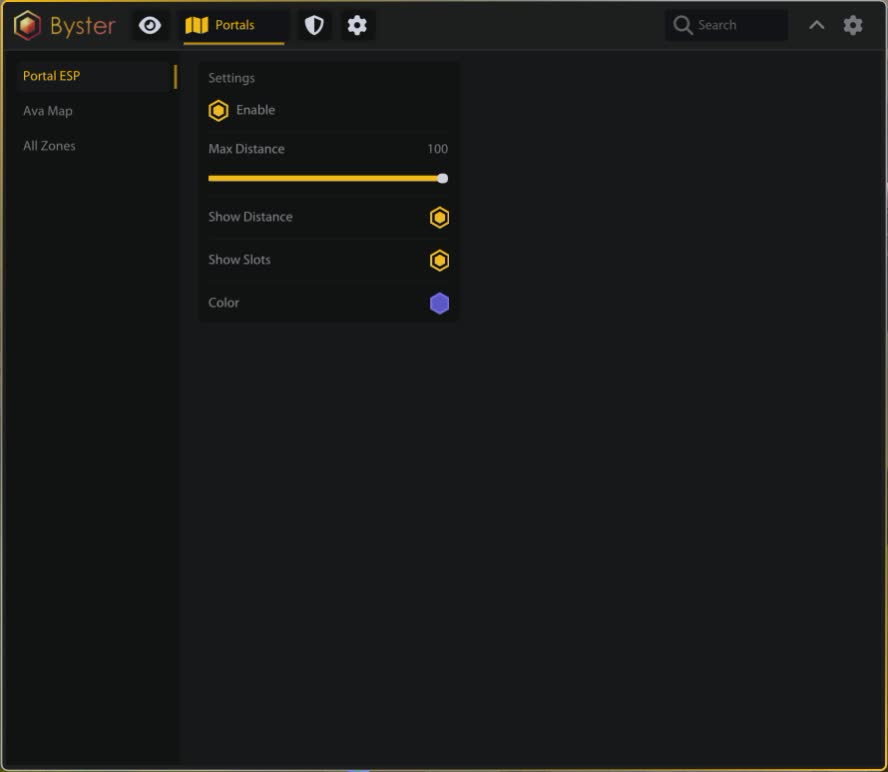
Distance, slots, own colour. The list sorts by distance, so the nearest exit is visible at a glance.

Interactive map

A zone map with markers and dungeon icons, search by zone name, and chest counts listed separately for large group and Avalonian.

Zone catalogue

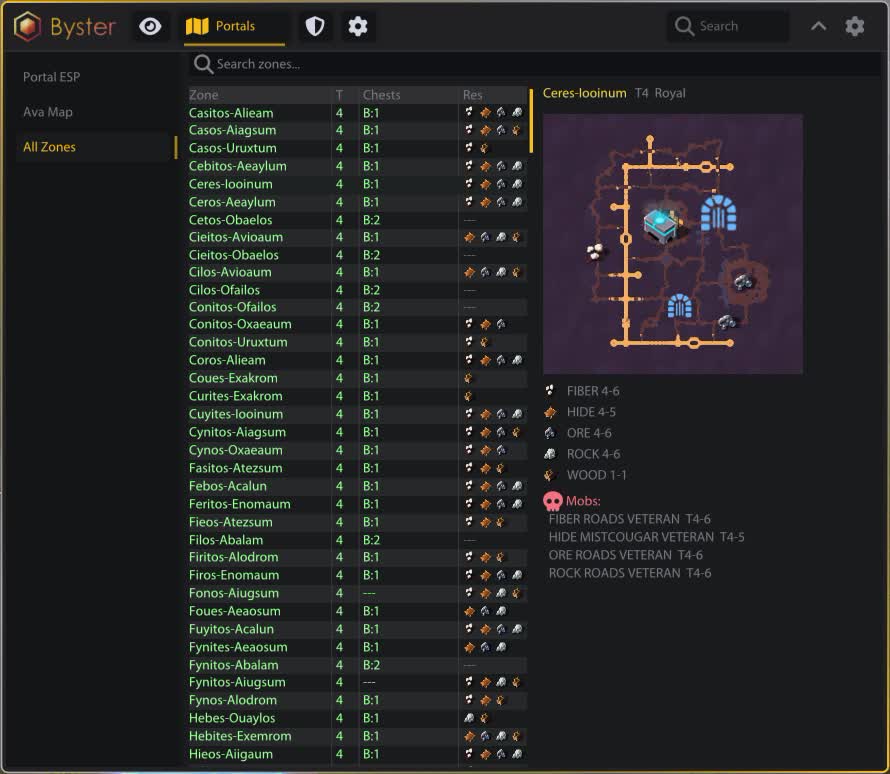
A table of four hundred zones: zone, tier, chests, resources. An Avalon run gets planned before you step through the portal.

Auto-defense

Potions

Flask choice between health, mana, resistance and cleanse. Health and mana thresholds, plus a separate health-drop rate. Cleanse triggers on stun, root, silence and slow.

Helmets

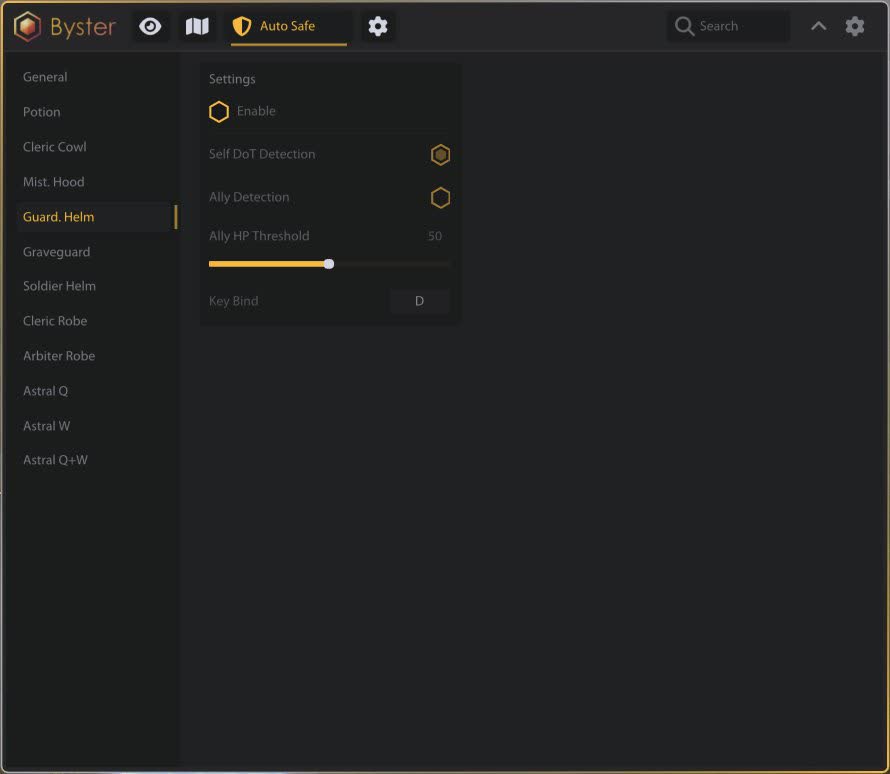
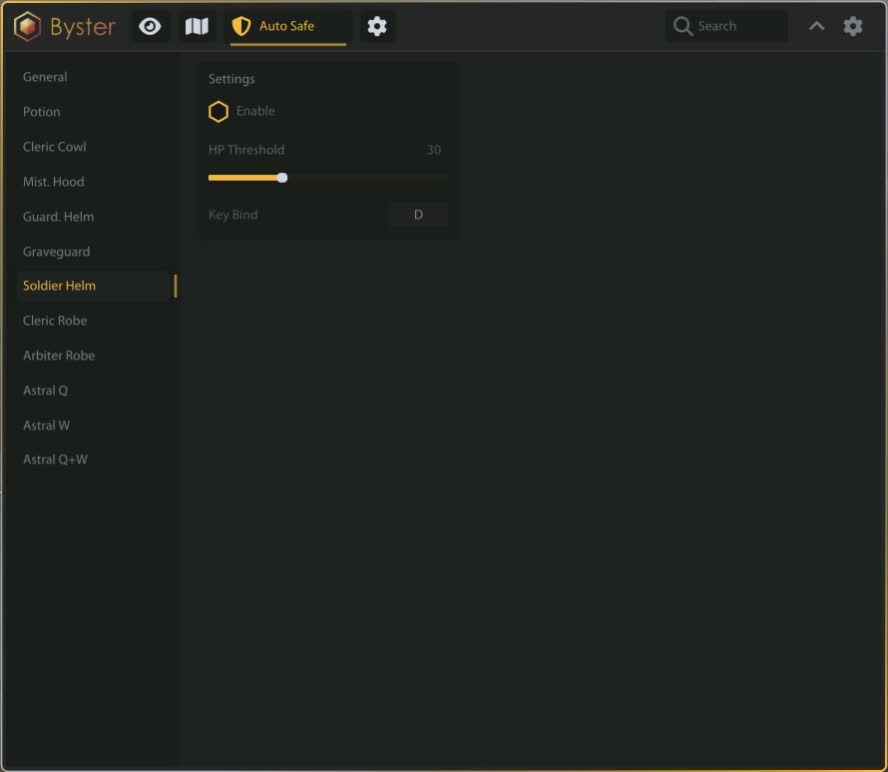
Cleric Cowl, Mist Caller Hood, Guardian Helmet, Graveguard, Soldier Helmet. Each gets its own threshold and key, and some add DoT detection and an ally health threshold.

Armour and Astral

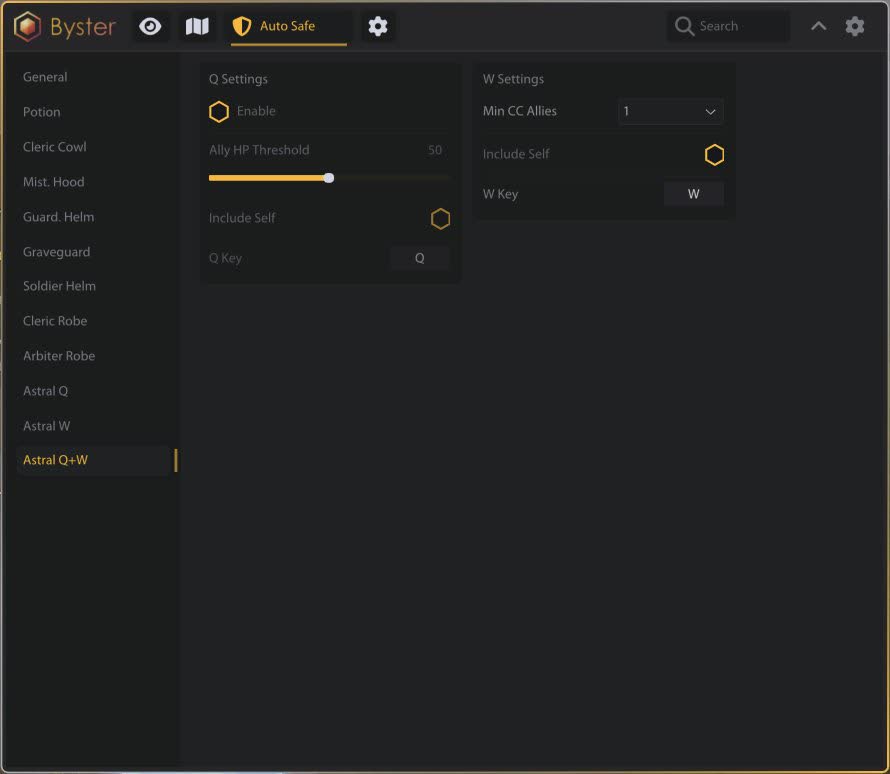
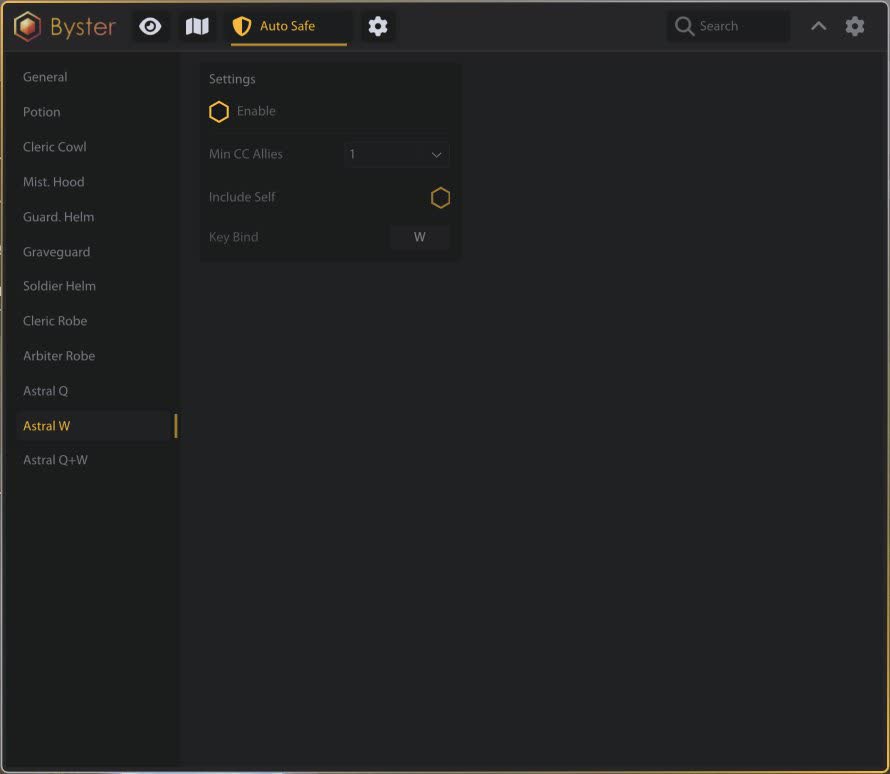
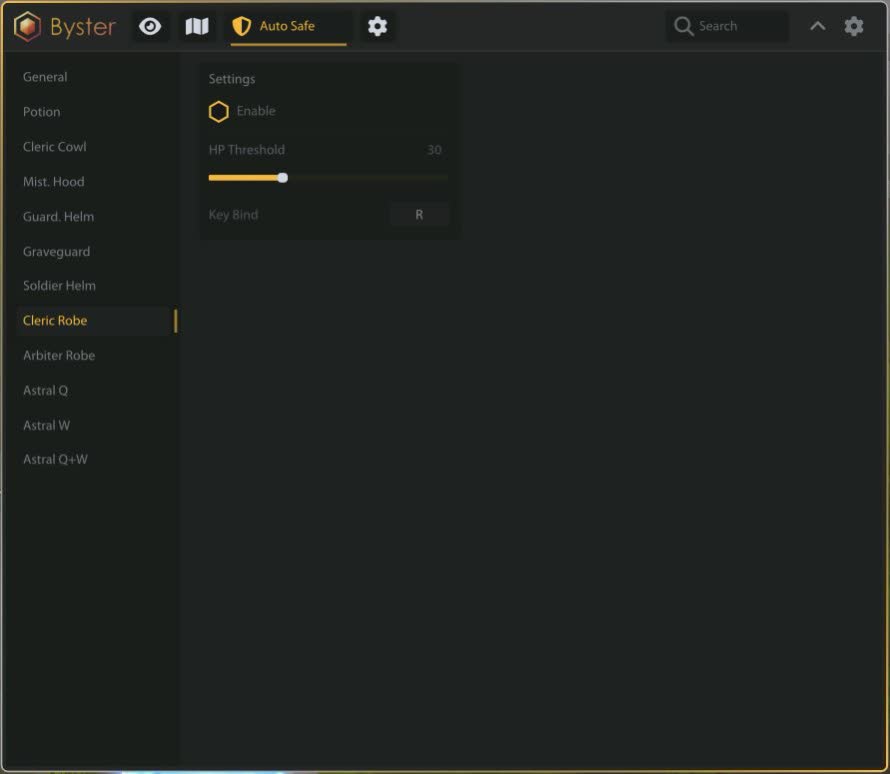
Cleric Robe and Arbiter Robe with ally thresholds, Astral Q and W separately and together, with automatic target selection and a minimum of allies under control.

Priority

You set what fires first, the flask or the defensive item. One hotkey disables the whole auto-defense at once.

Auto-PvP

Weapon rotations

Eleven sets: Hellfire Hands, Spiked Gauntlets, Soulscythe, Mistpiercer, Longbow, Energy Shaper, Big Frost, Dawnsong, Permafrost Prism, Snow Staff, Rot Staff.

Cast logic

Works off a chosen mark from one to nine, with a hard-control requirement, quick cast, a confirmation mode, and targeting for both ground spells and object targets.

Auto mob killing

Clears what gets in the way: mobs that dismount you, block gathering or interrupt fishing. It returns to the route after a fight and includes auto-eat and a Q, W, E rotation.

Bots and routes

Routes

Record your own loop, display it, set waypoint radius, then start, pause and stop. Routes get saved, renamed and deleted.

Auto gathering

Gathering radius, resource filtering through ESP, skipping dangerous mobs, blocking a stuck node and returning to the route.

Fishing

Fish detection at seventeen metres, auto cast, auto hook, reel-in and repeat. A spot can be fished out completely before moving to the next.

Hauling

A transport bot to and from the city: departure bank, destination bank, bank calibration and travel between cities.

Misc

Radar

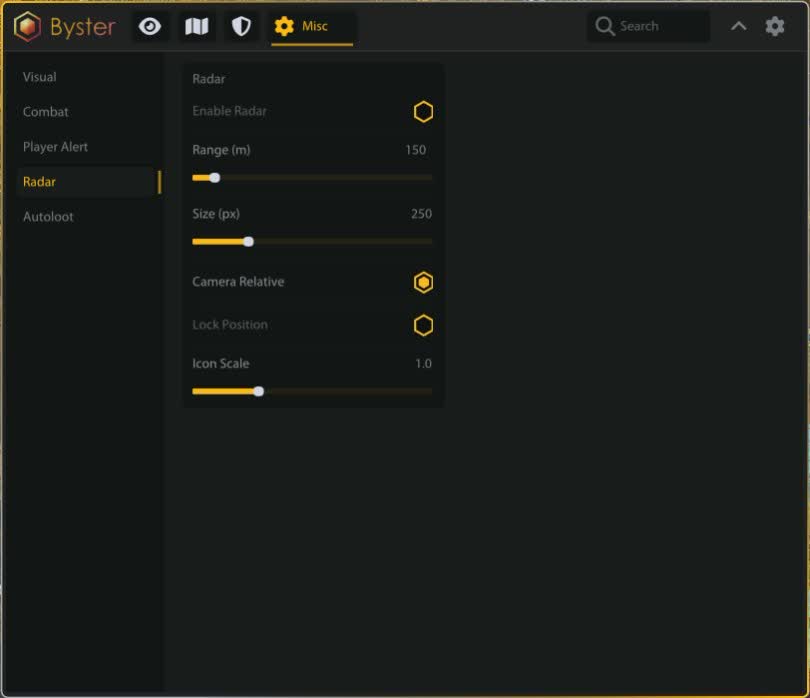
A separate mini-map with range, size and icon scale. It either follows the camera or stays pinned to one spot on screen.

Auto loot

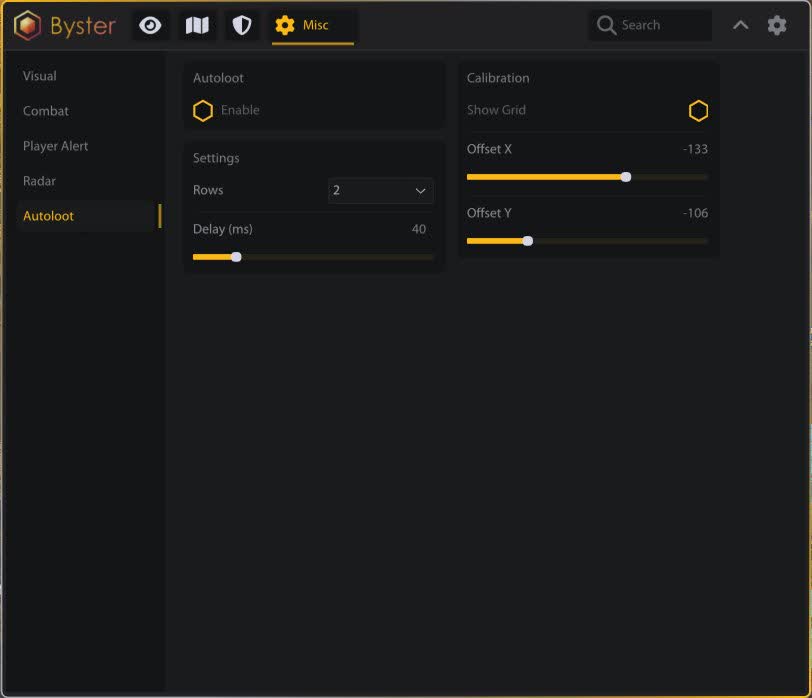
Loot handling with a grid, offset, row count and a delay between actions.

Player alert

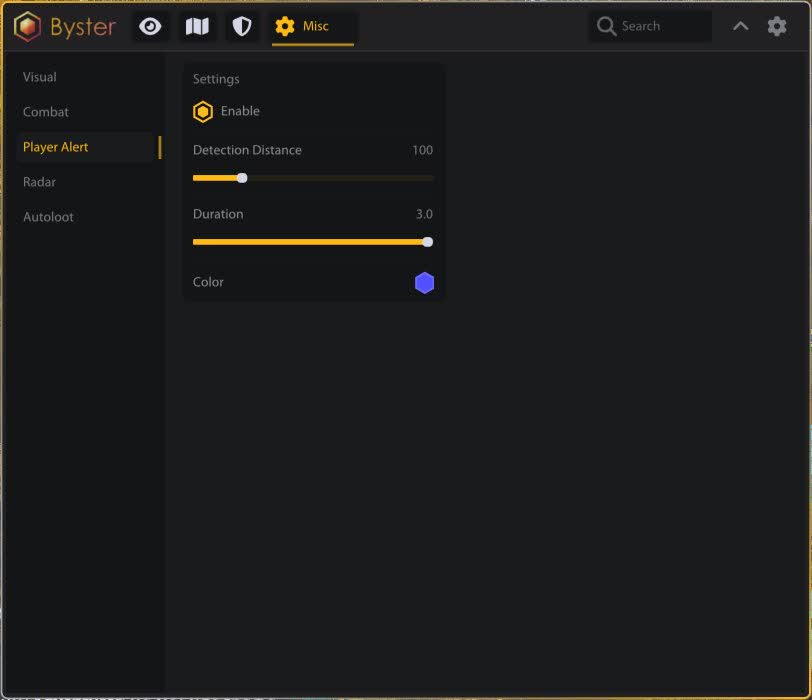
Pops up when a player appears nearby: detection distance, duration and colour. The single most useful thing while farming black zones.

View and city

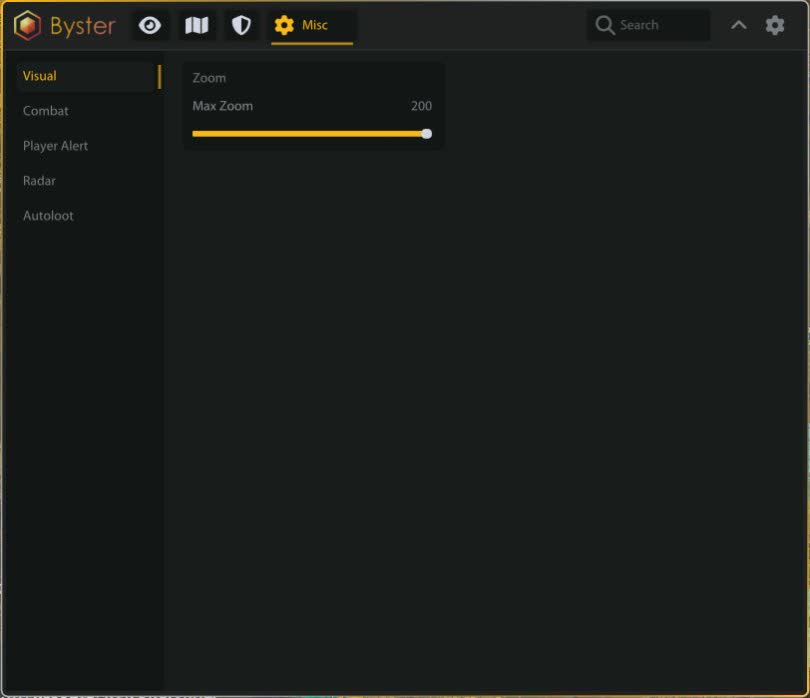
Maximum camera zoom, fog removal, disabling player rendering in cities to stop frame drops, and auto-declining party invites.

Battle mode

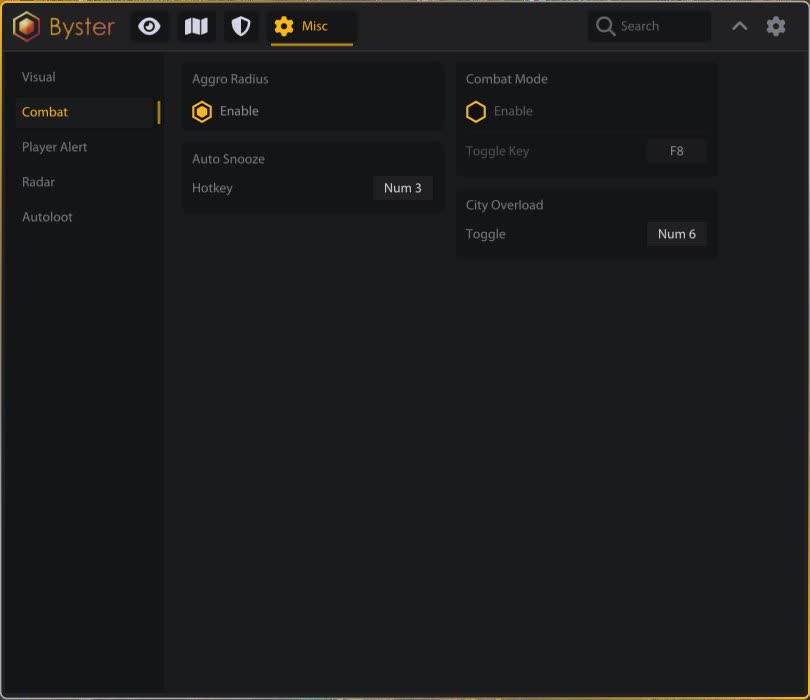
On a key it hides all ESP except players. During a fight only what matters stays on screen.
TARIFFS
399
BUY What happens after payment?
Got a question? Ask before you pay

We'll help you choose and sort out any launch issue. Ask us anything before buying, we're always on your side.

Support 10:00–22:00, sometimes we reply at night too
Ask a question

Available tariffs

1 day
399
START PURCHASE
7 days
1199
START PURCHASE
30 days
3699
START PURCHASE
Reviews about Albion Byster

No reviews yet. Be the first to leave one.

Your review

Reviews are published after moderation.

Join our gaming community chat

Discuss current cheats from developers and how to use them effectively in popular online games. Share tactics, exchange useful info and find like-minded players in our community.

1 900+Members
24/7Online
Join our gaming community chat

Technical support

Run into a technical issue? Our team of experts will help. We handle all requests in a live queue, so please be understanding if it sometimes takes a little wait. We guarantee that no request goes unanswered.

Availabilityfrom 10:00 to 23:00
Fast responseIn queue order
Get help
Technical support
PROCHEAT

PROCHEAT news channel

Follow product status changes, update history and important announcements.

Subscribe

Seven layers of the build and what each one takes off your hands

This build is easier to understand if you look past the list of toggles and ask what work each layer takes over. There are seven, and switching them all on at once makes little sense.

Layers of the Byster build for Albion
Layer What is inside What work it takes over
ESP and radar Players, mobs, chests, dropped loot, dungeons, hellgates, mists, wisps, smugglers, crystal bosses, events Scouting the map
Resources Fibre, ore, stone, hide and nodes: tier one to eight, enchantment, charges, hiding depleted Hunting for nodes of the grade you want
Portals List by distance, zone map with markers, a catalogue of four hundred zones with chest counts Planning an Avalon run
Auto-defense Flasks on thresholds, five helmets, two robes, Astral Q and W, trigger priority Reactions your fingers cannot reach
Auto-PvP Rotations for eleven weapons, cast on mark, targeting, auto attack Ordering spells by hand
Bots Recorded routes, auto gathering, fishing, hauling between cities The farming itself
Small stuff Auto loot, player alert, fog removal, maximum zoom, city offloading Everyday chores

In practice half the buyers take the build for the first three rows and play by hand. The other half come for the last two, and that is where the risk discussed below deserves a cold look. The middle, auto-defense with rotations, serves both groups.

Scouting: not just players on the map

The ESP layer in Albion usually comes down to one question: who is nearby. Here it goes wider. Separate toggles cover chests with a rarity filter, loot dropped after somebody else's fight, smuggler crates and the caged smugglers themselves, crystal bosses with tier, hunting tracks, and wisps split into solo, duo and group.

The two most useful bits are the ones normally missing. First, a ground circle for aggro radius: you can see the corridor that will not pull a pack. Second, enemy gear and spells with cooldowns. In Albion the fight-or-leave call comes down to what the other player is wearing, and now that shows before the trade.

Resources by tier, charges and enchantment

Five node types light up separately: fibre, ore, stone, hide and a shared layer with resource mobs. Each gets a tier range from one to eight, an enchantment display and a colour.

The real time saving sits in two toggles. Charges tell you how much a node still holds, and hiding depleted ones clears the map of what somebody already took. Without them half a loop goes on walking up to empty nodes, and you feel it by the second session.

Portals and a catalogue of four hundred zones

Portals come as a list sorted by distance with slot counts, so the nearest exit is obvious. Beside it sits an interactive zone map with markers and dungeon icons plus search by name.

A separate table holds four hundred zones: zone, tier, chest count, whether resources are present, with large-group and Avalonian chests counted apart. That changes the logic of a run: you choose where to go before stepping through the portal instead of working it out on site while the timer runs.

Auto-defense bound to specific items

Auto-defense is usually one button that drinks at low health. Here it is spread across your inventory. Flasks are chosen between health, mana, resistance and cleanse, each with its own threshold, and cleanse is bound separately to stun, root, silence and slow.

Then come the items. Cleric Cowl fires on a health threshold and optionally on stun. Guardian Helmet can spot a DoT on you and watch an ally's health. Graveguard picks its own target. Arbiter Robe requires a minimum number of allies at low health so the cooldown is not spent on one person. Astral Q and W are configured separately and as a pair.

All of it has to be dialled in for your build; there are no ready presets. On the plus side the same key layout works in manual play and with the automation on: priority between flask and item is set explicitly, and one hotkey turns the whole defense off when you want to play by hand.

Auto-PvP: rotations for eleven weapons

A separate module holds sets for specific weapons: Hellfire Hands, Spiked Gauntlets, Soulscythe, Mistpiercer, Longbow, Energy Shaper, Big Frost, Dawnsong, Permafrost Prism, Snow Staff, Rot Staff. The logic runs off marks: a target gets a number from one to nine and the module works against it.

There is a hard-control requirement, which keeps the sequence aimed only at a target genuinely locked down rather than anything highlighted. Targeting covers both ground spells and object targets, and casting can be limited to the spell's own radius so nothing is wasted.

Running it fully automatic is a bad idea, and here is why. A rotation does not read the fight: it has no idea that an enemy ultimate lands in a second and stepping back would be smarter. As an assistant in routine trades the module works. As a replacement for a player in serious PvP it does not.

Bots: routes, fishing and hauling

The heaviest part of the build. The bot walks a route you recorded yourself: switch recording on, walk a loop, save it. After that it moves between waypoints with a set radius, gathers resources using your own ESP filters, avoids dangerous mobs and returns to the route if knocked off it. A stuck node gets blocked so it does not stand there forever.

Fishing is its own block: fish detection at seventeen metres, auto cast, hook, reel-in and repeat. A spot can be fished out entirely, or you can move to the next one and return to the route at the end.

The transport bot moves goods between cities: you set the departure and destination banks, calibrate the bank, and it drives itself. Starting is only possible from a bank, which is not a limitation of the build but a consequence of how hauling works in the game.

On risk: bots and manual play are different stories

This deserves plain speaking. ESP and the radar exist only on your screen, and nobody outside sees them, not other players and not a recording. Automation is another matter. A character walking the same loop for hours at identical intervals looks like a robot to anyone passing by, and that is the report which arrives first.

Albion's developers ban for botting and do it in waves, because auto gathering hits the in-game economy directly. Putting a bot on an account holding months of progress and silver is a poor bet. The usual practice here is simple: farm accounts on one side, the main account on the other.

If you take the build for ESP, resources and auto-defense and play by hand, the risk is a different and far more ordinary thing. If you take it for routes and fishing, treat the account as disposable and decide with that in mind.

Questions about this build

Is this a radar or something more?

More. The radar and ESP are only the first layer; above them sit auto-defense, weapon rotations and bots for gathering, fishing and hauling between cities.

Are there ready-made bot routes?

No, a route is recorded by hand for your server and your zone. That is for the better: a popular borrowed loop leads to where others already stand.

Does it work on the Steam version?

Yes, both clients are supported, Steam and the game's own launcher. Window mode has to be windowed.

Do I need a second monitor for the radar?

No, the radar is drawn over the game and can sit in any corner, with size and icon scale adjustable. A second monitor is for hardware setups, and this is not one.

What about the Albion mobile client?

No, the build is PC only. It does not work from a phone or tablet.

Will auto-defense figure out my build on its own?

No, no presets ship with it. Thresholds, keys and the priority between flask and item are set once for your own gear.

What happens after a game patch?

The build gets paused and rebuilt for the new version. The status and last check date are shown on this page, and downtime is added to your access period.

from 399 ₽ Choose a plan
Ask a question


