FOCUS Albion Online cheat: ESP, radar and autofarm

Working
FOCUS FOCUS
Last update 08.11.2026 This date shows when the software was last updated. An old date doesn't mean the software stopped working! Most likely the developer just had nothing new to add. If you have any doubts, you can always check the current status with our support team.
Add another cheat from this game too — to compare them.
FOCUS Albion Online
Steam
Official
Windows support: 10: 22h2; 11: 25h2
Spoofer:No
USB drive:No
BIOS:No

User information

Check your game client and system before buying. FOCUS requirements:

  • Windows 10: 22H2
  • Windows 11: 25H2
  • Processor: AMD / Intel
  • Architecture: x64 only (64-bit)
  • Platform: Steam / standalone launcher

The menu opens with Home. The launcher and current launch details are supplied with the key on the order page. Do not use files from third-party messages; if you need help, contact ProCheat support.

SCREENSHOTS
Description

FOCUS for Albion Online handles the repetitive side of gathering runs: it finds resources, shows players and mobs, marks dungeons and follows routes. T1-T8, enchantment, charge and distance filters keep only the points worth travelling to.

Radar, auto fishing, camera and interface colours are configured separately. Both Steam and the standalone Albion launcher are supported. Pricing starts at 349 RUB for one day, with 7, 15 and 30-day options and a lifetime key.

Product features

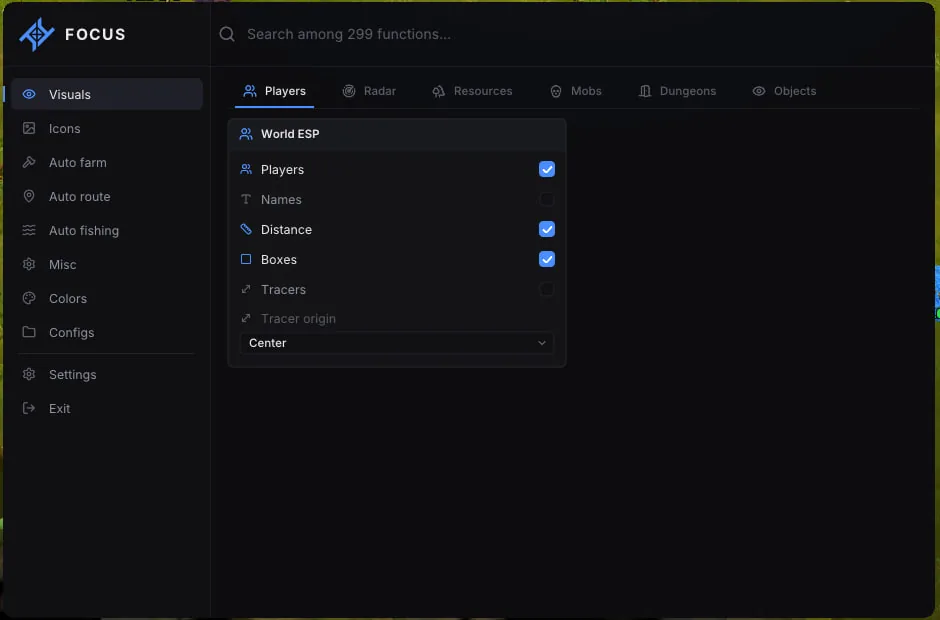
ESP · Players

ESP · Players

Settings include Players in the world, Boxes and tracers, Tracer origin. This section is configured independently.

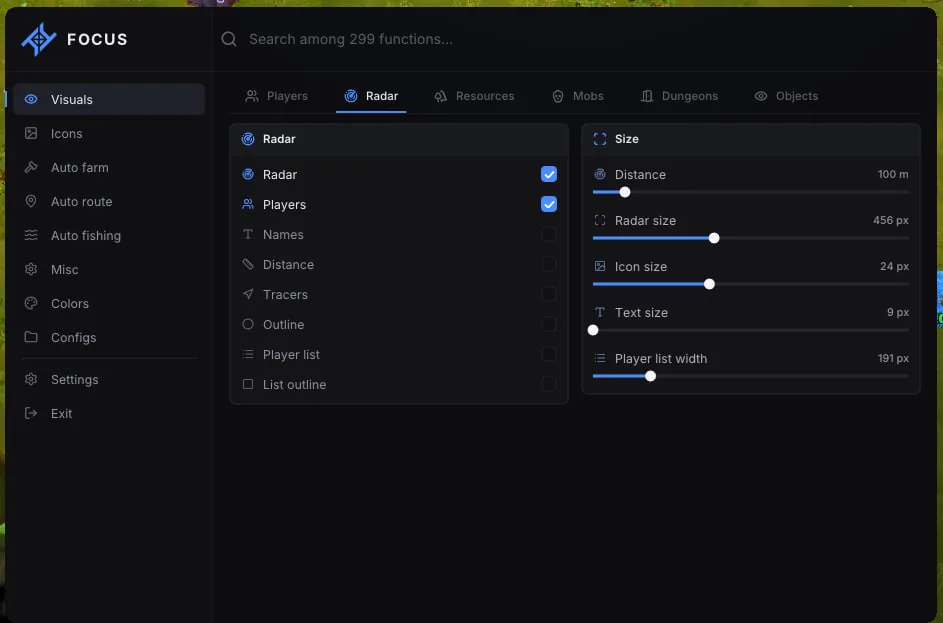
ESP · Radar

ESP · Radar

Includes Radar display, Player list, Range and sizes. Unnecessary elements can be disabled.

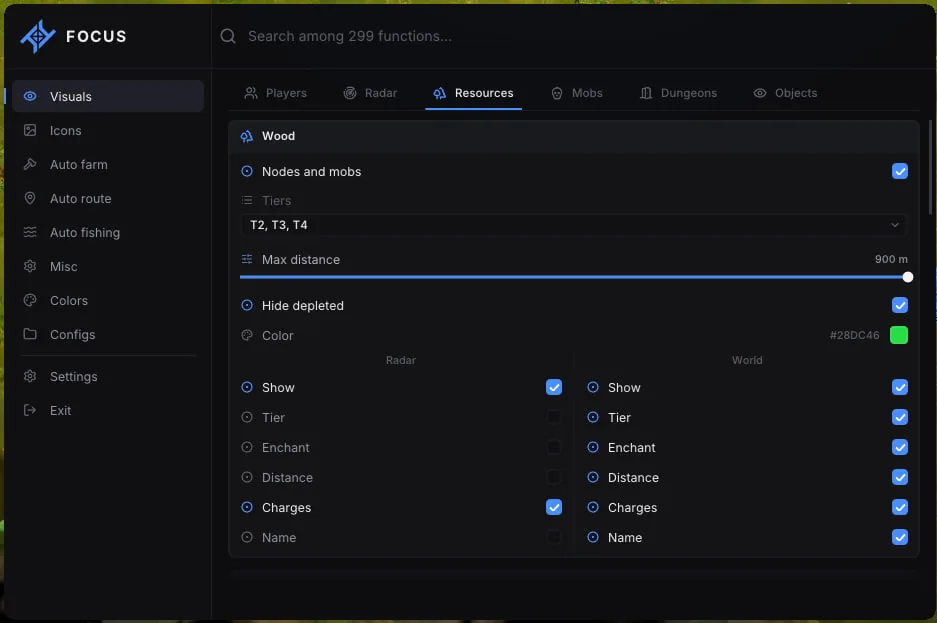
ESP · Resources

ESP · Resources

Provides Resource categories, Per-category filters, Resources on radar, Resources in the world. Adjust them for the current game.

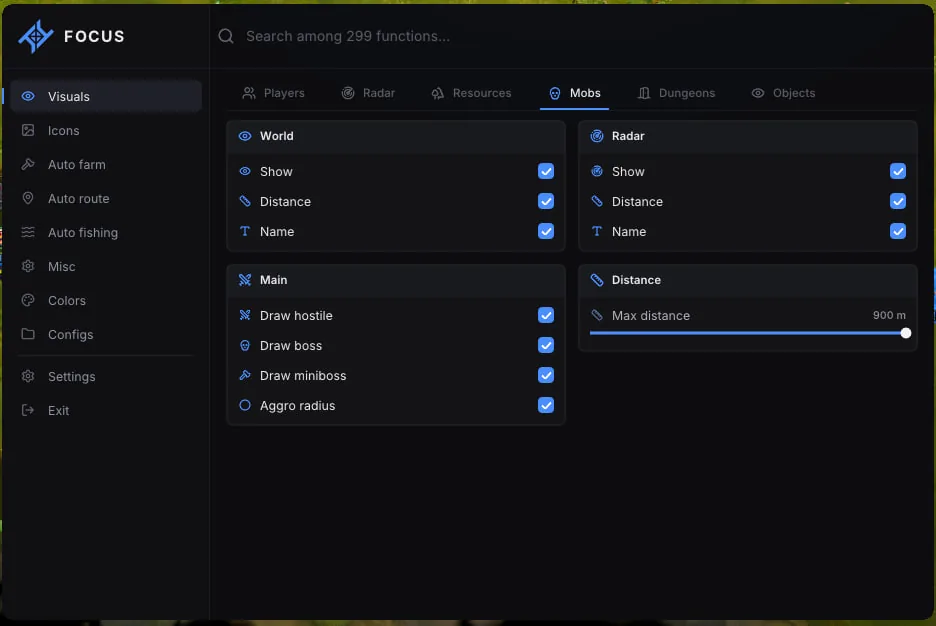
ESP · Mobs

ESP · Mobs

This section combines Mobs in the world and on radar, Mob categories, Aggro radius and range. Appearance is configurable in the menu.

ESP · Dungeons

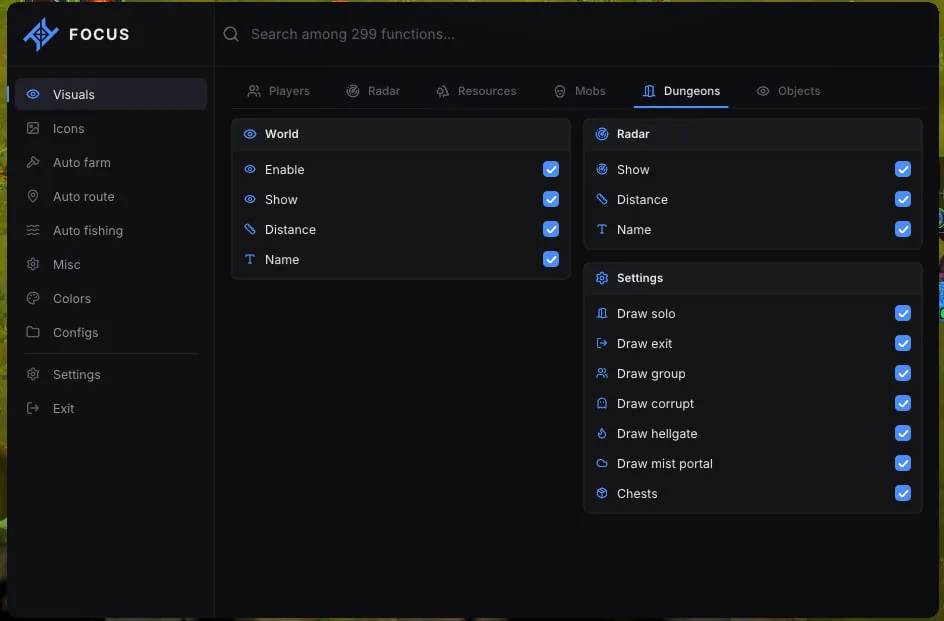
ESP · Dungeons

Contains Dungeons in the world and on radar, Dungeon types. Enable only the options you need.

ESP · Objects

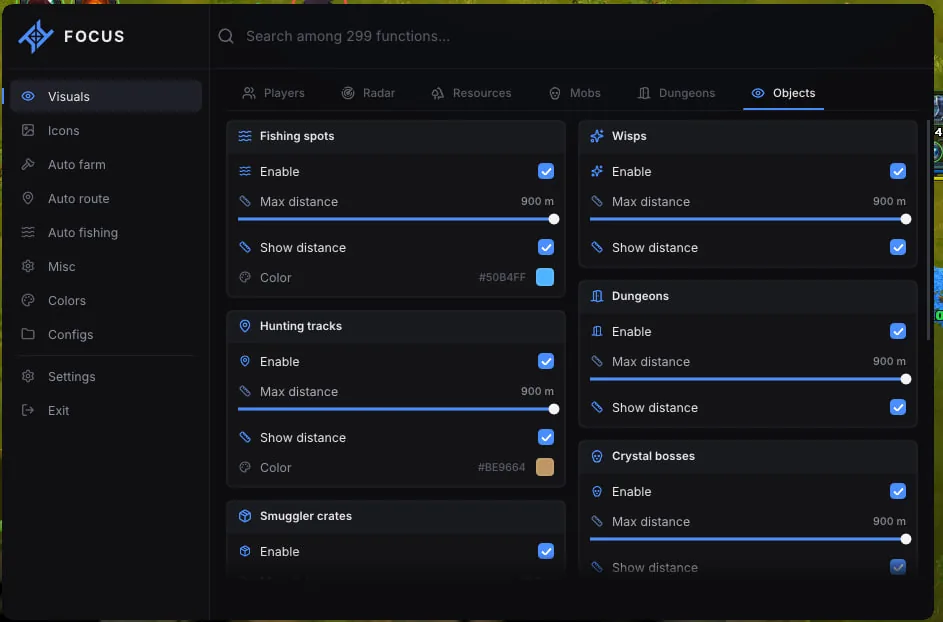
ESP · Objects

Settings include Fishing spots, wisps and dungeons, Hunting tracks and crystal bosses, Smugglers, Chest mobs, events and chests, Fish circles. This section is configured independently.

Icons · Players

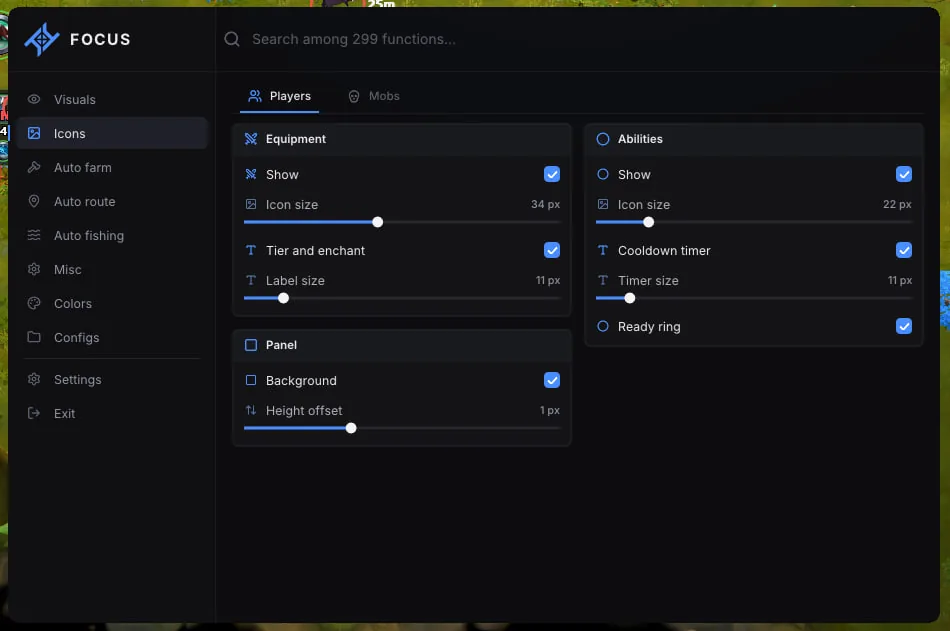
Icons · Players

Includes Equipment, Player abilities, Icon panel. Unnecessary elements can be disabled.

Icons · Mobs

Icons · Mobs

Provides Mob abilities, Icons and cooldown, Icon panel. Adjust them for the current game.

Auto farm · Resources

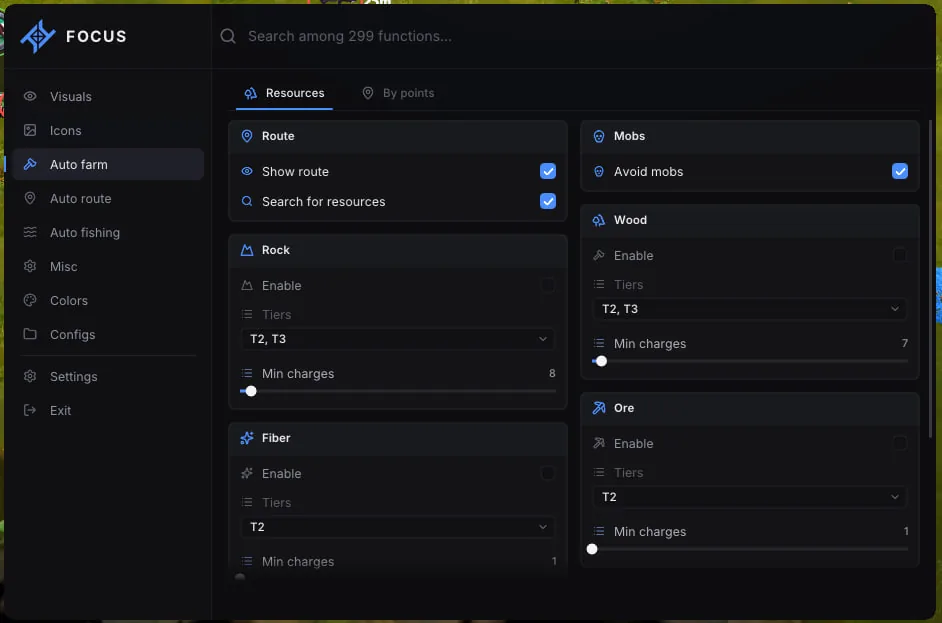
Auto farm · Resources

This section combines Resource search and route, Avoid mobs, Gathering categories, Hide · Animals. Appearance is configurable in the menu.

Auto farm · By points

Auto farm · By points

Contains Start farming by points, Route controls, Edit points, Saved routes. Enable only the options you need.

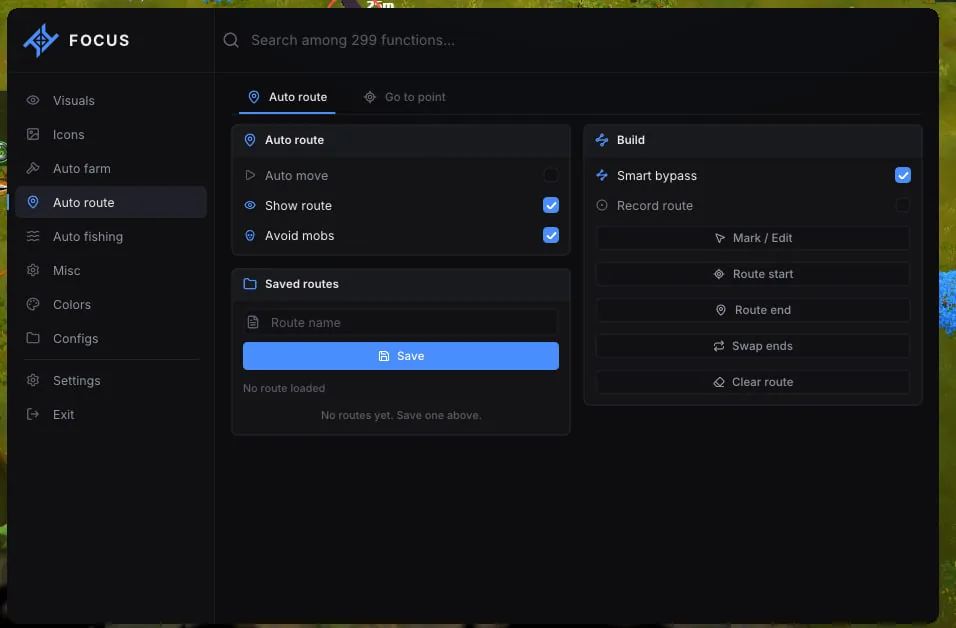
Auto route

Auto route

Settings include Route movement, Build a route, Saved routes. This section is configured independently.

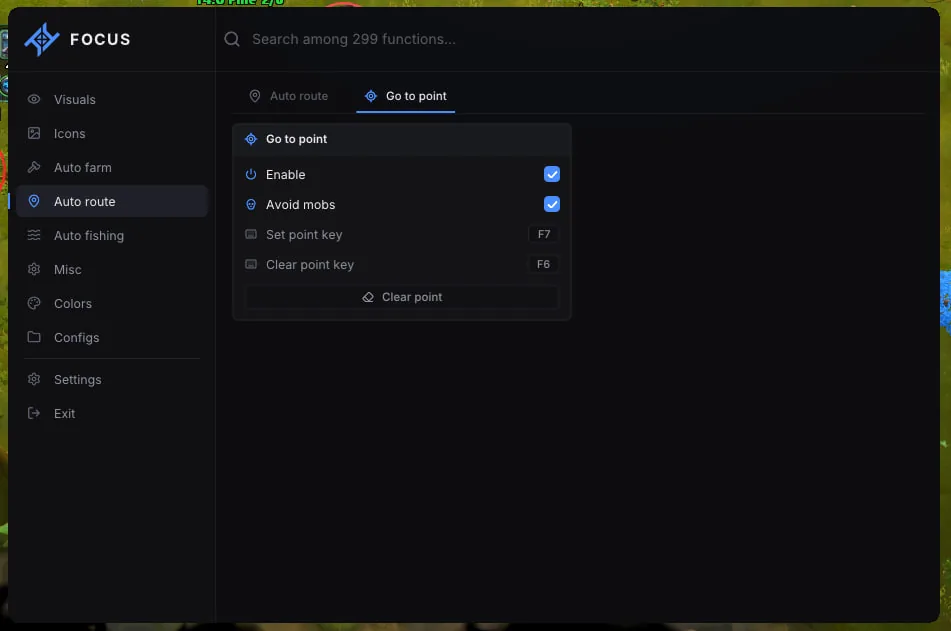
Route · Go to point

Route · Go to point

Includes Go to point, Point hotkeys, Clear point. Unnecessary elements can be disabled.

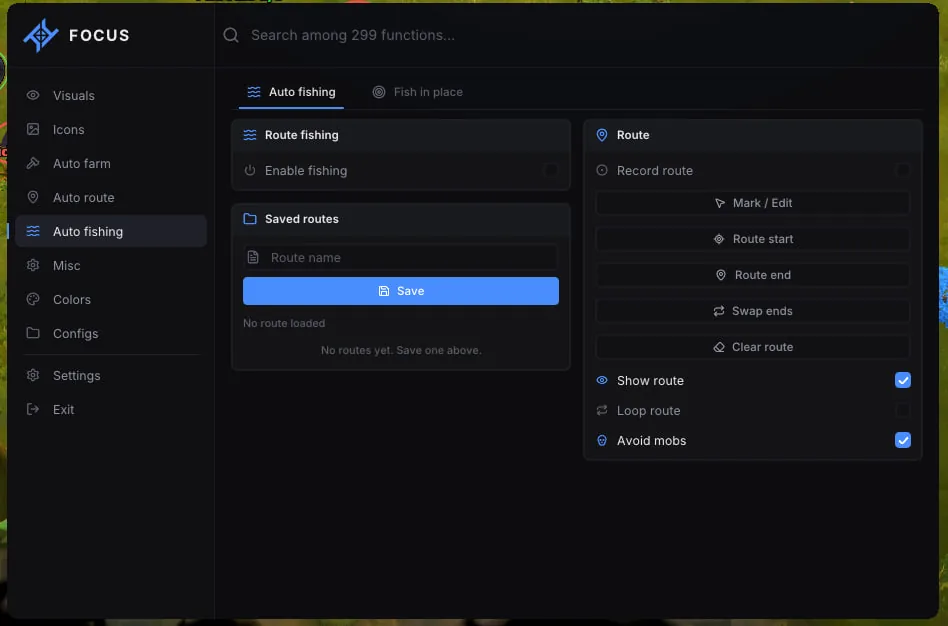
Auto fishing · Route

Auto fishing · Route

Provides Enable fishing, Build a fishing route, Route settings, Saved fishing routes. Adjust them for the current game.

Auto fishing · Fish in place

Auto fishing · Fish in place

This section combines Fish in place, Fishing point. Appearance is configurable in the menu.

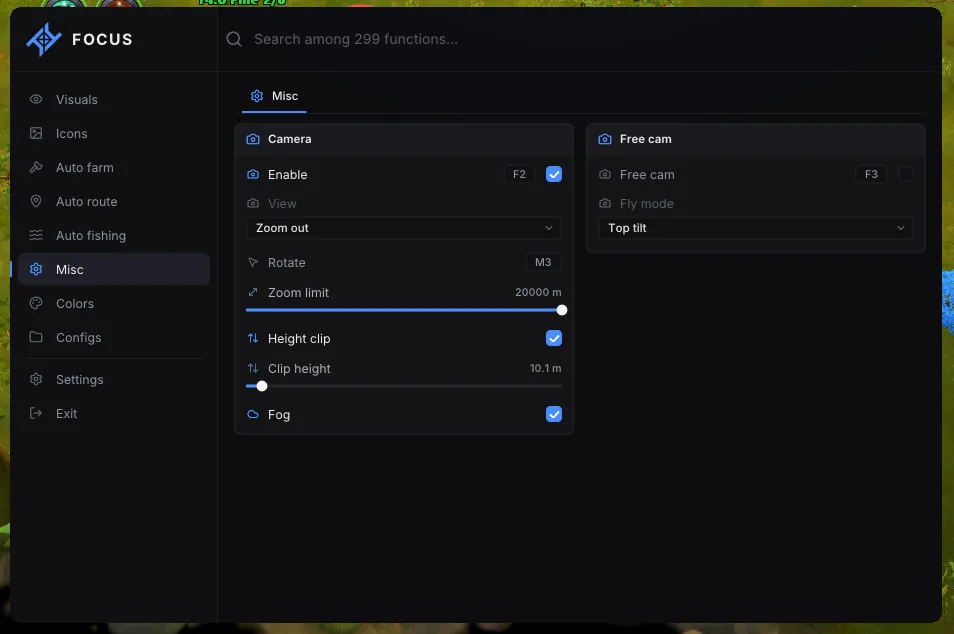
Camera

Camera

Contains Camera mode, Rotation and zoom, Height cut and fog, Free camera, Flight mode. Enable only the options you need.

Colors · Players and interface

Colors · Players and interface

Settings include Players, Radar and list, Labels and fish, Icons. This section is configured independently.

Colors · Routes

Colors · Routes

Includes Route elements, Go to point, Farming by points. Unnecessary elements can be disabled.

Colors · World and resources

Colors · World and resources

Provides Mobs, Wisps, Dungeons, Resources and objects. Adjust them for the current game.

Menu settings

Menu settings

This section combines Interface language, Menu key, Screen sharing, Scale and reset, Accent. Appearance is configurable in the menu.

Configs

Configs

Contains Save and load. Enable only the options you need.

Known issues & fixes

Real questions from our support, with the fixes that worked. Based on user requests for this product.

What are the requirements for FOCUS Albion Online?

Check your game client and system before buying. FOCUS requirements:

  • Windows 10: 22H2
  • Windows 11: 25H2
  • Processor: AMD / Intel
  • Architecture: x64 only (64-bit)
  • Platform: Steam / standalone launcher

The menu opens with Home. The launcher and current launch details are supplied with the key on the order page. Do not use files from third-party messages; if you need help, contact ProCheat support.

What does FOCUS Albion Online do?

Player, T1-T8 resource, mob and dungeon ESP. Radar, route autofarm, fishing, camera controls and configs.

Does FOCUS Albion Online include aimbot?

No. Automatic aiming is not listed for this version. The complete feature set is shown above.

All issues & general troubleshooting
TARIFFS
$3.64
BUY What happens after payment?
Got a question? Ask before you pay

We'll help you choose and sort out any launch issue. Ask us anything before buying, we're always on your side.

Support 10:00–22:00, sometimes we reply at night too
Ask a question

Available tariffs

1 day
$3.64
$3.64 / day
START PURCHASE
7 days
$10.43
$1.49 / day
START PURCHASE
15 days
$17.74
$1.18 / day
START PURCHASE
lowest per day
30 days
$30.27
$1.01 / day
START PURCHASE
Lifetime
$261.05
START PURCHASE
Reviews about FOCUS Albion Online

No reviews yet. Be the first to leave one.

Your review

Reviews are published after moderation.

Join our gaming community chat

Discuss current cheats from developers and how to use them effectively in popular online games. Share tactics, exchange useful info and find like-minded players in our community.

1 900+Members
24/7Online
Join our gaming community chat

Technical support

Run into a technical issue? Our team of experts will help. We handle all requests in a live queue, so please be understanding if it sometimes takes a little wait. We guarantee that no request goes unanswered.

Availabilityfrom 10:00 to 23:00
Fast responseIn queue order
Get help
Technical support
PROCHEAT

PROCHEAT news channel

Follow product status changes, update history and important announcements.

Subscribe

Inside FOCUS Albion Online

Player, T1-T8 resource, mob and dungeon ESP. Radar, route autofarm, fishing, camera controls and configs.

SectionMain settings
ESP · PlayersPlayers in the world, Boxes and tracers, Tracer origin
ESP · RadarRadar display, Player list, Range and sizes
ESP · ResourcesResource categories, Per-category filters, Resources on radar, Resources in the world
ESP · MobsMobs in the world and on radar, Mob categories, Aggro radius and range

FOCUS Albion Online. All tariffs include the same feature set.

Resources, mobs and dungeons on radar

Wood, Rock, Ore, Fiber and Hide have separate cards. Each supports tier, range, colour and depleted-node filters. Hostile mobs, bosses and mini-bosses are configured independently, with aggro radius shown in advance. Solo and group dungeons, Corrupt, Hellgates, Mist Portals, chests, wisps and fishing spots appear in the world and on radar.

Route autofarm and fishing

Routes can follow selected resources or custom points. Gathering order, movement to a marked position and completion behaviour are configurable. Fishing works along a route or in one place. Save separate configs for the open world, dungeons or quiet farming, since each activity benefits from different filters and ranges.

FOCUS requirements and first launch

Main requirements: Windows 10: 22H2; Windows 11: 25H2; Processor: AMD / Intel; Architecture: x64 only (64-bit); Platform: Steam / standalone launcher. Install FOCUS Albion Online through the supported client and check your Windows build in advance to save time during activation.

  1. Choose a duration and pay for FOCUS.
  2. Open the purchase details and collect the key with launch files.
  3. Start the launcher as instructed, then open the menu with the listed key.

If an error appears, save its full text and contact the ProCheat chat. Do not download replacement launchers from unknown channels.

How to buy FOCUS Albion Online

Payment for FOCUS Albion Online is handled by Digiseller, and the order opens immediately afterwards.

Your key and launch files remain in the purchase details, with a copy sent by email. Compatibility questions can be asked in the ProCheat chat before purchase.

FOCUS Albion Online FAQ

Is aimbot included?

No. Automatic aiming is not listed for this version. The complete feature set is shown above.

Which tariffs are available?

All durations shown in the FOCUS Albion Online card above are available. Features do not change with key duration.

Where is the key delivered?

To the email supplied during payment. It is also stored in the Digiseller order with the guide.

What should I check before buying?

The game client, Windows build and the other system requirements above.

Can I show only specific resource tiers?

Yes. Each category supports T1-T8, enchantment, distance and charge filters. Depleted nodes can be hidden.

from $3.64 Choose a plan
Ask a question