GhostWare DMA cheat for Tarkov: loot ESP, radar and KMBox aim

Working
G GhostWare
Last update 10.08.2026 This date shows when the software was last updated. An old date doesn't mean the software stopped working! Most likely the developer just had nothing new to add. If you have any doubts, you can always check the current status with our support team.
Add another cheat from this game too — to compare them.
DMA Escape From Tarkov GhostWare
BSG Launcher
Windows support: 10: 22h2; 11: 22h2, 23h2, 24h2, 25h2
Menu language: Russian, English
Spoofer:No
USB drive:No
BIOS:No

User information

You will need two computers, a DMA card and an input device — a KMBox or Arduino on a COM port. The gaming machine runs Windows 10 Pro 22H2 or Windows 11 Pro from 22H2 through 25H2. Repacks, stripped-down builds and enterprise editions are out: correct operation is not guaranteed on them.

Bear in mind the software alone will not do — the whole hardware chain is required. What goes into it and what it costs is on the DMA cheats page.

VIDEO
SCREENSHOTS
Description

A DMA cheat for Tarkov reads raid memory from a separate card instead of the system running the game. The software lives on a second computer, so the Windows install with EFT gains neither a process nor a driver — there is simply nothing to scan there.

GhostWare is built around information. Players and bots are split into categories, loot is filtered by value, and tripwires and grenades come with a flight path and a blast radius. Extractions are labelled on the terrain, each showing whether it is currently open.

Aiming is handed to hardware: a KMBox or Arduino connects over a COM port and physically moves the mouse. To the game that is ordinary peripheral input, not a program yanking the cursor.

Product features

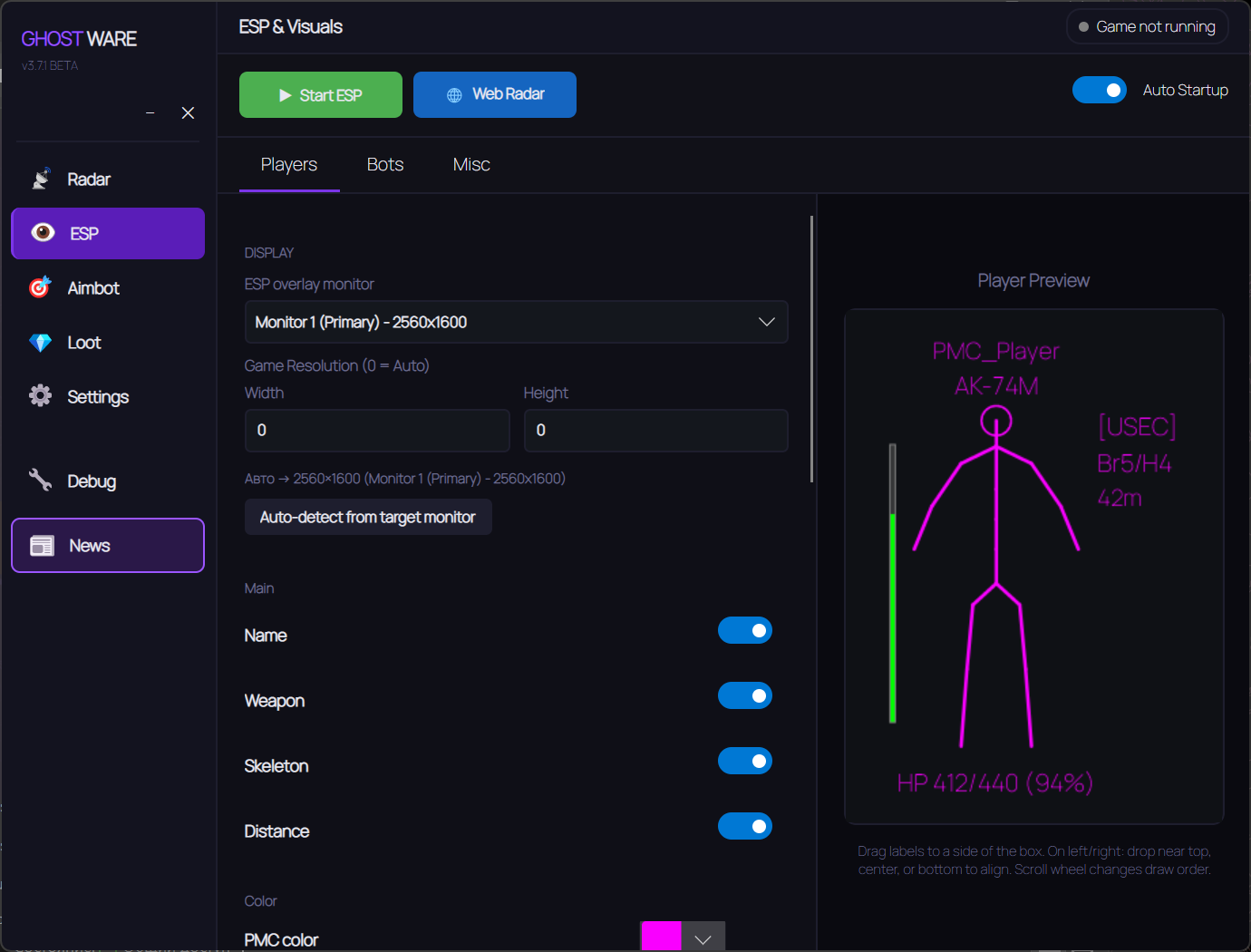
ESP and vision

Players and bots

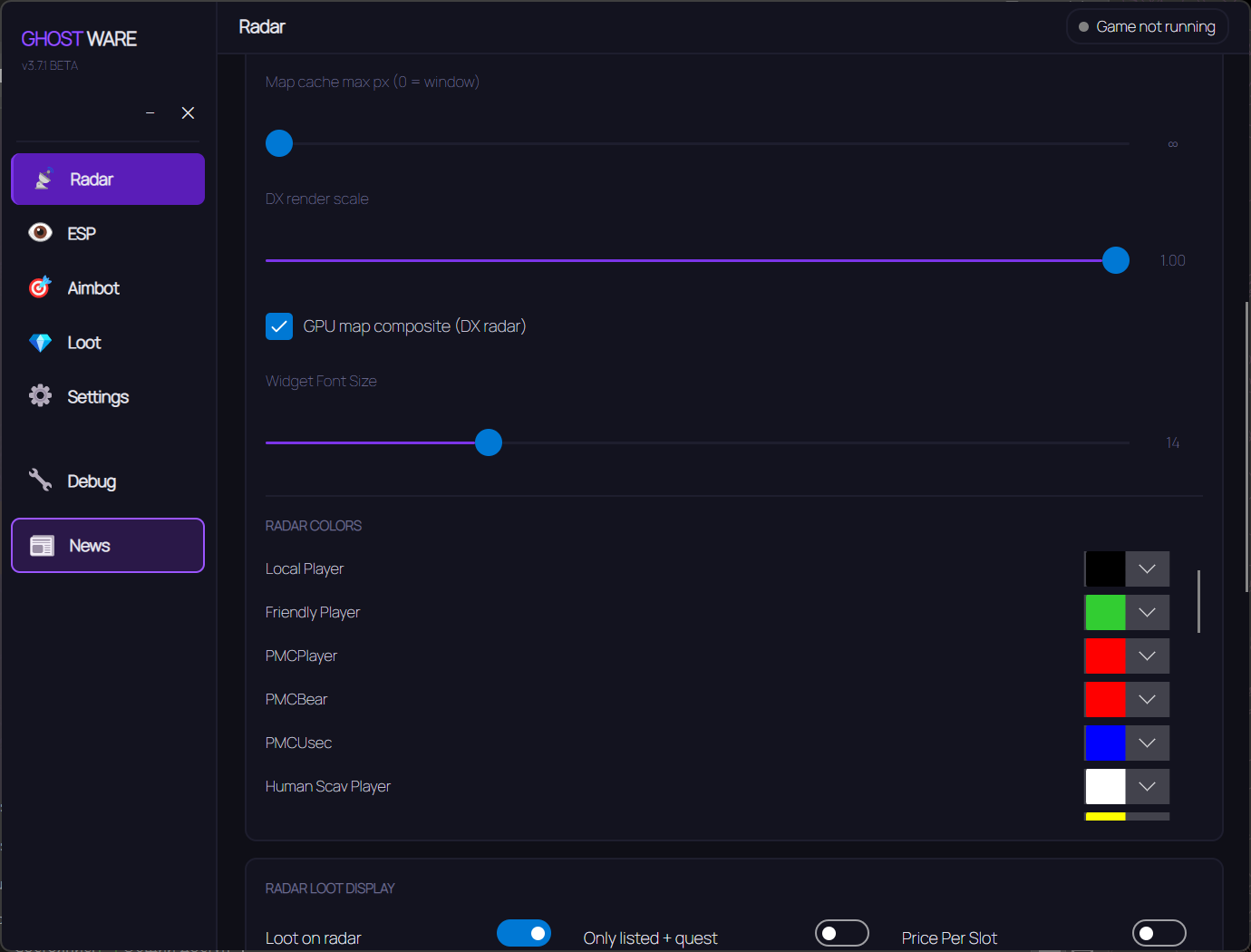
Separate settings for PMCs, Scavs, Raiders, bosses and guards — each category gets its own colour so fights stay readable.

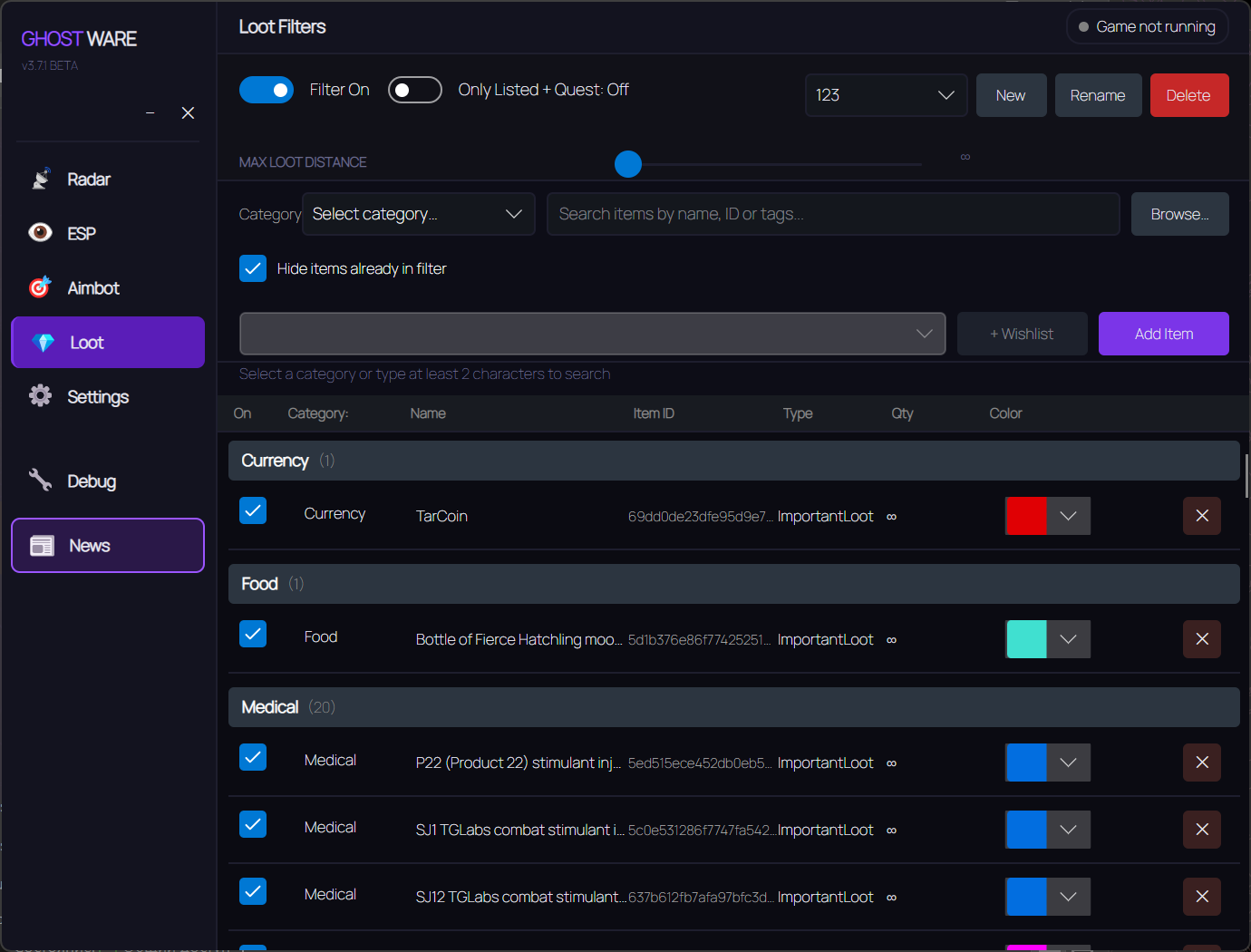
Loot by value

Items are highlighted through a filter: junk disappears, valuables stay. The screen never turns into a wall of labels.

Environment

Tripwires, grenades with flight path and blast radius, plus the scope. You see where it lands and what not to step on.

Verified exits

Extractions are labelled on the terrain with an availability status next to each one. No more leaving blind.

Mini radar

A compact map in the corner, separate from the full-size radar.

Flexible styling

Three font sizes to pick from and a custom colour for every highlight element.

Hardware aiming

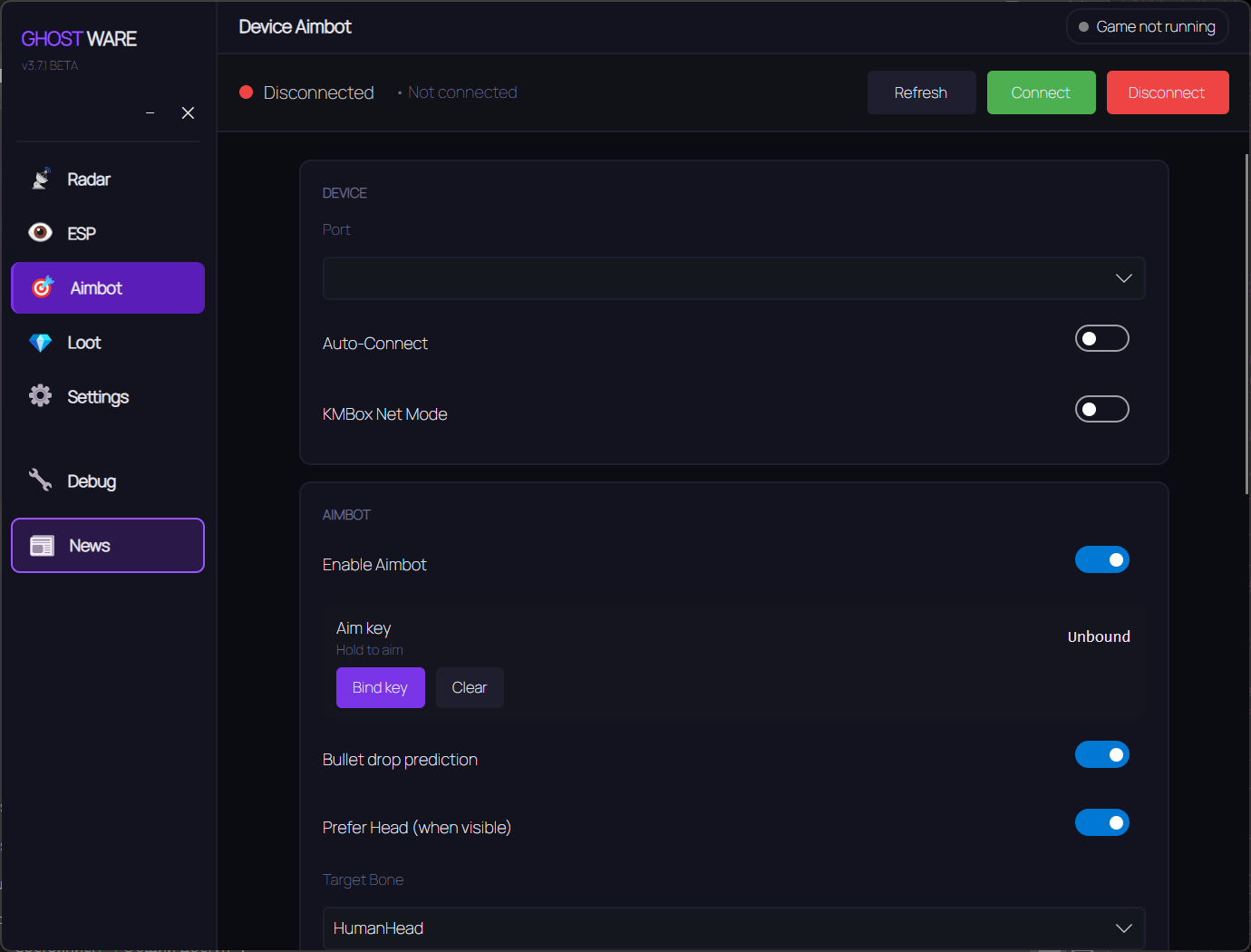
Device Aimbot

Commands go to a KMBox or Arduino over a COM port: the cheat only calculates, a separate device moves the mouse.

Device picker

Available ports, connection status and firmware version are visible right in the menu.

Aim points

Head, neck, chest, pelvis or the nearest available — the mode is yours to choose.

Ballistics

Bullet path prediction adjusted for the distance to the target.

Target filters

PMCs, Scavs, Raiders, bosses, guards and player Scavs toggle independently.

FOV and range

Capture radius and maximum engagement distance are tuned to your own style.

Quests and radar

Quest Helper

Tells you what exactly is needed for active tasks and where to find it.

Objective tracking

Quest progress stays visible during the raid without opening the menu.

Radar

A full-size map with players and bots for the overall picture of the raid.

Combat mode

A separate settings set for close quarters, toggled with a hotkey.

Widgets

Aimview

A window showing the weapon scope view. Position and size adjust, and the window can be switched off.

Info Widget

Health, stamina, hydration and energy next to weapon and ammo data. Collapses into a strip.

Aimbot widget

FOV circle, a line to the target and an activity status, with different colours for active and idle.

Configs and language

Setting profiles

The full configuration saves to JSON and applies instantly, with no restart needed.

Migration and backups

Older configs are picked up automatically and files can be swapped with friends.

Two languages

The interface switches between Russian and English.
TARIFFS
180
BUY Build a kit with a card What happens after payment?
Got a question? Ask before you pay

We'll help you choose and sort out any launch issue. Ask us anything before buying, we're always on your side.

Support 10:00–22:00, sometimes we reply at night too
Ask a question

Available tariffs

Reviews about DMA Escape From Tarkov GhostWare

No reviews yet. Be the first to leave one.

Your review

Reviews are published after moderation.

Join our gaming community chat

Discuss current cheats from developers and how to use them effectively in popular online games. Share tactics, exchange useful info and find like-minded players in our community.

1 900+Members
24/7Online
Join our gaming community chat

Technical support

Run into a technical issue? Our team of experts will help. We handle all requests in a live queue, so please be understanding if it sometimes takes a little wait. We guarantee that no request goes unanswered.

Availabilityfrom 10:00 to 23:00
Fast responseIn queue order
Get help
Technical support
PROCHEAT

PROCHEAT news channel

Follow product status changes, update history and important announcements.

Subscribe

Why Tarkov players go for DMA

BattlEye learned to catch ordinary cheats long ago: it inspects processes, drivers and signatures inside the same system that runs the raid. DMA sidesteps that through physics rather than trickery — the card reads RAM directly, bypassing the CPU and the operating system. There is nothing for the anti-cheat to examine, because nothing foreign is running on the gaming machine.

A card costs more than a software subscription, yet in Tarkov it pays off faster than anywhere else: a mistake here costs not a lost round but every piece of gear you carried in, along with your quest progress.

What the quest helper does

Tasks are half of Tarkov, and half of that time goes into remembering where an item lies and which map holds the objective. The helper keeps active quests in front of you: it shows what is left and marks the relevant spots during the raid.

Progress updates as you go, so there is no need to open the menu and cross-check a list.

How the KMBox connects

The device sits on a COM port of the second computer and is detected on its own — the menu lists available ports, the connection status and the firmware version. After that you set FOV, range and aim point, while the widget draws the capture circle and a line to the target so the tuning is visible at a glance.

An Arduino works instead of a KMBox: the logic is identical, only the price and the build convenience differ.

System requirements

The developer tests the build on Windows 10 Pro 22H2 and Windows 11 Pro from 22H2 through 25H2. On other variants the cheat may still launch, but nothing is guaranteed.

A word on builds: repacks, stripped images and enterprise editions are unsupported. They cut or rework the system components the card driver leans on, which is where the caveat comes from.

from 180 ₽ Choose a plan
Ask a question


