Rust Cheat Rubin Lite

Working
R Rubin
Add another cheat from this game too — to compare them.
Rubin Lite RUST
Steam
Don't risk your main — grab a spare account
Windows support: 10: all builds; 11: all builds
Menu language: Russian, English
Spoofer:No
USB drive:No
BIOS:No

User information

The bar is low: any Intel or AMD processor, Windows 10 or 11, a legit Rust client on Steam. No flash drive, no BIOS trips, and the server type does not matter — vanilla or a modded realm with a weekly wipe, both are fine.

Turn off your antivirus and Windows Defender before the first start: the loader is the first thing they grab. The key and the loader itself arrive at the e-mail you paid with. Run it as administrator and before you enter the game, otherwise the menu will not open on its key.

When Rust ships a patch the software goes off for rework and the remaining subscription time is frozen for that stretch. The current state of the build is shown on the product card, and the freeze note appears there as well.

Description

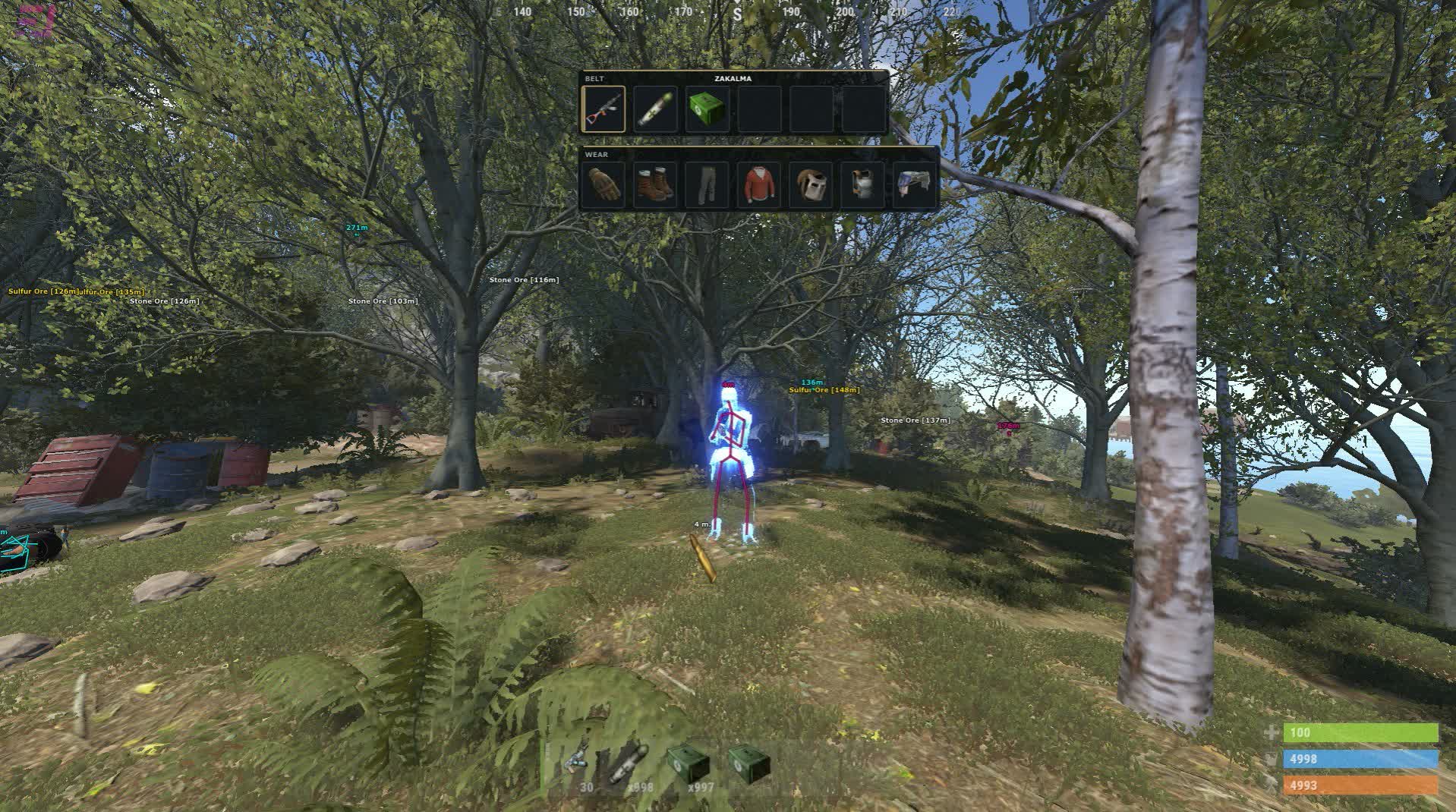
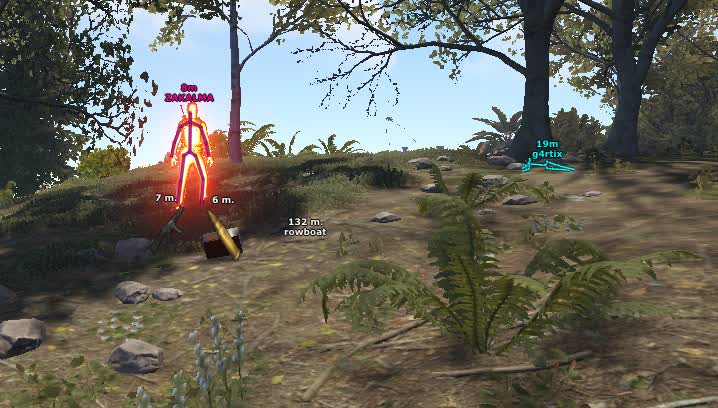
Rubin Lite is a private Rust cheat off the lite shelf: it draws the game for you and leaves the shooting alone. Players show up as a box, a filled box or a skeleton, with a name, a distance and a Team ID above them, the held item doubled by an icon, and the target's whole belt and clothing spelled out. A radar runs next to that, arrows point at anyone who slipped past the edge of the screen, and a marker lights up the moment somebody turns your way.

The other half of the build is the map. Tool cupboards, sleeping bags and workbenches light up, and so do shotgun traps, auto turrets, SAM sites, flame turrets and mines, dropped items, corpses and backpacks, plus vehicles from the minicopter to boats and bikes. The farm tab points you at sulfur, metal, stone, hemp and crates. The only combat piece here is recoil compensation on both axes.

Product features

Player visuals

Boxes and fill

A frame around the target or a solid rectangle. The filled one reads faster in bushes and at night, the plain frame gets less in the way up close.

Skeleton

A bone frame shows the pose: the target is lying in a bag, crouched behind a rock, or already turning to shoot.

View direction

A ray from the head tells you where the enemy is looking. Flanking on a mine turns into a plan instead of luck.

Name and distance

Nickname and range in metres above the player. The numbers tell you straight away whether you can make it to cover.

Held item

The name of what the target is holding, plus an item icon. You can see who is still on a rock at wipe start and who already pulled an AK.

Team ID

A group id over every player. One number shared by five people means four more are coming after the first body.

Hotbar and clothes

The target's full belt and gear. Before a trade you know whether they carry meds, ammo and what armour is on them.

FOV line

The enemy field of view drawn on your screen. Handy for walking around somebody's sector instead of straight into it.

Target filters

Three separate toggles: teammates, sleepers and wounded. Sleepers usually go off so the screen does not fill with frames inside a base.

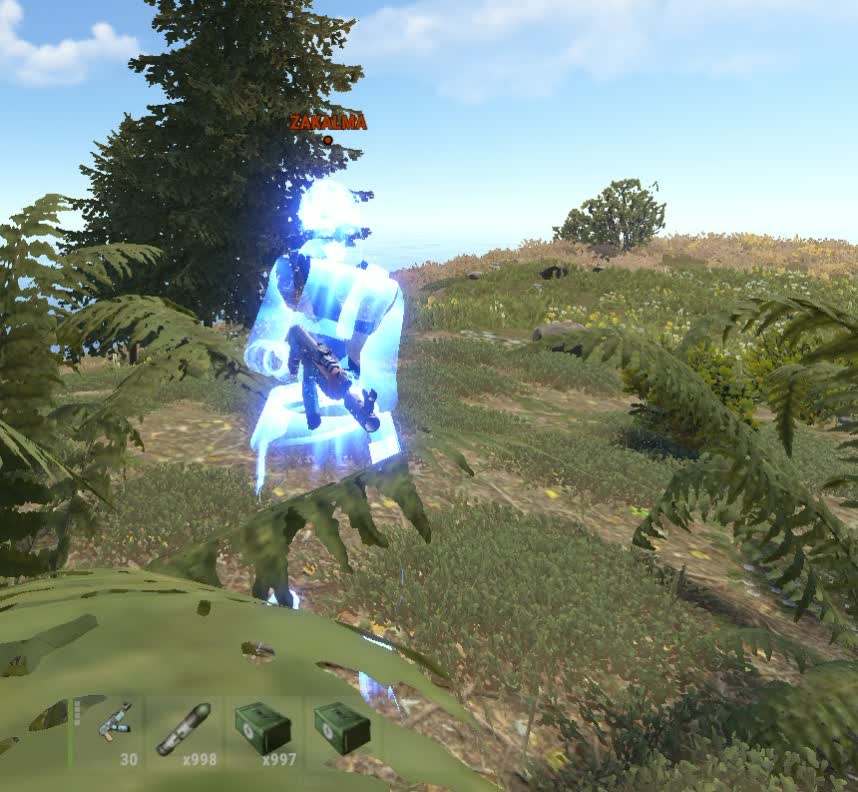
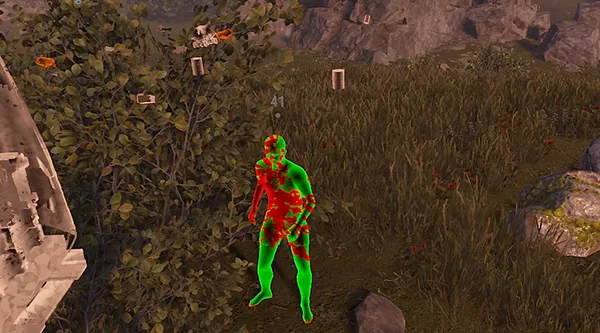
Player chams

The model painted through walls. Keeps the enemy on your eyes while they flicker behind a rock or a base wall.

ESP tools

Radar

A dot map of the players around you. Shows who is walking in behind while you farm a sulfur node.

Out of FOV arrows

Pointers on the screen edges for anyone outside your current angle. They earn their keep in forests and on narrow rock paths.

Looking at you

A marker fires when a target turns towards you. One second is enough to step behind a rock before the first shot.

World and structures

Cupboards and bags

Tool cupboard, sleeping bags and workbenches of somebody else's base. Bags tell you the headcount, the cupboard tells you where the core is.

Traps and turrets

Shotgun traps, auto turrets, SAM sites, flame turrets and mines. A raid stops opening with a random blast under your feet.

Ground loot

Dropped items, corpses and backpacks. After a trade you find your own bag and theirs fast, even if the fight happened in the dark.

Vehicles

Minicopter, scrap heli, boats and bikes. Useful when you need transport right now and the port is a long run away.

Farm

Ore nodes

Sulfur, metal and stone are marked separately. For a night sulfur run you leave one category on and stop tripping over stone.

Ground pickups

Hemp, metal fragments, stones and wood. The screen stays readable because every category has its own toggle.

Crates

Crate highlights in monuments and radtowns. You plan the route before you walk in, instead of circling rooms somebody already cleared.

Combat

Recoil compensation

Spread is pulled down horizontally and vertically, each axis on its own slider. AK, Thompson and MP5 all get different numbers.

Menu and configs

Configs

Presets get created, saved and loaded. One set for solo farming, another for an evening raid with the team.

Menu key

The panel hotkey is rebindable. People move it away from game binds so the menu does not pop out in the middle of a fight.

Text ESP

A mode that prints target data as lines instead of frames. The screen stays clean and the information is still there.

ESP preview

A window that renders the drawing right inside the menu. Colours and sizes get dialled in before you join a server.
TARIFFS
250
BUY What happens after payment?
Got a question? Ask before you pay

We'll help you choose and sort out any launch issue. Ask us anything before buying, we're always on your side.

Support 10:00–22:00, sometimes we reply at night too
Ask a question

Available tariffs

1 day
250
START PURCHASE
7 days
1200
START PURCHASE
30 days
2500
START PURCHASE
Reviews about Rubin Lite RUST

No reviews yet. Be the first to leave one.

Your review

Reviews are published after moderation.

Join our gaming community chat

Discuss current cheats from developers and how to use them effectively in popular online games. Share tactics, exchange useful info and find like-minded players in our community.

1 900+Members
24/7Online
Join our gaming community chat

Technical support

Run into a technical issue? Our team of experts will help. We handle all requests in a live queue, so please be understanding if it sometimes takes a little wait. We guarantee that no request goes unanswered.

Availabilityfrom 10:00 to 23:00
Fast responseIn queue order
Get help
Technical support
PROCHEAT

PROCHEAT news channel

Follow product status changes, update history and important announcements.

Subscribe

Rust cheat Rubin Lite: what the lite build packs

The Rubin Lite menu splits into six tabs, each covering its own slice of the game. The first two read the enemy, the next two read the map and resources, the fifth handles shooting and the sixth sets up the interface itself. The table shows what sits where.

TabWhat it coversKey settings
VisualsDrawing playersBoxes and fill, skeleton, view direction, name, distance, held item with icon, Team ID, hotbar, clothes, FOV line, chams
FiltersWho stays undrawnTeammates, sleepers, wounded
ESP ToolsWhat sits out of sightRadar, off-screen arrows, looking-at-you marker
WorldStructures and transportCupboard, sleeping bags, workbenches, shotgun traps, auto turrets, SAM sites, flame turrets, mines, dropped items, corpses, backpacks, minicopter, scrap heli, boats, bikes
FarmResourcesSulfur, metal, stone, hemp, wood, crates
CombatShootingRecoil compensation on the X axis and the Y axis
OtherInterfaceConfigs, menu key, text ESP, drawing preview

Every module switches off on its own toggle, and the whole setup goes into a config: people keep one preset for solo farming and another for an evening raid, then flip between them in a click.

Reading a base before you raid it

Scouting before a Rust raid usually means walking a circle around the walls and guessing where the cupboard is and how many people live inside. Rubin Lite cuts that circle short: you count the sleeping bags by eye, the tool cupboard is lit, and the workbenches tell you how far along the base is.

Traps get their own marks. A shotgun trap around the corner, an auto turret on the roof, a flame turret in the hallway and mines by the door are all visible before you step into them. That does not make the raid free: you still need sulfur and boom, and the turret still has to be dealt with. You just know what is waiting.

Farming by marker instead of memory

A night sulfur run on a map you see for the first time eats more time than the raid itself. Ore highlights take that part away: sulfur, metal and stone sit on separate toggles, so the screen does not turn into a christmas tree.

Small pickups work the same way. Hemp, metal fragments, stones and wood each have their category, and crates in monuments and radtowns are visible from the entrance. You build the radtown route up front, without walking into rooms somebody already emptied.

A build with no automatic shooting

Rubin Lite has no auto-lock and no silent shots: the software shows you the fight, it does not take it. Some people call that a downside, others buy it for exactly this reason. The player who draws the fewest questions on a server is the one who shoots by hand and simply knows what is around him.

The only combat module here is recoil compensation on two axes. Spread is trimmed by separate horizontal and vertical sliders, so the AK, the Thompson and the MP5 each get their own numbers. The rest is your skill: the first shot, the trade, and the call to fight or to walk away.

How to buy the Rubin Lite Rust cheat

You pick the plan right on this page: a day, a week or a month. The button opens Digiseller, you tick the period in the list and the price recalculates itself. The payment page lists the methods it accepts, from cards to crypto.

The key and the loader come by e-mail to the address used at checkout: ProCheat has no user dashboard, everything is delivered by mail. If nothing arrives within a couple of minutes, check the spam folder and message support with the order number — the key is located by it in under a minute.

Rubin Lite FAQ

Does Rubin Lite lock onto targets?

No. This is a lite build: it does not automate shooting, the crosshair is yours. The only combat module inside is recoil compensation on the X and Y axes.

Do I need a spoofer with Rubin Lite?

There is none built in. You only need one if your hardware already carries a ban — that software is sold separately in the Rust spoofer section.

Which servers does it work on?

You need a legit Steam client. The server type makes no difference: vanilla, modded, fast wipe or a normal cycle all behave the same.

Will a weak PC handle it?

The hardware bar is low: any Intel or AMD processor and Windows 10 or 11 will do. The drawing barely touches your FPS, because the heavy modules are not in the lite version.

Can I hide teammates and sleepers?

Yes, three filters cover that: teammates, sleepers and wounded. Each one has its own toggle, so the screen inside a base does not fill up with frames over bodies.

What happens to my subscription after a Rust update?

The software goes off for rework and the remaining time is frozen. Once the new build lands the timer picks up where it stopped, the lost days do not burn.

from 250 ₽ Choose a plan
Ask a question


