Есть ос
Phoenix FULL for Arena Breakout is a complete solution for anyone who wants to dominate Tencent's tactical looter-shooter. The Phoenix developer built a product that pairs heavy combat features with smart loot filtering and built-in ban protection. The headline feature of this cheat is the HWID Spoofer wired straight into the loader, which gives you an extra layer of safety and lets you keep playing even after a previous ban.
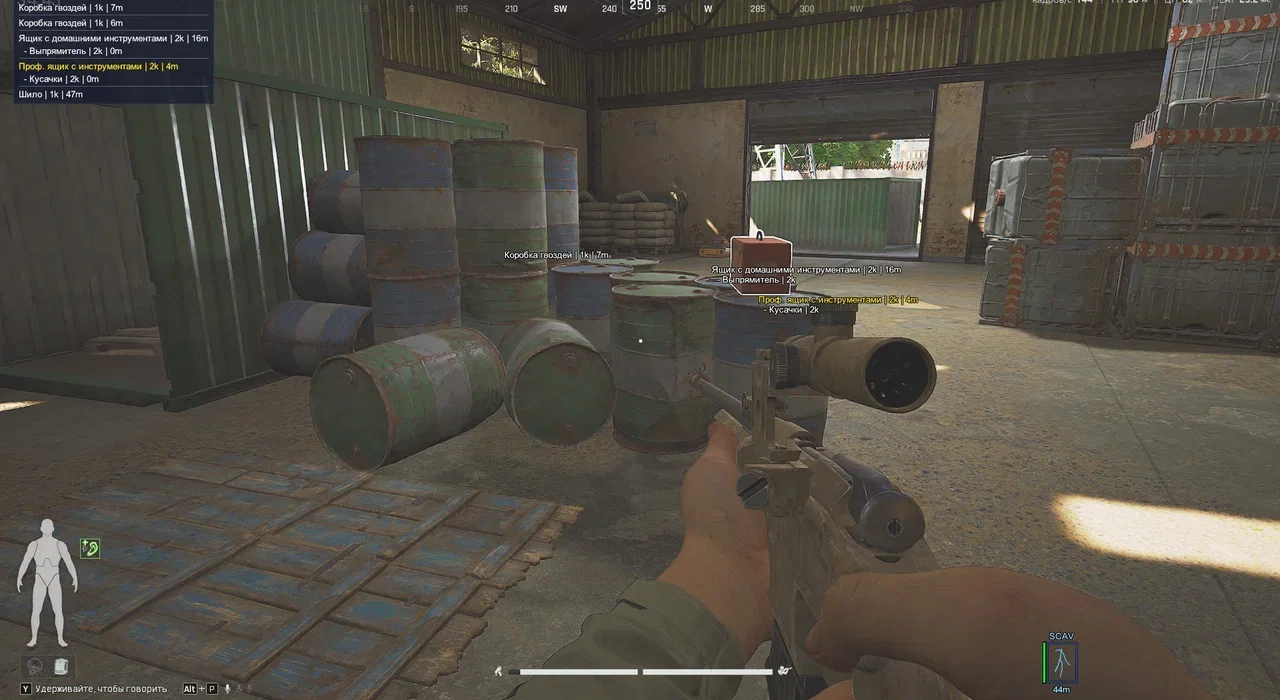
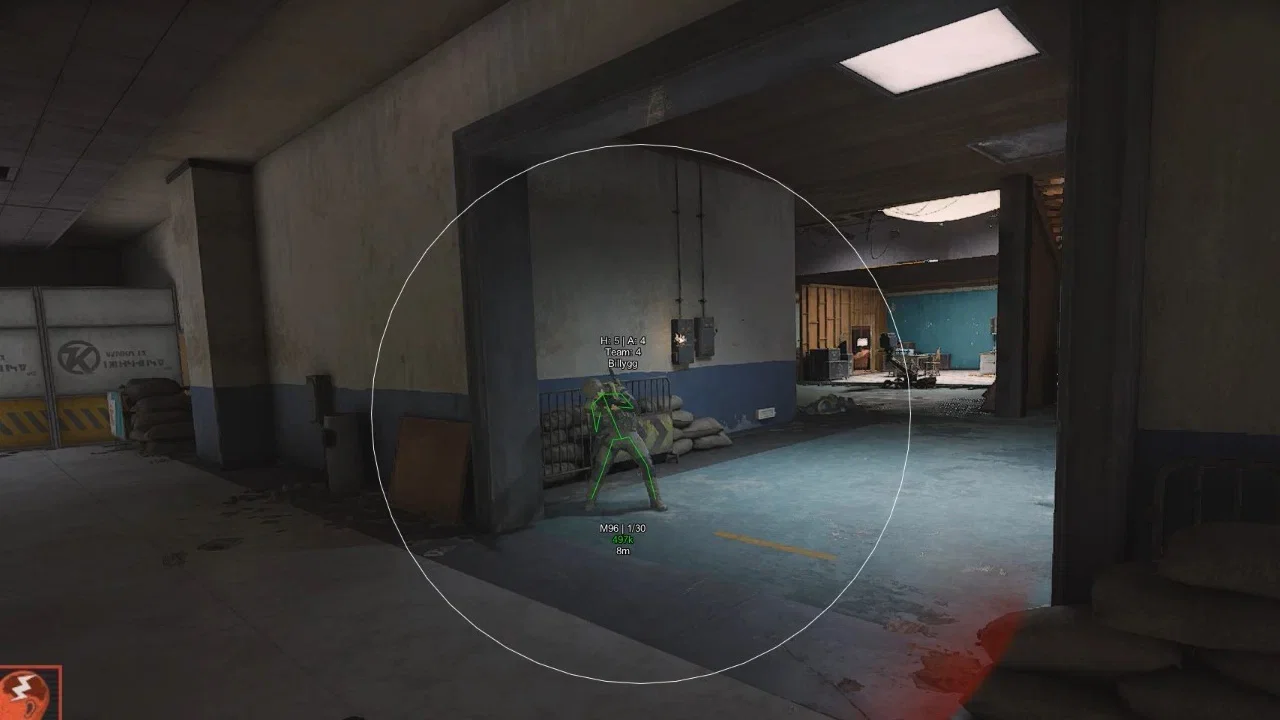
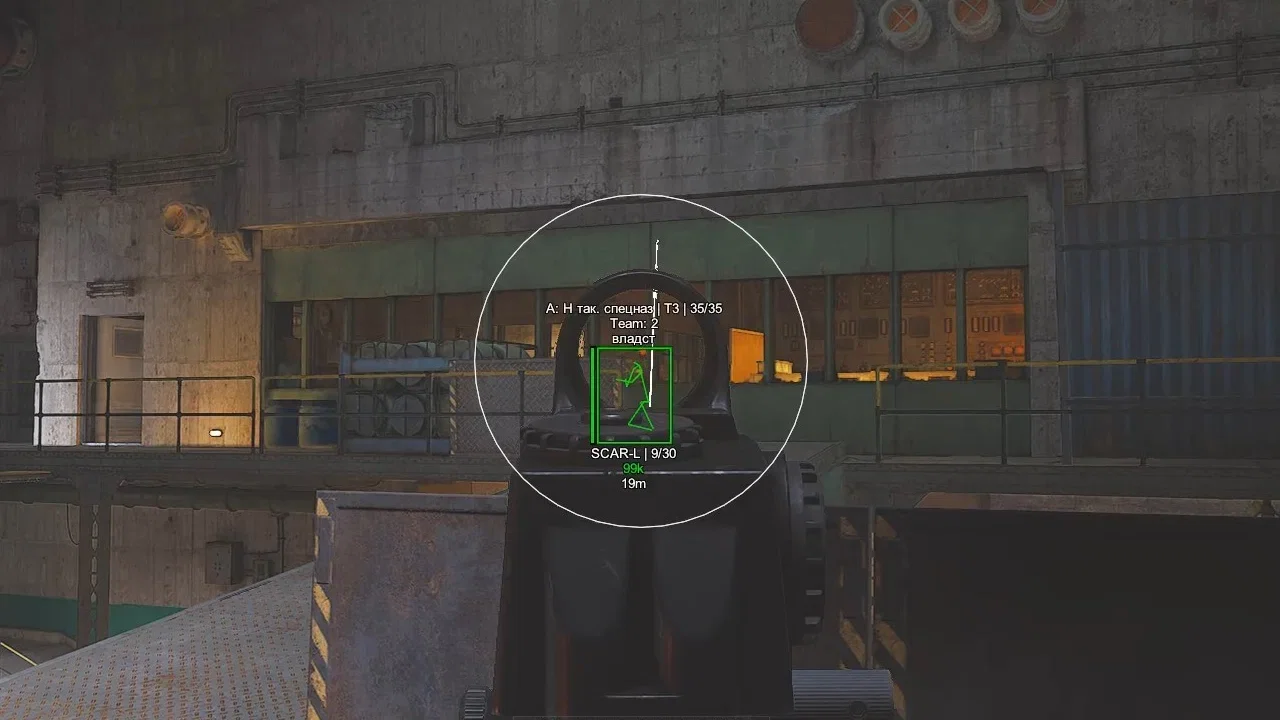
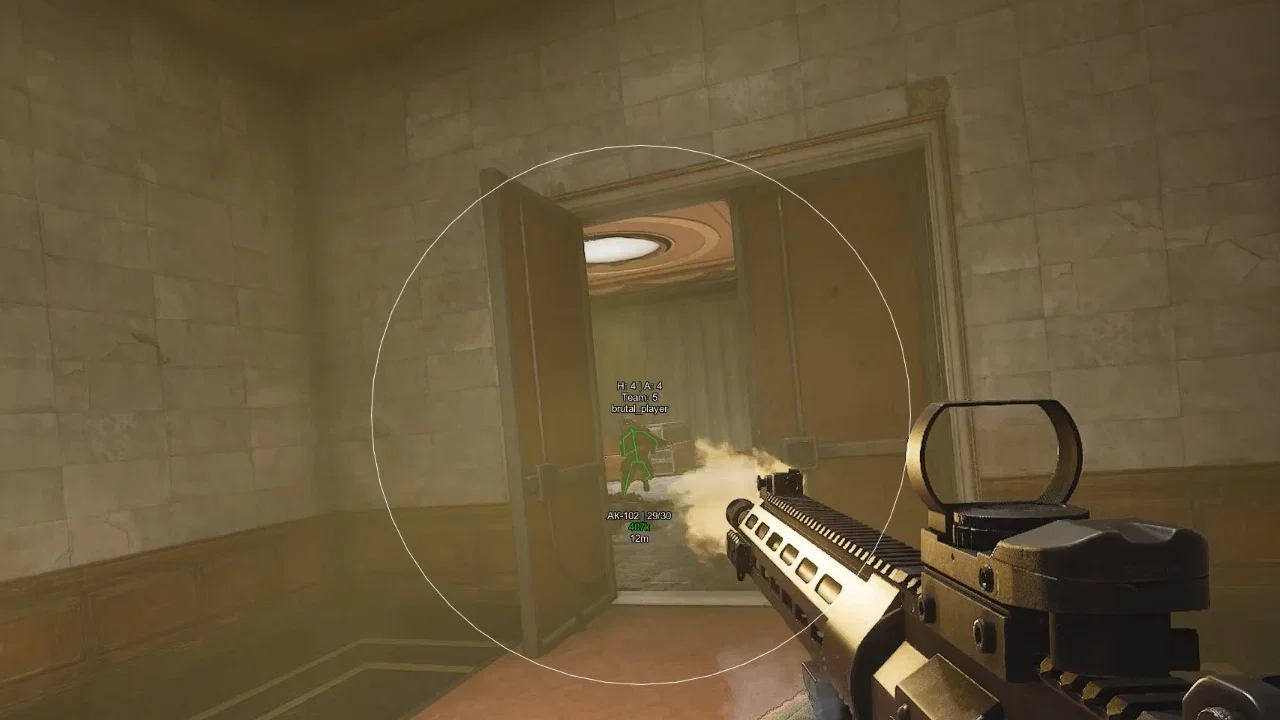
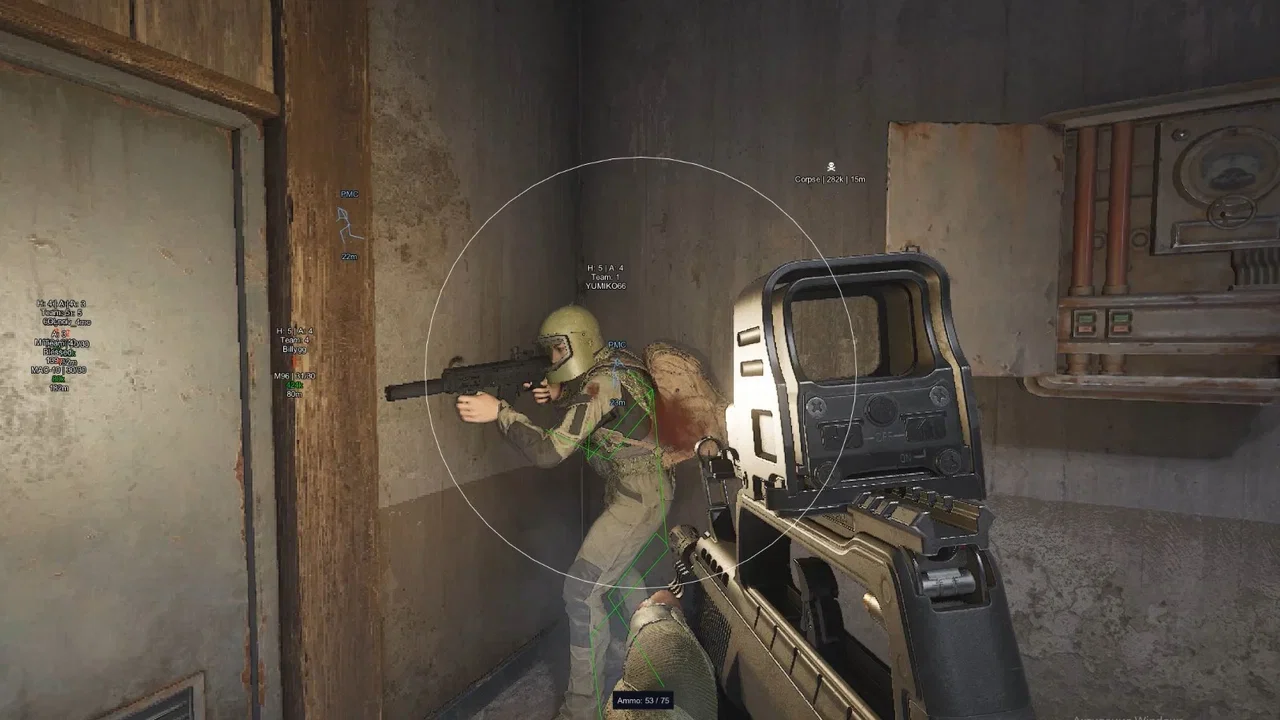
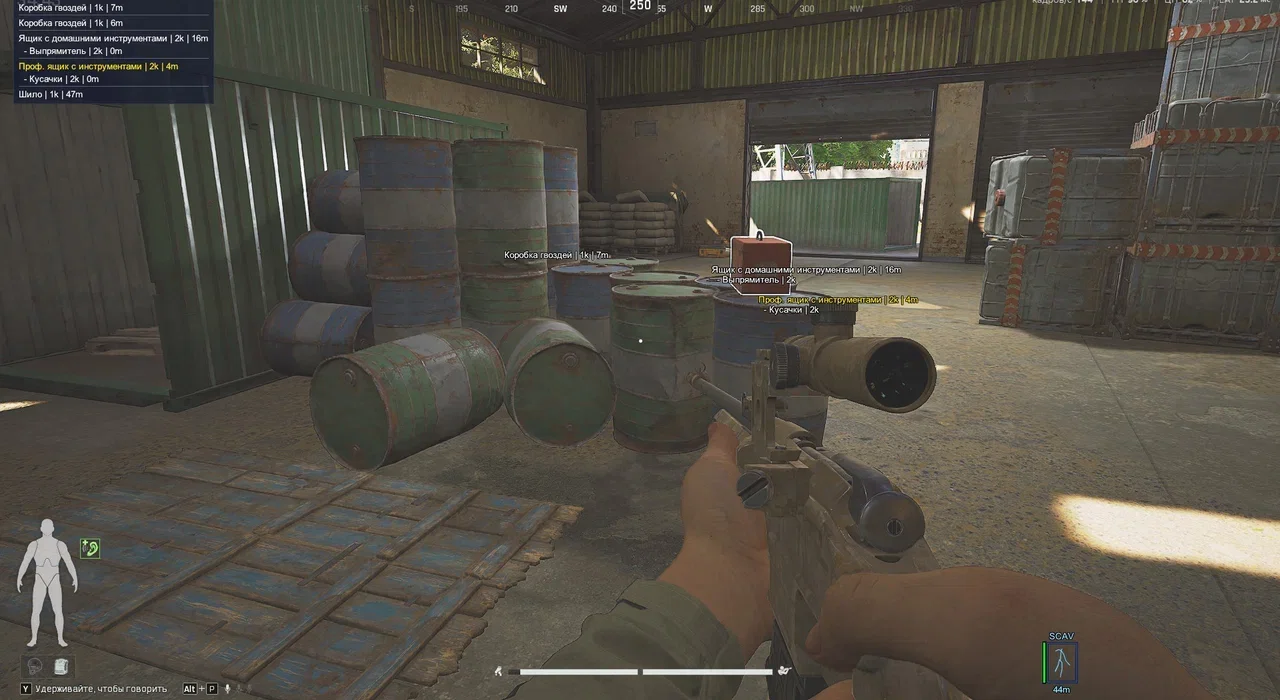
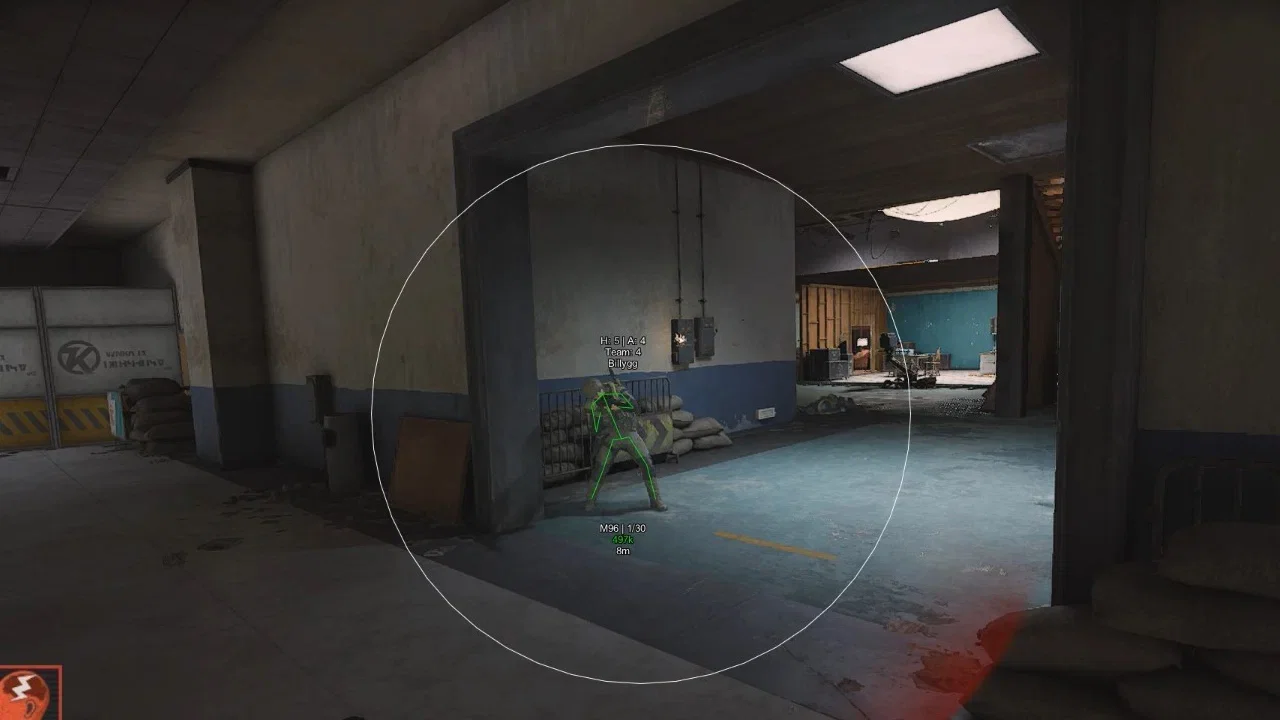
The visual side hands you detailed intel on enemies: you see not just their health and position, but their armor tier, helmet and even the value of their gear. That makes it easy to read a fight before it starts, deciding whether to push a fully kitted PMC or slip around him. The smart loot filter (Min Price) shows only valuable items and clears the screen of visual clutter. The Aimbot with Instant Kill turns any weapon into a one-shot tool, while No Recoil keeps your fire dead accurate even on full auto.
Product features
Aimbot (Aim Bot)
Enable
turns on the auto-aim systemAim Key
assign a convenient key to run the aimbotThrough Wall
lock onto targets through walls and obstaclesShow FOV
shows the target capture radius on screenFOV
set the size of the aimbot's working areaInstant Kill
instantly drops the enemy on hitNo Recoil
fully removes recoil from any weaponPlayers ESP (wallhack on players)
Enable
main toggle for showing playersBox
outlines enemies with rectangular boxesHealth
shows the current health barTier helmet
shows the helmet protection level (tier 1-3)Armor Info
detailed info on the enemy's armorArmor Info Mode
pick how armor info is displayedTeam Index
shows the player's team numberName
shows the nickname above the headSkeleton
draws the model skeleton so you can read the poseWeapon
shows the weapon in the enemy's handsWeapon Ammo Count
round counter in the enemy's magazinePrice
estimates the value of the player's gearDistance
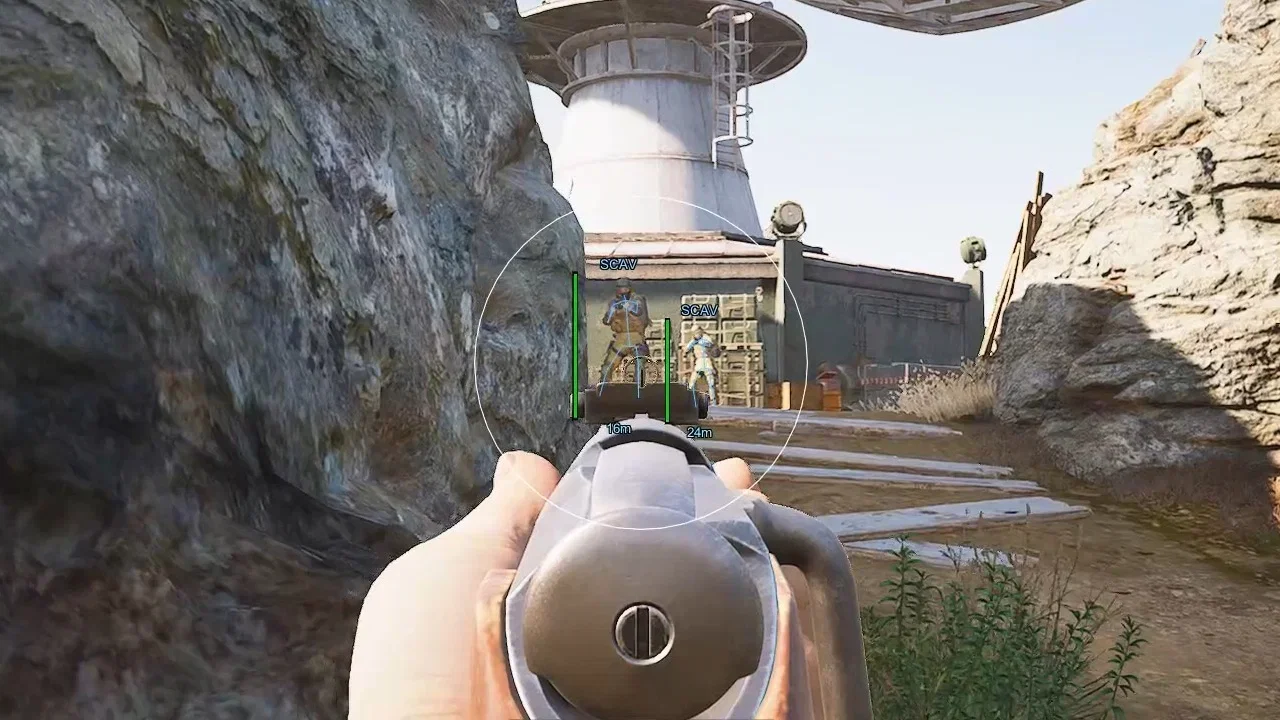
distance to the target in metersBots ESP (wallhack on bots)
Enable
turns on the highlight for NPCs and botsName
shows the bot's nameBox
outlines bots with boxesHealth
NPC health barSkeleton
bot model skeletonDistance
distance to the botMax Distance
render distance limit for botsCorpses ESP (wallhack on corpses)
Enable
turns on the highlight for corpsesCorpse
shows the bodies of killed playersShow Needed Items
filter: show only the loot you need inside corpsesMin Price
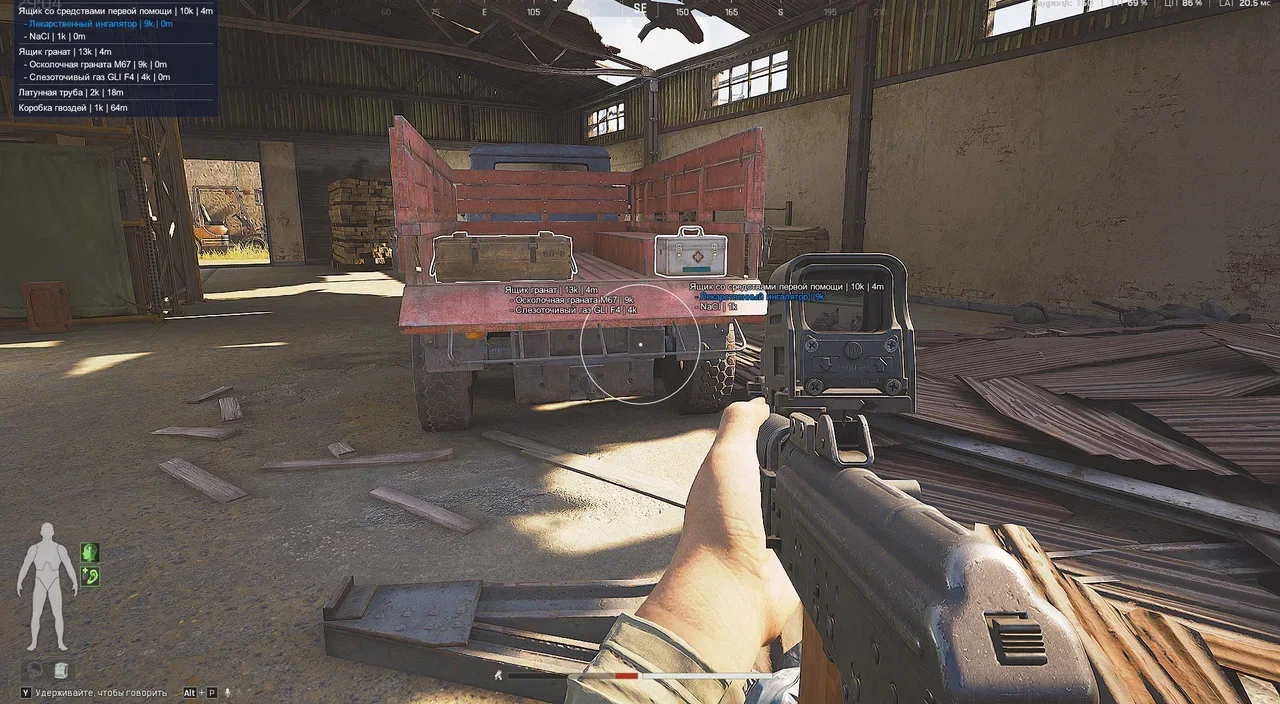
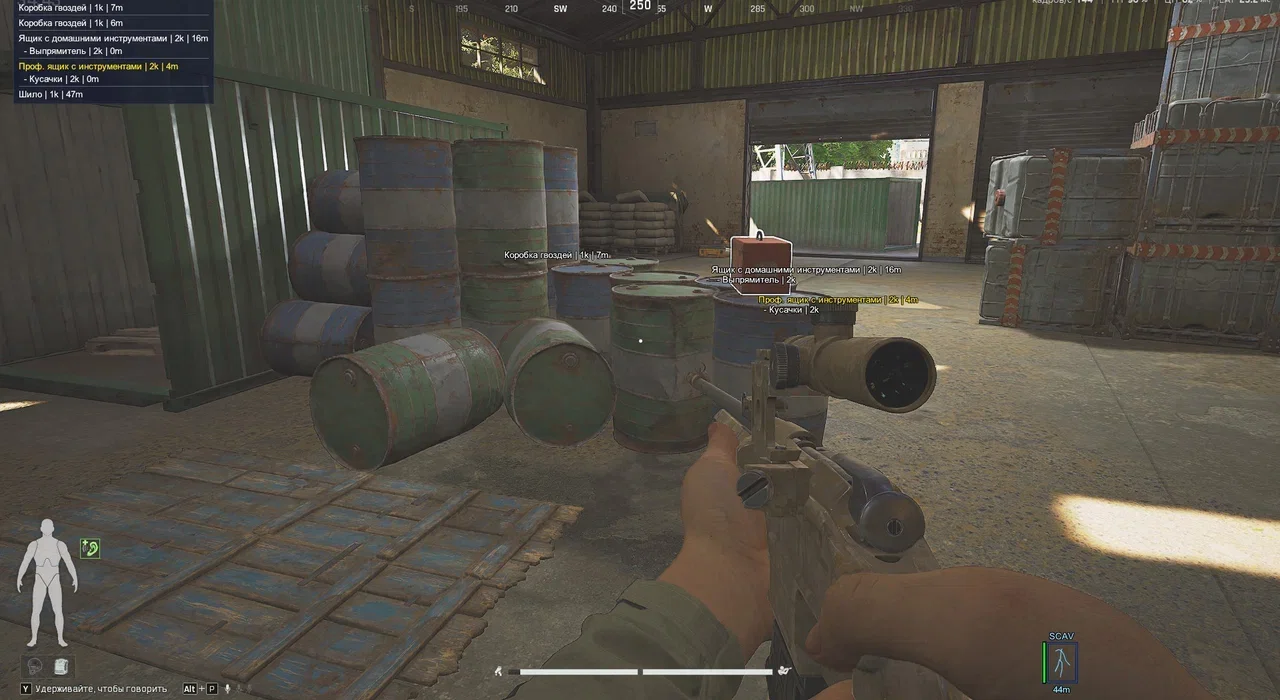
minimum item value for a corpse to show upItems ESP (wallhack on loot)
Enable
turns on the highlight for items on the groundMax Distance
maximum render distance for lootMin Price
minimum item value for ESPOther features
Ammo Counter
on-screen round counterSkin Changer
change the weapon's appearance (skins)BunnyHop
auto bunny-hopping while you hold the keyFast Search
faster searching of containers and corpsesFast Magazine
instant magazine reloadFree Keys
use room keys without consuming them (free)No Visor
removes the helmet visor tintConfig System
save, load and reset settingsMenu Settings
set the Menu key and the interface scaleBuilt-in Spoofer
built-in HWID ban protectionKnown issues & fixes
Real questions from our support, with the fixes that worked. Based on user requests for this product.
What is the difference between launch method 1 (Standard) and method 2 (AEMU) in Phoenix FULL for Arena Breakout?
Method 1 (Standard) is intended for looting and farming only , killing real players will trigger the "Dear Mercenary" warning (temporary restriction). Killing bots is generally allowed.
Method 2 (AEMU) provides full cheat functionality but is in testing/risk status, as clearly noted in the loader. Expect possible game crashes on load and a higher ban risk. Choose the method that matches your playstyle and monitor the changelog for updates.
Getting banned or the 'Dear Mercenary' warning on new accounts even without killing players , what to do?
- Use launch method 1 (Standard) and do not enable features marked as "risk".
- Play only on a fresh account. Register with a completely different email address , this has been confirmed to reduce ban risk.
- Keep your VPN active at all times, including during account registration , do not disconnect it.
- Disable TPM in BIOS to reduce hardware-level ban risk.
- Avoid speedhack if you want longer session stability.
AEMU launch method crashes the game on loading screen , how to fix?
The AEMU method (method 2) is in testing/risk status , this is stated directly in the loader. Stability is not guaranteed. Until the developer releases a fix, switch to method 1 (Standard). Monitor the loader changelog for updates.
CMD window flashes and closes immediately when launching the cheat, game does not start
Switch the Arena Breakout Infinite display mode from fullscreen to windowed mode (not borderless/fullscreen-windowed , true windowed). Then relaunch the loader. If the issue persists, record the full launch process and contact support.
Game crashes silently when entering a raid with the cheat active
Switch Arena Breakout Infinite to windowed mode in the graphics settings , the cheat requires this mode for the inject to work correctly. After changing the mode, restart both the game and the loader.
Phoenix activation key reset after PC reboot or after using a spoofer , how to restore it?
Every hardware clean (spoof reset) causes the activation to drop , this is expected behavior for this product. Contact support and provide your key: the operator will manually re-activate it. This is a routine procedure and takes only a few minutes.
PHOENIX




