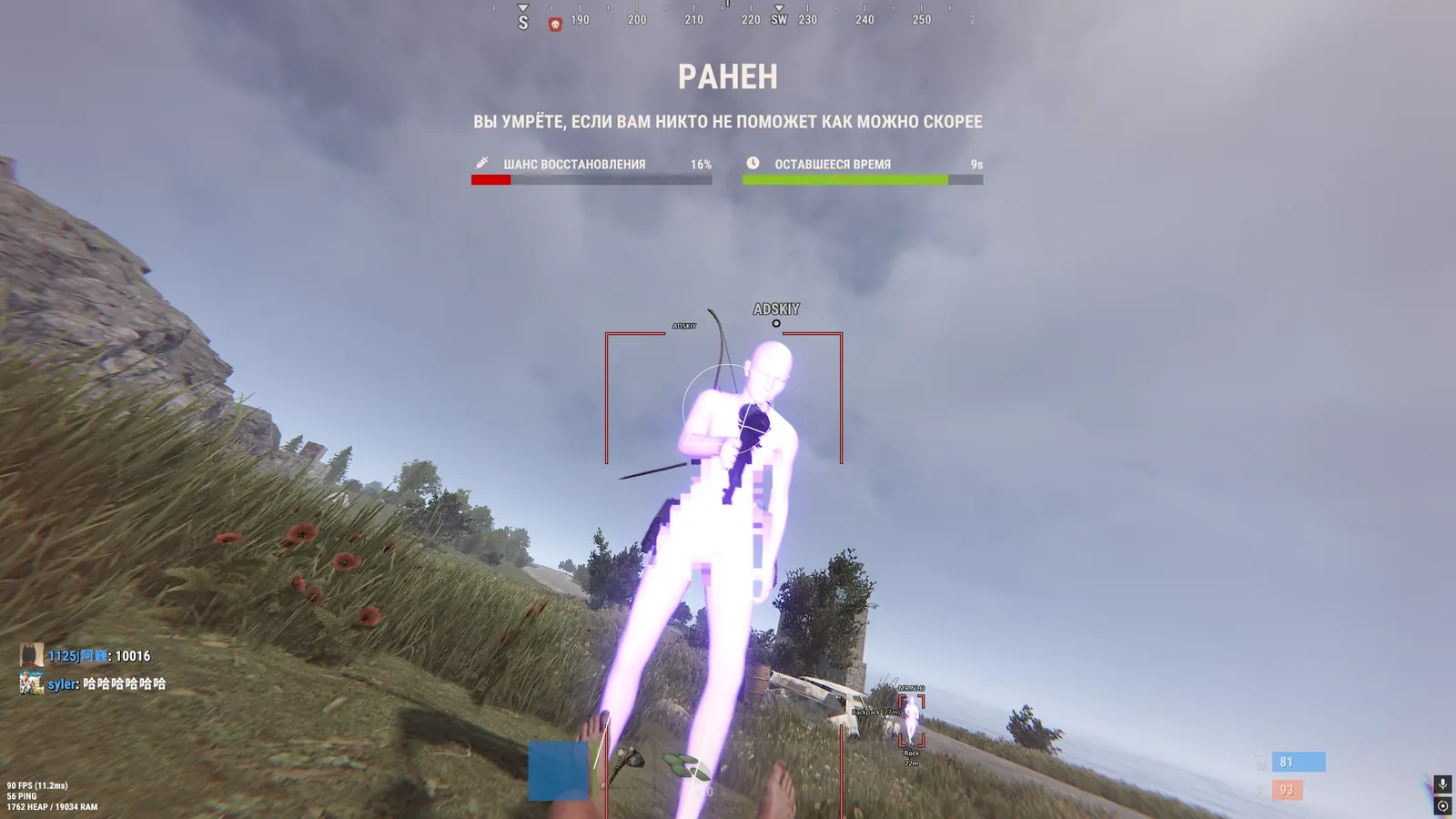
Phoenix Full for RUST: aimbot, ESP and chams

Working
PHOENIX PHOENIX
Last update 07.11.2026 This date shows when the software was last updated. An old date doesn't mean the software stopped working! Most likely the developer just had nothing new to add. If you have any doubts, you can always check the current status with our support team.
Add another cheat from this game too — to compare them.
Phoenix RUST
Steam
Don't risk your main — grab a spare account
Windows support: 10: 21h2, 22h2, 23h2, 24h2, 25h2, 26h1; 11: 21h2, 22h2, 23h2, 24h2, 25h2, 26h1
Menu language: Russian, English
Spoofer:No
USB drive:No
BIOS:No

User information

You need a PC running Windows 10 or Windows 11. Supported builds are 21H2, 22H2, 23H2, 24H2, 25H2 and 26H1.

  • Processor: AMD or Intel.
  • Graphics card: NVIDIA or AMD.
  • Game client: Steam.

Check your exact Windows build in system settings before ordering. Your key and loader download link are delivered by email after payment.

VIDEO
SCREENSHOTS
Description

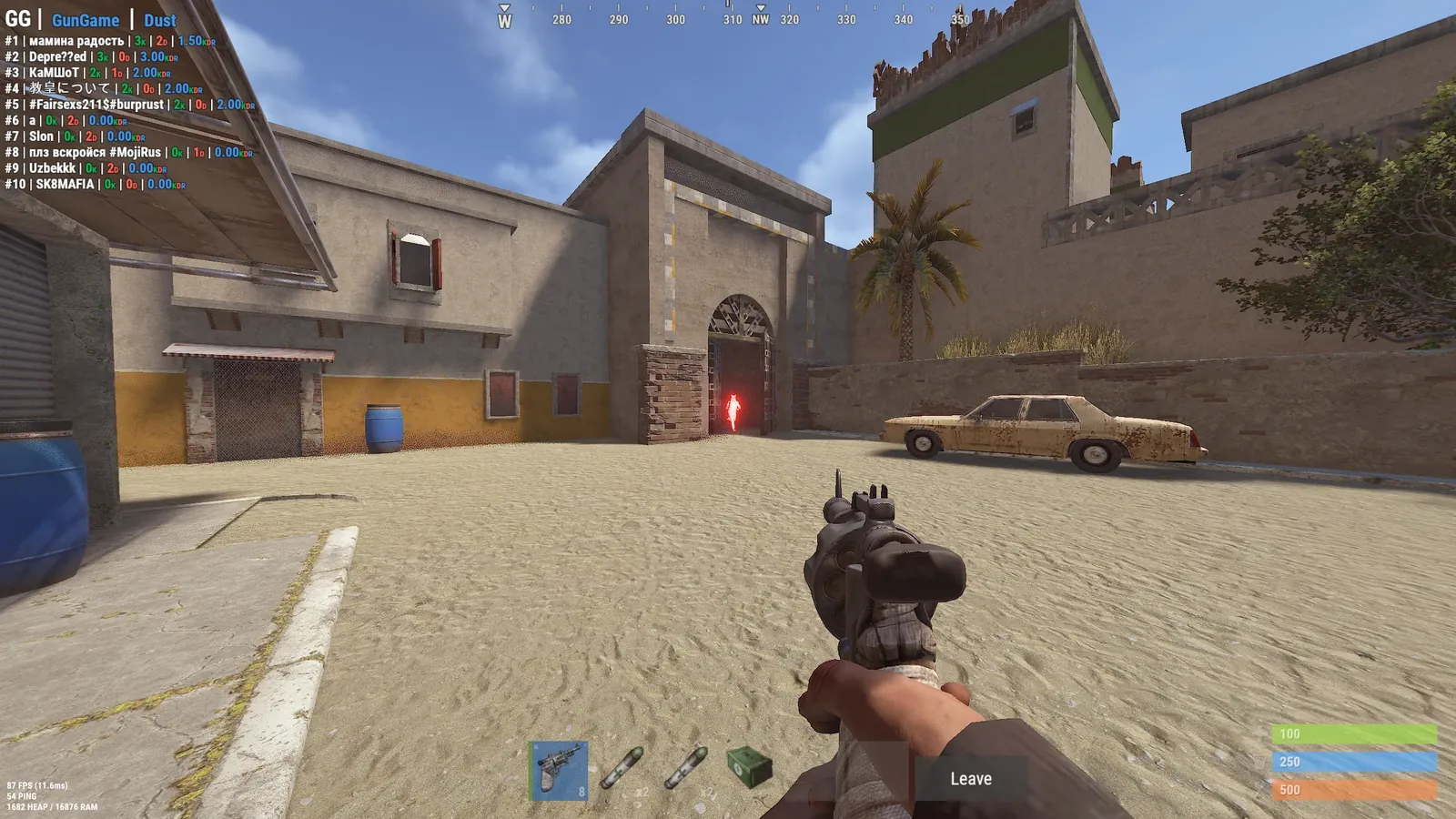
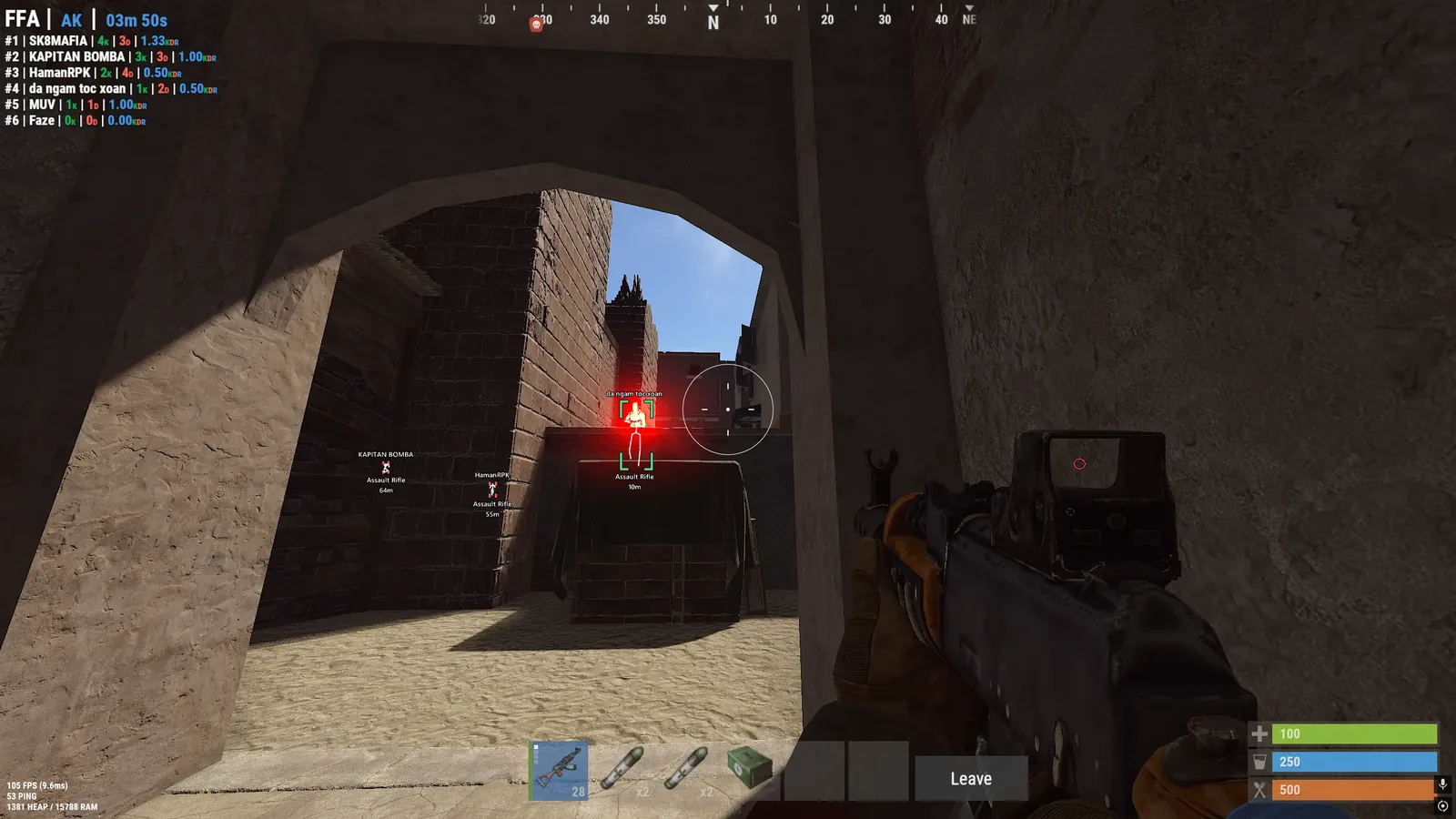
Phoenix Full for RUST offers two aiming modes. Vector moves the crosshair with adjustable smoothing, while Silent directs bullets without visible camera movement. FOV, bones, range, target-switch delay, visibility checks and filters for players, NPCs and wounded targets adapt to your playstyle.

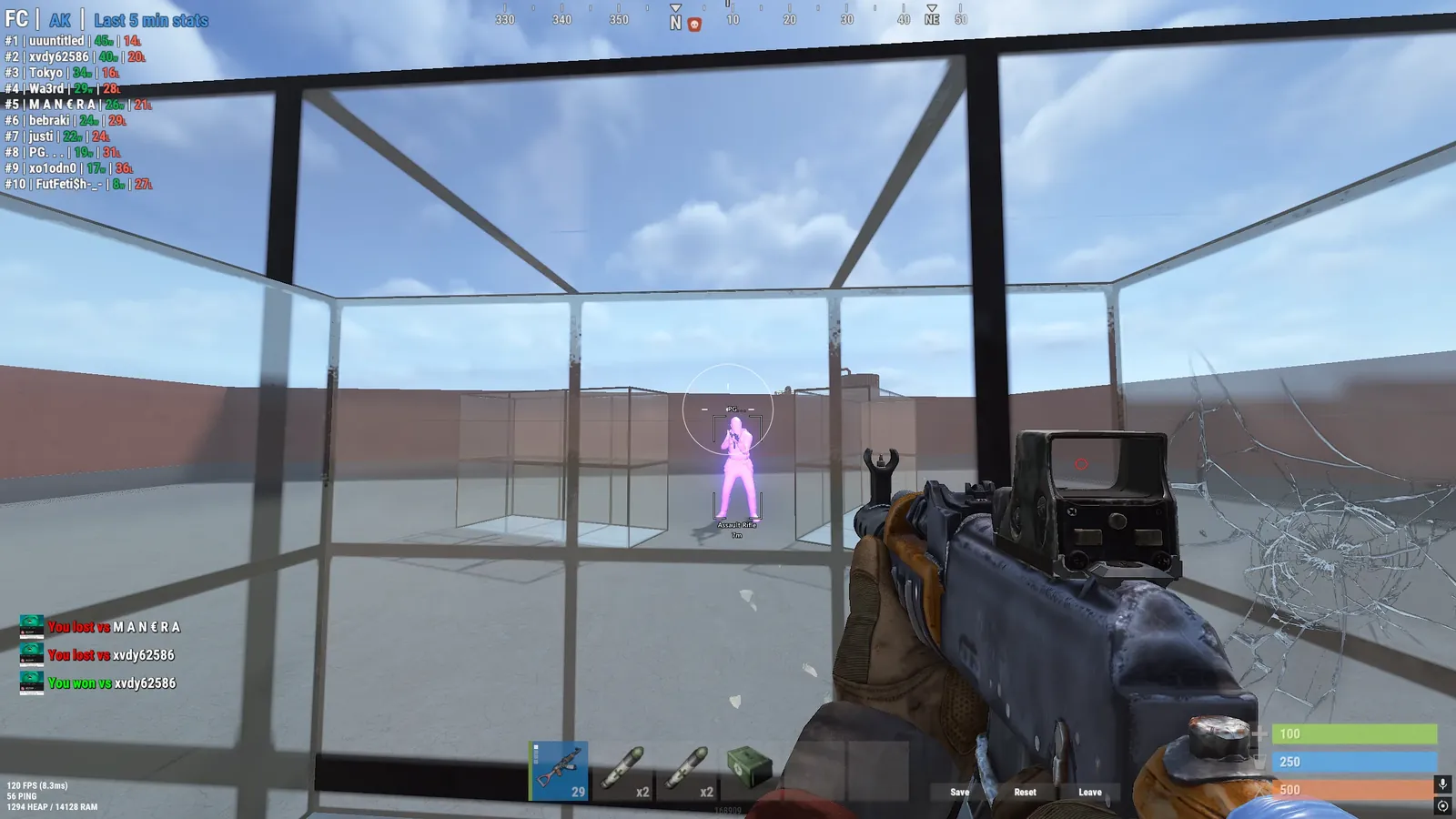
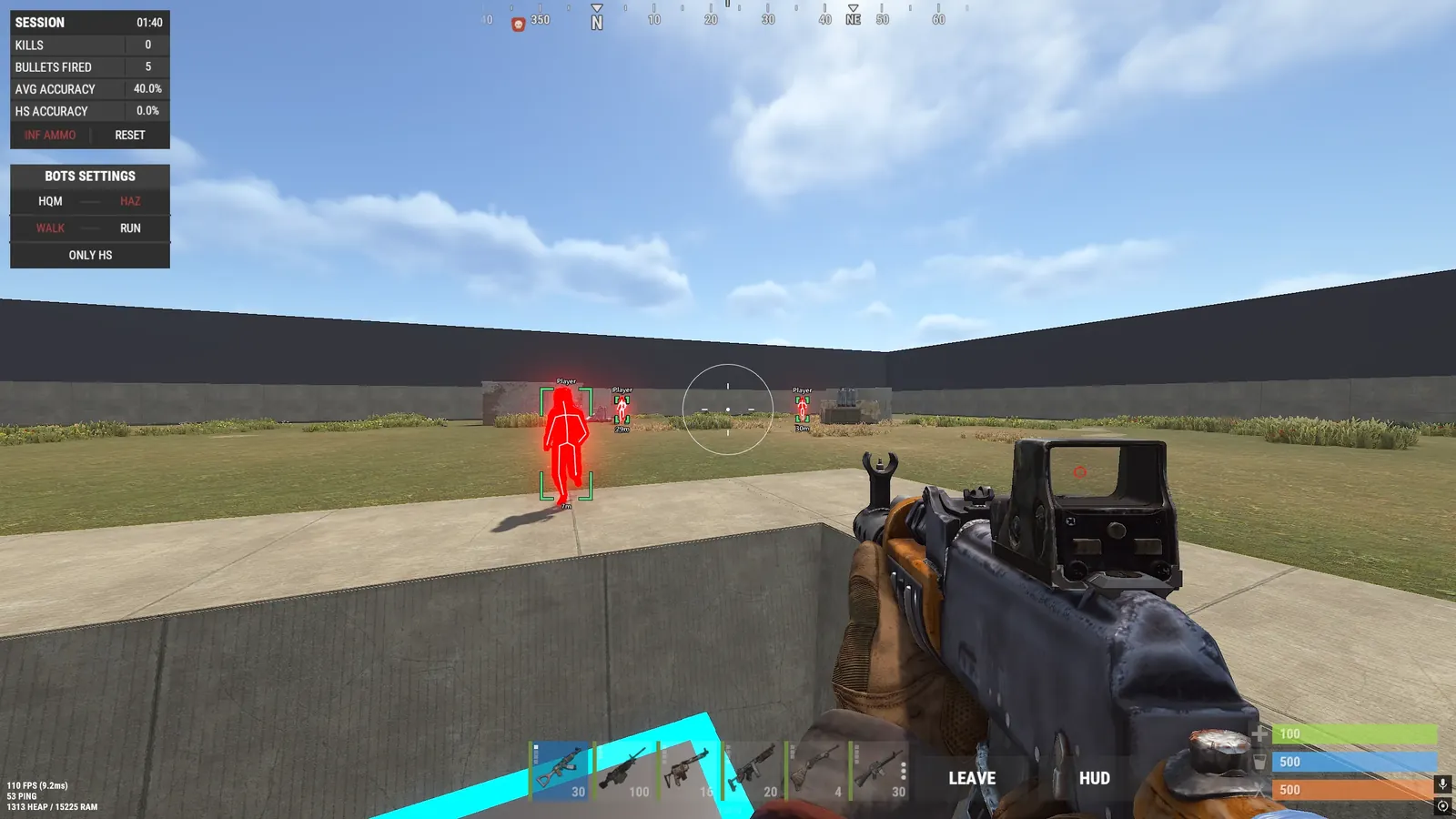
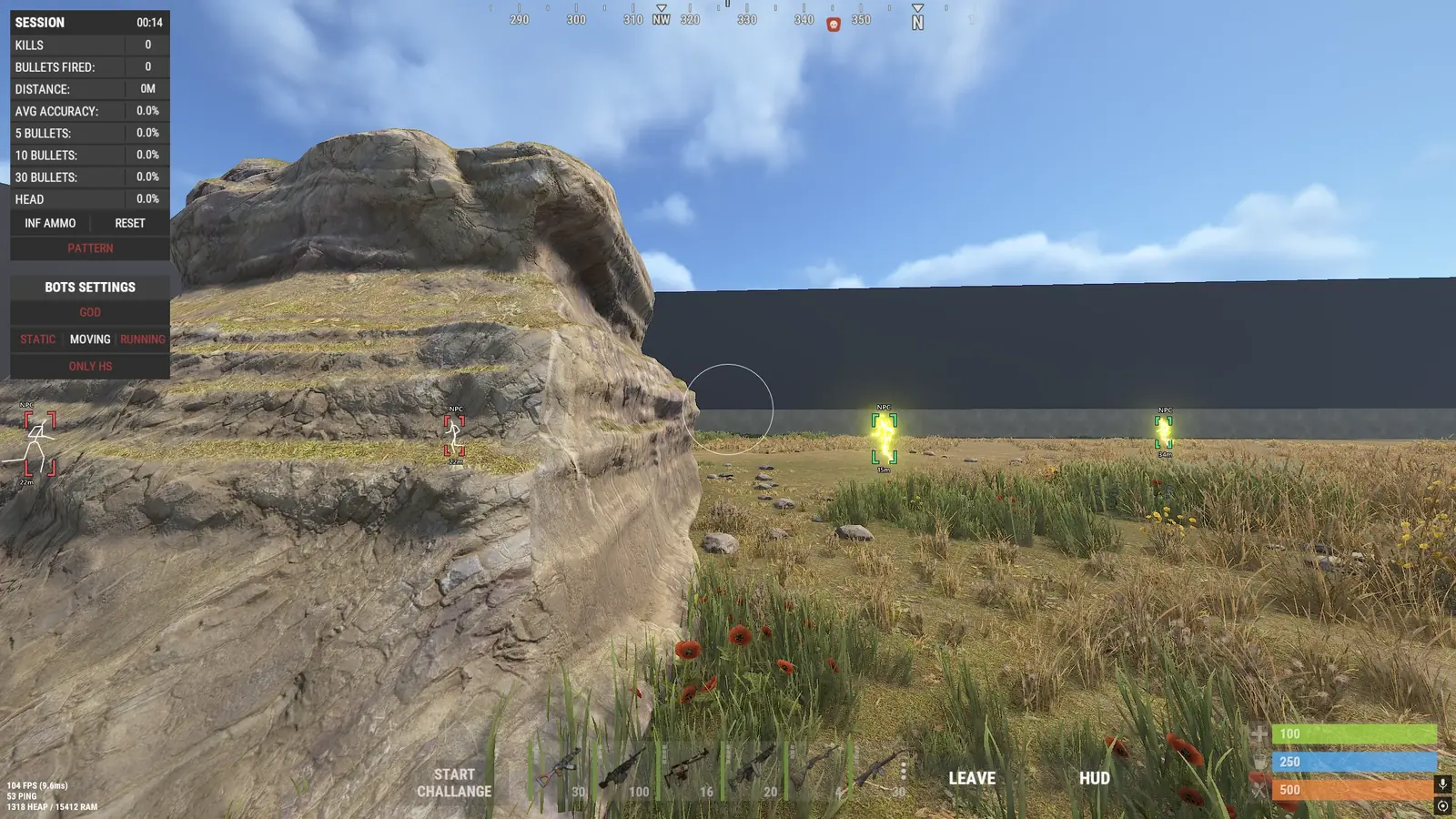
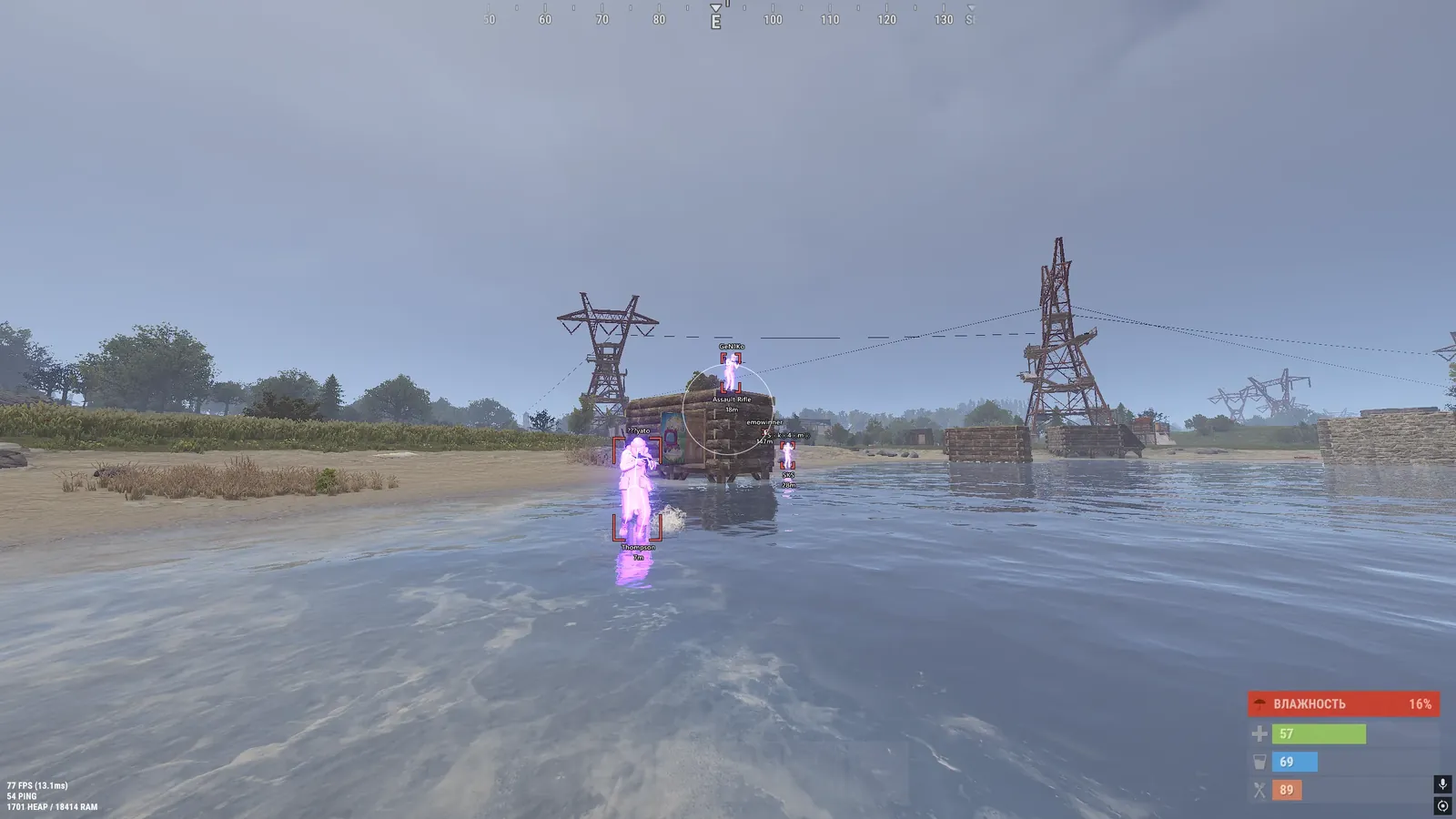
ESP is split into clear categories: players and bots, ore, cupboards and workbenches, turrets and mines, crates, barrels, airdrops, dropped items and vehicles. Each group has its own range, colors, text and icons. Bright Night helps after dark, Free Camera inspects bases, and Spider Man climbs vertical surfaces. Battle Mode leaves players only, while configs preserve your settings.

Product features

Aimbot (Vector & Silent)

Enable

enable/disable automatic aiming

Mode

aimbot operating mode (vector, silent)

FOV

setting the target acquisition area for the aimbot

FOV Circle

display the target acquisition area on the screen

FOV Color

choose a custom color for the aimbot circle

Smooth

adjust the smoothness of aiming at the target

Bone Selection

choose the body part to aim at

Target NPC

the aimbot will work on NPCs

Target Players

the aimbot will work on players

Ignore Teammates

exclude teammates from the target list

Target Wounded

aim at downed players

Target Lock

the aimbot sticks to the current target

Visible Check

aim only at targets within line of sight

Switch Delay

set the delay before switching the aimbot to another target

NoSpread

disable weapon spread

Max Distance

set the aimbot activation range for different targets

Players ESP (Wallhack)

Enable

activates the tab for displaying players

Box Type

enable boxes around player models (full, corners only)

Box Width

adjust the thickness of the frames around players

Box Outline

outline for ESP frames

Text Outline

outline text to improve readability

Ignore Teammates

do not show ESP for teammates

Sleepers

show sleeping player models

Wounded

show downed players

Teammates

show teammates

Player Name

display player names

Player Distance

display distance to players

Held Item

display the item or weapon in the player's hands

Hotbar

list of items in players' quick slots (hotbar)

Max Distance

adjust the maximum player display distance

Text Size

adjust ESP text size

Visibility Colors

display players in different colors depending on visibility

Skeleton

display the player skeleton with adjustable color and line thickness

Chams

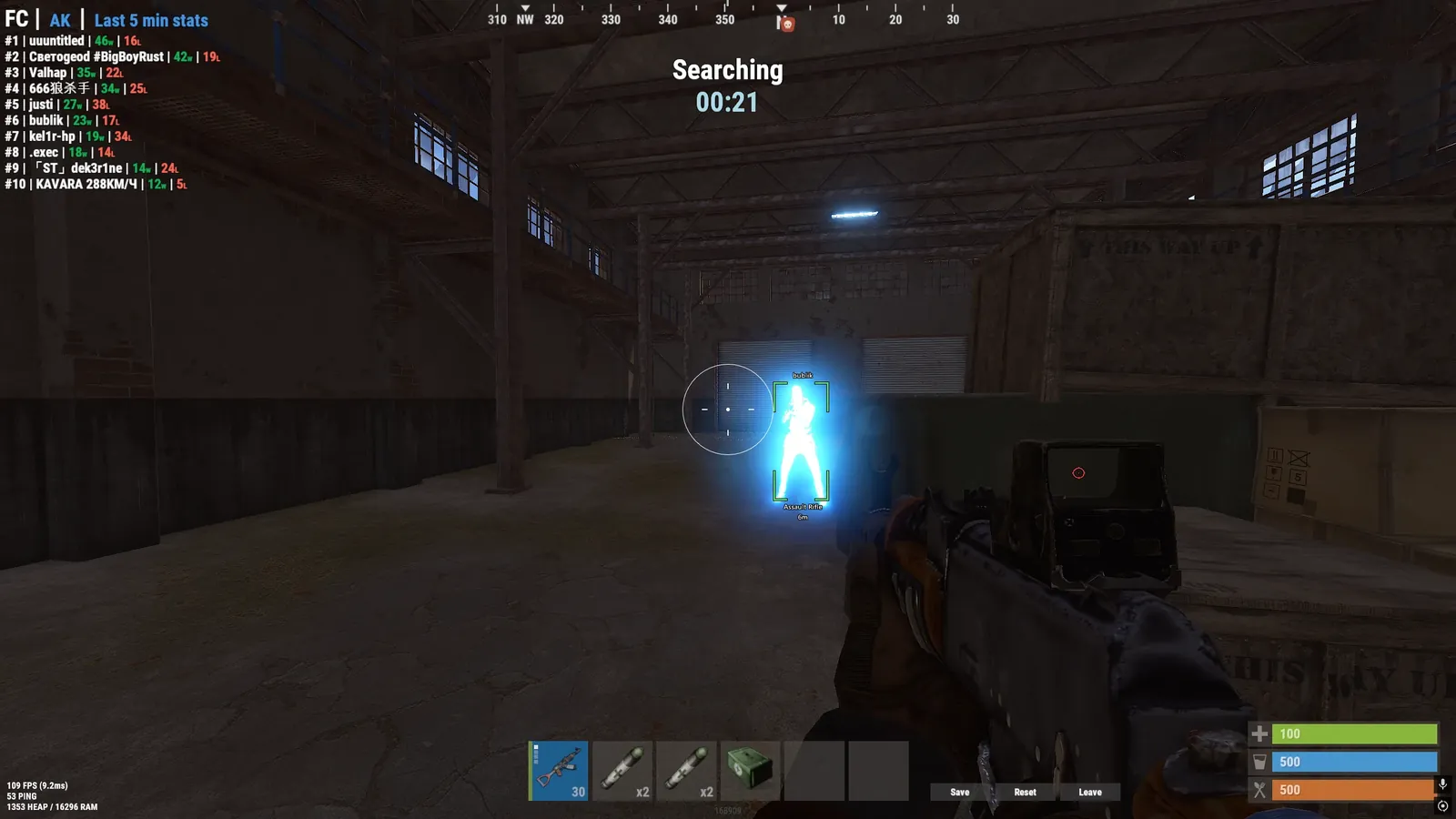
fill player models with the selected material or texture

Chams Material

choose the material for chams ESP

Corpse

show dead players' bodies/backpacks

NPC ESP (Bots)

Enable

activates the tab for displaying bots

NPC Name

display NPC names

NPC Distance

display distance to NPCs

NPC Held Item

display the item in the NPC's hands

NPC Max Distance

set the maximum NPC display distance

NPC Text Size

adjusts ESP text size

NPC Box

display boxes around NPCs

NPC Box Color

adjust NPC box color

NPC Box Width

adjust box thickness

NPC Box Outline

enable outlined NPC frames

NPC Skeleton

display the NPC skeleton with adjustable color and line thickness

Resources ESP (Ores)

Enable

enable/disable resource display

Stone ESP

display stone ore (with customizable color, icons, distance, and text size)

Metal ESP

display metal ore (customizable)

Sulfur ESP

display sulfur ore (customizable)

Hemp ESP

display hemp (customizable)

ESP Crate Color

ability to assign a custom color to each resource category

Buildings ESP

Enable

enable/disable object display

Cupboard ESP

display tool cupboards (customizable)

Workbench ESP

display workbenches of different tiers (customizable)

Wooden Box ESP

display wooden boxes (customizable)

ESP Crate Color

ability to assign a custom color to each object category

Traps ESP

Enable

enable/disable trap display

Auto Turret ESP

display auto turrets

Landmine ESP

display landmines

Flame Turret ESP

display flame turrets

SAM Site ESP

display SAM sites

Shotgun Trap ESP

display shotgun traps

Drone ESP

display drones

Icons

display trap icons next to the text

Distance Filter

adjust display distance for each trap

Text Size

adjusts text size for traps

ESP Traps Color

ability to assign a custom color to each trap category

Crates ESP

Enable

enable display of supply crates

Basic Crates ESP

display basic crates

Military Crates ESP

display military crates

Elite Crates ESP

display elite crates

Tool Crates ESP

display tool crates

Medical Crates ESP

display medical crates

Food Crates ESP

display food crates

Mine Crates ESP

display mine crates

Underwater Crates ESP

display underwater crates

Locked Crates ESP

display locked crates

Loot Barrels ESP

display loot barrels

Airdrop ESP

display airdrop supplies

Distance Filter

adjust display distance for each crate type

Icons

ability to enable an icon next to the text for some crates

ESP Crate Color

ability to assign a custom color to each crate category

Vehicles ESP

Enable

enable vehicle display

Horses ESP

display horses on the map

Cars ESP

display cars on the map

Motorboats ESP

display motorboats

RHIBs ESP

display RHIBs

Tugboats ESP

display tugboats

Submarines ESP

display submarines

Minicopters ESP

display minicopters

Transport Helicopters ESP

display transport helicopters

Attack Helicopters ESP

display attack helicopters

Patrol Helicopters ESP

display patrol helicopters

Bradley APCs ESP

display Bradley APCs

Trains ESP

display trains

Hot Air Balloons ESP

display hot air balloons

Snowmobiles ESP

display snowmobiles

Motorbikes ESP

display motorbikes

Bicycles ESP

display bicycles

ESP Vehicles Color

ability to assign a custom color to each vehicle category

Distance Filter

adjust display distance for each vehicle type

Loot ESP (Items)

Enable

enable display of items and loot

Dropped Items ESP

display items on the ground

Item Category Filter

filter dropped items by category

Item Icons

ability to enable or disable item icons

Distance Filter

adjust display distance for each loot type

Text Size

adjusts text size for each item group

Weapons

Display this category in Loot ESP.

Ammunition

Display this category in Loot ESP.

Armor and Clothing

Display this category in Loot ESP.

Medicine

Display this category in Loot ESP.

Resources

Display this category in Loot ESP.

Components

Display this category in Loot ESP.

Tools

Display this category in Loot ESP.

Food and Seeds

Display this category in Loot ESP.

Deployables

Display this category in Loot ESP.

Other Items

Display this category in Loot ESP.

Exploits

Spider Man

allows climbing upward without using ladders

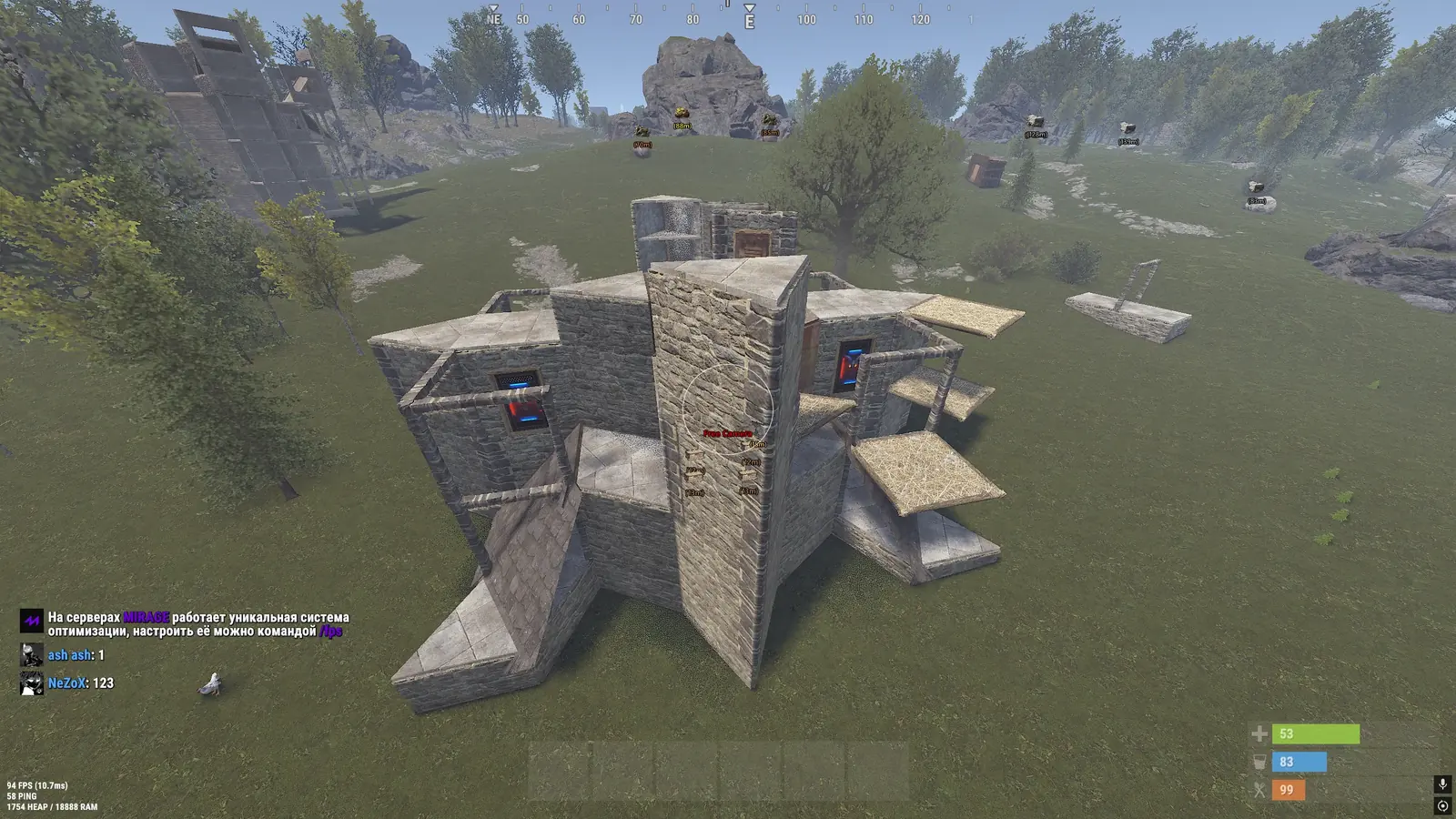
Free Camera

freely move the camera separately from the character

Camera Speed

adjust the free camera movement speed

Camera Sensitivity

adjust free camera control sensitivity

Bright Night

enables increased brightness at night

Night Brightness

adjust the brightness level of the nighttime environment

Other Phoenix Rust Features

Battle Mode

hides unnecessary ESP categories and leaves only player display (by bind)

Font

choose the mod menu interface font

FPS Limit

set the overlay refresh rate limit

Config Save

save the current configuration

Config Load

load a saved configuration

Config Reset

reset configuration settings

Development history

12.08.2023

Stability, Security & New ESP Features in Phoenix RUST

Stability, Security & New ESP Features in Phoenix RUST

Phoenix Rust keeps getting better, delivering an even more reliable and feature-packed cheat.

⚙️ Improvements & New Features

  • Stability and performance improved.
    Smoother cheat operation with no crashes or lag.
  • Offscreen ESP added to the Misc tab.
    Now you can see enemies even outside your field of view.
  • Security enhanced.
    Updated anti-cheat bypass methods for maximum stealth.
  • Stream Proof updated.
    Full support for OBS, Discord, Bandicam, Fraps, and other popular recording and streaming software.
  • Various minor improvements and bug fixes.
21.12.2022

AMD Performance Boost & Full Stream Proof Support

AMD Performance Boost & Full Stream Proof Support

We listen closely to your feedback and keep leveling up Phoenix Rust. This update is dedicated to AMD CPU owners and content creators.

💻 AMD Focus: Performance & Stability

We did a deep code optimization pass specifically for AMD Zen2 and newer architecture. This delivers two major wins:

  • Performance boost: Noticeable FPS gains and overall smoother cheat operation.
  • Stability improvements: Eliminated AMD-specific micro-stutters and errors.

Our Rust cheat now runs even better on AMD systems!

🎥 Stream Proof: Play and stream without a worry

Full Stream Proof support added for all visual features. Your Rust ESP and other overlay elements are now completely invisible in screen recordings or live streams via OBS, XSplit, and other broadcasting software. Stream your gameplay without ever revealing your tactical edge!

10.11.2022

Critical Update: Stability & Windows 11/10 22H2 Support

The Phoenix team keeps improving Phoenix Rust, making it rock-solid and compatible with the latest systems. This update focuses on stability and broader OS support.

🛠 Fixes & Improvements

  • Config loading issues resolved.
    Your settings now load quickly and without hiccups, so you're in the game faster.
  • Blue Screen of Death (BSOD) crashes eliminated.
    Fixed critical errors that caused system crashes while the cheat was running.
  • Added support for Windows 11 22H2 and Windows 10 22H2.
    Phoenix Rust now runs stably on the latest OS versions.
19.09.2022

Total Rebirth: The Ultimate Phoenix RUST Update

The Phoenix team proudly presents a global overhaul of our flagship product. We didn't just bolt on new features — we rebuilt core modules from the ground up to make your gaming experience more comfortable, effective, and secure than ever.

🚀 Core Module Rework

Your arsenal just got a major upgrade, and everything you already had got better:

  • ESP completely rebuilt.
    Our Rust ESP is now leagues more informative: added distance display, dedicated NPC ESP, HP bars, team affiliation, and an accurate Visible Check.
  • No Recoil overhauled.
    Even more fine-tuned settings for perfect recoil control. Includes a unique bypass for server-side anti-recoil plugins.
  • In-game radar added.
    Get real-time tactical intel on enemy and NPC positions right on the Rust map.
  • Admin Check feature added.
    Get notified if an admin is present on the server so you can play it extra safe.

⚙️ Stability & Security

We've done deep work on the "invisible" side of things:

  • Improved stability.
    Numerous background optimizations to minimize crash and freeze risks.
  • Enhanced security.
    Updated anti-detection methods to keep your Phoenix Rust cheat as invisible to anti-cheat as possible.

Known issues & fixes

Real questions from our support, with the fixes that worked. Based on user requests for this product.

The cheat crashes right when I launch the game, or right after the injection sound, even though it worked before

This is usually caused by a conflict with third-party software or antivirus on your system — leftover files from other programs or protection drivers can block the launch.

  • Ask support for the compatibility-check utility, run it, and send a screenshot of the scan results so they can spot the conflicting software.
  • Remove any programs support flags as conflicting.
  • Temporarily disable real-time antivirus protection and add the program's folder to exclusions.
  • Then restart both the program and the game.
When activating my key or resetting the hardware binding it says the request is already pending — what should I do?

This message means the request to reset your key's hardware binding is already queued, was used recently, or a previous reset was interrupted (for example, by a reboot before it finished). There is also a cooldown period between resets.

  • Wait a few minutes and try activating again.
  • If the error persists, contact support with your activation key — they can complete the reset manually.
  • If you recently switched computers or changed hardware, be ready to confirm this, for example with a purchase receipt, since frequent hardware resets may require verification.
The loader says to disable antivirus, WDFilter or core isolation even though it's already off — what do I do?

This warning usually appears when antivirus files or drivers are still left on the computer even after a regular uninstall, or when core isolation (Memory Integrity) isn't fully disabled.

  • Fully disable Windows Defender and any third-party antivirus, including real-time protection.
  • Turn off core isolation in Windows security settings and restart the computer.
  • Add the loader folder to your antivirus exclusions.
  • If the warning still won't clear, contact support — they can provide a utility to check for leftover drivers and confirm the system is fully clean.
My activation key won't work — it says it's already linked to another computer

Your activation key is tied to one computer's hardware (HWID), and by default the rule is one key per computer. Activation is locked to whichever device uses it first, so be careful sharing the loader link or access with other people.

To use the key on a new computer, contact support and provide your key so they can reset the hardware lock manually. Keep in mind that support may decline the reset if you request it too often.

Loader won't launch, closes instantly or shows an access error

The archive password for the diagnostic utility is sordum. Download the Sordum utility (available from technical support), launch it, click Search, and send a screenshot of the results to support.

Make sure your antivirus is fully removed or disabled (Kaspersky, Norton, Windows Defender). If a third-party antivirus is installed, uninstall it via Programs and Features and reboot.

Move all loader files to your Desktop and run the .exe from there. If the issue persists, re-download the loader from the site and launch it as Administrator.

The loader won't download from the link or can't find a server on startup — what should I do?

If the download link won't open, the file downloads empty, or the loader shows a download error or gets stuck searching for a server, it's usually your internet provider blocking the connection.

Try connecting a VPN, switching browsers, and launching the loader again. If the error still appears after that, contact support — they can provide an alternative link or a fresh build of the loader.

Loader loads endlessly or takes forever to start, server unreachable

The most common cause is ISP-level blocking of the activation servers. Connect to a VPN and try launching the loader again. In your VPN settings, switch to Proxy mode and pick the server with the lowest ping.

If that does not help, reboot your PC and try again. If the loader still fails to load, third-party software or Windows settings may be interfering — contact support.

After a game update the loader says no servers are available or that the cheat is being updated

After a major game update the developer needs time to adapt the cheat to the new version — during this period the loader will show no available servers or an "updating" status, and you won't be able to launch or activate the program.

Wait for the official announcement that the update is finished on the product page or in the support news. The waiting time isn't deducted from your subscription — once the update is done, access returns automatically and your remaining time keeps counting as normal.

Console shows 'load module' and closes, loader fails to load the cheat

This is typically caused by leftover files from previous sessions or corrupted Windows system components. Follow these steps in order:

  • Download and run the Sordum utility (available from technical support; archive password: sordum), click Search, and wait for it to finish — it removes leftover directories from prior loader runs.
  • Open Command Prompt as Administrator and run in sequence: DISM /Online /Cleanup-Image /RestoreHealth, then sfc /scannow. Wait for each to complete, then reboot.
  • If the issue persists, try switching your DNS or changing your VPN server/location, then attempt the loader again.
  • If nothing helps, record a video of the full launch process and send it to support.
After injecting the loader closes, no menu appears or the game crashes when launching with the cheat
  • When injecting, keep the game window active (in focus), not the loader window.
  • Remove any automatic memory-cleaning tools (e.g. MemReduct) — they conflict with the injector.
  • Reinstall all Visual C++ Redistributable packages: uninstall all existing versions and download fresh ones.
  • If the error persists, make sure Core Isolation / Memory Integrity is disabled in Windows: Settings → Windows Security → Device Security → Core Isolation.
The cheat menu doesn't open with the hotkey after injection — what do I do?

The menu often opens only once you are actually inside a match, not in the lobby — try pressing the hotkey again after the round starts; sometimes features activate with a delay of a few minutes. Also switch the game to windowed mode — in some cases the menu appears automatically once you do.

Try the alternate hotkeys listed in your product's instructions (for example End or F2). If nothing helps, describe the issue to support — it may be a conflict with antivirus software or a third-party overlay blocking the menu from showing.

How do I use the spoofer correctly — when to run it and in what order with the cheat?

The spoofer changes your device data only until the next PC reboot — after every restart you need to run it again before launching the game, otherwise the system will see your original hardware data.

There's a specific launch order: start the cheat first, then the spoofer. The spoofer also only works while the related subscription is active — once it ends, the effect is gone.

Updater.exe is running in Task Manager but the loader window never appears

The most likely cause is a non-standard (modified or stripped) Windows build. The loader requires a clean, official Windows installation.

  • Reinstall Windows using an official image.
  • As a temporary workaround, try launching the loader with a VPN enabled.
  • Make sure Vanguard (Valorant anti-cheat) is fully uninstalled — it can interfere with the launch.
Key not accepted after PC reboot or error when entering the key in the loader

After a reboot, a key can stop working due to a conflict with the spoofer or a changed system state. Contact support — an operator will issue a replacement key. To speed things up, provide your current key upfront.

My antivirus deletes the loader files right after I download them

Antivirus software often flags the loader as a threat by mistake and deletes its files — this is a false positive.

  • Add the loader folder to your antivirus exclusions
  • Turn off real-time protection before downloading and launching it
  • If the files were already deleted, download the program again after setting up the exclusions
Where do I find the download link for the program after buying it?

The download link and installation instructions are provided together with your purchase.

If you can't find them, contact support with your order number and they'll resend the link.

Does a spoofer fully protect against a hardware (HWID) ban?

No, a spoofer doesn't provide a full guarantee. Some anti-cheat systems can still detect the spoofed device data, so this method is considered risky and doesn't help in every case.

If you still get hardware-banned while using a spoofer, contact support to reset the hardware binding.

The screen goes black after launching the game with the cheat running, even though the cheat's menu still opens with its hotkey — how do I fix it?

Turning off windowed game optimizations in Windows settings usually fixes this: right-click the desktop → "Display settings" → "Graphics" → "Change default graphics settings" → disable "Optimizations for windowed games."

Then restart the game.

All issues & general troubleshooting
TARIFFS
$4.05
BUY What happens after payment?
Got a question? Ask before you pay

We'll help you choose and sort out any launch issue. Ask us anything before buying, we're always on your side.

Support 10:00–22:00, sometimes we reply at night too
Ask a question
Update history
  • 07.11.2026 Working
    Received an update
  • 07.11.2026 Working
    Updated, time unfrozen
  • 14.10.2026 Frozen

Available tariffs

1 day
$4.05
$4.05 / day
START PURCHASE
7 days
$15.21
$2.17 / day
START PURCHASE
lowest per day
30 days
$25.36
$0.85 / day
START PURCHASE
Reviews about Phoenix RUST

This product has 2 reviews across 856 sales, only about 0.23%. Most satisfied buyers never write a review, the ones who do are usually those who ran into a question. So do not judge the product by the number or the tone of reviews alone, weigh them against how many people actually bought it.

4.9 / 5
2 reviews · 856 sales on Digiseller
How the rating is calculated

Most satisfied buyers never leave a review — people write mainly when something went wrong, so text reviews skew negative. The score is smoothed over every sale, not just the written reviews.

rating = (G + S + 10·0.9) / (N + S + 10) × 5

  • G — sum of review positivity (5★ = 1, 1★ = 0)
  • N — number of text reviews = 2
  • S = (sales − N) × 0.15 — silent satisfied buyers

2 reviews against 856 sales — only 0.23% of buyers wrote anything.

Customer Recommends
Verified purchase · Digiseller 28.01.2025

Сам тупил, ребята лучшие

Customer Not recommended
Verified purchase · Digiseller 12.08.2024

ЭТО КАПЕЦ НЕ ПОКУПАЙТЕ И НЕ ВЕРЬТЕ ПРОДАВКУ И ЧИТУ ФЕНИКС БАН СПУСТЯ 6Ч ИГРЫ ПОДДЕРЖКА МОЛЧИТ. ЕСЛИ ВЫ ДУМАЕТЕ, ЧТО ОТЗЫВ ОТ БОТА ПИШИТЕ МНЕ В ДС КИНУ ДОКИ СВОЕЙ 6Ч ИГРЫ И КАК ЗАТЕМ БАНЯТ В МОЕМ ДС beretta9.2. ПРОДАВЕЦ ИГНОРИТ КРЧ ПРОЩЕ БЕСПЛАТНЫЙ ЧИТ СКАЧАТЬ И ТАК ЖЕ ПОИГРАТЬ 6Ч И ЗАБАНИТЬСЯ. ФЕНИКС = ЗАЛУПА СКУФА. Бабаев Тимур Закирович СКАМЕР!!!!!!!!!!!! НЕ ОТВЕЧАЕТ СУТКИ! КРЧ ПИПЕЦ. крч после диалого с тимуром пришли к тому что продавец за качество не отвечает тупо слился он на мои вопросы не отвечает

ProCheat reply

У покупателя возникла проблема с продуктом, но вместо обращения в техническую поддержку он решил просто написать гневный отзыв.

Your review

Reviews are published after moderation.

Join our gaming community chat

Discuss current cheats from developers and how to use them effectively in popular online games. Share tactics, exchange useful info and find like-minded players in our community.

1 900+Members
24/7Online
Join our gaming community chat

Technical support

Run into a technical issue? Our team of experts will help. We handle all requests in a live queue, so please be understanding if it sometimes takes a little wait. We guarantee that no request goes unanswered.

Availabilityfrom 10:00 to 23:00
Fast responseIn queue order
Get help
Technical support
PROCHEAT

PROCHEAT news channel

Follow product status changes, update history and important announcements.

Subscribe

Vector and Silent Aim for your playstyle

Vector suits conventional tracking: Smooth softens crosshair movement, FOV limits the acquisition area and Bone Selection picks the body part. Target Lock keeps the current enemy, while Switch Delay prevents unnaturally fast target hopping.

Silent works without visible camera movement inside its configured FOV. Both modes include visibility checks, teammate, NPC and wounded filters and independent acquisition ranges. NoSpread removes weapon spread.

Players, NPCs and chams

Player ESP includes boxes, skeletons, names, range, held items and hotbars. Sleepers, wounded players, teammates and bodies with backpacks are independent toggles. Visibility Colors changes colors by line of sight, while box width and text size keep the screen readable.

NPCs have separate boxes, skeletons, names, items and range settings. Chams fills models with your chosen material for a bright silhouette at any time of day. Categories are independent, so NPC visuals do not have to match player visuals.

Resources, crates and vehicles on the map

Stone, metal, sulfur and hemp have color, icon and range settings. Cupboards, workbenches and wooden boxes form another group. Turrets, mines, SAM sites, shotgun traps and drones get individual filters, while basic, military, elite, medical and underwater crates sit alongside barrels and airdrops.

Vehicles are split by type: horses, cars, boats, tugboats, submarines, copters, helicopters, Bradley APCs, trains, balloons, snowmobiles, motorbikes and bicycles. Dropped items can be filtered by weapons, armor, medicine, resources, components and other categories.

Free Camera, Bright Night and Battle Mode

Free Camera detaches your view from the character so you can inspect a base and its approaches, with adjustable speed and sensitivity. Spider Man climbs vertical surfaces without ladders, while Bright Night and the Night Brightness slider lighten dark scenes.

Battle Mode binds a key that hides unnecessary ESP categories and leaves players only. Menu font and overlay FPS limits are configurable. Config Save, Config Load and Config Reset store, restore and reset your setup.

Phoenix Full compatibility and delivery

You need Windows 10 or Windows 11 builds 21H2, 22H2, 23H2, 24H2, 25H2 or 26H1, an AMD or Intel processor, an NVIDIA or AMD graphics card and RUST on Steam. Check your exact Windows build in system settings before ordering.

Your key and loader download link arrive by email after payment. The product card shows the live status: if a RUST update freezes the software, remaining subscription days are preserved. Contact ProCheat support for launch help.

Latest updates

07.11.2026 04:39
Working
Received an update
07.11.2026 01:58
Working
Updated, time unfrozen
14.10.2026 21:49
Frozen
27.01.2026 18:31
Working
Updated, time unfrozen
05.10.2025 09:41
Working
Updated, time unfrozen
Open full history
from $4.05 Choose a plan
Ask a question