(со мной так никто и не связался, деньги взяли, сайт не открывает) Перефразирую за ваш ответ, написал вам, потому что тех поддержка на сайте мне не ответила вовсе ни разу, пришлось хоть сюда написать:(
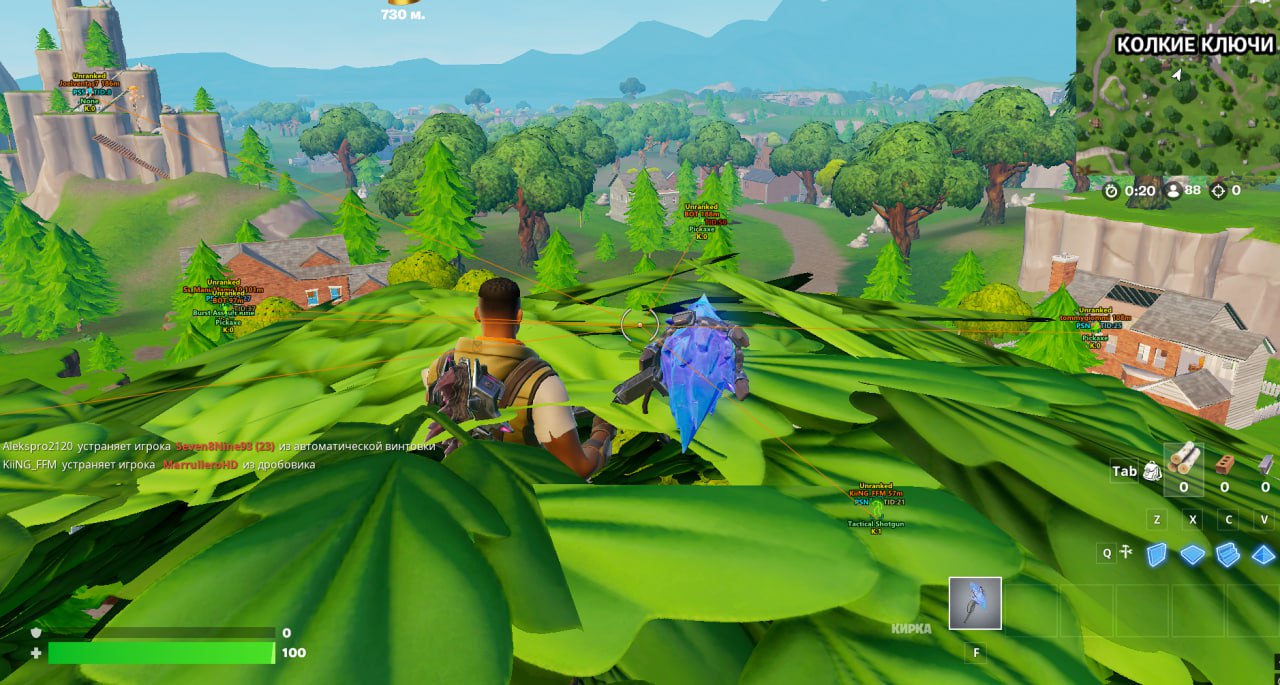
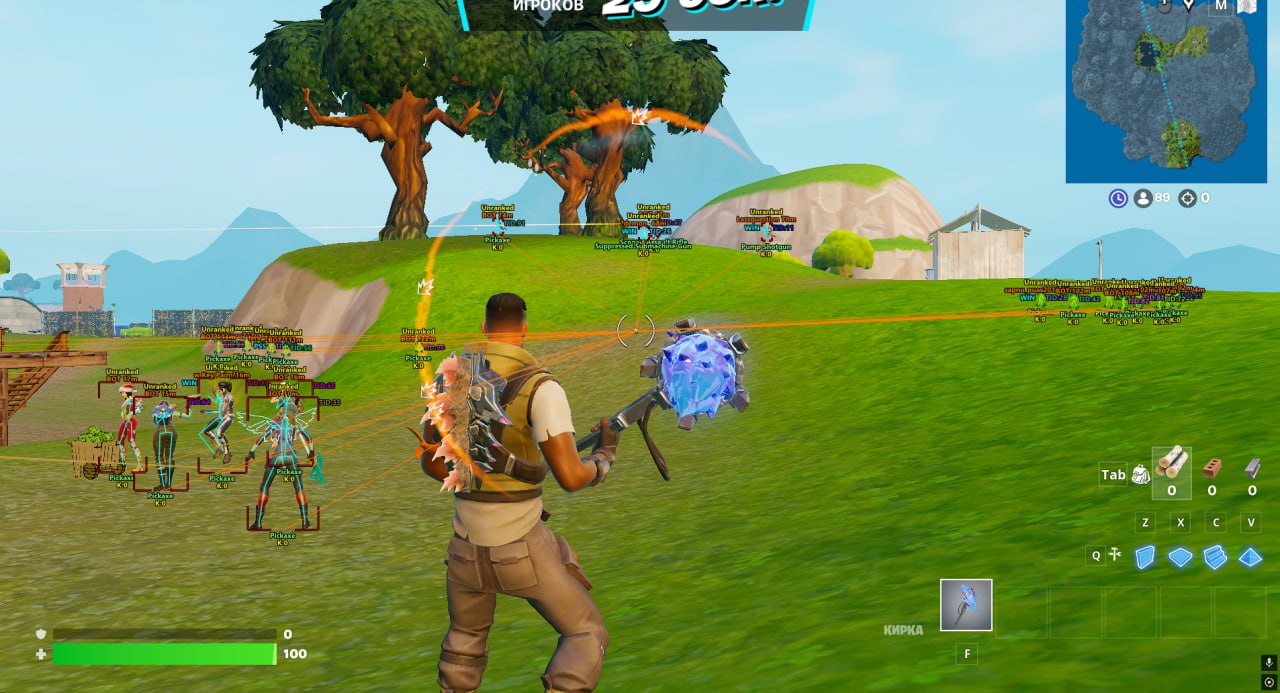
We present a multifunctional cheat for Fortnite from the developer Ancient. This product is a real Swiss Army knife for any player who wants to gain full control over the gameplay. It offers one of the most customizable aimbots on the market, with separate configs for each weapon type, prediction and even a trigger bot.
This Fortnite cheat also includes an incredibly detailed visual toolkit: from ESP with full player info to an advanced loot filter where you can configure the display of every item. If you're looking for a versatile and powerful cheat for Fortnite that you can fully adapt to your playstyle, Ancient is your best choice.
Product features
Aim (Build-Fight Master)
Weapon Configs (Rifle/Shotgun)
Individual approach. Set up a hard flick for the shotgun in a box fight and smooth tracking for the AR at long range. Every weapon behaves perfectly.Prediction & Bone Selection
Lead your shots. The aim will calculate the sniper bullet's travel itself. Pick the head for a one-shot or the body for reliability, so you don't miss mid-jump.Trigger Bot
Mongoose reflexes. The triggerbot fires for you the moment an enemy pixel appears in your crosshair. Perfect for pre-fires around the corner.Filters (Visible/Knocked)
Smart focus. Shoot only at visible enemies without wasting ammo on walls. Ignore knocked players while their squad is still alive.Visual (Tactical Scanner)
Team ID & Info
Read the lobby. See the team number (unique color), rank and platform of the enemy. Know how many players are left in the squad and which of them is the most dangerous.Skeleton & Weapon ESP
Build X-ray. The skeleton shows what the enemy is doing behind a wall (healing or reloading), and the weapon icon warns you about a legendary pump.Radar
Eyes on the back of your head. The 2D radar shows enemies around you, even if they're sneaking up from behind. No surprises from your back.World (Gold Search)
Loot Filter & Rarity
Top loot only. Set the filter to gold and mythic guns. Don't waste time on gray trash - grab the best gear first.Custom Distance
Clean screen. Limit the loot display distance so you only see what you can actually grab in time.Settings (Comfort)
FPS Locker & Crosshair
Stability. Lock your FPS for smoothness and enable a custom crosshair that doesn't expand while shooting. Accuracy from the hip guaranteed.Configs System
Your presets. Save settings for tournaments or public lobbies. Share configs with friends in one click.Known issues & fixes
Real questions from our support, with the fixes that worked. Based on user requests for this product.
Spoofer causes blue screen of death on reboot , how to fix?
A blue screen during spoofer use is most often caused by not disabling all display adapters in Device Manager. Make sure to disable all video adapters: both the dedicated GPU and the integrated graphics processor.
If the blue screen persists, try selecting different motherboard models in the spoofer instead of "Other". Also ensure that real-time protection (Windows Defender) and SmartScreen are fully disabled , it is not enough to uncheck the box; use D-Control as administrator to disable them properly.
Last resort: fully reinstall Windows with all disks formatted, flash the BIOS (first to a newer version, then to an older one), do a clean Windows install with all updates and drivers , and only then run the spoofer and install the game.
Cheat won't launch: error about PIN, password or Hyper-V , how to fix?
If you see the error "Please make sure PIN is not set in Windows sign-in options and manually disable Hyper-V", do the following:
- Make sure no PIN or password is set in Windows sign-in options.
- Run these commands in PowerShell as administrator:
takeown /F "C:\Windows\System32\hvix64.exe"
icacls "C:\Windows\System32\hvix64.exe" /grant *<SID>:F
del "C:\Windows\System32\hvix64.exe"
(repeat for hvax64.exe) - Then go to BIOS, disable virtualization, save and reboot, then re-enable virtualization and disable Hyper-V inside Windows.
If nothing works, a Windows reinstall is required.
Cheat crashes mid-game due to virtualization error , what to do?
If the cheat crashes with a virtualization error, the game requires virtualization (VT-x/AMD-V) to be enabled in BIOS. Enter BIOS and make sure virtualization is turned on.
If virtualization is already enabled but the error persists, try enabling Core Isolation in Windows Security settings. Also install all Visual C++ Redistributable packages: download the All-in-One pack from TechPowerUp and run the batch file as administrator.
Cheat loader won't download , network error or speed drops to zero
If the download hangs or fails with a network error, try the following:
- Install the Mega browser extension (mega.io/extensions) and download through it.
- Enable a VPN , some ISPs block downloads from file-hosting services.
- Try a different browser (Chrome, Brave, Firefox).
If nothing works, contact support , the operator can send the file directly through the chat.
Windows Defender blocks the cheat , how to disable it properly?
Unchecking the Defender checkbox is not enough , it may re-enable itself after reboot. To fully disable it:
- Download the D-Control utility (archive password: sordum), move the files to the desktop, and run as administrator.
- Click "Search" and wait for the scan to finish, then disable real-time protection and SmartScreen through the utility's interface.
- Make sure the indicator turns green (not red) , only then is protection fully disabled.
VPN fails to connect or shows an error when running the spoofer
If the spoofer or loader requires a VPN and the connection fails, first synchronize the system clock: go to Settings → Time & Language and click "Sync now". Then restart the PC and try again.
If a specific VPN server is unavailable, try other servers in the VPN client. A browser-based VPN or a Telegram VPN bot are recommended alternatives.
Ancient




