NN for Escape From Tarkov: skeleton ESP, loot filter and two aim modes

Working
NN NN
Last update 26.08.2026 This date shows when the software was last updated. An old date doesn't mean the software stopped working! Most likely the developer just had nothing new to add. If you have any doubts, you can always check the current status with our support team.
Add another cheat from this game too — to compare them.
NN Escape From Tarkov Cheat
Steam
BSG Launcher
Don't risk your main — grab a spare account JWT →
Windows support: 10: 2004, 21h1, 22h2, 23h2, 24h4; 11: 21h2, 22h2, 23h2, 24h2, 25h2, 26h2
Menu language: Russian, English
Spoofer:No
USB drive:No
BIOS:No

User information

What you need before the first raid:

  • Windows 10 or Windows 11, x64;
  • any hardware — Intel and AMD, NVIDIA and AMD alike;
  • the loader is started as administrator;
  • the game in windowed or borderless mode, since the overlay draws on top of the window;
  • no USB stick, no BIOS edits.

There is no spoofer inside. If your hardware is already banned, sort the spoofer out separately. Otherwise the subscription buys you nothing.

The key and the loader are sent to the email you pay from, right after the payment. The menu opens on your own hotkey and the language flips with the RU/EN button in the header. When a BSG patch sends the software down for an update, your subscription time is frozen and comes back once the cheat is up again.

SCREENSHOTS
Description

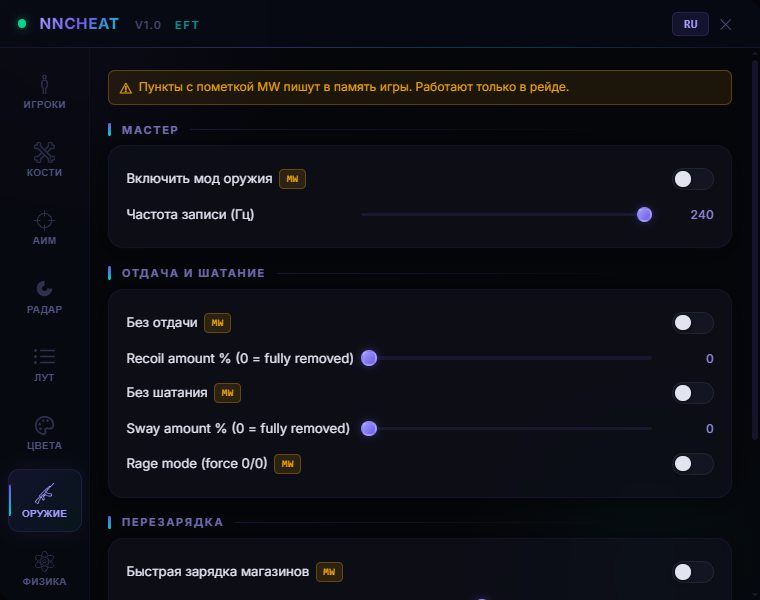
Some toggles in the NN menu carry an MW badge. Those are the ones that write into Escape From Tarkov memory. Everything else only reads: ESP, radar, loot, vector aim. You can build a config that sends not a single byte into the game and still see PMCs through walls, a price tag on every crate and the spots where scavs are parked. That split is rare in Tarkov, where you usually take the whole package or nothing.

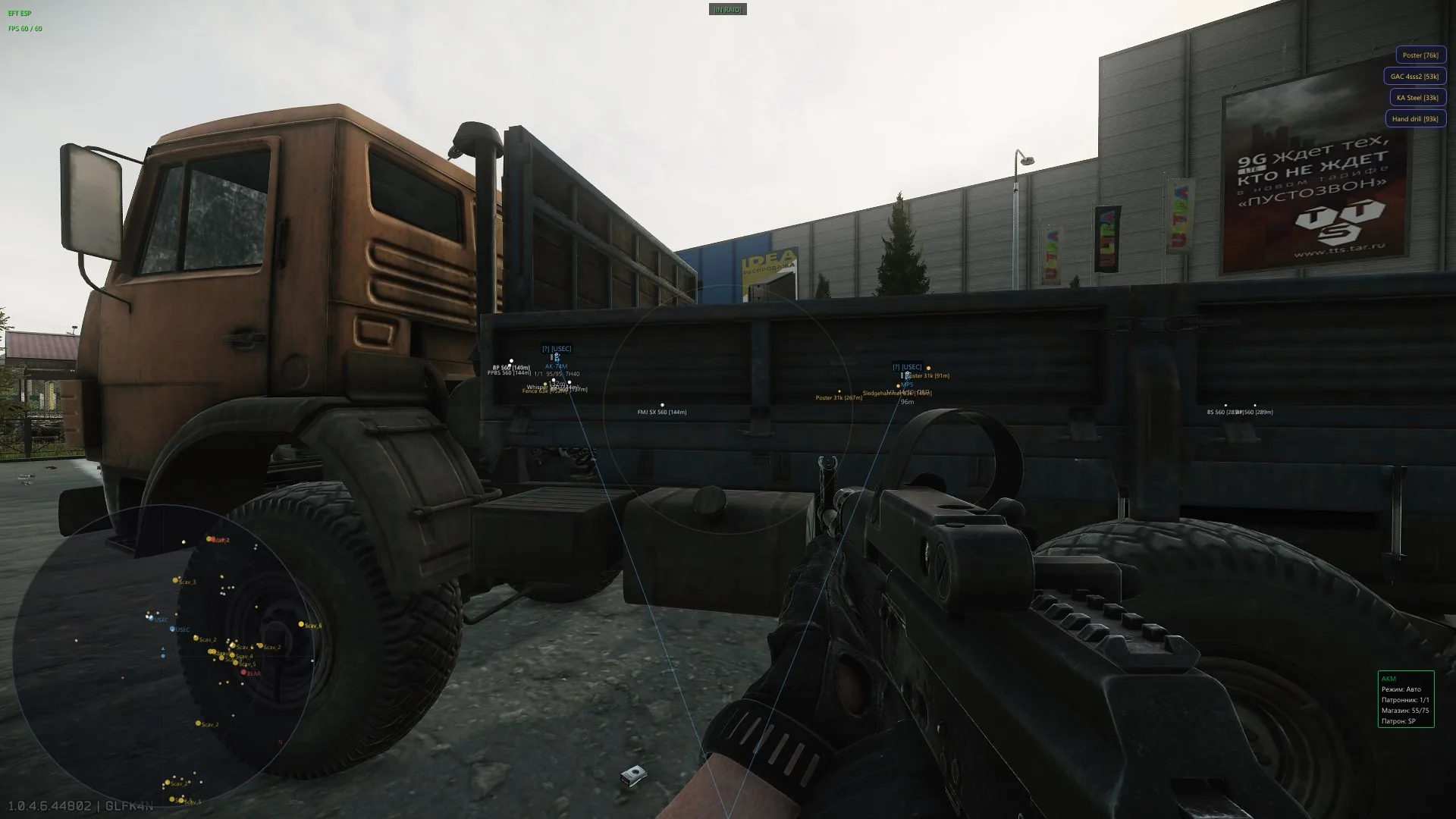
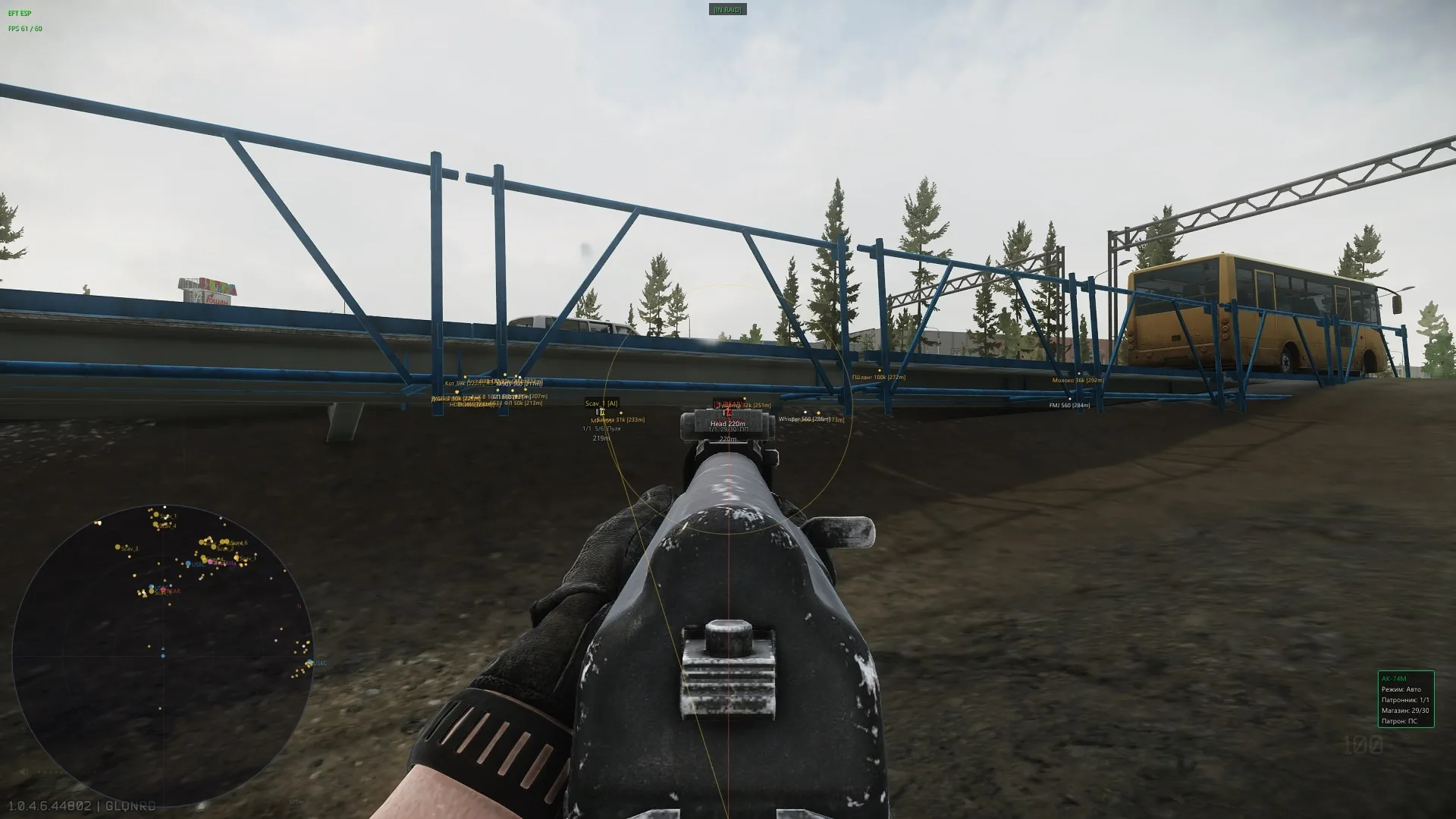
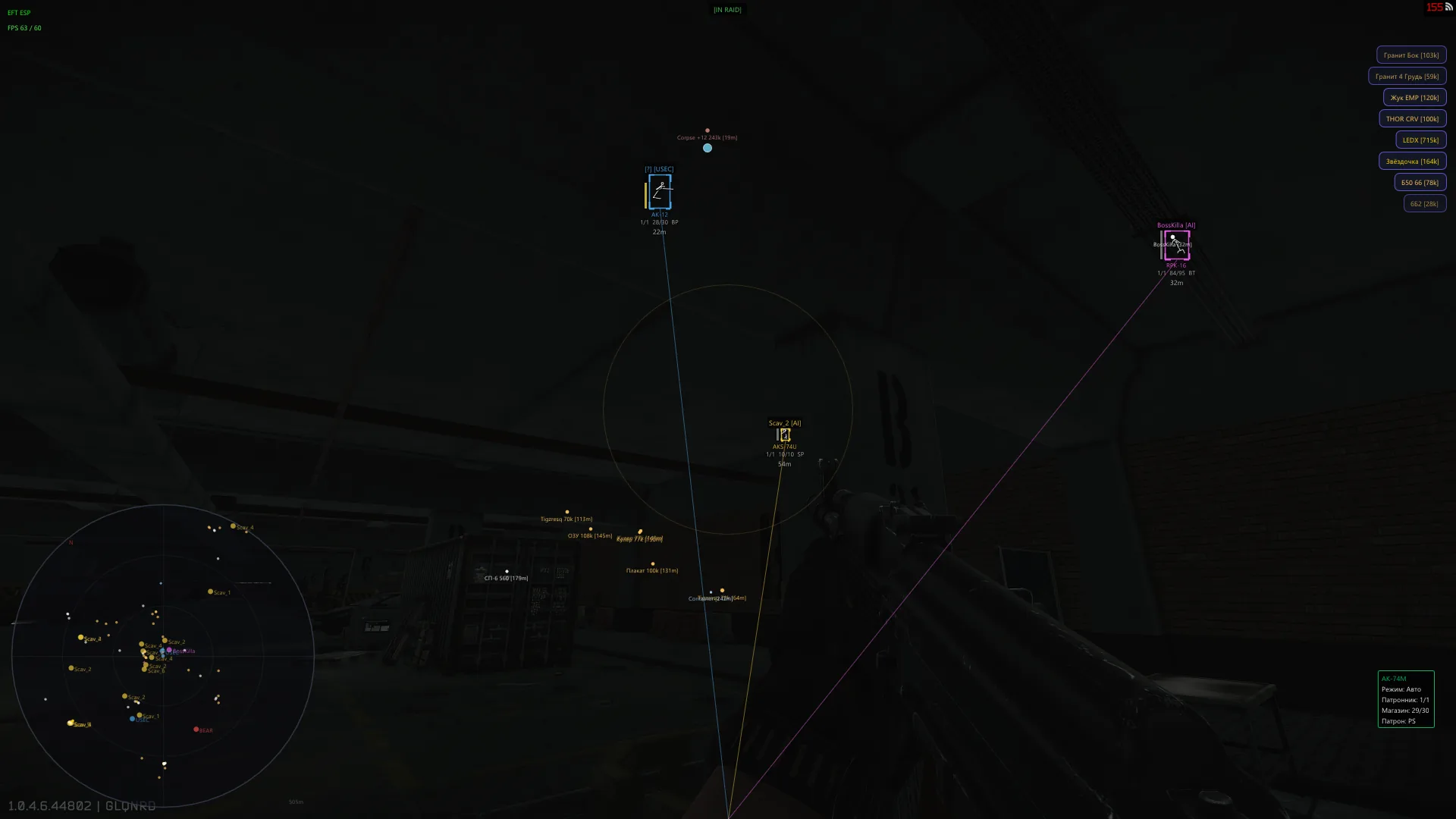
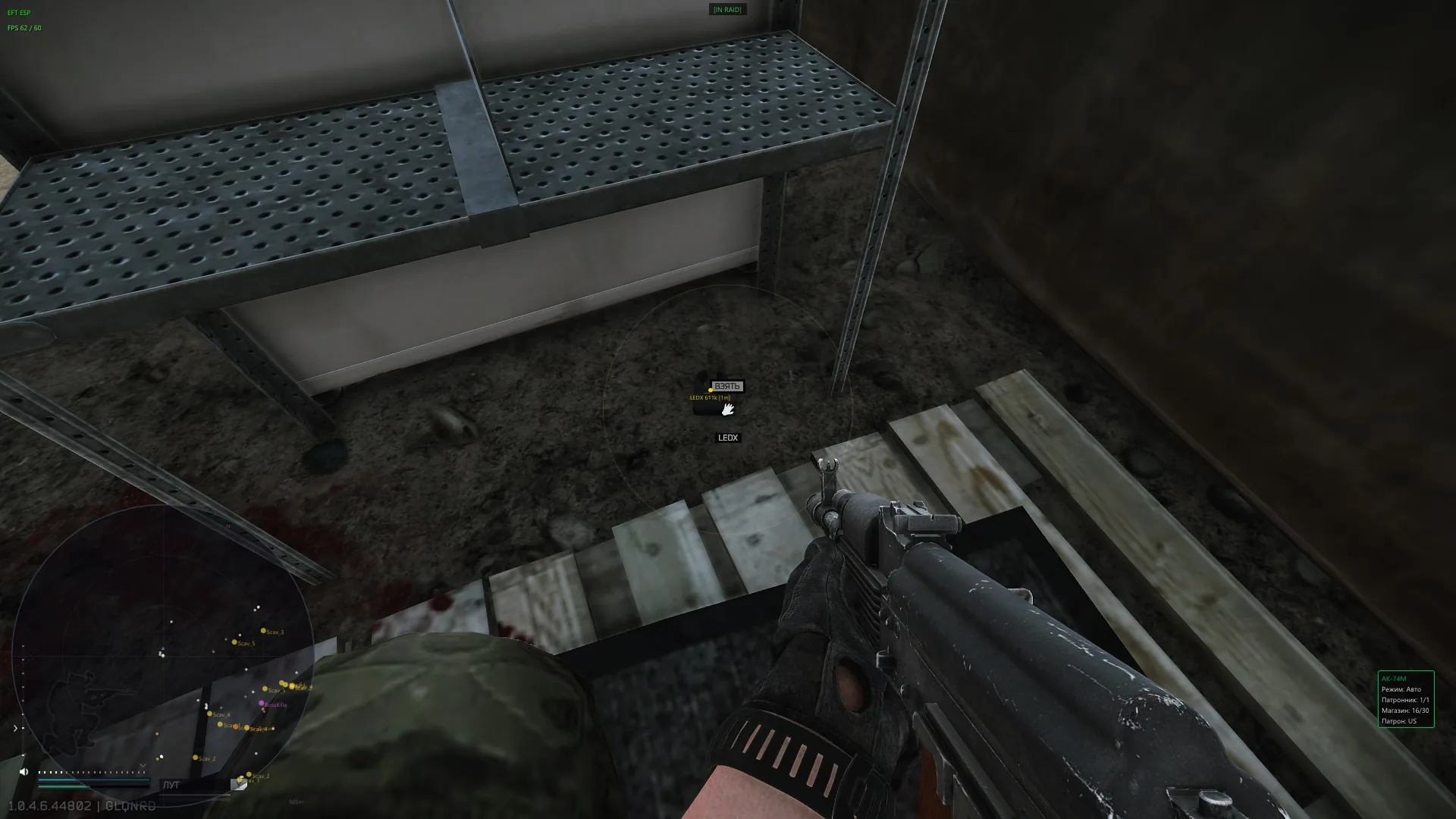
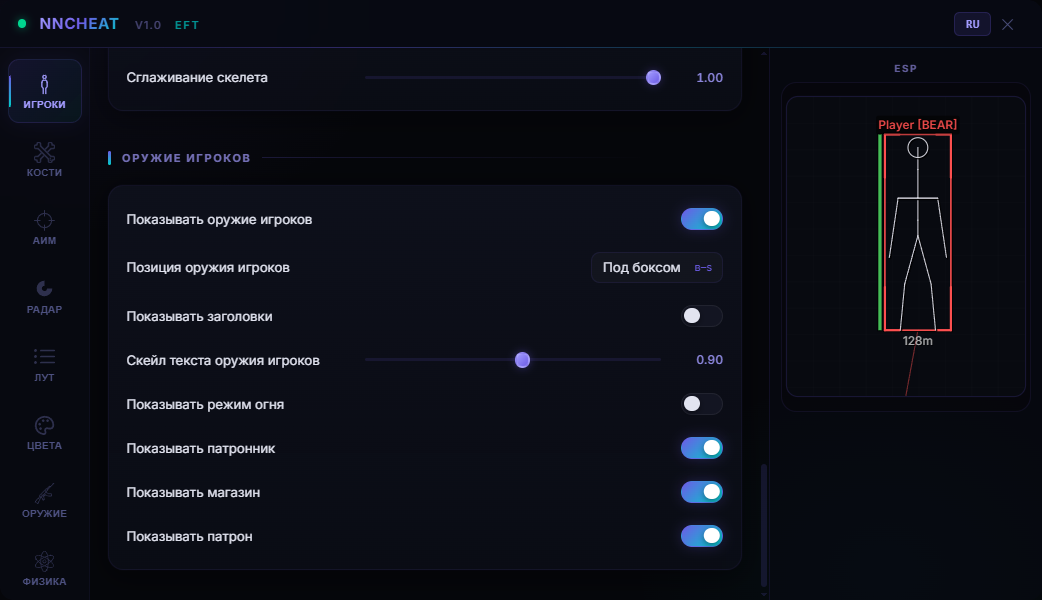
The ESP goes deeper than most. Name and faction sit above the box, the enemy weapon sits under it: fire mode, round in the chamber, magazine count, ammo type. An AK-12 loaded with BP at twenty-two metres is one decision, an AKSU with PS in a scav's hands is a completely different one. The skeleton shows the pose: prone, crouched behind cover or closing in. The radar in the corner puts everyone on one picture, and bosses like Killa get their own colour on it.

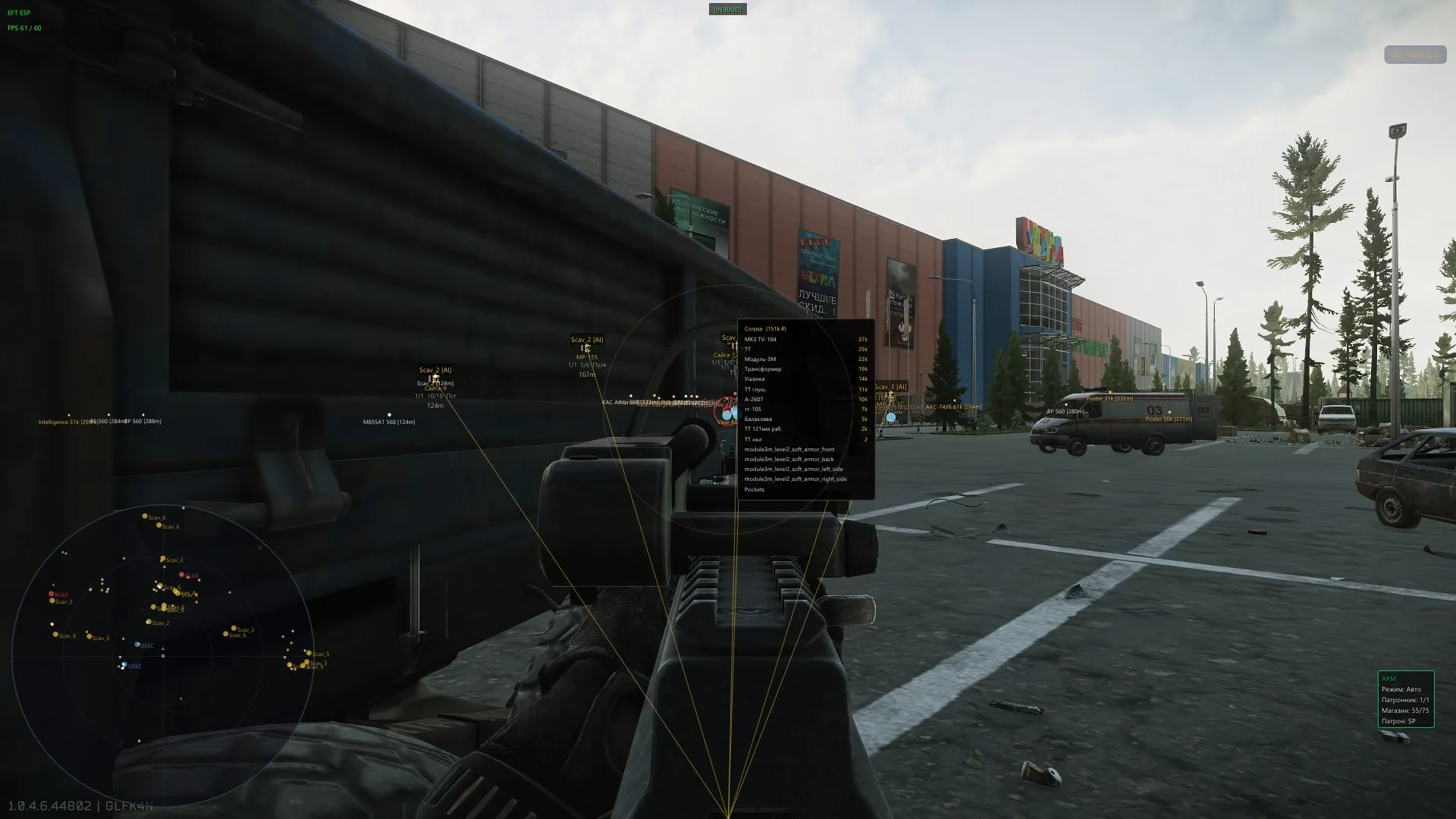
Loot is sorted by money, not by name. The price source flips between flea market and trader, the threshold is set in roubles and in price per slot, and anything cheaper drops off the screen. What stays is the 715k LEDX, the Golden Star balm, GPUs, a THOR CRV. You do not have to open a container either: hover it and the tooltip lists what is inside with the total. Anything valuable is repeated as a corner notification so a good find does not drown in the markers.

Product features

Players and ESP

Player ESP

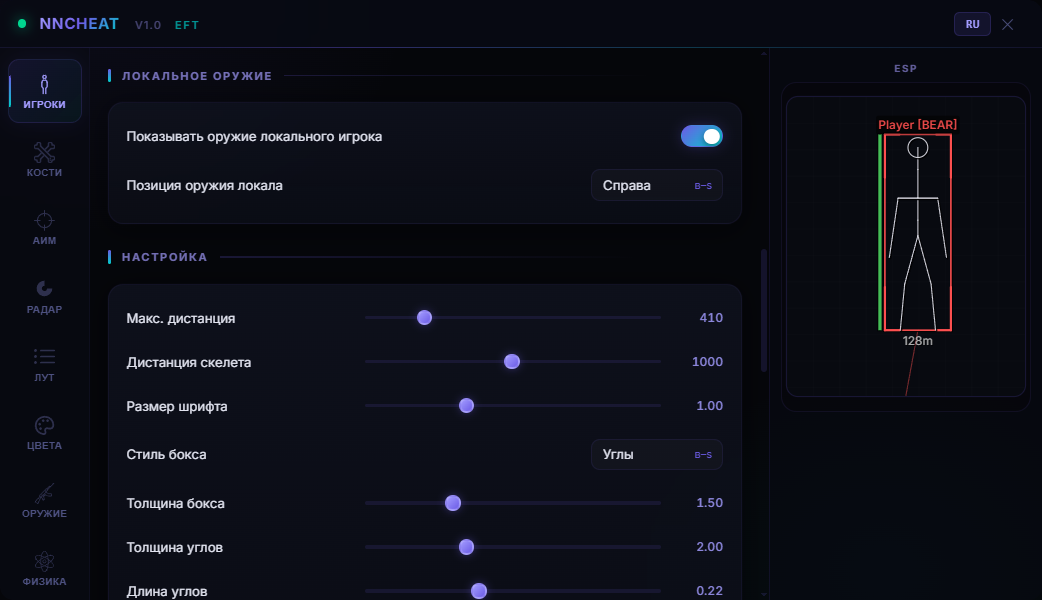
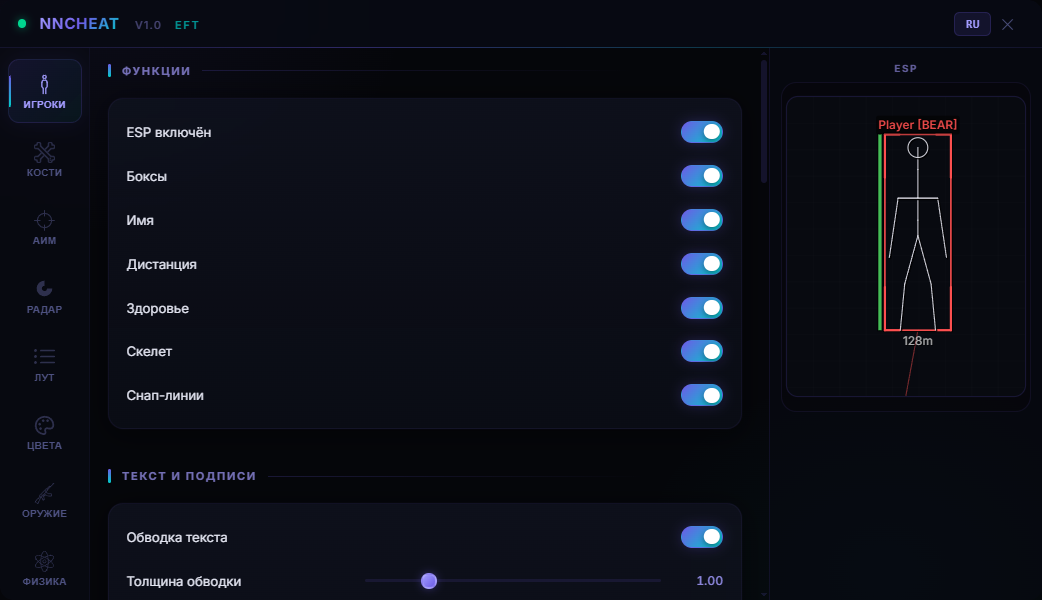
Box, name, distance, health bar and skeleton on every hostile. The skeleton reads the pose: prone behind a crate, crouched in a corner or running you down. Box range and skeleton range sit on separate sliders so Streets of Tarkov does not turn into soup.

Enemy weapon readout

Under the box you get the gun, fire mode, round in the chamber, magazine count and ammo type. You know who holds an RPK-16 with BT and who holds a shotgun with buckshot before you meet in a doorway.

Snap lines

Lines from the screen edge to the target make flankers obvious. The origin sits at the bottom, centre or top, thickness is yours to set.

Box styling

Full rectangle, corners only or a shadowed box. Outline thickness, corner length, box alpha and fill alpha are all separate.

Labels and outline

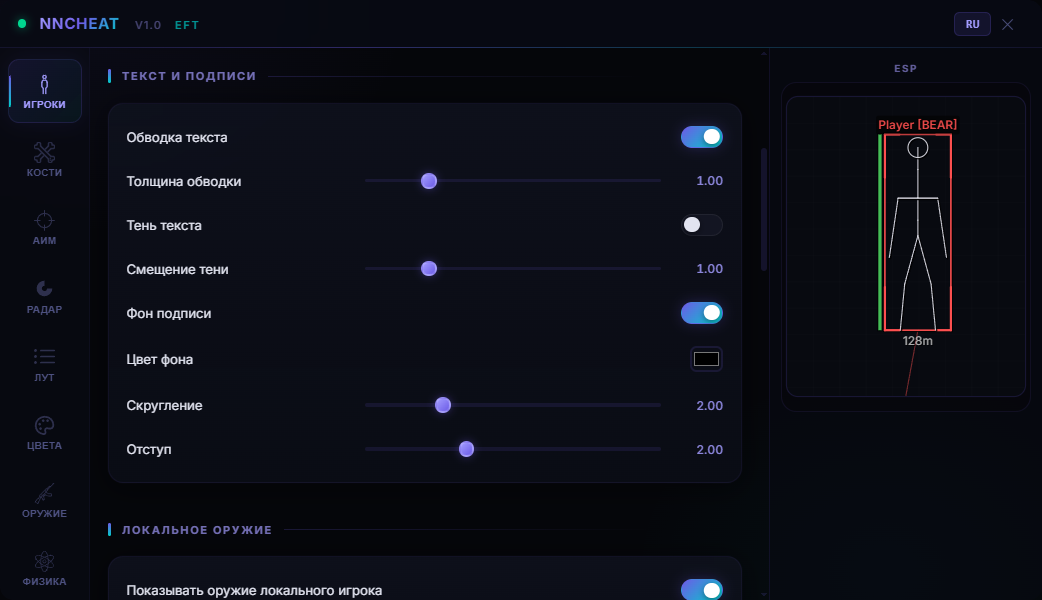
Text can be outlined, dropped on a rounded background with padding, or given a shadow. On the snow of Lighthouse the labels stay readable.

Smoothing

Boxes and skeletons stop twitching on fast camera turns. The smoothing factor is set separately for frames and for bones.

Your own weapon

The local weapon panel sits bottom-centre or on the right: fire mode, chamber, magazine, ammo type. Tarkov has no built-in ammo counter, this replaces it.

Aim

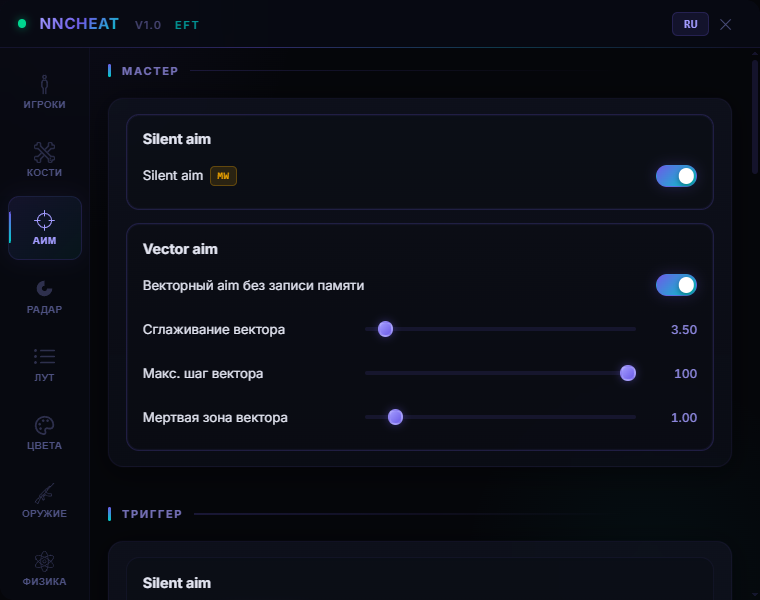
Silent Aim

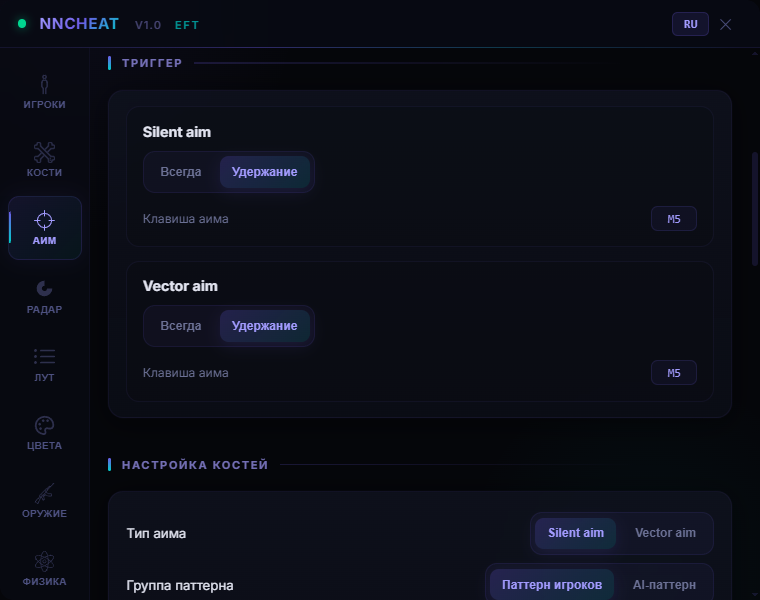
The memory-write mode: the shot lands on the chosen bone while your crosshair stays put. Marked MW, runs always or on a held hotkey.

Vector Aim

Aim with zero memory writes — it simply walks the mouse onto the target. Smoothing, max step and deadzone are adjustable, so the pull looks like a normal hand correction.

Target tuning

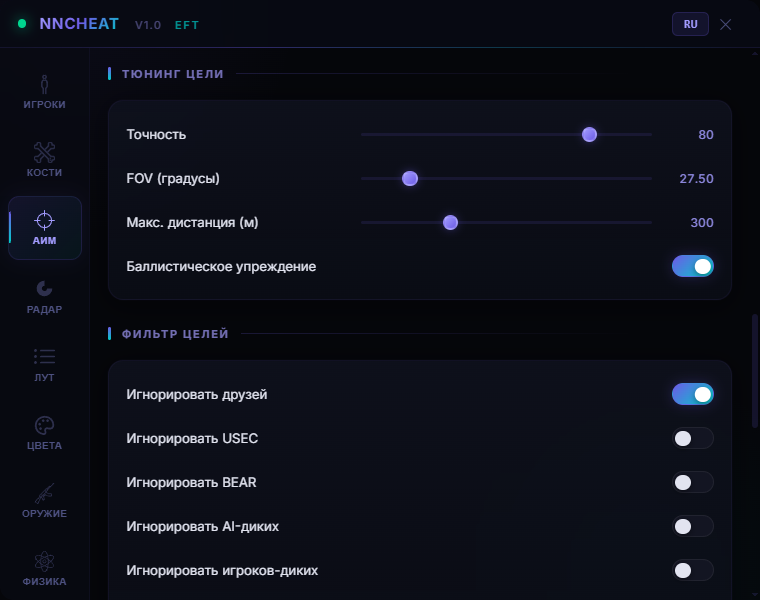
Accuracy, FOV in degrees, max distance and ballistic prediction. At three hundred metres the lead is calculated from that specific round's velocity and drop.

Target filters

Separate switches for USEC, BEAR, AI scavs, player scavs and bosses. Friends from the roster drop out of the pool with one flag.

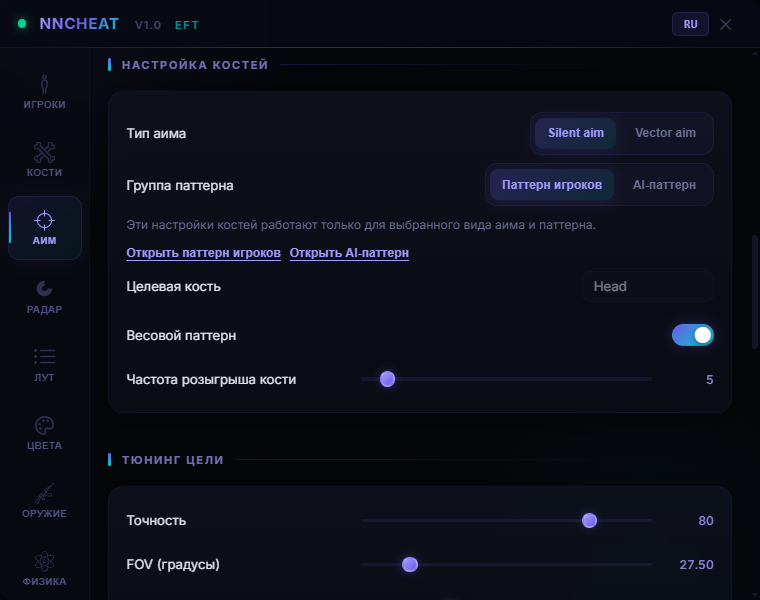
Bone pattern

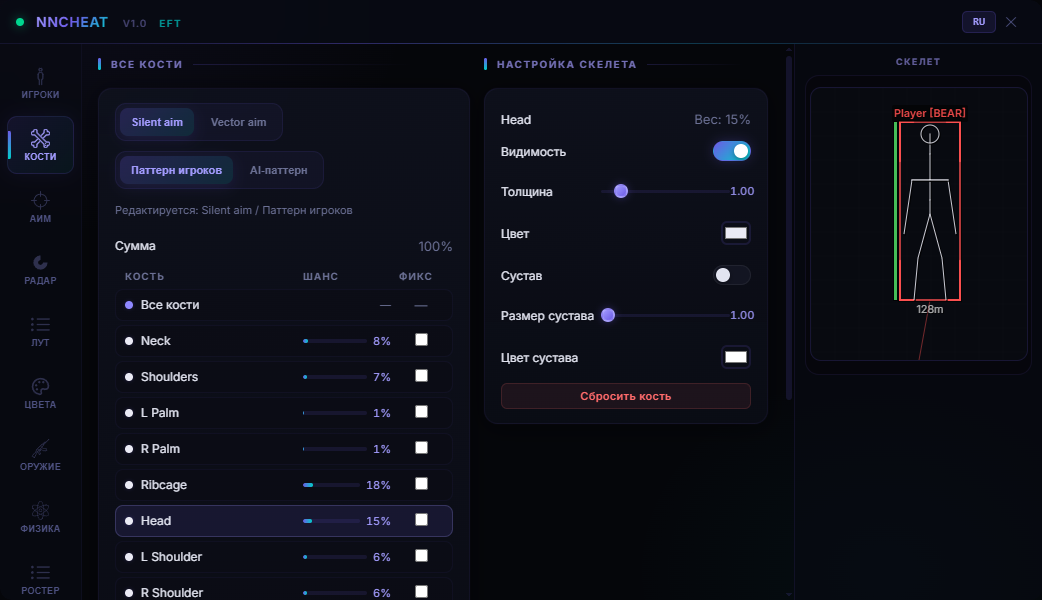
Instead of one bone you get a weighted set: sixty on the head, thirty on the chest, ten on the rest. Roll frequency decides how often the aim changes its point. Player and AI patterns are stored separately.

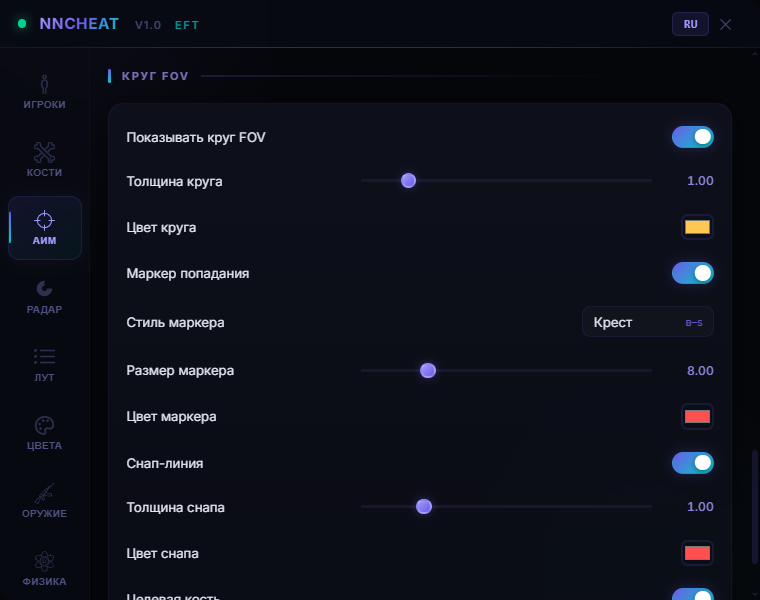
Visualizer

FOV circle, snap line to the target, target bone highlight and a hit marker as a dot, cross, circle or square. Handy while you tune the aim and want to see who it actually tracks.

Radar

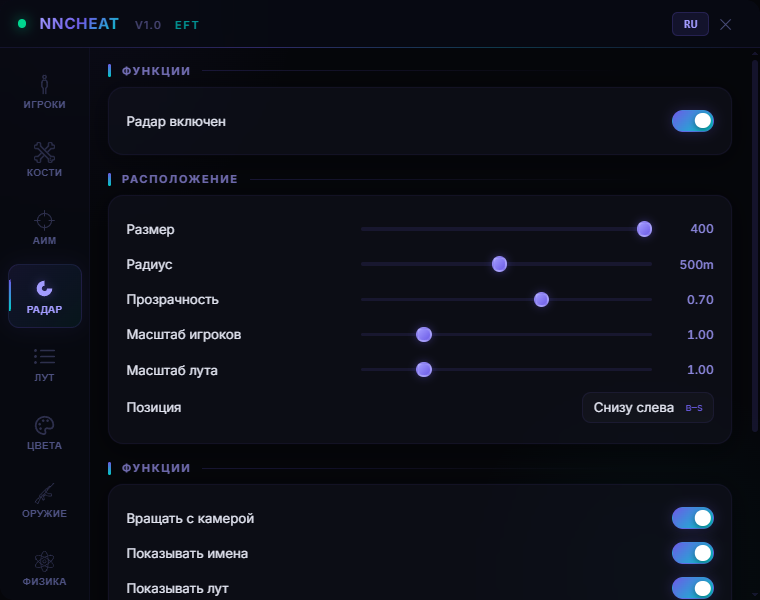
On-screen radar

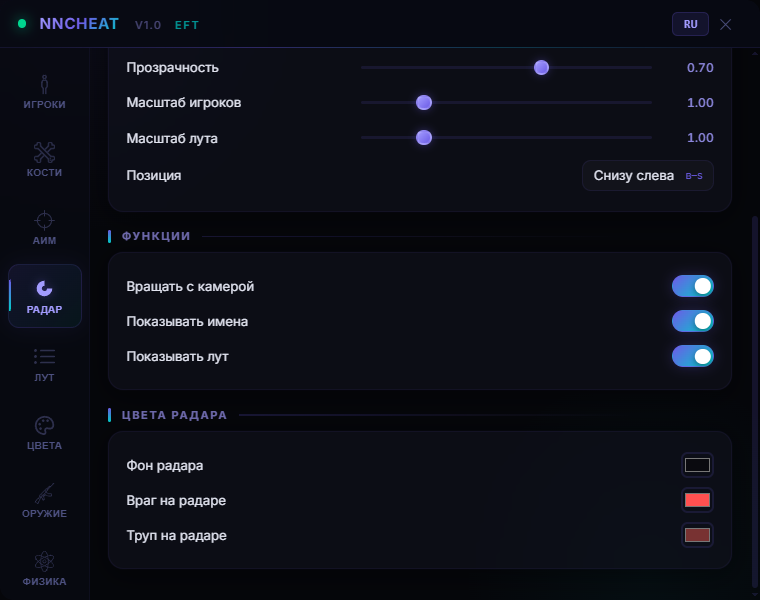
A minimap with players, bots and corpses. Window size, range, opacity and position are on sliders.

Rotation and names

The radar rotates with your view or stays locked to north. Names next to the dots are a separate toggle.

Loot on the radar

Valuable markers are mirrored on the minimap, so you see which way the detour is worth taking.

Loot

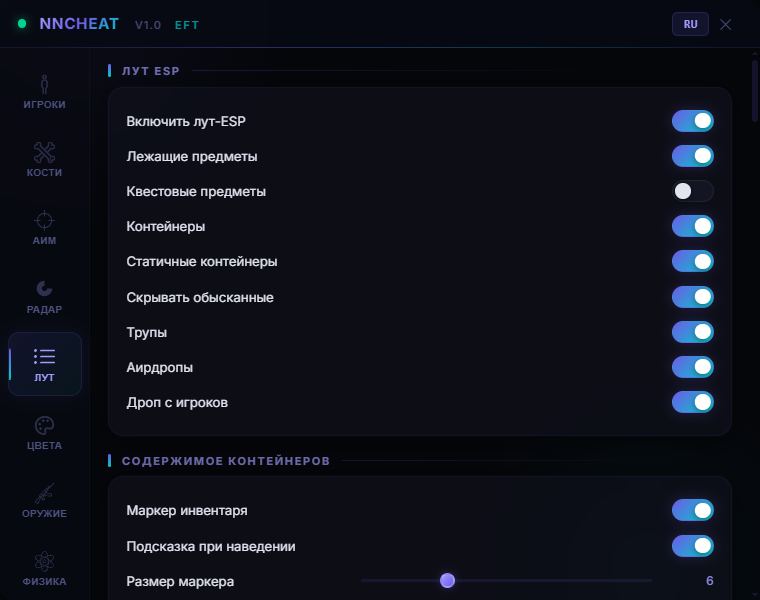
Loot ESP

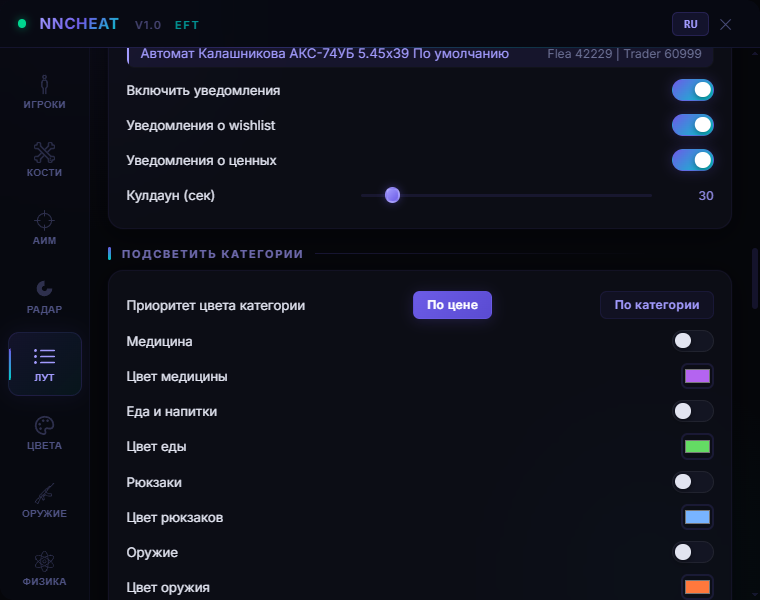
Items, quest items, containers, static crates, corpses, airdrops and player drops. Already opened containers are hidden so you stop running to empty ones.

Price filter

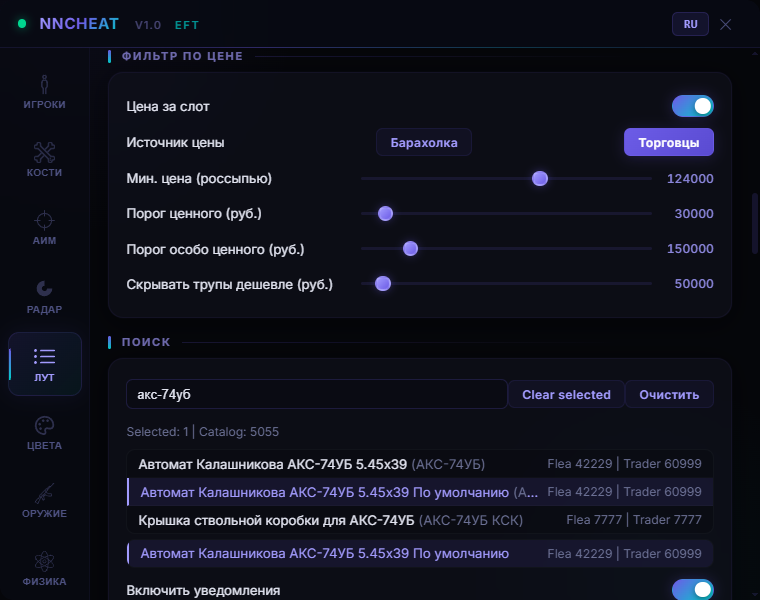
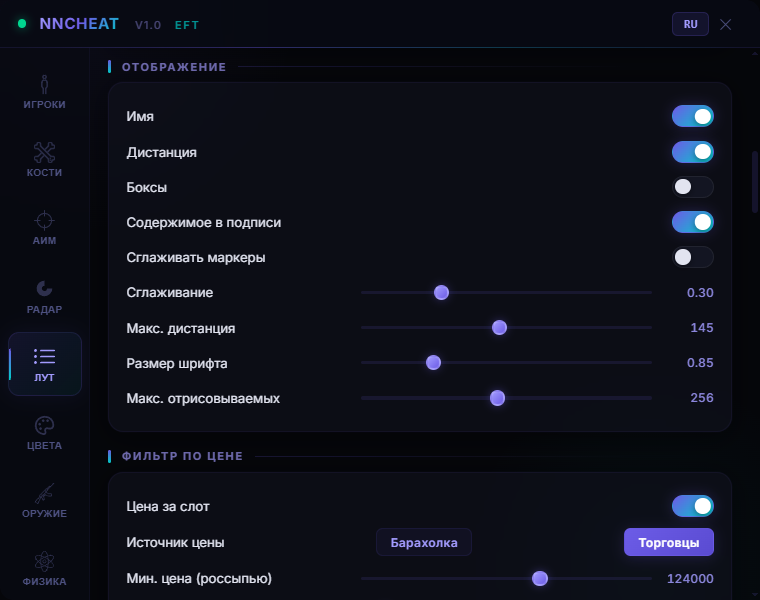
Threshold in roubles and price per slot, source set to flea or trader. Separate thresholds for valuable and super valuable, plus a minimum corpse value.

Container contents

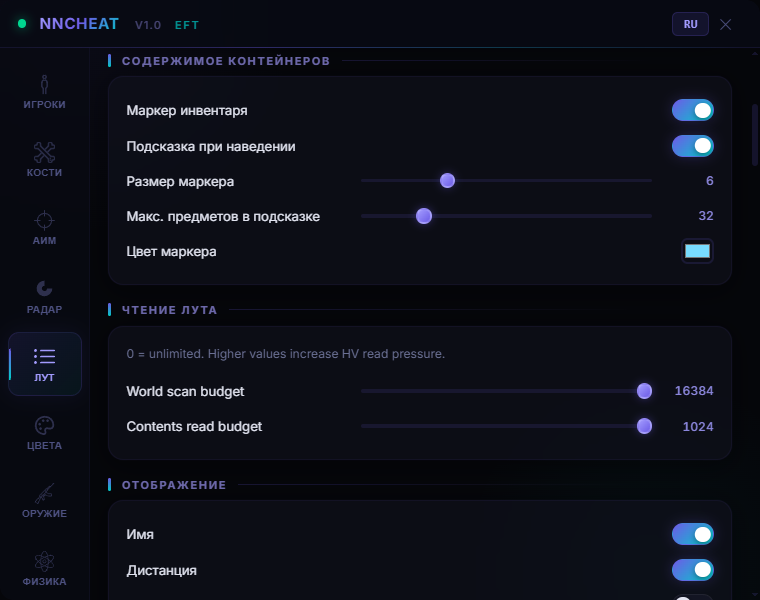
An inventory circle around the crate and a hover tooltip listing what is inside. You are still walking towards it and already know whether it is worth the trip.

Value in the label

The marker carries the name, the distance and the total in a +N val:Mk format. A line like "Corpse +12 243k [19m]" reads in a second.

Item search

Search by exact item name with the selection highlighted. Hunting one key or one LEDX, you stop tripping over the other markers.

Notifications

Pop-ups for valuables and for wishlist items. A cooldown keeps the stream sane.

Categories and colours

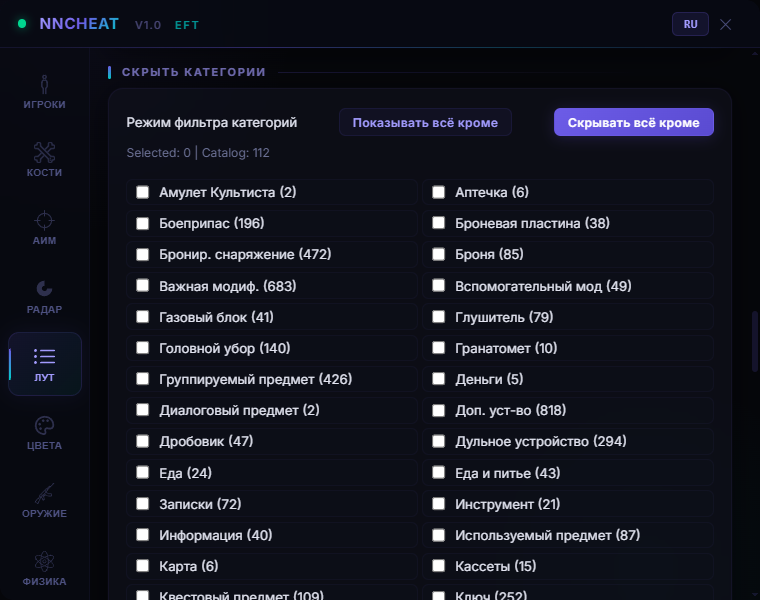
Meds, food, backpacks and weapons get their own colours. The filter mode flips between show everything except and hide everything except.

Killfeed

A kill log with a cap on entries: you can tell which part of the map is on fire.

Read budget

Sliders for world scanning and contents reading. On a weaker machine you trim the budget and the loot ESP stops eating frames on Streets.

Weapon and physics

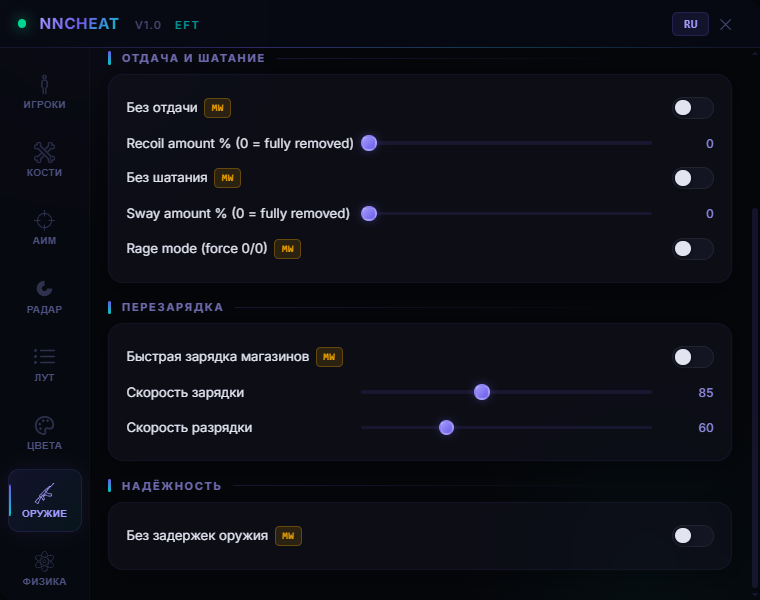
No recoil

Recoil is cut by percentage rather than a plain switch: leave thirty percent and the spray still looks human. Marked MW.

No sway

Aiming sway is damped the same way, on its own percentage.

Rage mode

The blunt setting that zeroes recoil and sway at once. It shows from the outside, so it is on you.

Mag drills

Loading and unloading speed sit on sliders — the hideout routine and the between-fight reloads take seconds.

No malfunctions

Misfires and bolt jams are turned off, so the gun does not die on you mid-fight.

Infinite stamina

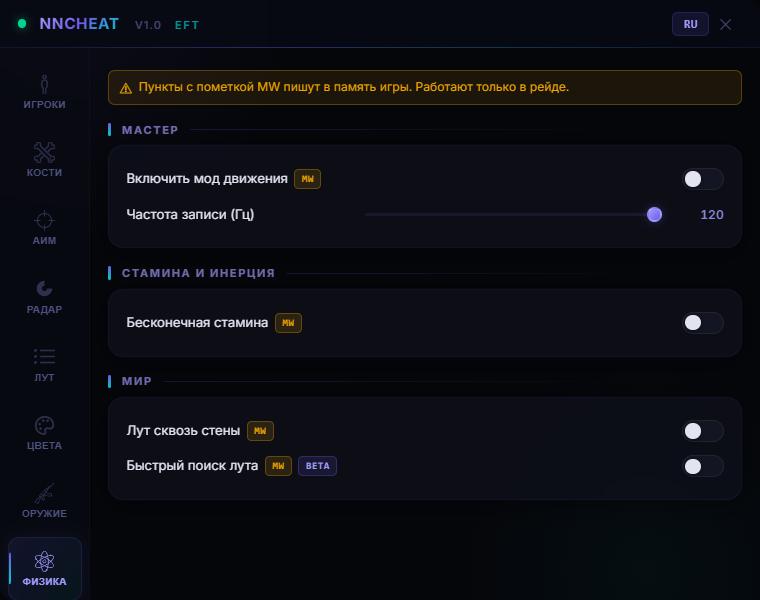
Stamina, hands and oxygen never run out. A sprint across the map ends with a steady sight picture instead of a dancing front post.

Loot through walls

Search a crate through a wall or a floor without stepping into the open, plus faster searching on containers and corpses.

Colours and menu

ESP colours

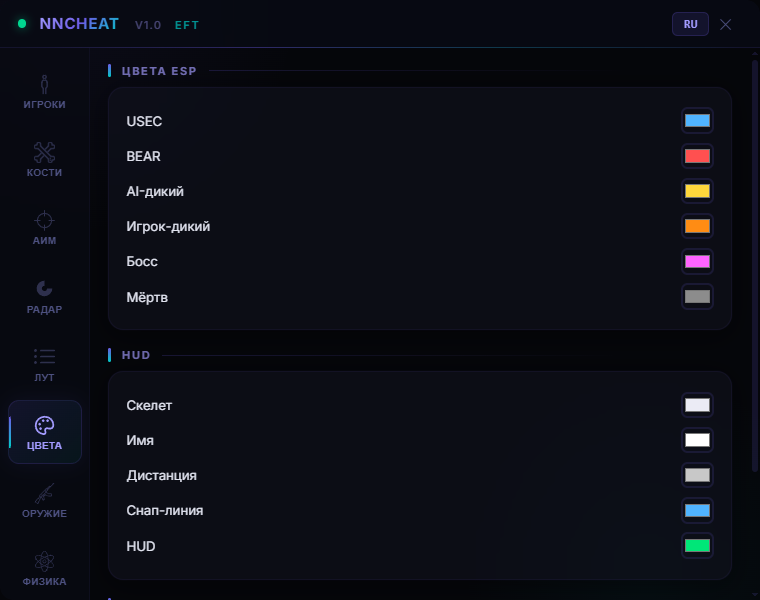
Own colours for USEC, BEAR, AI scavs, player scavs, bosses, corpses, skeletons, names, distance and HUD. Friends get their own.

Radar and loot colours

Radar background, enemies and corpses on it, plus markers for items, quests, containers, airdrops, wishlist and the two value tiers.

Menu and overlay

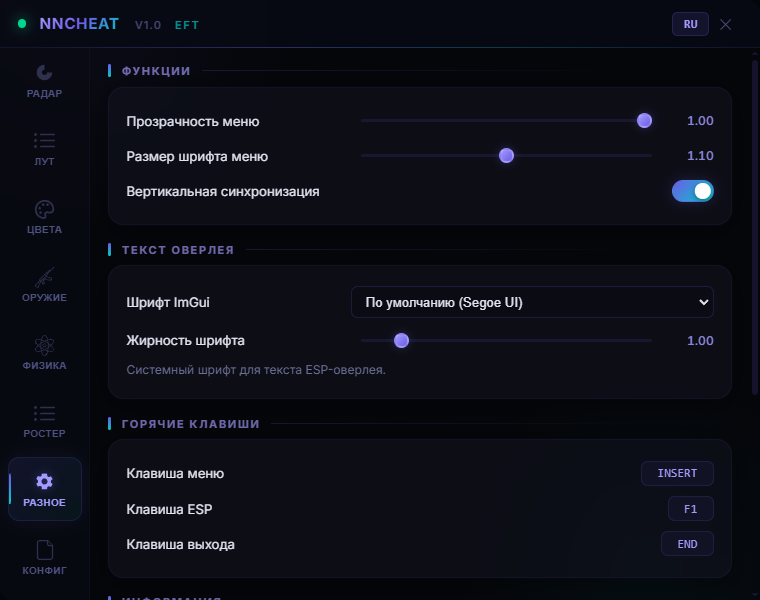
Menu opacity, font size, boldness, VSync and the ImGui font. The language flips with the RU/EN button in the header.

Hotkeys

Your own keys for the menu, for killing the ESP fast and for exiting the cheat.

Configs, roster, diagnostics

Configs

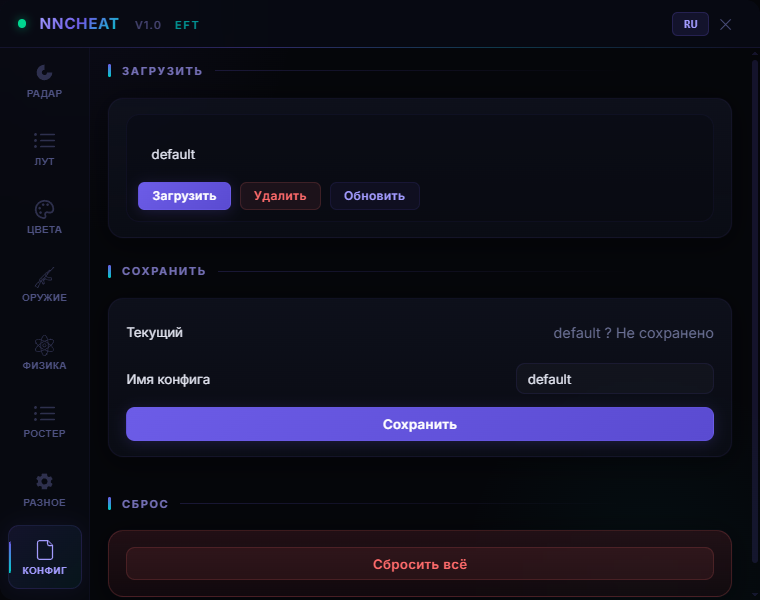
Save, load, delete and refresh the list. One preset per map: an aggressive one for Factory, a loot-heavy one for Interchange.

Player roster

Everyone on the server with name, type, ID and class. A teammate is added to friends straight from there.

Friend list

Friends persist between raids and never fall under the aim.

Runtime info

Session, write, raid and overlay state, timings, fallback counters and the last event. When something drops, you can see what exactly.
TARIFFS
$3.55
BUY What happens after payment?
Got a question? Ask before you pay

We'll help you choose and sort out any launch issue. Ask us anything before buying, we're always on your side.

Support 10:00–22:00, sometimes we reply at night too
Ask a question

Available tariffs

1 day
$3.55
START PURCHASE
7 days
$14.20
START PURCHASE
30 days
$26.03
START PURCHASE
Reviews about NN Escape From Tarkov Cheat

No reviews yet. Be the first to leave one.

Your review

Reviews are published after moderation.

Join our gaming community chat

Discuss current cheats from developers and how to use them effectively in popular online games. Share tactics, exchange useful info and find like-minded players in our community.

1 900+Members
24/7Online
Join our gaming community chat

Technical support

Run into a technical issue? Our team of experts will help. We handle all requests in a live queue, so please be understanding if it sometimes takes a little wait. We guarantee that no request goes unanswered.

Availabilityfrom 10:00 to 23:00
Fast responseIn queue order
Get help
Technical support
PROCHEAT

PROCHEAT news channel

Follow product status changes, update history and important announcements.

Subscribe

NN private cheat for Tarkov: module by module

NN splits its modules by one line: does the feature read game memory or write into it. The reading half (ESP, radar, loot, roster and vector aim) is always on the table. The writing half carries the MW badge, switches on separately, and can stay untouched forever. Here is who sits on which side.

NN modules and memory writes
Module What it gives you in a raid Writes memory
Player ESP Box, skeleton, name, health, distance and the enemy gun with ammo type No
Radar Minimap with PMCs, scavs, bosses and corpses, rotating with your view No
Loot ESP Flea or trader pricing, container contents, search, notifications No
Vector Aim Mouse pulled onto the target with smoothing, step limit and deadzone No
Roster and friends Everyone on the server, teammates kept out of the aim pool No
Silent Aim The shot lands on the chosen bone with the crosshair still Yes, MW
Weapon Recoil and sway by percentage, mag speed, no malfunctions Yes, MW
Physics Infinite stamina, loot through walls, fast searching Yes, MW

That gives you two playstyles. Quiet: ESP, radar, loot and Vector Aim with every MW switch off, so the software only watches. Full: Silent Aim, recoil and stamina on top — faster, and louder on your account.

Silent Aim vs Vector Aim: the difference

Silent Aim writes into memory and sends the bullet to the chosen bone while your crosshair stays exactly where you were holding it. From the outside it reads as a snap shot. Vector Aim writes nothing: it takes the mouse and walks it onto the target with your smoothing, step limit and deadzone. It is visibly slower, but it leaves no write trace on the client.

The impact point comes from a pattern rather than a single bone. In the editor every bone gets a weight and, if you want, a lock: sixty on the head, thirty on the chest, ten on the stomach. Roll frequency decides how often the aim moves its point between shots. Patterns for live PMCs and for bots are stored apart, so you can headshot scavs while keeping something tamer on players.

Then come the limiters. FOV in degrees, max distance, accuracy, ballistic prediction from the round's own data. Target filters drop USEC, BEAR, AI scavs, player scavs and bosses one by one, and roster friends fall out of the pool entirely. In a squad that matters more than it sounds: in the Labs corridors your teammate crosses the crosshair more often than the enemy does.

Loot by money: tuning the filter for your raid

The filter is built around price. First pick the source, flea or trader, then set a minimum for loose loot, separate ones for valuable and super valuable, plus a minimum corpse value. There is a price-per-slot mode as well: it counts the return per backpack cell rather than the raw total, which is the honest number when you extract.

Then categories. Meds, food, backpacks and weapons take their own colours, and everything you do not care about is cut with hide everything except. Wishlist hits and valuables are repeated as corner notifications on a cooldown. Exact-name search highlights what you need, so a filter for one office key comes together in half a minute.

Containers are their own story. An inventory circle is drawn around the crate, a hover tooltip lists the contents with the total, and already opened containers disappear so you stop running to empty ones. If frames start sagging on Streets, trim the world scan and contents read budgets. The picture gets thinner, the fps comes back.

The MW badge and what it means for BattlEye

The MW badge next to a toggle means one thing: this feature writes into Tarkov memory. Recoil, sway, mag speed, stamina, loot through walls and Silent Aim are all writes. ESP, radar, loot, roster and Vector Aim only read. The split is not decoration. Reads and writes carry different risk for an anti-cheat, and NN lets you pick where to stop.

Nobody gives guarantees here and we will not either. BattlEye catches people in different ways, player reports never went anywhere, and a Factory raid with Rage Mode on ends in a complaint almost every time. The sane setup looks like this: reads on, only the writes you cannot play without, and an aim kept inside its FOV instead of clearing a room in one second.

No spoofer ships with it. If your hardware already caught a ban, a subscription on its own solves nothing. You need a separate spoofer. And the usual Tarkov rhythm applies: after a BSG patch the software goes down for an update, your subscription time is frozen for that stretch, and we post about it in the channel.

How to buy the NN Tarkov cheat

Three periods: a day at 300 ₽, a week at 1200 ₽ and a month at 2200 ₽. People take the day to look at the menu and see whether the aim sits right under their own mouse; the week covers one post-wipe sprint; the month is the cheapest per day.

Payment runs through Digiseller, cards and e-wallets included. There is no account to create on procheat: the key and the loader land in the mailbox you paid from, right after the payment. Use an inbox you actually read — the letter goes out once.

If something refuses to start, write to support in Telegram and attach a screenshot of the error straight away. That way it takes one message instead of ten.

FAQ about NN

Can I play with no memory writes at all?

Yes. Turn off every toggle with the MW badge and you are left with pure reading: skeleton ESP, radar, loot filter, roster and Vector Aim. The aim gets slower, everything else works in full.

Does it come with a spoofer?

No, NN ships without one. If your account or hardware is already banned, you need a separate spoofer.

What does it show about the enemy weapon?

The gun, fire mode, round in the chamber, magazine count and ammo type. That one line tells you whether the trade is worth taking or whether you should walk around.

Will my fps drop on Streets of Tarkov?

Loot ESP is the expensive part on dense maps. The menu has a world scan budget and a contents read budget. Lower them and the frames come back. Capping the maximum rendered objects helps as well.

Is the menu available in English?

Yes, the language flips with the RU/EN button in the menu header. Russian and English, both complete.

What happens after a patch or a wipe?

The software goes down for an update, your subscription time is frozen for that period and resumes once it is back. We post the status in the Telegram channel.

from $3.55 Choose a plan
Ask a question


