Phoenix for Battlefield 5

Working
PHOENIX PHOENIX
Last update 29.11.2026 This date shows when the software was last updated. An old date doesn't mean the software stopped working! Most likely the developer just had nothing new to add. If you have any doubts, you can always check the current status with our support team.
Phoenix Battlefield 5
Steam
EA App
Windows support: 10: 21h2, 22h2; 11: 21h2, 22h2, 23h2, 24h2, 25h2, 26h1
Menu language: Russian, English

Aggressiveness

6 / 10
  • No Recoil
  • Aimbot
  • ESP / Wallhack
  • Radar

Feature score, not ban probability.

How this is calculated
  • No Recoil, Aimbot 5
  • ESP / Wallhack, Radar +1

5 + 1 = 6 / 10

The strongest feature sets the base. Each other gameplay group adds 1 point, up to 2 extra. Overlapping features share a group; cosmetics add no bonus. Maximum: 10.

Our editorial scale of available features. It does not measure ban probability or which settings you use.

Spoofer:No
USB drive:No
BIOS:No

User information

The developer lists Windows 10 or Windows 11 (21H2, 22H2, 23H2, 24H2, 25H2, 26H1), Intel or AMD processors and NVIDIA or AMD graphics. Supported clients are Steam and the EA app.

VIDEO
SCREENSHOTS
Description

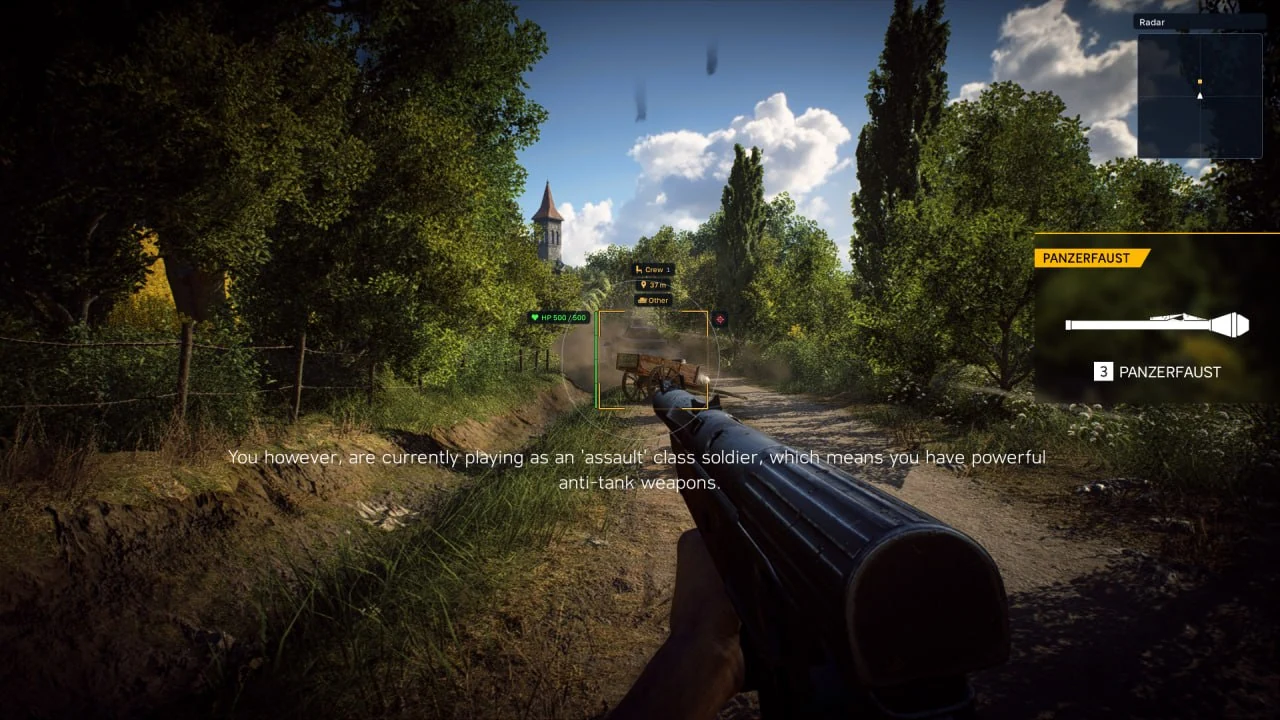
Phoenix has separate displays for infantry and vehicles in Battlefield V. A soldier label can show a weapon and health, while a vehicle label can report hull health and occupied seats.

Product features

Phoenix BF5 menu sections

Aim modes

Normal and Silent modes support head or chest selection, target priority and target lock. Prediction accounts for movement and bullet drop. Other controls cover visibility, hold or toggle activation, radius, its outline and smoothing.

Infantry labels

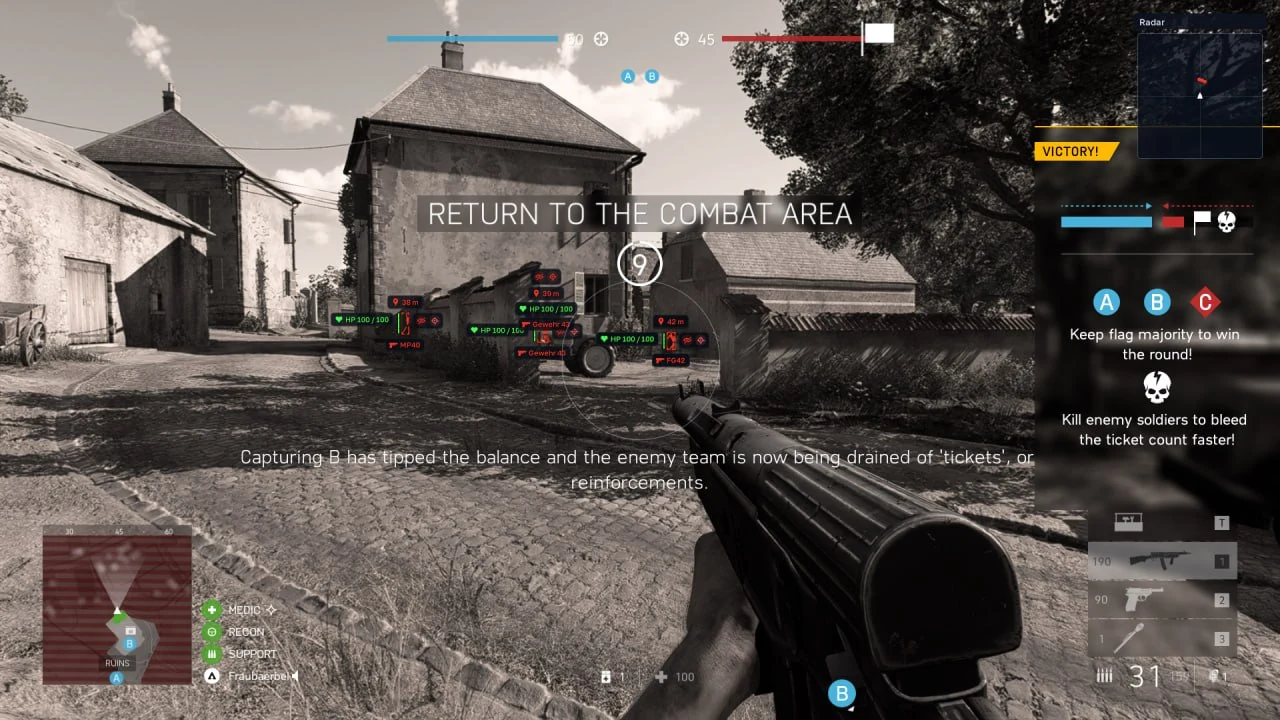
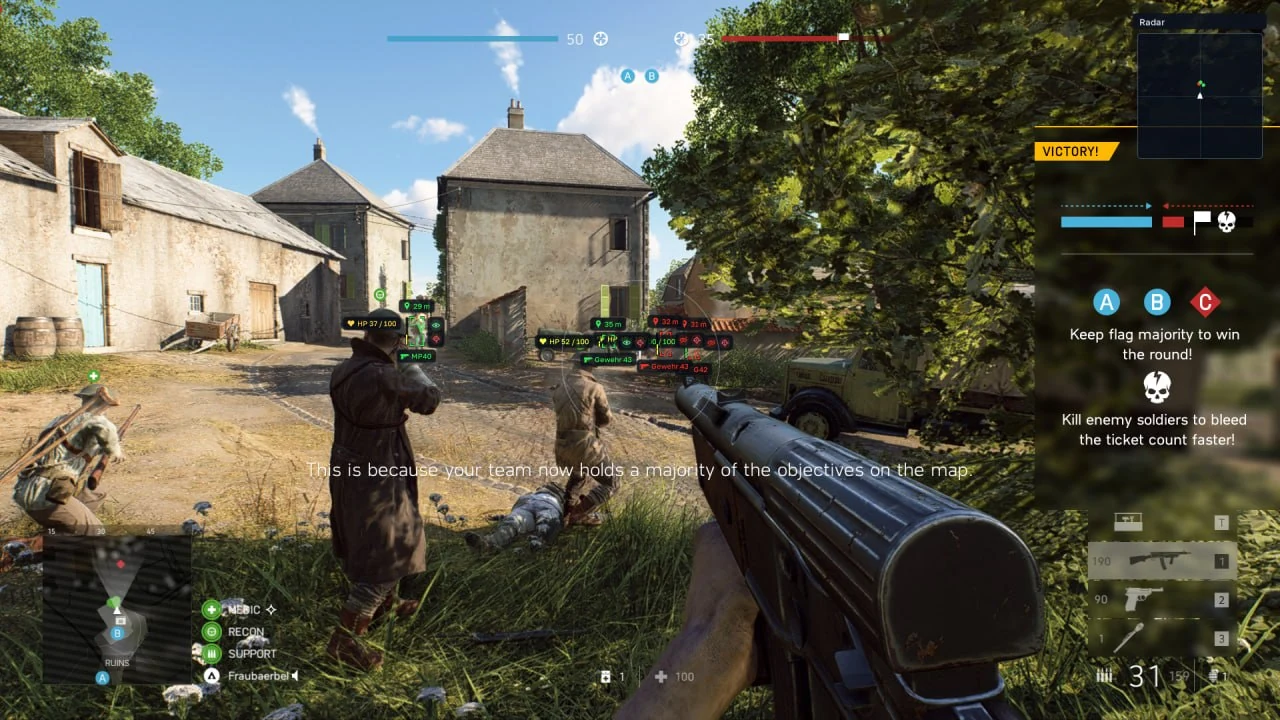
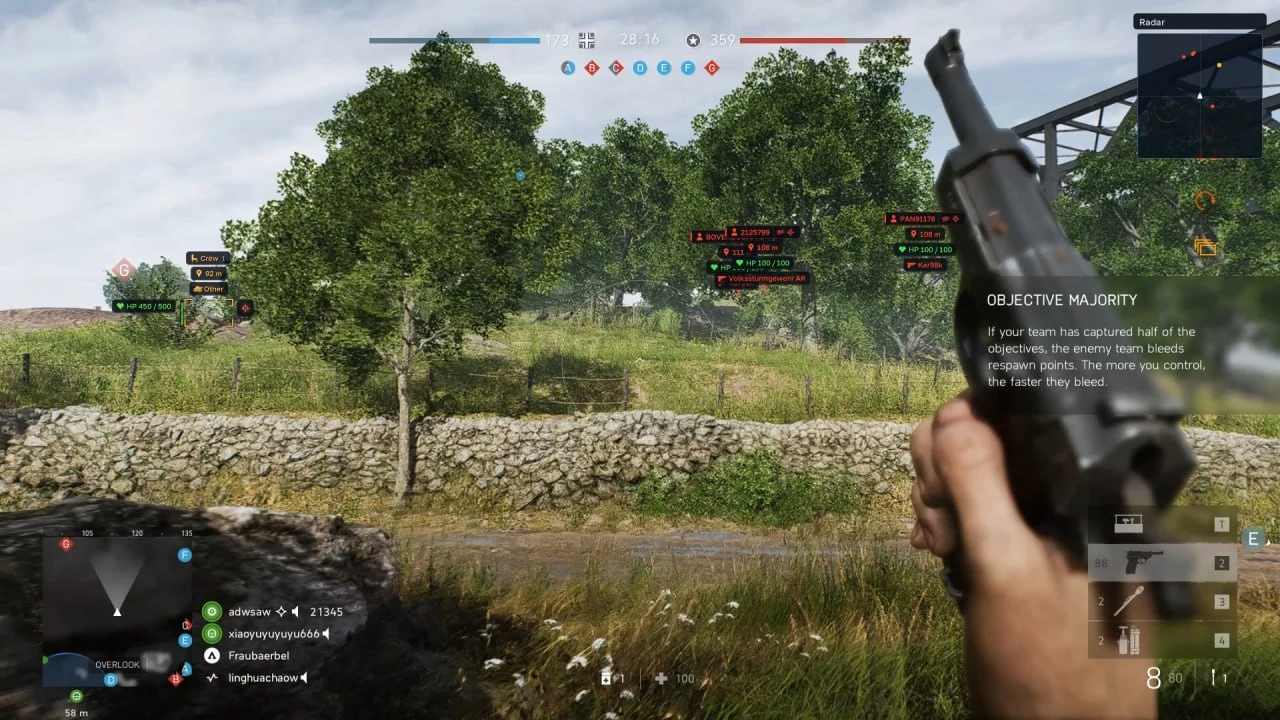
Boxes and skeletons can carry a name, numeric health, health bar, weapon, magazine capacity, suppressor indicator and distance. Filters cover enemies, line of sight and maximum range.

Player indicators

Indicators distinguish teams, visibility, low health and deaths. Visibility can change the marker colour. The display includes fallen players and their loot bags, with adjustable label placement and a compact view at range.

Vehicles

A bounding box with a height offset marks the hull. Labels cover name, type, health, seats, occupied places, crew names and repair status. Filters cover vehicle class, team and distance.

Radar

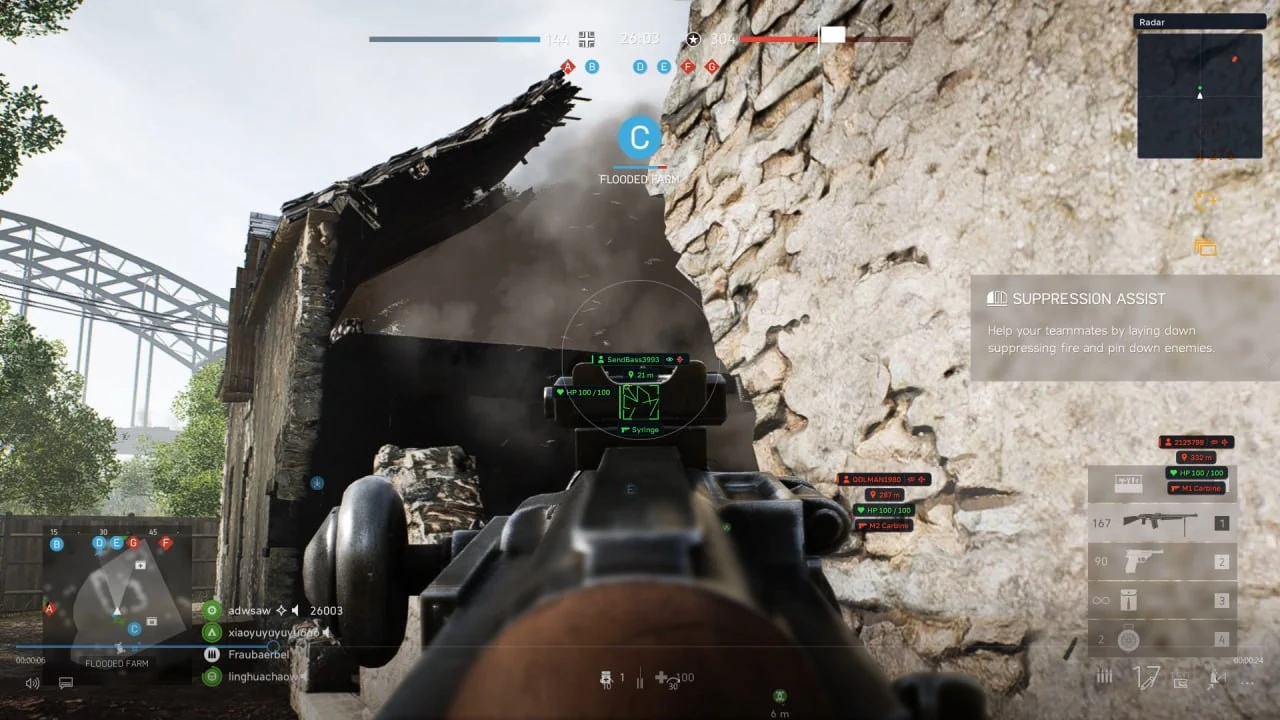
The radar plots infantry, vehicles and your own position. Options include a round or square frame, grid, window size and range. It can be moved or pinned at the top right.

Weapon options

The menu lists separate controls for recoil (No Recoil) and dispersion (No Spread).

Appearance

Frame options include full outlines, corners, fill and glow. Icons, colours, font size and spacing have a style preview. The menu offers English and Russian.
TARIFFS
$2.01
BUY What happens after payment?
Got a question? Ask before you pay

We'll help you choose and sort out any launch issue. Ask us anything before buying, we're always on your side.

Support 10:00–22:00, sometimes we reply at night too
Ask a question

Available tariffs

1 day
$2.01
$2.01 / day
START PURCHASE
7 days
$6.07
$0.87 / day
START PURCHASE
lowest per day
30 days
$12.14
$0.4 / day
START PURCHASE
Reviews about Phoenix Battlefield 5

No reviews yet. Be the first to leave one.

Your review

Reviews are published after moderation.

Join our gaming community chat

Discuss current cheats from developers and how to use them effectively in popular online games. Share tactics, exchange useful info and find like-minded players in our community.

1 900+Members
24/7Online
Join our gaming community chat

Technical support

Run into a technical issue? Our team of experts will help. We handle all requests in a live queue, so please be understanding if it sometimes takes a little wait. We guarantee that no request goes unanswered.

Availabilityfrom 10:00 to 23:00
Fast responseIn queue order
Get help
Technical support
PROCHEAT

PROCHEAT news channel

Follow product status changes, update history and important announcements.

Subscribe

Phoenix BF5 questions

Can I tell how many seats are free?

Phoenix lists capacity and occupied seats separately. If two of five seats are occupied, three are free. Crew names are a separate field.

What does a short label on a distant soldier mean?

Distant ESP uses a compact label at range. Maximum draw distance and label position are separate options.

Which clients does Phoenix BF5 list?

The developer lists Battlefield V on Windows through Steam and the EA app. The Phoenix interface supports English and Russian.

Can a still identify the active aim mode?

A screenshot captures the crosshair and labels at one moment. It does not show the selected mode or its behaviour as the view moves.

Infantry and armour in Phoenix for Battlefield 5

A tank and a soldier beside it use different sets of labels. The vehicle marker describes the machine and its crew. The infantry marker belongs to an individual player and can show weapon, distance and health. Each group has its own range filter. The feature list below gives the fields for both.

What the gameplay clip shows

The 45-second clip shows markers as the camera moves and the player fires. Individual elements are easier to examine in the stills: smoke appears beside the buildings in frame four, and labels sit over foliage in frame six. The aim modes and weapon options come from the developer’s menu reference. A single frame does not establish which mode was active.

from $2.01 Choose a plan
Ask a question