Phoenix for Battlefield 1
 PHOENIX

User information
Game clients: Steam and EA app. Processors: Intel and AMD. Graphics: NVIDIA and AMD.
Windows 10: 21H2 and 22H2. Windows 11: 21H2, 22H2, 23H2, 24H2, 25H2, 26H1 and 26H2.
On the payment page, select 1, 7 or 30 days.
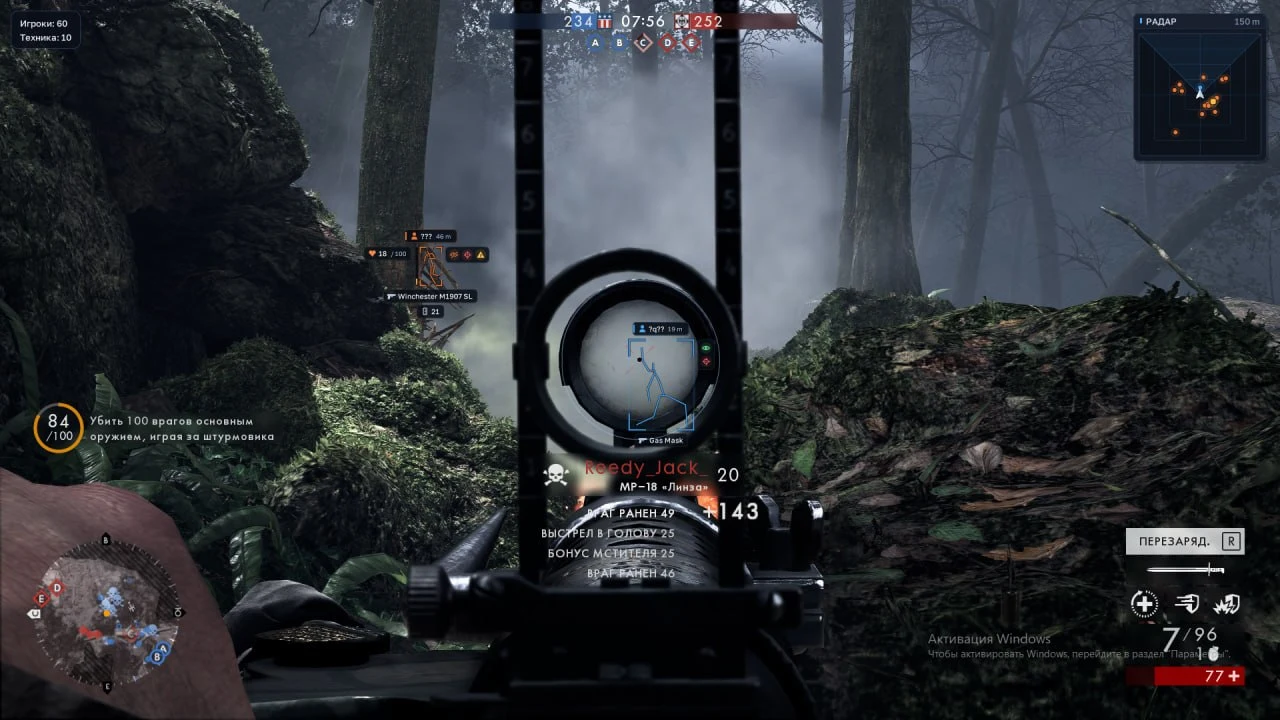
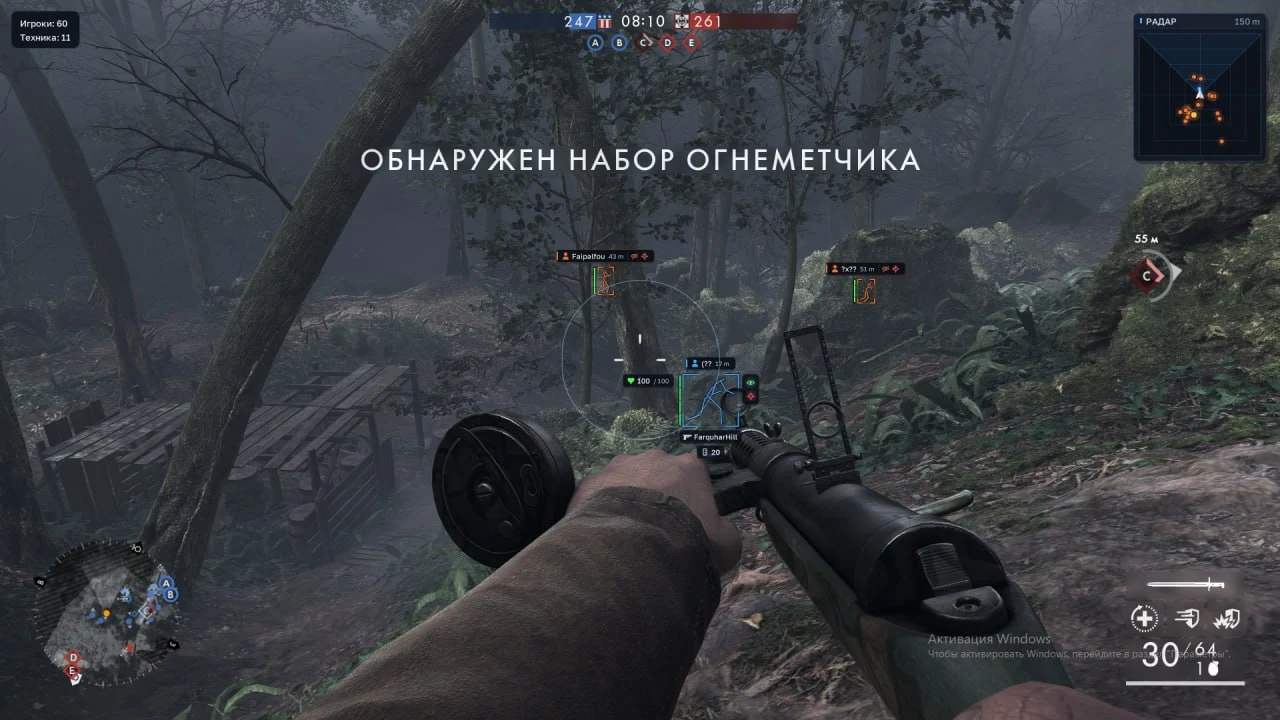
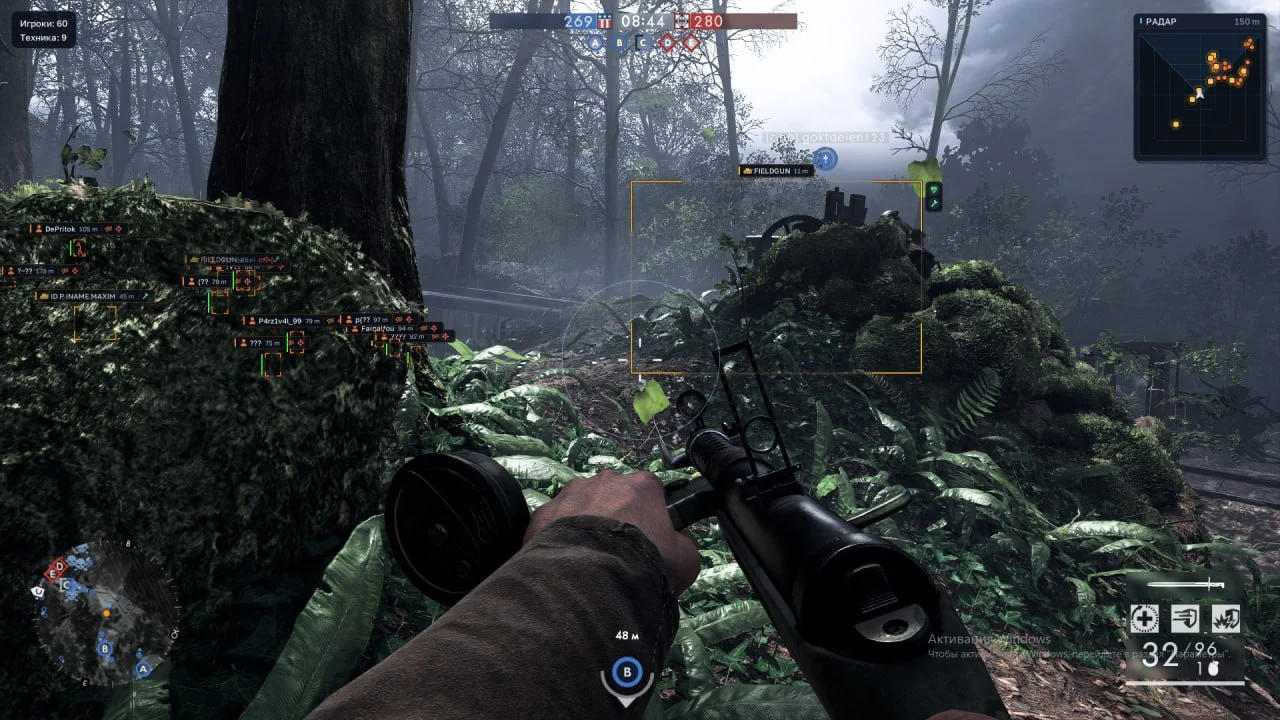
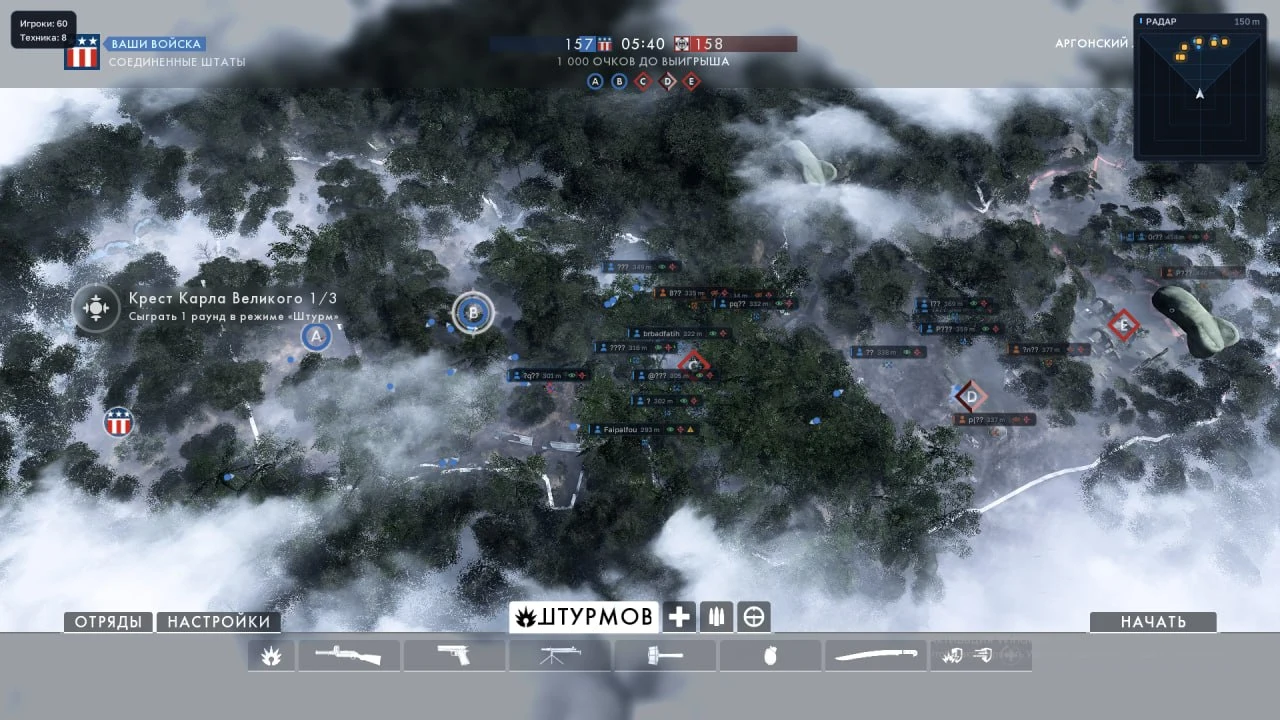
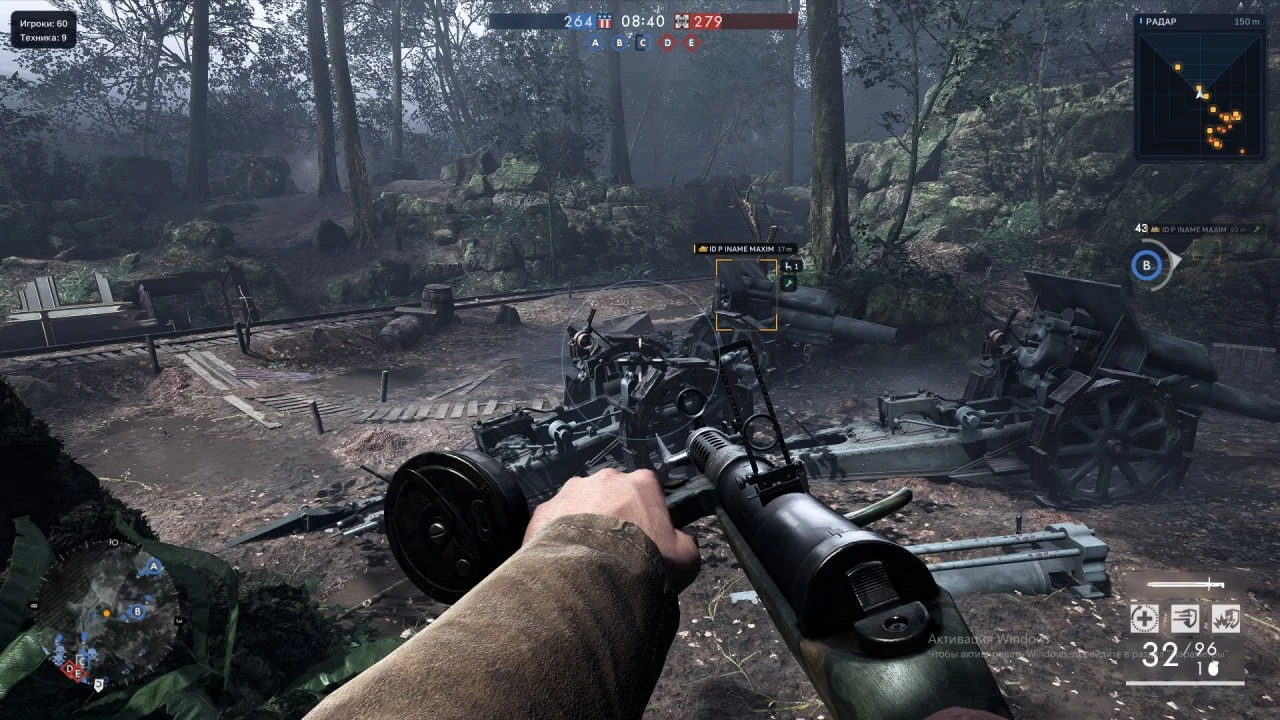
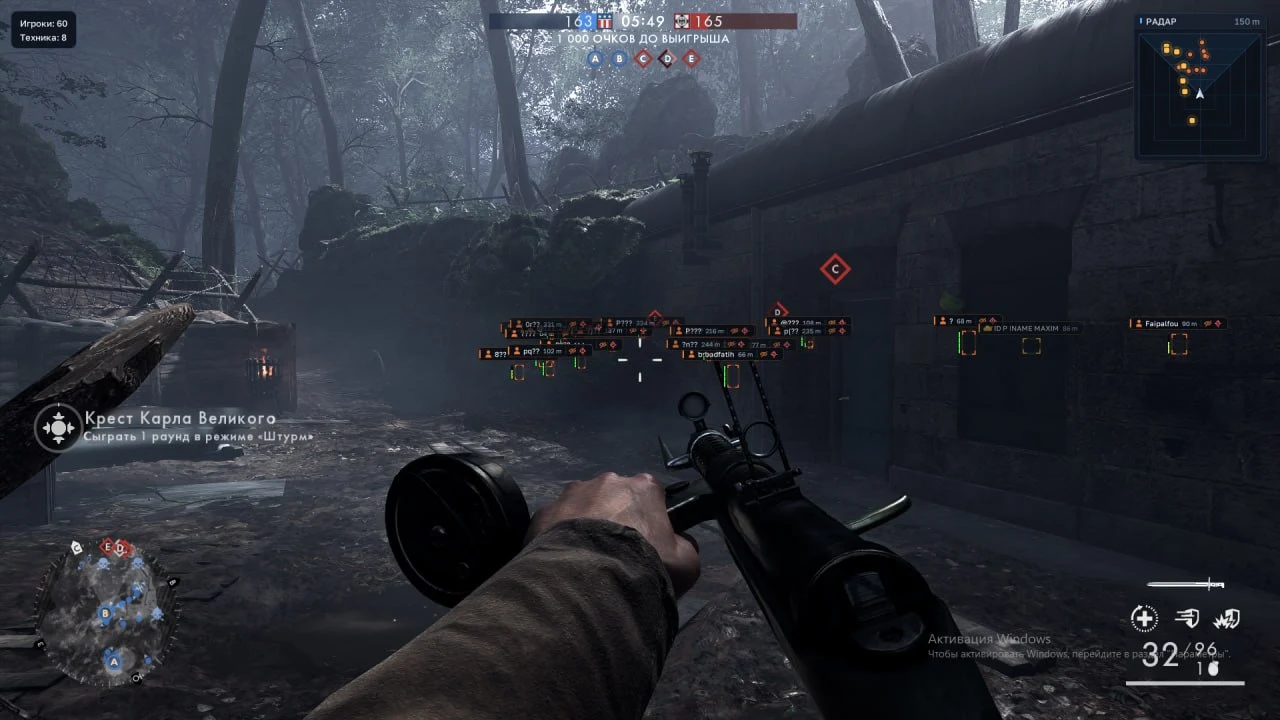
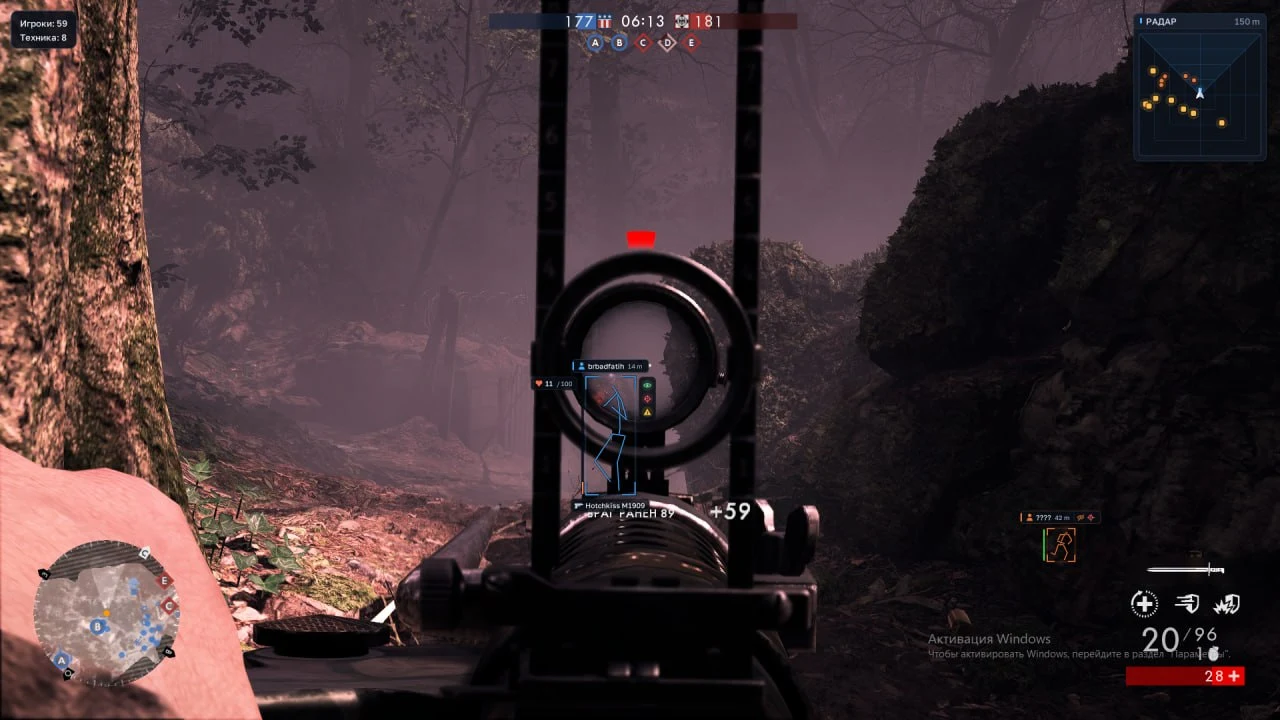
Infantry and vehicle labels
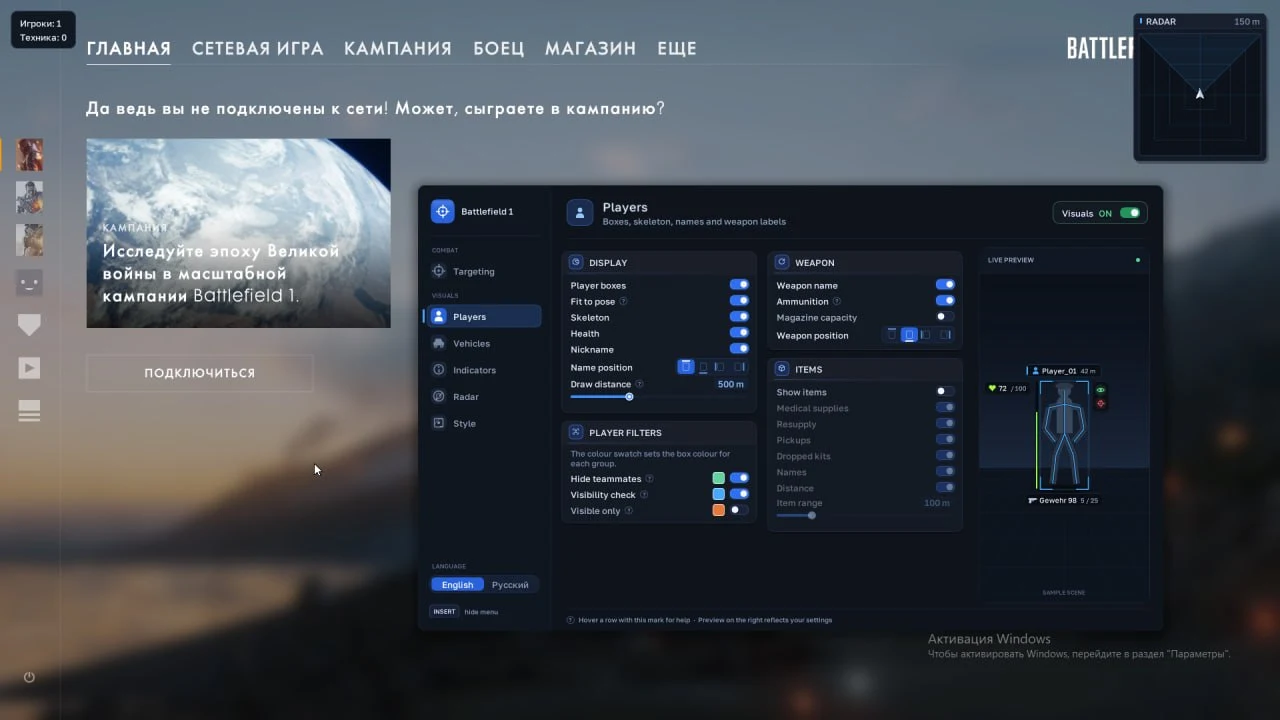
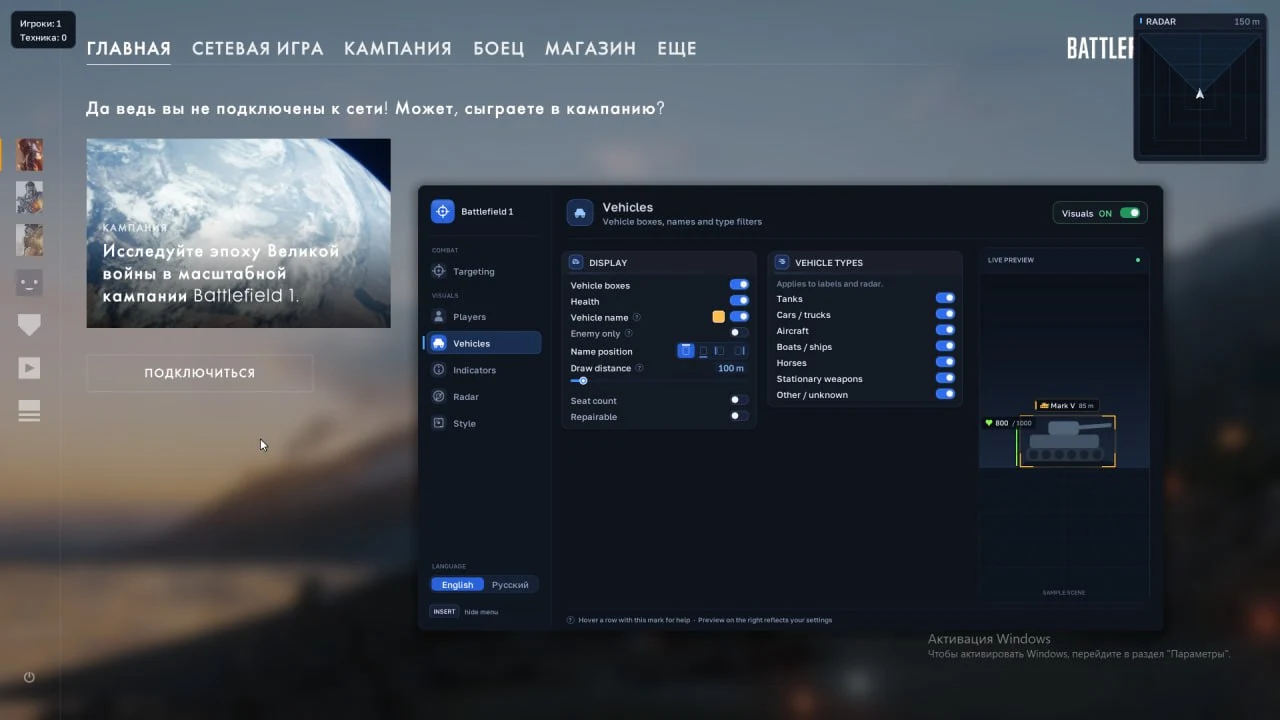
A soldier’s label can include their weapon, magazine capacity and remaining ammo. Vehicle labels show the name, seat count and repairability. You can set a distance limit for supplies independently of the player display.
Aim modes and prediction
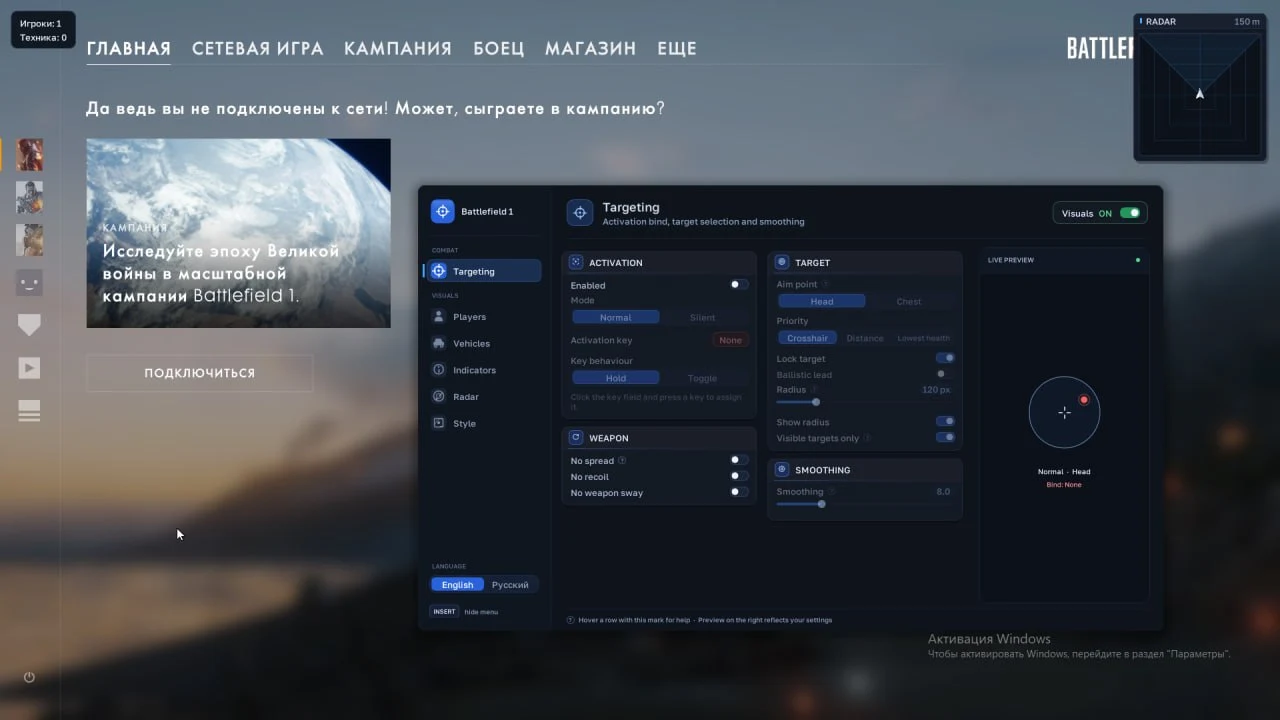
Standard aim moves the camera toward the selected aim point. Silent Aim changes the shot direction. Prediction accounts for a moving target, bullet speed and gravity. The weapon menu has separate controls for recoil, spread and sway.
Building a readable infantry display
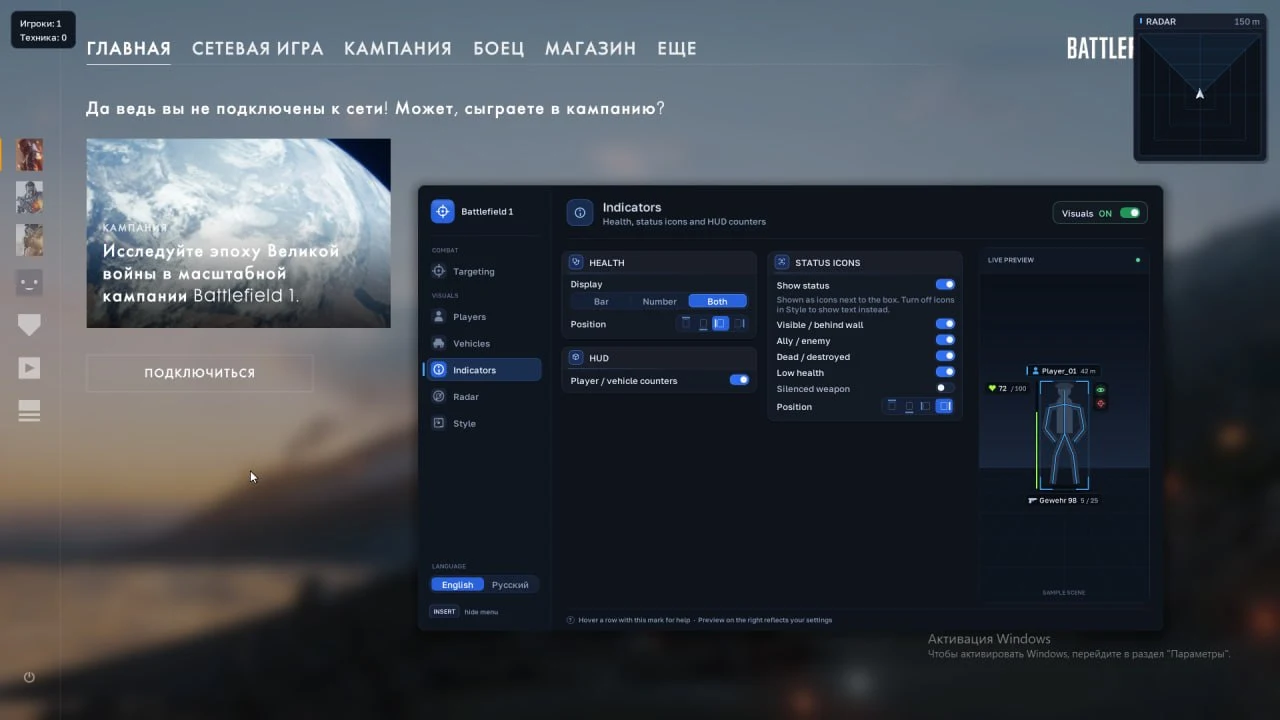
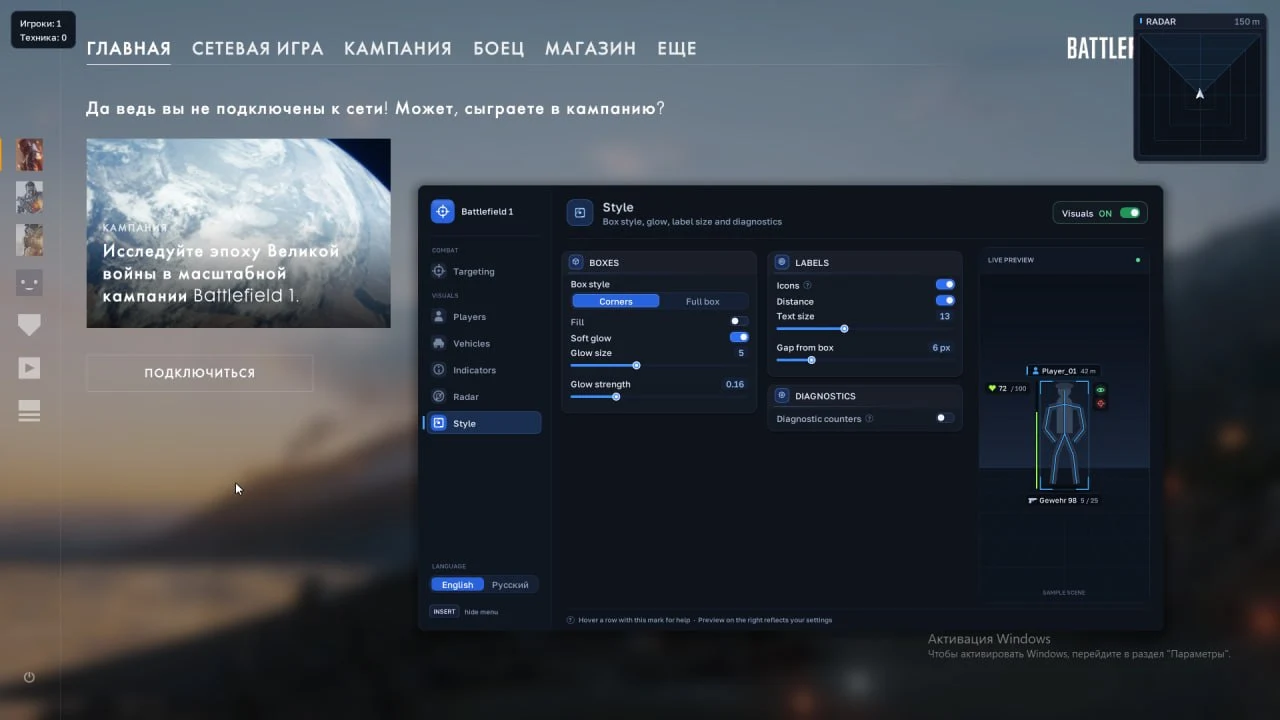
Phoenix has full and corner boxes for infantry. Move the name and weapon information to different positions if the labels compete for space. Health can appear as a bar, a number, or both together. Teammates have a separate color, and the menu preview shows how your chosen layout will look.
How target selection works
The aim radius is measured in pixels. Within that area, priority can go to the soldier closest to your crosshair, the one closest to your position, or the one with the least health. Visibility is a separate check. The activation button works either as a hold or a toggle.
Vehicles and dropped equipment
Ground, air and water vehicles have separate filters. You can limit the display to enemy vehicles, change the marker color and move the vehicle name. Medkits, supplies, pickups and abandoned kits have their own display settings. Each item label can show its category and distance.
Product features
- Aimbot. Standard and Silent modes, keyboard or mouse activation, hold or toggle, visibility check, selection radius and FOV circle, smoothing, head or chest aim point. Priority by crosshair distance, player distance or lowest health. Prediction and pause when the menu is open or the game loses focus.
- Player ESP. Corner or full 2D boxes sized from the skeleton or character bounds, fill, skeleton, names, distance and maximum range. Numeric health, health bar or both with adjustable position. Hide teammates, visible-only filter and separate colors. Weapon name, ammo in magazine and reserve, magazine capacity and label positions.
- Status and styling. Visibility, team, dead or destroyed state, low health and suppressor status. Move status text and icons, adjust box glow width and brightness, text size and label offsets.
- Vehicle ESP. Boxes, vehicle name and name position, health when available, seat count and repairability. Enemy-only display, vehicle class filters, maximum distance and marker color.
- Item ESP. Medkits, supplies, pickups and dropped kits. Show category names and distances and limit the maximum range.
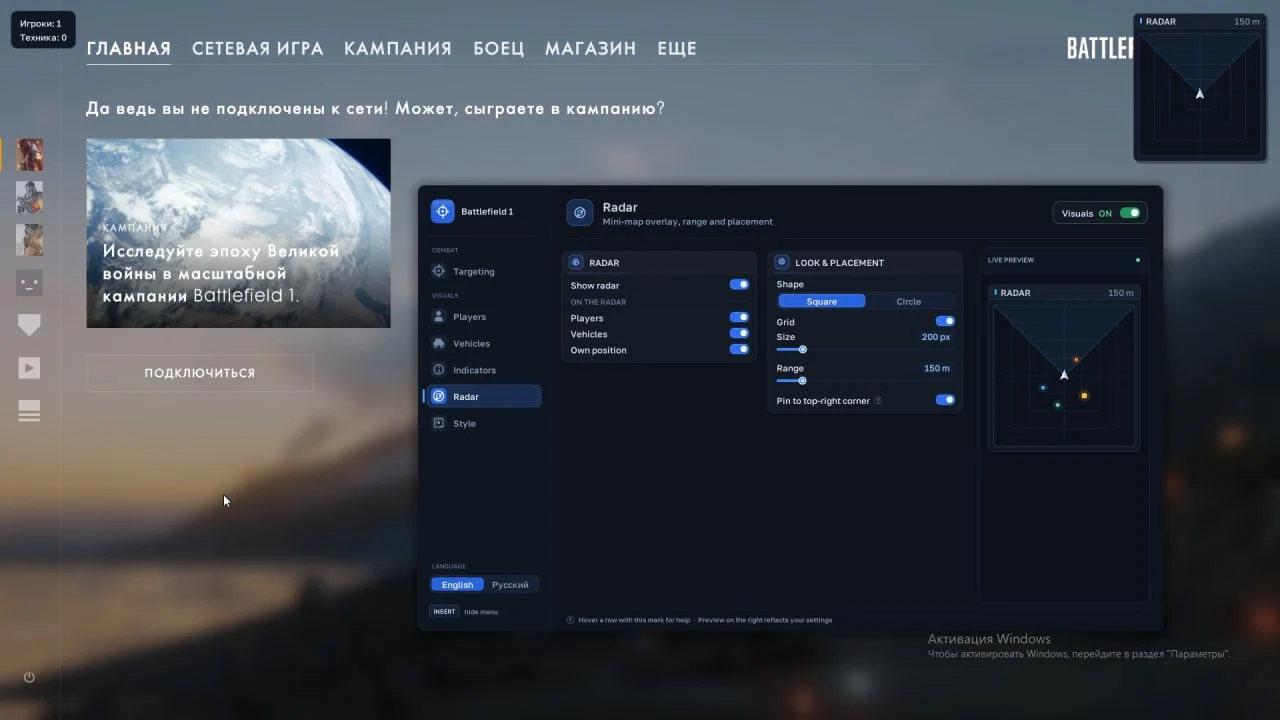
- Radar. Player markers, your position and selected vehicle classes. Round or square shape, grid, range and size. Pin it to the upper-right corner or move it with the menu open.
- Weapons and interface. No Recoil, No Spread and No Weapon Sway. Player and vehicle counters, style preview and English or Russian menu text.


 Join all games chat